
KPREPUBLIC MXRSKEY 60U OTM Black Switch x1
KPREPUBLIC MXRSKEY 60U Mechanical Keyboard User Manual
Model: MXRSKEY 60U OTM Black Switch x1
1. Uvod
This manual provides comprehensive instructions for the KPREPUBLIC MXRSKEY 60U Mechanical Keyboard. Please read this manual thoroughly before using the product to ensure proper operation and longevity.
The MXRSKEY 60U is a 60% mechanical keyboard featuring Outemu switches and single-color mixed LED backlighting. It supports multimedia combination keys for enhanced functionality. Please note that this keyboard is not hot-swappable and does not feature RGB backlighting; each row has a single, fixed color LED.
2. Vsebina paketa
Prosimo, preverite, ali so v vašem paketu vsi elementi:
- KPREPUBLIC MXRSKEY 60U Mechanical Keyboard
- USB-C kabel
- Uporabniški priročnik (ta dokument)
3. Specifikacije
| Funkcija | Opis |
|---|---|
| Razporeditev tipkovnice | 60 % kompaktno |
| Tip stikala | Outemu Mechanical Switches (Black Switch variant) |
| Material ključavnice | ABS Doubleshot Keycaps |
| Osvetlitev ozadja | Single Color Mixed LED (Each row with one fixed color) |
| Povezljivost | USB-C (Detachable cable) |
| Posebne lastnosti | Multimedia Combination Keys, Non-hot-swappable switches |
| Proizvajalec | KPREPUBLIC |
| Številka modela | MXRSKEY 60U |
4. Navodila za namestitev
4.1 Priključitev tipkovnice
- Locate the USB-C port on the back or side of the MXRSKEY 60U keyboard.
- En konec priloženega kabla USB-C vstavite v vrata USB-C na tipkovnici.
- Insert the other end of the USB-A connector into an available USB port on your computer.
- Vaš operacijski sistem bo tipkovnico samodejno prepoznal. Dodatni gonilniki običajno niso potrebni.
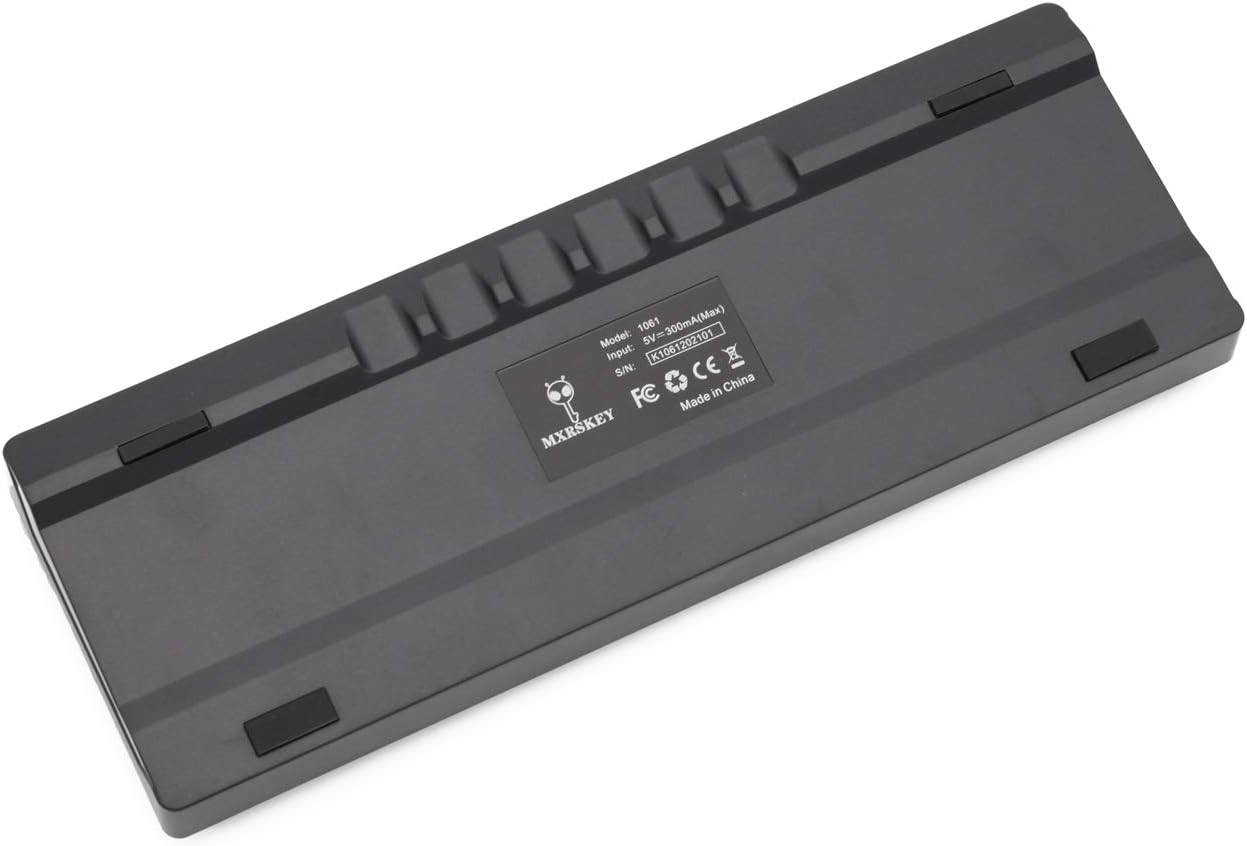
Slika: Zadaj view of the MXRSKEY 60U keyboard, highlighting the USB-C port for connection and the stable rubber feet.
5. Navodila za uporabo
5.1 Osnovne funkcije tipkovnice
The MXRSKEY 60U is a standard QWERTY layout 60% keyboard. All standard alphanumeric and symbol keys function as expected.

Slika: Zgoraj view of the MXRSKEY 60U keyboard, showcasing its compact 60% layout and the single-color mixed LED backlighting.
5.2 Kombinacije funkcijskih tipk (FN)
Due to its compact 60% layout, many functions are accessed via the Function (FN) key in combination with other keys. Refer to the table below for common FN key combinations.
| Kombinirani ključ | funkcija | Opomba |
|---|---|---|
| FN+TAB | Ponastavi tipkovnico | |
| FN+Esc | ~ | |
| FN + 1 | F1 | |
| FN + 2 | F2 | |
| FN + 3 | F3 | |
| FN + 4 | F4 | |
| FN + 5 | F5 | |
| FN + 6 | F6 | |
| FN + 7 | F7 | |
| FN + 8 | F8 | |
| FN + 9 | F9 | |
| FN + 10 | F10 | |
| FN + 11 | F11 | |
| FN + 12 | F12 | |
| FN+[ | Svetlost- | |
| FN+] | Svetlost+ | |
| FN+; | Hitrost- | |
| FN+' | Hitrost+ | |
| FN+? | ↑ | |
| FN+Alt | ← | |
| FN+Meni | ↓ | |
| FN+Ctrl | → | |
| FN+L | Back Lit Effect Change | |
| FN + preslednica | Close Back lit | |
| Multimedijske tipke | ||
| FN+A | Premor | |
| FN+S | Prejšnji | |
| FN+D | Naprej | |
| FN+F | Mute | |
| FN+G | Vol+ | |
| FN+H | Vol- | |
| FN+J | Vstavi | |
| FN+K | domov | |
| FN+L Win | Win Lock | |
| FN+L | PGUP | |
| FN+N | DEL | |
| FN+M | KONEC | |
| FN+ | PGDN | |
| FN+; | PRT | |
| FN + O | SCR | |
| FN + P | PS | |
Table: FN key combinations for various functions, including multimedia controls and navigation.

Image: Close-up of the keyboard's keycaps, illustrating the legends for primary and FN-accessed functions.
5.3 Nadzor osvetlitve ozadja
The MXRSKEY 60U features single-color mixed LED backlighting. You can adjust the brightness and change the lighting effect using FN key combinations.
- FN + [: Zmanjšajte svetlost osvetlitve ozadja.
- FN +]: Povečajte svetlost osvetlitve ozadja.
- FN + ;: Decrease backlight speed/effect.
- FN + ': Increase backlight speed/effect.
- FN + L: Change backlight effect.
- FN + vračalka: Turn off backlight.

Image: The keyboard with its single-color mixed LED backlighting active, showing the distinct color zones per row.
6. Vzdrževanje in nega
6.1 Čiščenje tipkovnice
- Pred čiščenjem tipkovnico odklopite iz računalnika.
- Uporabite mehko krpo, ki ne pušča vlaken, dampz vodo ali blago čistilno raztopino obrišite tipke in ohišje.
- Za prah in umazanijo med tipkami uporabite stisnjen zrak.
- Izogibajte se uporabi agresivnih kemikalij, abrazivnih čistil ali prekomerne vlage, saj lahko te poškodujejo tipkovnico.
6.2 Shranjevanje
Ko tipkovnice dalj časa ne uporabljate, jo shranite na suhem in hladnem mestu, stran od neposredne sončne svetlobe in ekstremnih temperatur.
7. Odpravljanje težav
| Težava | Možen vzrok | rešitev |
|---|---|---|
| Tipkovnica se ne odziva | Loose cable connection, incorrect USB port, system driver issue. | Prepričajte se, da je kabel USB-C varno priključen na tipkovnico in računalnik. Poskusite z drugim vhodom USB. Znova zaženite računalnik. |
| Osvetlitev ozadja ne deluje | Backlight turned off, brightness set to minimum. | Press FN + ] to increase brightness. Press FN + L to cycle through effects. Press FN + Backspace to toggle backlight. |
| Določene tipke ne delujejo | Ostanki pod tipkovnico, okvara stikala. | Use compressed air to clear debris. As switches are not hot-swappable, contact support if the issue persists. |
| FN key combinations not working | Napačna kombinacija, začasna programska napaka. | Refer to the "Function (FN) Key Combinations" table. Try resetting the keyboard (FN+TAB). |
8. Garancija in podpora
For warranty information and technical support, please refer to the official KPREPUBLIC webspletno mesto ali se obrnite na prodajalca. Za uveljavljanje garancije shranite račun.
Manufacturer: KPREPUBLIC
Date First Available: February 9, 2021
Za dodatno pomoč obiščite: KPREPUBLIC Brand Store on Amazon
Ask a question about this manual
Ask about setup, troubleshooting, compatibility, parts, safety, or missing instructions. Manuals+ will review the question and use this page’s manual context to help answer it.