
1. Uvod
This manual provides detailed instructions for the safe and efficient use of your Hoco HC3 Bounce Sports Wireless Speaker. Please read this manual thoroughly before operating the device and retain it for future reference. The Hoco HC3 is a versatile portable speaker supporting Bluetooth, FM radio, TF card, USB, AUX, and TWS modes.

Figure 1: Hoco HC3 Bounce Sports Wireless Speaker. This image displays the speaker in a vertical orientation, showcasing its black mesh grille, the 'hoco' logo at the bottom right, and a braided carrying strap attached to the top left side. The control buttons are visible on the side panel.
2. Vsebina paketa
Ob razpakiranju se prepričajte, da so vsi predmeti prisotni:
- Hoco HC3 Bounce Sports Wireless Speaker
- USB polnilni kabel
- Uporabniški priročnik (ta dokument)
- AUX Audio Cable (if included with your model)
3. Izdelek je končanview
Komponente 3.1 zvočnikov

Figure 2: Rear panel of the Hoco HC3 speaker. This image highlights the various input ports and control buttons located on the back of the speaker. Visible elements include the power switch, USB port, TF card slot, AUX input, and LED indicator.
Seznanite se s kontrolami in priključki zvočnika:
- Gumb za vklop: Long press to power on/off. Short press to switch modes.
- Gumb za predvajanje/pavzo: Predvajanje ali začasna ustavitev zvoka. Sprejemanje/končanje klicev.
- Gumb za povečanje glasnosti / naslednja skladba: Kratek pritisk za naslednjo skladbo, dolg pritisk za povečanje glasnosti.
- Gumb za zmanjšanje glasnosti / prejšnjo skladbo: Kratek pritisk za prejšnjo skladbo, dolg pritisk za zmanjšanje glasnosti.
- Gumb za način (M): Short press to cycle through Bluetooth, FM, TF card, USB, and AUX modes.
- Vrata USB: Za predvajanje z USB pogona.
- Reža za TF kartice: Za predvajanje s kartice TF (MicroSD).
- AUX vhod: 3.5 mm priključek za žično avdio povezavo.
- Vrata za polnjenje: Mikro USB vhod za polnjenje zvočnika.
- LED indikator: Displays charging status and operating mode.
3.2 Ključne lastnosti
- Bluetooth V5.0: Zagotavlja stabilno in učinkovito brezžično povezljivost.
- Več načinov predvajanja: Supports Bluetooth, FM radio, TF card, USB drive, and AUX input.
- Pravi brezžični stereo (TWS): Allows two HC3 speakers to connect wirelessly for a stereo sound experience.
- Dolga življenjska doba baterije: 2400mAh battery capacity offers up to 5 hours of music playback.
- Dvojni zvočniki: Equipped with two 45mm speaker units, each with 5W power output.
- Kompakten in prenosen: Dimensions of 202*60*60mm and weight of 561g for easy transport.
4. Nastavitev
4.1 Polnjenje zvočnika
- Priloženi polnilni kabel USB priključite na polnilno vtičnico zvočnika.
- Drugi konec kabla USB priključite na 5V napajalnik USB (ni priložen) ali na vrata USB računalnika.
- The LED indicator will illuminate to show charging status. It typically takes about 3 hours for a full charge.
- Once fully charged, the LED indicator will change or turn off (refer to specific LED behavior in the troubleshooting section if unsure).
Note: For optimal battery life, fully charge the speaker before first use.
4.2 Vklop/izklop
- Za vklop: Long press the Power button until you hear an audible prompt and the LED indicator lights up.
- Za izklop: Long press the Power button again until you hear an audible prompt and the LED indicator turns off.
5. Navodila za uporabo
5.1 Bluetooth seznanjanje
- Ensure the speaker is powered on and in Bluetooth mode (the LED indicator will typically flash blue, indicating it's ready for pairing). If not, short press the Mode (M) button to switch to Bluetooth mode.
- Omogočite Bluetooth na svoji mobilni napravi (pametnem telefonu, tablici, računalniku).
- Iskanje available Bluetooth devices. You should see "HC3" or "Hoco HC3" in the list.
- Select "HC3" to connect. Once paired, the speaker will emit an audible confirmation, and the LED indicator will stop flashing and remain solid blue.
- Zdaj lahko predvajate zvok iz naprave prek zvočnika.
Opomba: Zvočnik se bo ob vklopu samodejno poskušal ponovno povezati z zadnjo seznanjeno napravo, če je Bluetooth te naprave aktiven in v dosegu.
5.2 Način radia FM
- Vklopite zvočnik.
- Short press the Mode (M) button repeatedly until you enter FM radio mode.
- To auto-scan and save available FM stations, short press the Play/Pause button. The speaker will scan and store stations.
- Use the Volume Up / Next Track and Volume Down / Previous Track buttons to navigate between saved stations.
5.3 Predvajanje s kartice TF / USB
- Vklopite zvočnik.
- Insert a TF (MicroSD) card into the TF card slot or a USB flash drive into the USB port.
- The speaker should automatically switch to TF card or USB mode and begin playing audio files. If not, short press the Mode (M) button to select the correct mode.
- Use the Play/Pause, Volume Up / Next Track, and Volume Down / Previous Track buttons to control playback.
Note: Ensure your TF card or USB drive contains compatible audio files (e.g., MP3 format).
5.4 Način AUX
- Vklopite zvočnik.
- Connect one end of a 3.5mm audio cable (if included) to the speaker's AUX input port.
- Connect the other end of the audio cable to the audio output jack of your external device (e.g., MP3 player, computer).
- The speaker should automatically switch to AUX mode. If not, short press the Mode (M) button to select AUX mode.
- Control playback from your external device. Volume can be adjusted on both the speaker and the external device.
5.5 Funkcija TWS (pravi brezžični stereo)
The TWS function allows you to pair two Hoco HC3 speakers together for a true stereo sound experience.
- Ensure both HC3 speakers are powered off.
- Hkrati vklopite oba zvočnika. Oba morata preklopiti v način seznanjanja Bluetooth.
- On eno of the speakers (this will become the primary speaker), long press the Mode (M) button or a dedicated TWS button (if present, otherwise try the Play/Pause button for 3-5 seconds) until you hear a pairing tone. The speakers will attempt to connect to each other.
- Once successfully paired, you will hear a confirmation tone, and one speaker's LED will indicate it's the primary (e.g., flashing slowly), while the other's LED will be solid.
- Now, connect your mobile device to the primarni speaker via Bluetooth as described in section 5.1.
- Zvok se bo zdaj predvajal stereo prek obeh zvočnikov.
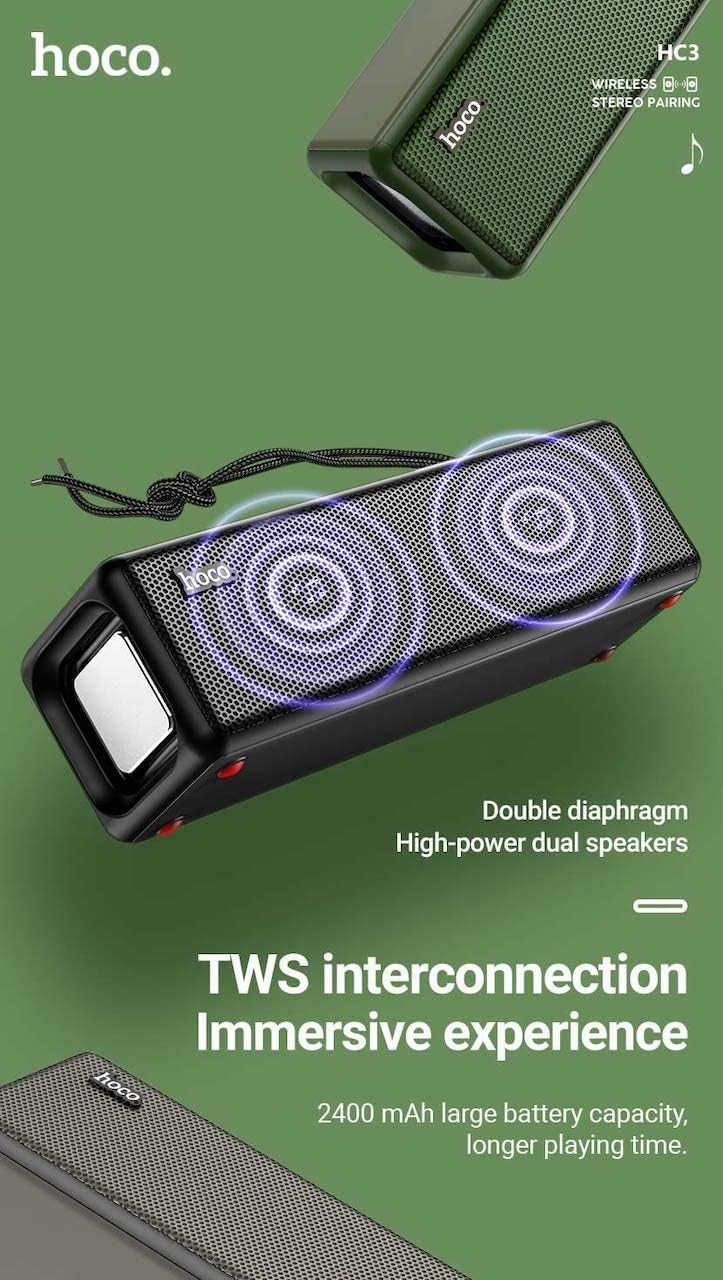
Figure 3: TWS Interconnection. This image illustrates the concept of two Hoco HC3 speakers wirelessly connected to provide a stereo audio experience, highlighting the dual speaker setup and the 2400 mAh battery capacity.
5.6 Upravljanje klicev
Ko je s pametnim telefonom povezan prek Bluetootha:
- Sprejmi klic: Kratek pritisk na gumb Predvajaj/Pavza.
- Končaj klic: Med klicem na kratko pritisnite gumb Predvajaj/Pavza.
- Zavrni klic: Ko zazvoni dohodni klic, dolgo pritisnite gumb Predvajaj/Pavza.
- Ponovno klicanje zadnje številke: Dvakrat pritisnite gumb Predvajaj/Premor.
6. Vzdrževanje
- Čiščenje: Za čiščenje površine zvočnika uporabite mehko, suho krpo. Ne uporabljajte abrazivnih čistil, alkohola ali drugih kemičnih topil.
- Shranjevanje: Zvočnik shranjujte na hladnem in suhem mestu, stran od neposredne sončne svetlobe in ekstremnih temperatur.
- Vzdrževanje baterije: To prolong battery life, charge the speaker regularly, even if not in use for extended periods (e.g., once every 3 months). Avoid fully discharging the battery frequently.
- Vodoodpornost: While designed for sports, avoid submerging the speaker in water. Refer to product specifications for any IP rating.
- Izogibajte se udarcem: Protect the speaker from drops and strong impacts.
7. Odpravljanje težav
If you encounter issues with your Hoco HC3 speaker, refer to the following table for common problems and solutions:
| Težava | Možen vzrok | rešitev |
|---|---|---|
| Zvočnik se ne vklopi. | Nizka baterija. | Zvočnik polnite vsaj 30 minut. |
| Seznanitev prek Bluetootha ni mogoča. | Bluetooth v napravi ni omogočen; zvočnik ni v načinu seznanjanja; predaleč od naprave. | Ensure Bluetooth is on, speaker is in pairing mode (flashing blue LED), and devices are within 10 meters. Forget "HC3" on your device and try pairing again. |
| Brez zvoka. | Glasnost je prenizka; izbran je napačen način; naprava ne predvaja zvoka. | Increase volume on both speaker and connected device. Verify correct mode (Bluetooth, AUX, TF, USB). Ensure audio is playing on the source device. |
| Sprejem FM radia je slab. | Šibek signal; motnje iz okolja. | Move the speaker to a location with better reception. Re-scan for stations. |
| TF card/USB playback not working. | Card/drive not inserted correctly; incompatible file format; poškodovan files. | Ensure card/drive is fully inserted. Check file formats (MP3 recommended). Try another card/drive. |
| Seznanjanje s TWS ni uspelo. | Zvočniki niso v načinu seznanjanja TWS; preveč so narazen. | Ensure both speakers are powered on and in TWS pairing mode. Keep them close during pairing. Refer to section 5.5. |
8. Specifikacije
| Funkcija | Podrobnost |
|---|---|
| Model | HC3 |
| Dimenzije | 202 x 60 x 60 mm |
| Teža | 561 g |
| Različica Bluetooth | V5.0 (Chip: JLAC6928B) |
| Kapaciteta baterije | 2400 mAh |
| Čas polnjenja | Približno 3 ur |
| Čas za pogovor/glasbo | Do 5 ur |
| Zvočniška enota | 45 mm * 2 |
| Izhodna moč zvočnika | 5 W * 2 |
| Načini povezovanja | Bluetooth, FM, TF card, USB, AUX, TWS |
| Način avdio izhoda | Surround |
| Proizvajalec | Hoco |
| Država izvora | Kitajska |
9. Garancija in podpora
Hoco products are manufactured to high quality standards. For information regarding warranty coverage, please refer to the warranty card included with your purchase or contact your local Hoco distributor or retailer. Keep your proof of purchase for any warranty claims.
For technical support or further assistance, please visit the official Hoco website or contact their customer service department. Contact details are typically available on the product packaging or the official webmesto.