
1. Uvod
This manual provides detailed instructions for the installation, operation, and maintenance of your Phonocar VM494 9.7" Full HD Mirror Dash Cam. This device integrates a front-facing camera, a rear camera, and a full HD display into a rearview mirror, offering enhanced safety and recording capabilities for your vehicle. Please read this manual thoroughly before using the product to ensure proper function and longevity.
2. Vsebina paketa
Preverite, ali so v vašem paketu priloženi vsi naslednji elementi:
- 1 x Phonocar VM494 Mirror Dash Cam
- 1 x Rear Camera with 15-meter cable
- 1 x 12V Power Adapter (for cigarette lighter socket)
- 2 x Rubber Supports for fixing
- 1 x Navodila za uporabo (ta dokument)
3. Izdelek je končanview
The Phonocar VM494 is a multifunctional rearview mirror with an integrated front camera and a separate rear camera. It features a 9.7-inch Full HD touchscreen display for intuitive control and clear viewing.
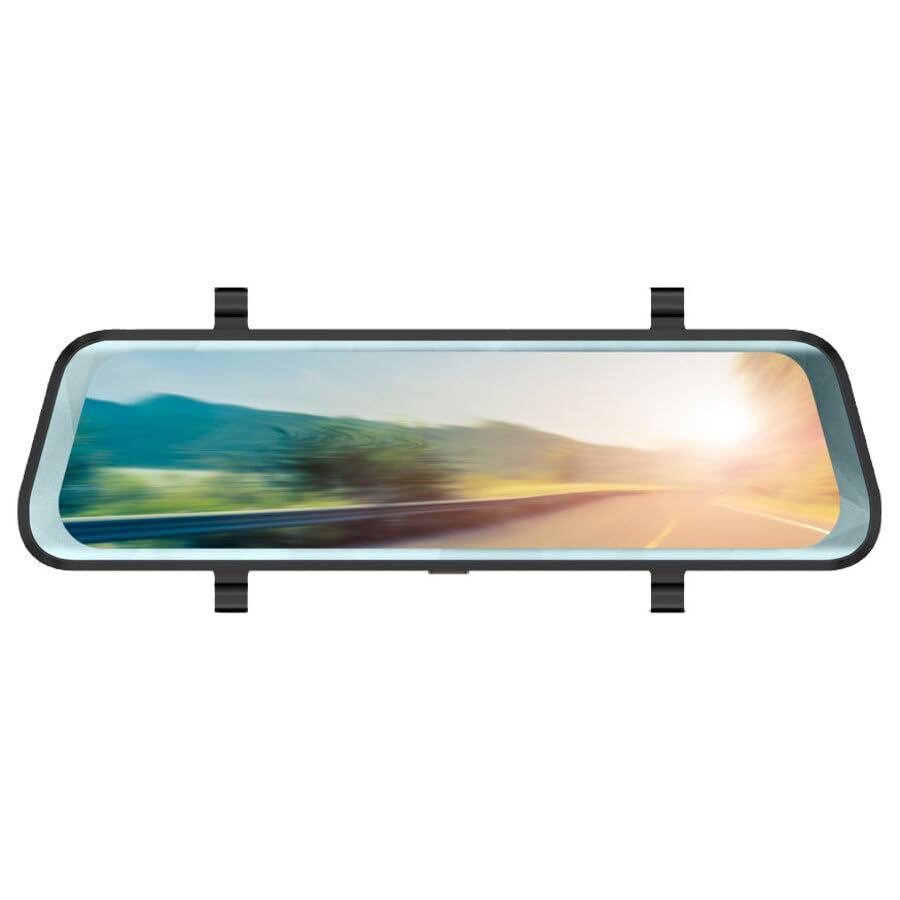
Slika 1: Phonocar VM494 Mirror Dash Cam. This image illustrates the main unit, highlighting the 9.7-inch Full HD display, the integrated front camera, and the rear camera connection. Key features such as Full HD recording, cycle recording, G-Sensor, emergency lock, touchscreen, and 144-degree wide angle are also indicated.
Ključne komponente:
- 9.7" Full HD Touchscreen Display: Zagotavlja jasno view of recordings and real-time camera feeds, with touch control for settings.
- Integrated Front Camera: Adjustable in width, records in Full HD 1080P with a 144° wide-angle view.
- Vhod za zadnjo kamero: Connects the included external rear camera for simultaneous recording and parking assistance.
- Zvočnik: Integrated 1 Watt mono loudspeaker.
- Mikrofon: Standard full-direction microphone for audio recording.
- Power/Stand-by Button: Located on the unit for power control.
4. Namestitev
The VM494 is designed for universal compatibility with 12V vehicles. Follow these steps for proper installation:
- Mounting the Mirror Dash Cam:
Attach the VM494 mirror dash cam over your vehicle's original rearview mirror using the provided rubber supports. Ensure it is securely fastened and does not obstruct your view.
- Priključitev napajalnika:
Connect the 12V power adapter cable to the dash cam and plug the other end into your vehicle's cigarette lighter socket. Route the cable neatly to avoid interference with driving controls.
- Namestitev zadnje kamere:
Namestite zadnjo kamero na zadnji del vozila, običajno nad registrsko tablico ali znotraj zadnjega stekla, da zagotovite jasen pogled view. Connect the 15-meter cable from the rear camera to the designated input on the VM494 mirror dash cam. Route the cable carefully through the vehicle's interior trim.
- Adjusting the Front Camera:
Adjust the integrated front camera's position to ensure it captures the desired field of view through your windshield.
5. Delovanje
5.1 Power On/Off and Stand-by
- To power on the device, press the Power/Stand-by button.
- To put the device in stand-by mode or turn it off, press and hold the Power/Stand-by button.
5.2 DVR and G-Sensor Function
Once powered on, the device automatically begins recording with the front camera. It records in Full HD (1080P) with both the front and rear cameras simultaneously. The recording is continuous, utilizing a cycle recording feature with options for 1, 3, or 5-minute segments.
- Snemanje cikla: The dash cam records video in continuous loops, overwriting the oldest footage, ko je pomnilniška kartica polna.
- G-senzor: In the event of a sudden impact or collision, the built-in G-Sensor automatically detects the event and locks the current video file, preventing it from being overwritten during cycle recording. This ensures critical incident footage je ohranjen.
- Zasilna ključavnica: Manually lock a recording by pressing the emergency lock button (if available, or via touchscreen menu) to protect it from being overwritten.
5.3 Automatic Rear Camera Display
When you engage reverse gear, the VM494 automatically displays the rear camera feed on the 9.7-inch screen, providing a clear view for safe parking and maneuvering.
5.4 Automatic Screen Off (Traditional Mirror Mode)
The screen will automatically turn off after 1 minute of inactivity. This allows the device to function as a traditional rearview mirror while the DVR recording functions (front and rear cameras) continue to operate in the background. The mirror features anti-glare blue glass when the screen is off.
5.5 Touchscreen Control
Navigate through the device's settings and functions using the intuitive 9.7-inch touchscreen display.
6. Tehnične specifikacije
- Velikost zaslona: 9.7 palcev
- Ločljivost zaslona: 1280 x 480 slikovnih pik
- Sprednja kamera: Adjustable in width
- Viewkot kota: 144° (wide angle, also during recording)
- Ločljivost video snemanja: Full HD 1080P
- Format videa: 1080P, MOV 30 FPS
- Cycle Recording Options: 1, 3, 5 minut
- Format fotografije: JPG/TIFF/PNG
- Vrsta ogledala: Anti-glare blue glass (when screen is off)
- Rear Camera Activation: Automatic upon engaging reverse gear
- Zvočnik: 1 Watt mono
- Mikrofon: Standard full-direction
- Dimenzije: 7 x 25.5 cm
- Napajanje: 12 V
- Posebne lastnosti: G-Sensor, Touch Control
7. Odpravljanje težav
If you encounter issues with your Phonocar VM494, please refer to the following common solutions:
- Naprava se ne vklopi: Ensure the 12V power adapter is securely connected to both the dash cam and the vehicle's cigarette lighter socket. Check the vehicle's fuse for the cigarette lighter.
- Težave s snemanjem: Verify that a compatible memory card is inserted and properly formatted. Check if the memory card is full; if so, it may need to be formatted or replaced. Ensure cycle recording is enabled.
- Zadnja kamera ne prikazuje slike: Check the connection of the rear camera cable to the main unit. Ensure the rear camera is properly installed and powered.
- Screen is black/off: The screen may be in automatic screen-off mode. Tap the screen to reactivate it. Ensure the device is powered on.
- Zaslon na dotik se ne odziva: Try restarting the device. If the issue persists, ensure the screen is clean and free of debris.
8. Vzdrževanje
To ensure optimal performance and longevity of your VM494:
- Čiščenje: Use a soft, dry cloth to clean the screen and lens. Avoid abrasive cleaners or solvents.
- Temperatura: Naprave ne izpostavljajte ekstremnim temperaturam, neposredni sončni svetlobi dlje časa ali visoki vlažnosti.
- Pomnilniška kartica: Periodically format the memory card (e.g., once a month) to maintain optimal recording performance and prevent data corruption. Back up any important recordings before formatting.
- Kabelske povezave: Prepričajte se, da so vsi kabli varno priključeni in da niso stisnjeni ali poškodovani.
9. Garancija in podpora
For technical assistance, warranty information, or service inquiries, please contact Phonocar customer support. Refer to the contact details below:
Phonocar SpAVia F.lli Cervi, 167/C
42124 Reggio Emilia (Italija)
telefon: +39 0522 941621
faks: +39 0522 1602093
E-pošta: info@phonocar.it
Webspletno mesto: www.phonocar.com
Za garancijske zahtevke shranite dokazilo o nakupu.