
Dynavin D9-7 Premium Flex
Uporabniški priročnik za avtoradio z GPS-om DYNAVIN D9-7 Premium Flex z Androidom
Model: D9-7 Premium Flex | Znamka: Dynavin
Uvod
The DYNAVIN D9-7 Premium Flex is an advanced Android car radio and GPS system designed specifically for the Skoda Octavia III Mk3 (2013-2019). This unit features a 10.1-inch anti-glare capacitive touchscreen, integrated GPS navigation, wireless CarPlay, Android Auto, and a Head-up Display. It seamlessly integrates with your vehicle's existing systems, providing enhanced multimedia, navigation, and connectivity features.

Image: The DYNAVIN D9-7 Premium Flex unit seamlessly integrated into the dashboard of a Skoda Octavia III, displaying a modern user interface with various application icons.
Nastavitev in namestitev
Ta razdelek ponuja overview of the installation process and initial setup for your DYNAVIN D9-7 Premium Flex unit. Professional installation is recommended.
Združljivost
- Designed for Skoda Octavia III Mk3 models (2013-2019).
- Retains original vehicle settings menu.
- Supports original Skoda rearview fotoaparat.
Komponenta Konecview
Image: An illustrative diagram showing the main display unit, various cables, antennas (GPS, BT/Wi-Fi), microphone, and installation tools included with the DYNAVIN D9-7 Premium Flex system.
The package includes the main display unit, necessary wiring harnesses, GPS antenna, BT/Wi-Fi antenna, USB extension cables, and a compact digital dual microphone. Ensure all components are present before beginning installation.
Head-up Display (HUD) Installation
The Head-up Display provides key information directly in your line of sight. Install the HUD unit on your dashboard in a position that does not obstruct your view of the road. Connect it according to the provided wiring diagram.
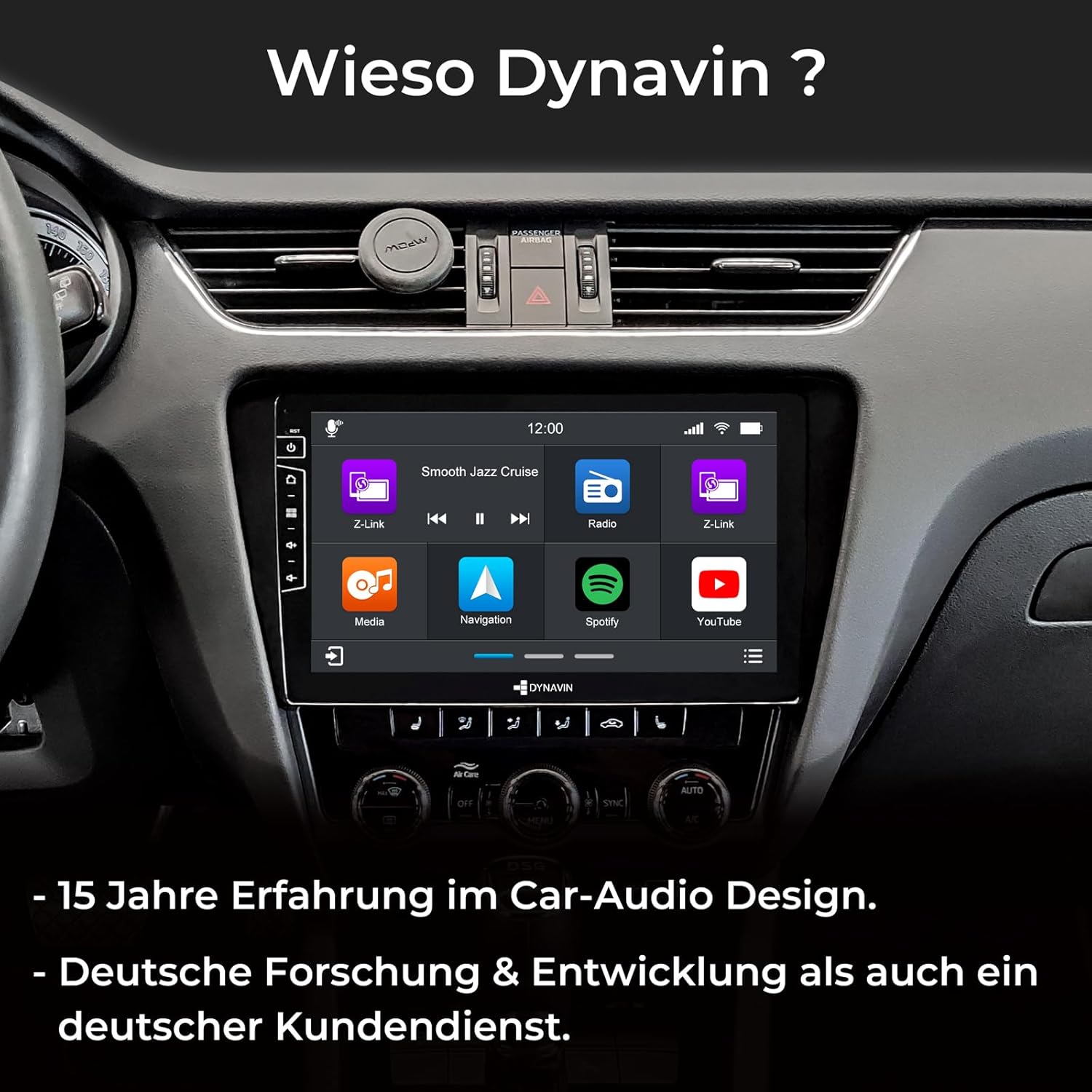
Image: A split image showing the Head-up Display (HUD) mounted on the dashboard, displaying navigation cues and time, enhancing driving convenience.
Namestitev mikrofona
The compact digital dual microphone ensures clear voice quality during calls. Install it in a suitable location, typically near the driver's sun visor or steering column, ensuring it is not obstructed.

Slika: Bližnji posnetek view of the innovative Dynavin Digital Dual-Microphone, discreetly installed near the steering wheel, designed for stable and excellent call quality.
Navodila za uporabo
This section details the various functions and operations of your DYNAVIN D9-7 Premium Flex unit.
Uporabniški vmesnik in zaslon
The unit features a 10.1-inch high-resolution (1280x720) anti-glare capacitive touchscreen. Navigate through menus and applications by touching the screen. The Android 11 OS provides a familiar and intuitive interface.

Image: The main screen of the DYNAVIN unit displaying a grid of application icons, including Z-Link, Media, Navigation, Spotify, and YouTube, indicating its multimedia capabilities.
Avdio funkcije
- Integrirani DSP razreda D Ampdvigalo: Provides 4 * 60W RMS output with low distortion (THD+N <1%). Features adjustable crossover and speaker gain. Vehicle-specific sound configuration filejih je mogoče prenesti z Dynavina webmesto.
- FM RDS Radio: High-sensitivity tuner with 15 station presets, optimized for clear reception across the EU.
- DAB+ radio: Supports digital audio broadcasting for enhanced sound quality and more stations.
- Optional VW Dynaudio System Support: Compatible with the D8-MO150-V accessory (ASIN B09Z6QZJFF).

Image: The DYNAVIN unit's display highlighting its powerful 100W x 4 Class-D High Power Amplifier, emphasizing its audio capabilities.
Navigacija in povezljivost
- Integrirana GPS navigacija: Pre-installed navigation software with Blitzer.de database. Features easy destination entry, turn-by-turn voice instructions, and selectable route guidance. A 31-day trial is included, with full access requiring the Dynapp-Pack activation.
- Brezžični CarPlay in Android Auto: Seamlessly integrate your smartphone for navigation, music, calls, and messaging. A 31-day trial is included, with full access requiring an activation code purchased online.
- Zrcaljenje pametnega telefona: Display your smartphone screen directly on the unit.
- Paket Dynapp: This pack (31-day trial, activation code required) includes the Dynaway navigation app, Google Playstore access for third-party apps, and display of speed limits with Blitzer.de data on the Head-up Display.
- Bluetooth: Za prostoročno klicanje in pretakanje zvoka.
- USB povezljivost: Two USB ports for multimedia playback and device charging.
Integracija vozila
- CAN-BUS Integration: Supports multifunction steering wheel controls and VW multifunction display (MFD/MFD+).
- Real-time Vehicle Data: Displays current fuel level, battery voltage, and external temperature on the Dynavin screen.
- Climate Control Support: Air conditioning status information is displayed as pop-ups on the unit (functionality may vary by vehicle model and year).
- Parking Sensors: Reads CAN data from factory-installed parking distance sensors, displaying front/rear radar segments on the OPS screen.
- Optional Lane Keeping Assist & Traffic Sign Recognition: Supported with the D8-CANMIB-H accessory (ASIN B09Z6RHT7V).
Vzdrževanje
Proper maintenance ensures the longevity and optimal performance of your DYNAVIN unit.
- Čiščenje: Za čiščenje zaslona in enote uporabite mehko, suho krpo. Izogibajte se abrazivnim čistilom ali topilom.
- Posodobitve programske opreme: Check the Dynavin website periodically for available software updates to ensure optimal performance and access to new features. Information on guaranteed software updates is not available.
- Splošna nega: Izogibajte se izpostavljanju enote ekstremnim temperaturam, neposredni sončni svetlobi dlje časa ali prekomerni vlagi.
Odpravljanje težav
This section addresses common issues you might encounter with your DYNAVIN D9-7 Premium Flex unit.
| Težava | Možen vzrok | rešitev |
|---|---|---|
| Unit is slow to load or respond. | Too many applications running in the background; low system resources. | Close unused applications. Restart the unit. Ensure sufficient free storage space. |
| No sound from Android Auto/CarPlay applications. | Audio routing issue; cache interference. | Clear data and cache for Android Auto/CarPlay applications on your phone and/or the unit. Ensure correct audio output is selected on the unit. |
| CarPlay/Android Auto/Navigation features are not fully functional after trial period. | Trial period has expired. | Purchase and enter the activation code online for continued access to these features (e.g., Z-Link for CarPlay/Android Auto, Dynapp-Pack for navigation). |
| Steering wheel controls or phone commands not working. | CAN-BUS integration issue; incorrect settings. | Verify all wiring connections. Check the unit's settings for steering wheel control configuration. Ensure your vehicle model is fully compatible with the CAN-BUS integration. |
| GPS signal je šibek ali netočen. | GPS antenna placement; environmental interference. | Prepričajte se, da je antena GPS nameščena na mestu z neoviranim view of the sky (e.g., under the dashboard, away from metal obstructions). |
If you encounter issues not listed here, please refer to the official Dynavin support resources or contact their customer service.
Specifikacije
| Funkcija | Podrobnost |
|---|---|
| Znamka | Dynavin |
| Številka modela | D9-7 Premium Flex |
| Velikost zaslona | 10.1 palcev |
| Ločljivost zaslona | 1280x720 |
| Operacijski sistem | Android 11 |
| procesor | Štirijedrni |
| RAM | 4 GB |
| Amplifier | Class D DSP, 4 * 60W RMS |
| Povezljivost | Bluetooth, Wi-Fi, 2x USB ports |
| Posebne lastnosti | DAB+, Wireless CarPlay, Android Auto, Head-up Display, GPS Navigation, CAN-BUS Integration |
| Združljive naprave | Pametni telefon |
| Teža | 3 kilogramov |
Garancija in podpora
Za informacije o garanciji glejte dokumentacijo, ki ste jo prejeli ob nakupu, ali obiščite uradno spletno stran Dynavin. webInformacije o razpoložljivosti rezervnih delov in zagotovljenih posodobitvah programske opreme trenutno niso na voljo.
For technical support or inquiries, please contact Dynavin customer service through their official channels.
Ask a question about this manual
Ask about setup, troubleshooting, compatibility, parts, safety, or missing instructions. Manuals+ will review the question and use this page’s manual context to help answer it.