
1. Uvod
This manual provides detailed instructions for the setup, operation, maintenance, and troubleshooting of your cimetech 2.4G Wireless Keyboard and Mouse Combo. Please read this manual thoroughly before using the product to ensure optimal performance and longevity.

Image: The cimetech Wireless Keyboard and Mouse Combo, featuring the full-size keyboard, ergonomic mouse, and the compact USB receiver.
2. Nastavitev
2.1. Unpacking and USB Receiver Location
Carefully remove the keyboard and mouse from their packaging. The 2.4G USB receiver is typically stored within the battery compartment of the mouse or keyboard for safekeeping during transit. Locate and remove the USB receiver before proceeding with battery installation.

Image: The USB receiver is conveniently stored inside the battery compartment of the keyboard.
2.2. Namestitev baterije
The keyboard requires two AAA batteries, and the mouse requires one AA battery (batteries not included). Follow these steps:
- Open the battery compartment cover on the underside of the keyboard.
- Vstavite dve bateriji AAA in pazite na pravilno polarnost (+/-).
- Zaprite pokrov prostora za baterije.
- Odprite pokrov predalčka za baterije na spodnji strani miške.
- Vstavite eno baterijo AA in pazite na pravilno polarnost (+/-).
- Zaprite pokrov prostora za baterije.
2.3. Povezovanje z vašo napravo (Plug and Play)
The cimetech Wireless Combo uses a single USB receiver for both devices:
- Plug the 2.4G USB receiver into an available USB port on your computer or laptop.
- Turn on the keyboard using the ON/OFF switch located on its underside.
- Turn on the mouse using the ON/OFF switch located on its underside.
- Vaš računalnik bi moral samodejno zaznati in namestiti potrebne gonilnike. Tipkovnica in miška sta zdaj pripravljeni za uporabo.
3. Operating the Combo
3.1. Funkcije tipkovnice
- Postavitev v polni velikosti: The keyboard features a full-size layout with 99 keys, including a numeric keypad for efficient data entry.
- Izjemno tanek dizajn: Njegov tanek profesionalecfile (14.5x5.8x0.2 inches) makes it portable and suitable for various environments.
- Tihi ključi: The keys are designed for reduced noise, providing a quiet typing experience.
- Ergonomski nagib: The keyboard is designed with a tilt angle to promote a comfortable typing position, reducing wrist fatigue.

Slika: Stran view of the cimetech keyboard, illustrating its ergonomic tilt angle for comfortable use.
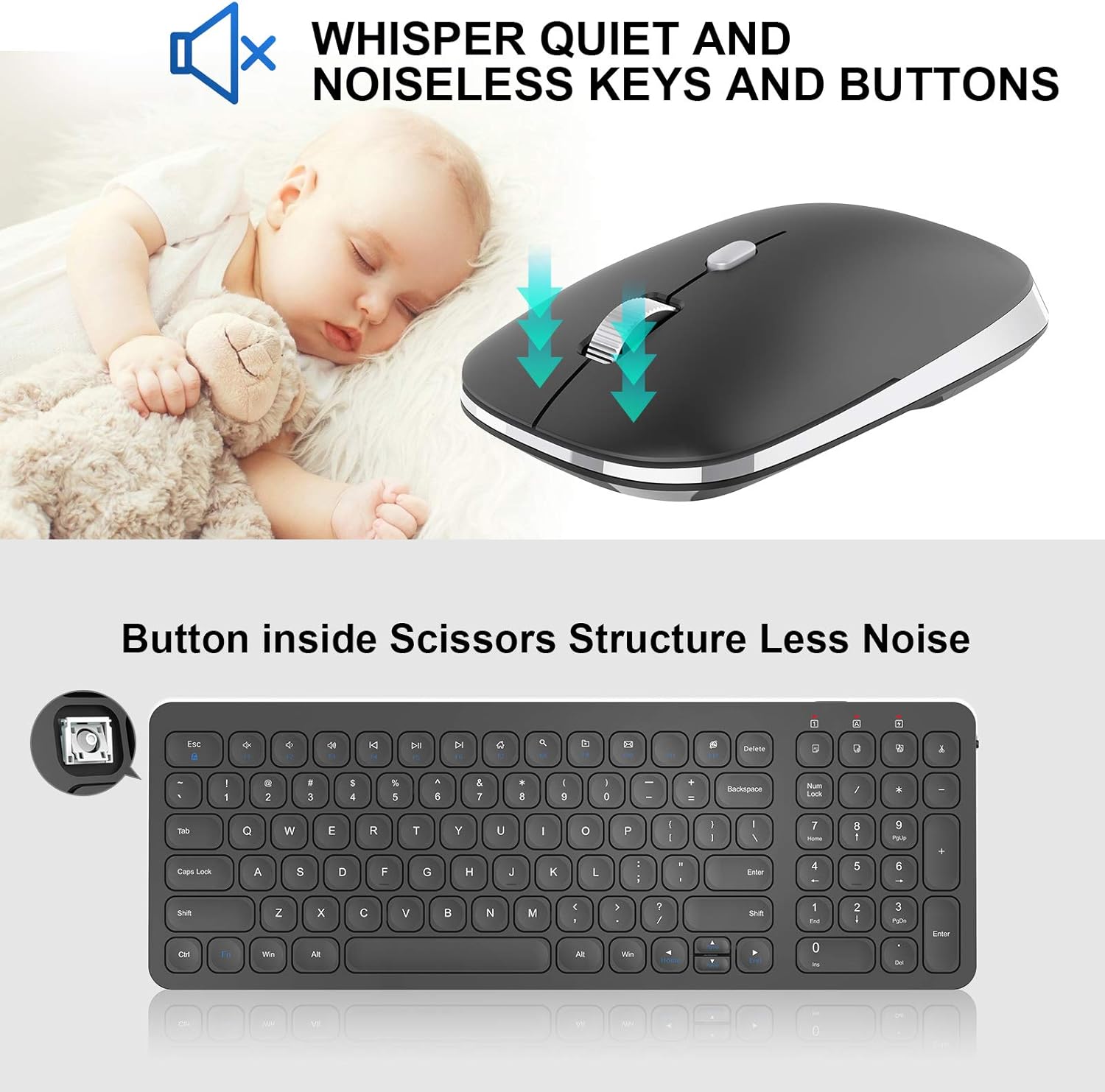
Image: Close-up of the mouse, highlighting its silent click mechanism, and a graphic indicating quiet operation for both mouse and keyboard keys.
3.2. Bližnjice za večpredstavnostne tipke
The keyboard includes dedicated multimedia hotkeys for quick access to various functions:
- FN + F1–F12: Access functions such as music playback, volume control, internet browser, email, and more. Refer to the key legends for specific functions.

Image: A visual guide to the 12 multimedia shortcut keys on the cimetech keyboard, enabling quick access to various system functions.
3.3. Funkcije miške
- Tihi klik: The mouse features silent click buttons to minimize disturbance in quiet environments.
- Konturna oblika: Designed for comfortable grip and extended use.
- Prilagoditev DPI: The mouse may include a button to adjust DPI (dots per inch) sensitivity, allowing you to customize cursor speed.
4. Vzdrževanje
4.1. Zamenjava baterije
When the devices stop responding or the indicator light (if present) signals low battery, replace the batteries:
- For the keyboard, replace the two AAA batteries.
- For the mouse, replace the one AA battery.
- Med namestitvijo pazite na pravilno polarnost.
4.2. Čiščenje
Za ohranjanje optimalne učinkovitosti in higiene:
- Use a soft, dry cloth to wipe the surfaces of the keyboard and mouse.
- Za trdovratno umazanijo rahlo dampkrpo obrišite z vodo ali blago čistilno raztopino. Izogibajte se prekomerni vlagi.
- Ne uporabljajte abrazivnih čistil ali topil.
5. Odpravljanje težav
If you encounter issues with your cimetech Wireless Keyboard and Mouse Combo, try the following solutions:
- Ni odgovora: Ensure both the keyboard and mouse are turned on and have fresh batteries. Check that the USB receiver is securely plugged into a working USB port on your computer.
- Zakasnitev ali občasna povezava: Move the devices closer to the USB receiver. Ensure there are no large metal objects or other wireless devices interfering with the 2.4G signal.
- Kazalec miške se ne premika: Check the mouse's laser sensor for any obstructions. Ensure the mouse is on a suitable surface.
- Ključi ne delujejo: If specific keys are not responding, try cleaning around the keys. If the entire keyboard is unresponsive, refer to the 'No Response' steps.
- Ponovno seznanjanje: In rare cases, you might need to re-pair the devices with the receiver. Consult the manufacturer's website or support for specific re-pairing instructions if needed.
6. Specifikacije
| Funkcija | Podrobnost |
|---|---|
| Znamka | cimetech |
| Model (tipkovnica) | KF31 |
| Model (miška) | TM013 |
| Tehnologija povezljivosti | 2.4G brezžično (USB sprejemnik) |
| Združljive naprave | Laptop, Personal Computer (Windows XP / Vista / 7 / 8 / 10) |
| Mere tipkovnice | 14.5 x 5.8 x 0.2 palcev (približno) |
| Teža predmeta | 1.3 funtov |
| Posebne lastnosti | Ergonomic, Lightweight, Portable, Silent Click Mouse, Multimedia Hotkeys |

Image: Diagram illustrating the dimensions of the cimetech Wireless Keyboard and Mouse, highlighting their compact and ultra-thin profiles.
7. Garancija in podpora
For warranty information, technical support, or further assistance, please refer to the product packaging or visit the official cimetech webmesto. Shranite račun za garancijske zahtevke.
Obiščete lahko tudi cimetech Store on Amazon za več informacij o izdelku in vire podpore.