
Uvod
This manual provides essential information for the installation, operation, maintenance, and troubleshooting of your Amazon Basics Grade 3 Electronic Touchscreen Deadbolt Door Keypad Lock with Handleset. Please read these instructions carefully before installation and use to ensure proper function and safety.
Varnostne informacije
- Ensure all components are securely fastened during installation.
- Do not use abrasive cleaners or solvents on the lock's finish.
- Replace batteries promptly when low to avoid operational issues.
- Keep master codes and user codes confidential.
Vsebina paketa
Preverite, ali so v paketu priložene vse naslednje komponente:
- Electronic Touchscreen Deadbolt
- Handleset (Upper and Lower sections)
- Zapah
- Stavke
- Paket vijakov
- Ključi

Image: All components of the lock and handleset, including the touchscreen keypad, interior assembly, handleset, latch, strike plates, and various screws.
Specifikacije
| Znamka | Osnove Amazona |
| Ime modela | ZGP0S10 |
| Vrsta ključavnice | Keypad, Deadbolt |
| Posebna funkcija | Zaslon na dotik |
| Material | Alloy Steel, Nickel, Zinc |
| Vrsta zaključka | Nikelj |
| barva | Saten nikelj |
| Mere predmeta (D x Š x V) | 11.59 x 2.67 x 0.39 palcev |
| Teža predmeta | 5.26 funtov (2.39 kilograma) |
| Združljivost debeline vrat | 1-3/8 do 1-3/4 palcev |
| Standard Door Hole | 2-1/8-inch (54mm) |
| Združljivost hrbtnega dela | 2-3/8-inch (60mm) or 2-3/4-inch (70mm) |
| Potrebne baterije | Da (4 AA bateriji, nista vključeni) |
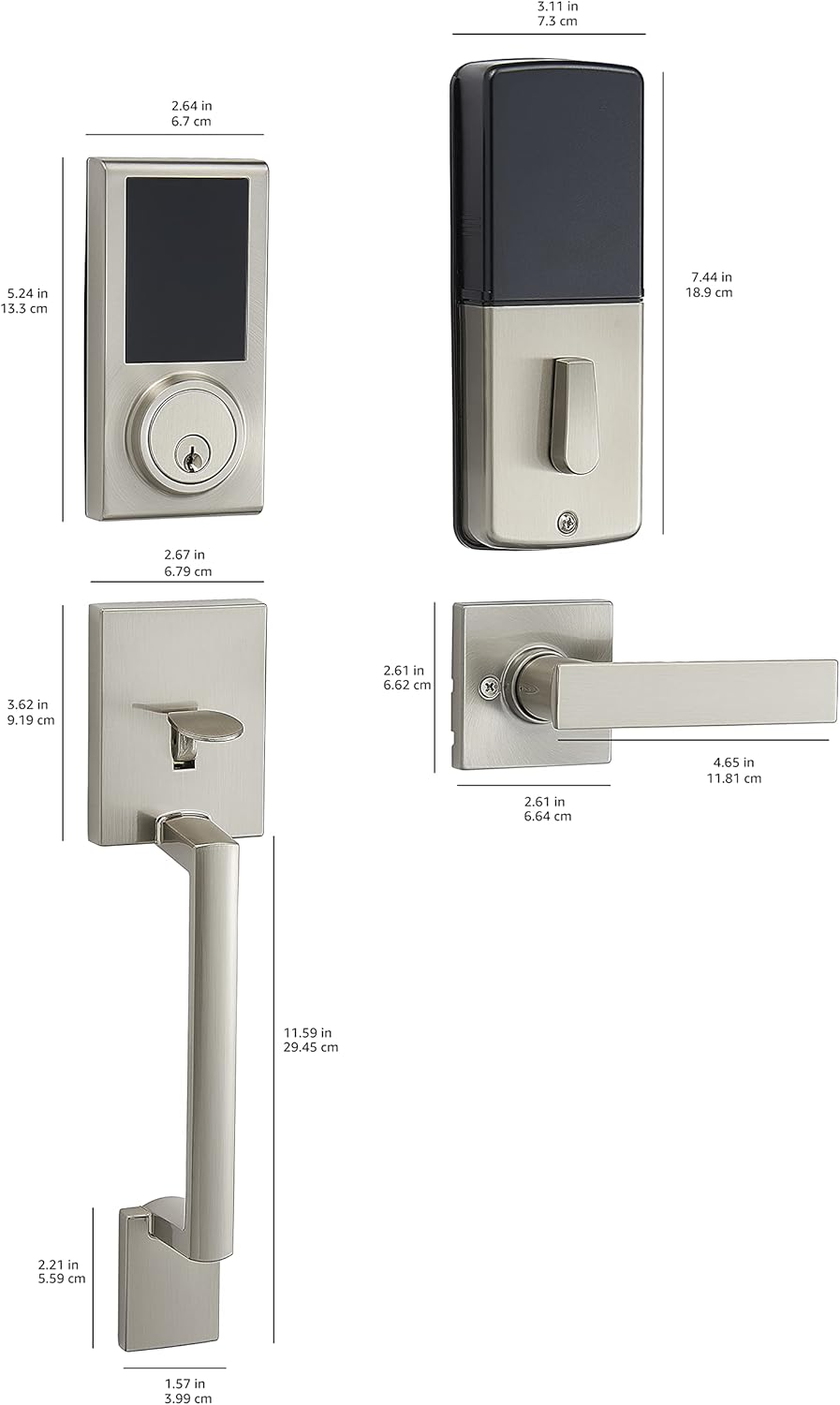
Image: Detailed dimensional drawing of the lock and handleset components.
Nastavitev in namestitev
Installation is designed to be straightforward, typically requiring only a screwdriver. All necessary hardware is included.
- Pripravite vrata: Ensure your door's backset, cross bore, and thickness are compatible with the lock's specifications (door thickness 1-3/8 to 1-3/4 inches; standard door hole 2-1/8 inches / 54mm; 6-way adjustable latch fits 2-3/8 inches / 60mm or 2-3/4 inches / 70mm backset).
- Namestite zapah: Vstavite zapah v rob vrat in ga pritrdite z vijaki.
- Namestitev zunanjega sklopa: Place the exterior touchscreen deadbolt and handleset components onto the door, aligning them with the latch.
- Namestite notranji sklop: Attach the interior assembly, ensuring all wires are connected correctly and tucked away. Secure with screws.
- Namestite baterije: Open the battery cover on the interior assembly and insert 4 AA alkaline batteries. Ensure correct polarity.
- Testna funkcionalnost: After installation, test the mechanical operation of the handleset and the electronic deadbolt with the default settings before programming custom codes.

Image: The Amazon Basics Electronic Touchscreen Deadbolt and Handleset in Satin Nickel, showcasing its exterior appearance when installed on a door.
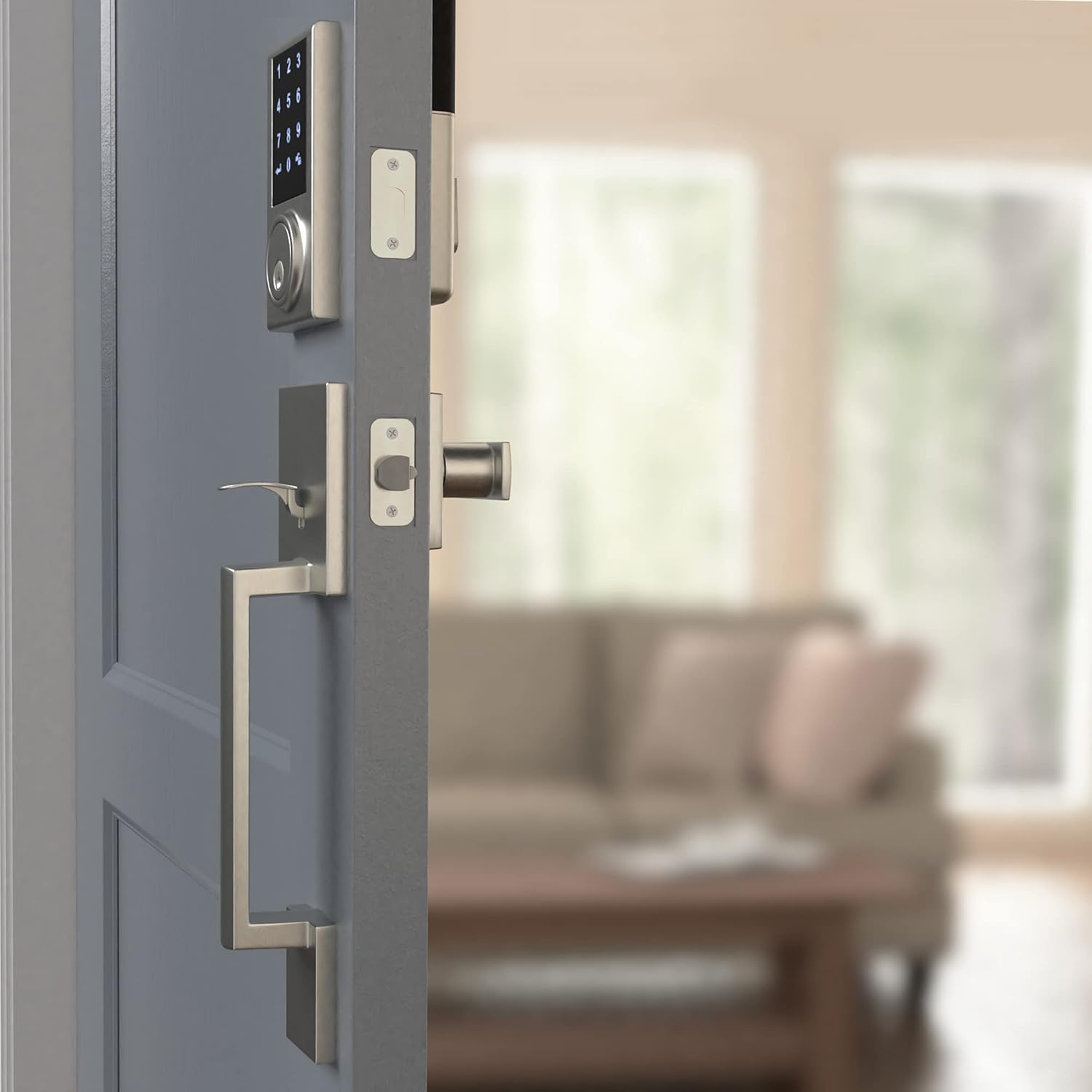
Image: The interior assembly of the lock and handleset, showing the thumb turn and battery cover.
Navodila za uporabo
Touchscreen Keypad Operation
The touchscreen keypad allows for keyless entry. To activate the keypad, simply touch the screen. The numbers will illuminate.

Slika: Bližnji posnetek view of the illuminated touchscreen keypad, displaying numbers 0-9 and arrow/lock symbols.
Programiranje uporabniških kod
The lock supports up to 30 customizable user codes. Refer to the detailed programming instructions in the full manual for specific steps on adding, deleting, or modifying codes.
Zaklepanje z enim dotikom
The motorized deadbolt allows for convenient one-touch locking from the exterior keypad. Simply press the lock symbol on the keypad to engage the deadbolt.
Random Number Generator (Security Feature)
For enhanced security, the keypad may display a random sequence of numbers before presenting the full keypad. This feature helps prevent fingerprint analysis on frequently used digits. You must touch the randomly displayed numbers first, then enter your actual code.
Funkcija samodejnega zaklepanja
The lock can be configured to automatically lock after a set period (default is 30 seconds). This feature can be adjusted or disabled via the programming settings.
Vzdrževanje
Zamenjava baterije
The lock requires 4 AA alkaline batteries. When batteries are low, the lock may exhibit unusual behavior such as random beeping or failure to accept codes. Replace all four batteries with new, strong alkaline batteries to ensure optimal performance.
Čiščenje
Zunanjost ključavnice očistite z mehko krpoamp cloth. Avoid using harsh chemicals or abrasive materials that could damage the finish or touchscreen.
Odpravljanje težav
- Lock not responding or beeping randomly: This often indicates low battery power. Replace all 4 AA batteries with new ones.
- Keypad not displaying all numbers: This is a security feature. Touch the randomly illuminated numbers first, then the full keypad will appear for code entry.
- Deadbolt not extending/retracting smoothly: Check for any obstructions in the door frame or strike plate. Ensure the lock is properly aligned and installed according to the instructions. A diagnostic run may be necessary.
- Kode ne delujejo: Re-enter the master programming code and re-program the user codes. Ensure you are following the programming steps precisely.
Garancija
This Amazon Basics Electronic Touchscreen Deadbolt Door Keypad Lock with Handleset is backed by an Amazon Basics 1-year limited warranty. Please retain your proof of purchase for warranty claims.
Podpora
For further assistance or detailed programming instructions not covered in this brief manual, please refer to the complete product manual available online or contact Amazon Basics customer support.