
1. Uvod
This manual provides comprehensive instructions for the installation, setup, operation, and maintenance of your Amazon Basics Traditional Electronic Keypad Deadbolt with Handle Set. This product offers secure keyless entry with a keypad function and a motorized deadbolt for convenient one-touch locking. It meets ANSI grade 3 standards for security and strength. Please read this manual thoroughly before installation and use to ensure proper function and safety.
2. Varnostne informacije
- Prevent Unauthorized Access: To prevent unauthorized access, it is crucial to complete the setup process by changing the default programming code, creating your own unique user codes, and deleting the default user code immediately after installation.
- Samo notranja uporaba: This product is designed for indoor use only. Do not install it on exterior gates or doors exposed directly to harsh weather conditions.
- Accidental Lockouts: Always keep the door open and the lockset unlocked while programming new codes to prevent accidental lockouts.
- Varnost baterije: Use only the specified battery type (4 AA batteries). Do not mix old and new batteries, or different types of batteries. Dispose of used batteries responsibly.
3. Vsebina paketa
Pred začetkom namestitve preverite, ali so prisotne vse komponente:
- Exterior Keypad Deadbolt Assembly
- Interior Assembly (with battery cover)
- Exterior Handle Lever
- Interior Handle Lever
- Zapah z zapahom
- Obravnavajte zapah
- Strike Plates (for deadbolt and handle)
- Pritrdilni material (vijaki, matice)
- Cylinder and Keys
- Predloga za namestitev

Slika 3.1: Vse komponente so vključene v paket.
4. Izdelek je končanview
The Amazon Basics Electronic Keypad Deadbolt with Handle Set combines a secure electronic deadbolt with a traditional passage lever for complete door security and access control.

Slika 4.1: Zunanjost view of the electronic keypad deadbolt and handle set.

Figure 4.2: Close-up of the electronic keypad.
5. Door Compatibility Guide
Za pravilno namestitev se prepričajte, da vaša vrata izpolnjujejo naslednje specifikacije:
- Debelina vrat: Accommodates door thickness of 1-3/8 to 1-3/4 inches (35.1 mm to 50.8 mm).
- Odprtine za vrata: Suitable for standard 2-1/8 inch (54mm) door holes.
- Nazaj: The 6-way adjustable latch fits any 2-3/8 inch (60mm) or 2-3/4 inch (70mm) backset.
Pomembno: Measure your door's backset, cross bore, and thickness to ensure compatibility before installation.

Figure 5.1: Door compatibility dimensions.
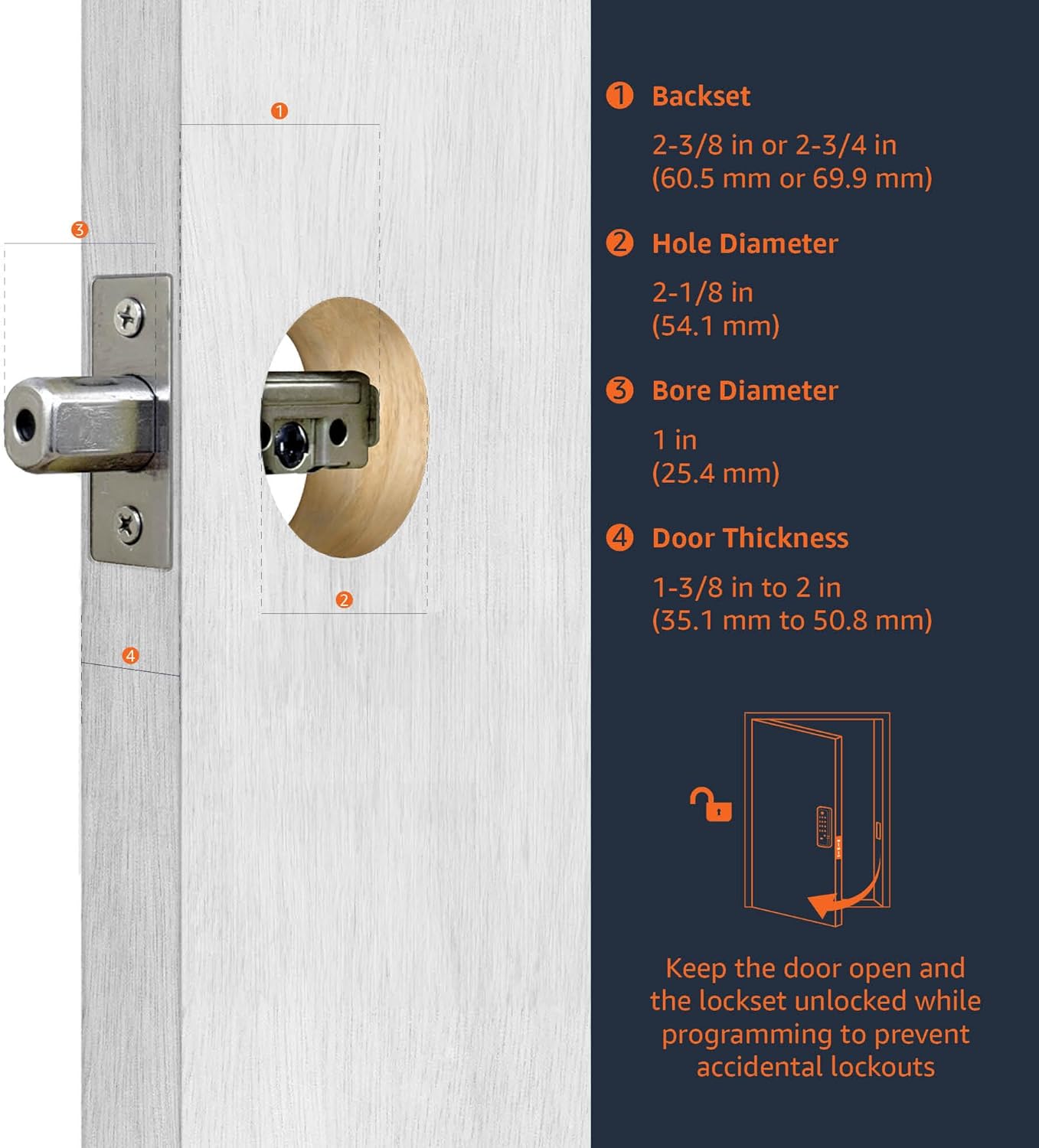
Figure 5.2: Guide for measuring door dimensions.
6. Namestitev
Installation is straightforward and typically requires only a screwdriver. All necessary hardware components are included in the package. For detailed, step-by-step visual instructions, please refer to the official Priročnik za namestitev (PDF).
Splošni koraki namestitve:
- Pripravite vrata: Ensure your door meets the compatibility requirements. Use the provided template if drilling new holes.
- Install the Latches: Insert the deadbolt latch and handle latch into the door edge. Adjust the backset if necessary.
- Namestitev zunanje tipkovnice: Mount the exterior keypad assembly, ensuring the spindle passes through the deadbolt latch.
- Namestitev notranje montažne plošče: Notranjo montažno ploščo pritrdite na zunanji sklop s priloženimi vijaki.
- Montaža notranjega sklopa: Connect the cable from the exterior assembly to the interior assembly. Mount the interior assembly to the mounting plate.
- Install Handle Set: Attach the exterior and interior handle levers, ensuring they operate smoothly.
- Install Strike Plates: Secure the strike plates to the door frame.
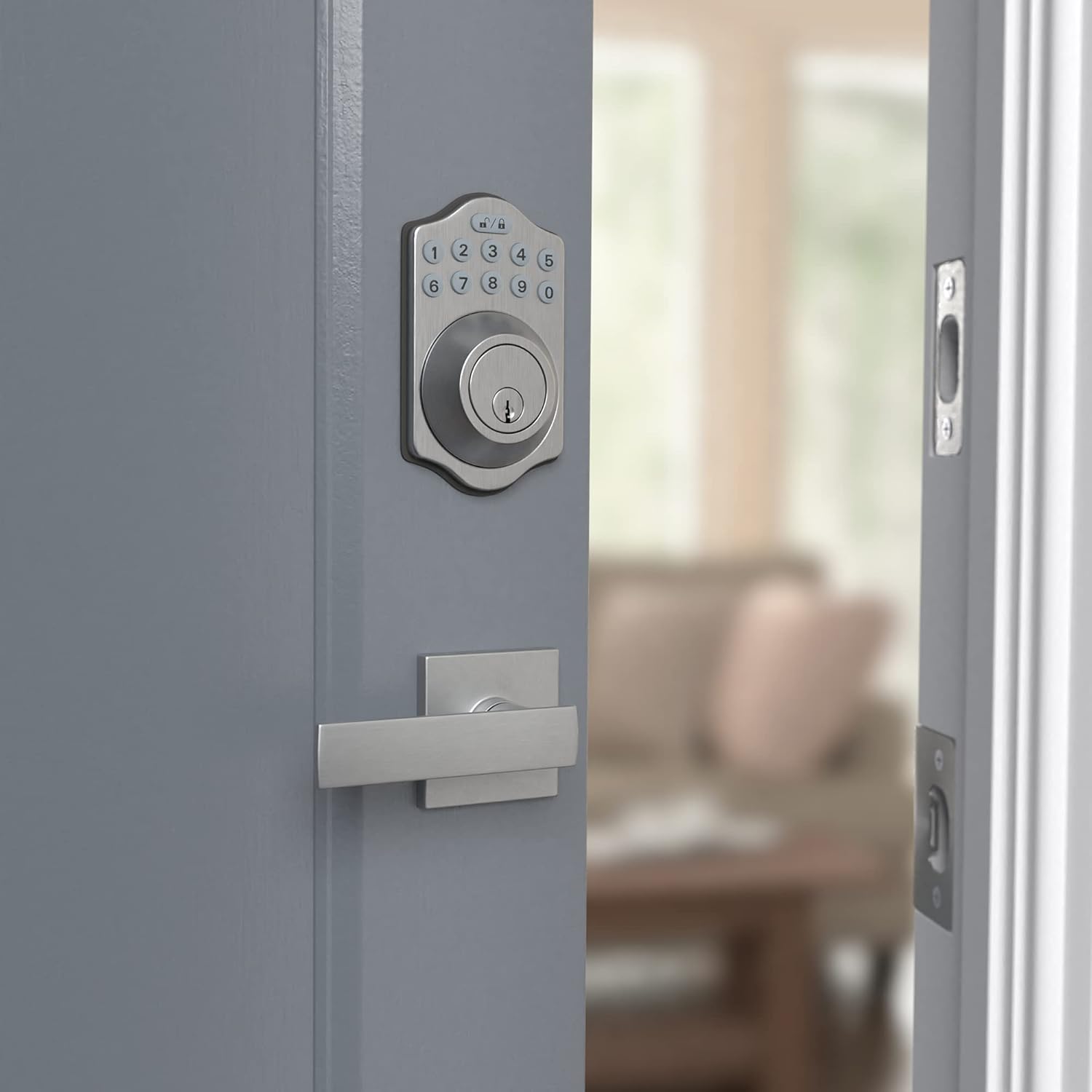
Slika 6.1: Zunanjost view of the installed lock.
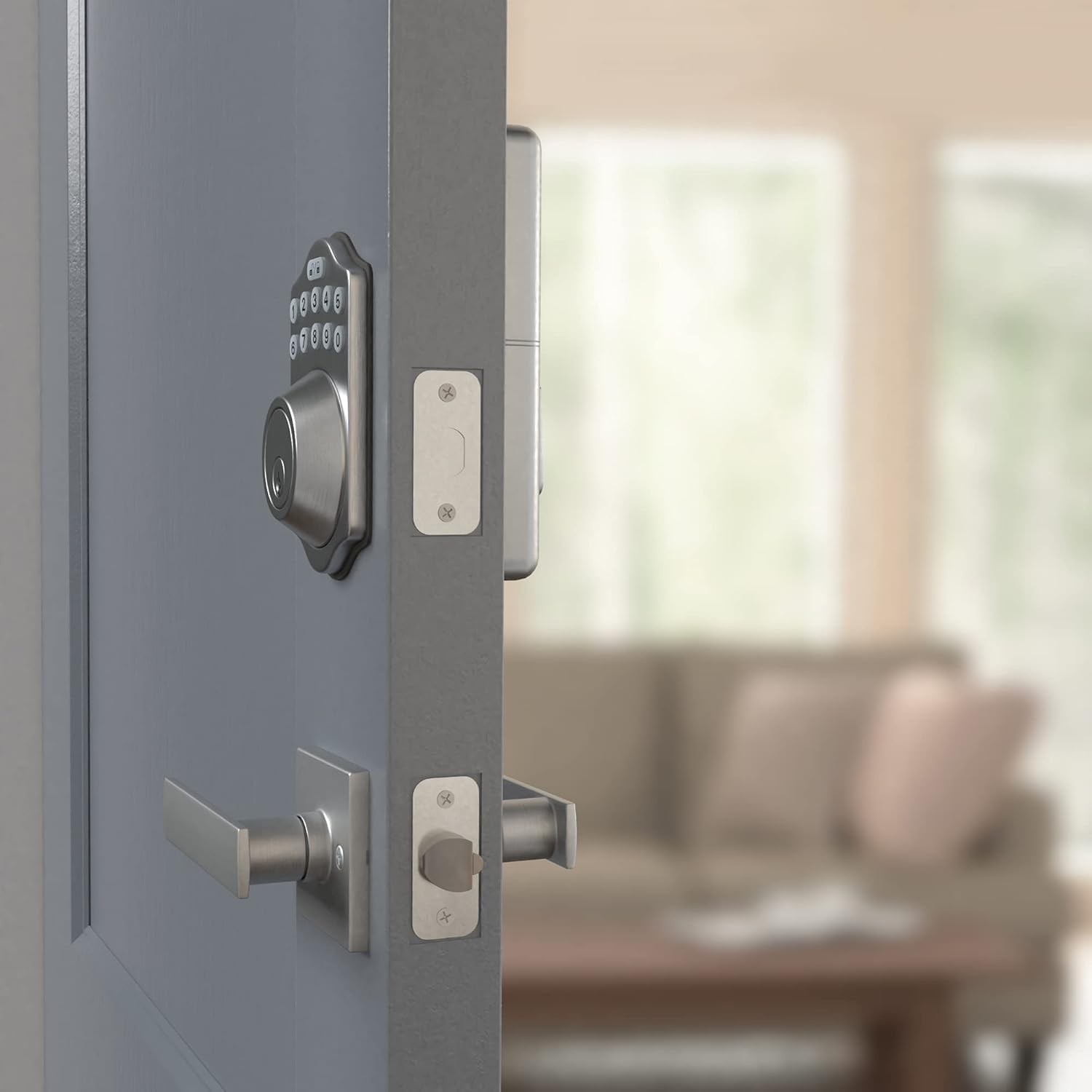
Slika 6.2: Notranjost view of the installed lock.
7. Nastavitev
After physical installation, you must program the lock for secure operation.
7.1 Začetno programiranje
- Namestite baterije: V notranjost vstavite 4 baterije tipa AA.
- Change Default Programming Code: The lock comes with a default programming code. For security, change this immediately. Refer to the full User Manual for specific steps.
- Create User Codes: Program your desired user codes (4-10 digits). Multiple user codes can be stored.
- Delete Default User Code: Ensure the default user code is deleted after creating your own.
7.2 Funkcija samodejnega zaklepanja
This lock can be programmed to automatically lock after a set period of time once the door is closed. Consult the full User Manual for instructions on enabling and configuring this feature.
8. Upravljanje ključavnice
8.1 Zaklepanje vrat
- Zaklepanje z enim dotikom: Press the lock button on the keypad. The deadbolt will extend, securing the door.
- Samodejno zaklepanje: If enabled, the deadbolt will automatically extend after a programmed delay once the door is closed.
8.2 Odklepanje vrat
- Vnos s tipkovnico: Enter your valid user code on the keypad. The deadbolt will retract, allowing entry.
- Preglasitev ključa: In case of battery failure or forgotten code, use the physical key provided to unlock the deadbolt.
9. Vzdrževanje
9.1 Zamenjava baterije
The lock requires 4 AA batteries. When batteries are low, the lock may provide an audible or visual indicator. Replace all four batteries simultaneously with new, high-quality alkaline AA batteries. To replace, remove the battery cover on the interior assembly, remove old batteries, insert new ones according to polarity, and replace the cover.
9.2 Čiščenje
Clean the keypad and handle surfaces with a soft, damp krpo. Izogibajte se abrazivnim čistilom ali topilom, ki bi lahko poškodovala površino ali elektronske komponente.
10. Odpravljanje težav
- Ključavnica se ne odziva: Check battery levels. Replace all 4 AA batteries if necessary. Ensure the battery pack is correctly seated.
- Tipkovnica ne deluje: Verify that the lock is receiving power. If batteries are new and correctly installed, try resetting the lock (refer to the full User Manual for reset procedures).
- Battery Cover Loose: Ensure the battery cover is properly aligned and snapped into place. If it consistently comes loose, contact customer support.
- Accidental Lockouts: If you are locked out due to programming errors, use the physical key to gain entry. Always program with the door open.
- Lock Does Not Engage/Disengage Smoothly: Check for any obstructions in the door frame or strike plate. Ensure the latch and deadbolt are properly aligned with the strike plates. Re-check installation steps for proper alignment.
11. Specifikacije
| Funkcija | Podrobnost |
|---|---|
| Znamka | Osnove Amazona |
| Številka modela | PL1TMS0S18 |
| UPC | 193598103755 |
| Vrsta ključavnice | Zaklep tipkovnice |
| Posebna funkcija | Vstop brez ključa |
| Nadzorna metoda | Dotik |
| Material | Alloy Steel, Nickel, Zinc |
| barva | Saten nikelj |
| Mere predmeta (D x Š x V) | 5.08 x 3.08 x 0.1 palcev |
| Teža predmeta | 4.3 funta |
| Vir napajanja | 4 AA baterij (niso priložene) |
| Priporočena uporaba | Varnost |
| Število kosov | 2 (Deadbolt and Handle Set) |
12. Garancija in podpora
This Amazon Basics Traditional Electronic Keypad Deadbolt with Handle Set is backed by an Amazon Basics 1-year limited warranty. For warranty claims or technical support, please refer to the official documentation or contact Amazon Basics customer service.