
Uvod
The Hyper Drive GEN2 12-in-1 USB-C Docking Station is designed to expand the connectivity of your USB-C enabled laptop or tablet. This docking station provides a comprehensive solution for connecting multiple peripherals, external displays, and power delivery through a single USB-C port. It supports high-speed data transfer, multiple 4K video outputs, and efficient power charging for enhanced productivity.
Lastnosti izdelka
The Hyper Drive GEN2 12-in-1 USB-C Docking Station offers a wide array of ports and capabilities:
- Dual HDMI 4K60Hz HDR: Connect up to two external displays with stunning 4K resolution at 60Hz, supporting High Dynamic Range (HDR) for vibrant visuals.
- DisplayPort 4K60Hz: Connect an additional external display via DisplayPort, also supporting 4K resolution at 60Hz.
- USB-C Power Delivery (PD) 100W: Charge your host laptop or tablet with up to 100W of power through the dedicated USB-C PD port.
- 2x USB-A 10Gbps (USB 3.1 Gen 2): Experience ultra-fast data transfer speeds for compatible USB-A devices.
- 2x USB-A 2.0: Connect standard USB peripherals such as keyboards, mice, or printers.
- Gigabitni Ethernet: Enjoy stable and high-speed wired network connectivity.
- MicroSD UHS-II (300MB/s): Fast data transfer for MicroSD cards, ideal for photographers and videographers.
- SD UHS-II (300MB/s): Fast data transfer for standard SD cards.
- 3.5 mm avdio priključek: Connect headphones or speakers for audio output.

Slika 1: Spredaj view of the Hyper Drive GEN2 12-in-1 USB-C Hub, highlighting MicroSD, SD, 3.5mm Audio, and two USB-A 10Gbps ports.
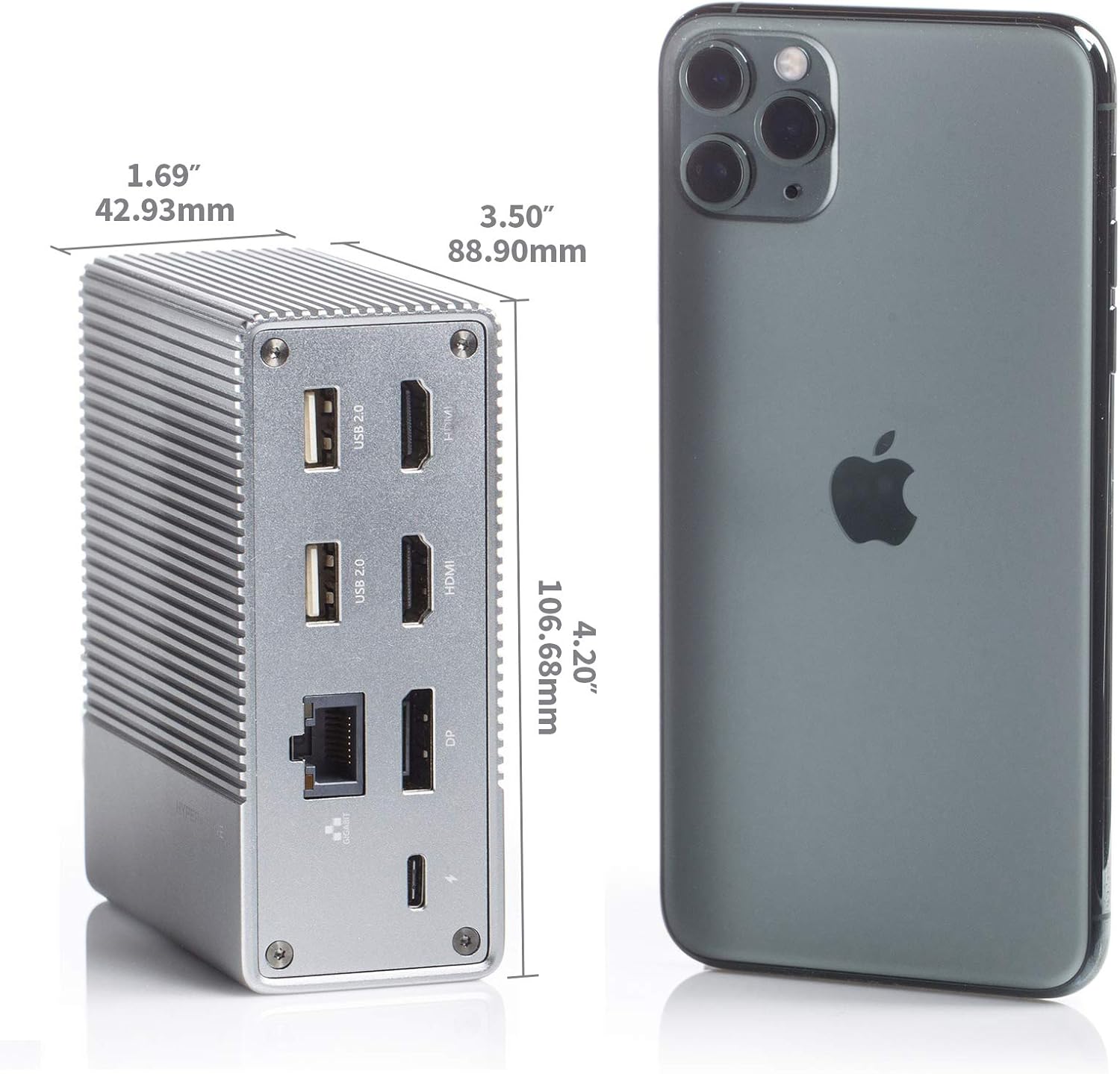
Slika 2: Zadaj view of the Hyper Drive GEN2 12-in-1 USB-C Hub, highlighting USB-C Power Delivery, Gigabit Ethernet, DisplayPort, two HDMI, and two USB-A 2.0 ports.
Vodnik za namestitev
- Povezava z gostiteljsko napravo: Plug the integrated USB-C cable from the docking station into an available USB-C port on your laptop or tablet. Ensure the USB-C port on your host device supports DisplayPort Alternate Mode (Alt Mode) and Power Delivery for full functionality.
- Priključek za napajanje (neobvezno, vendar priporočljivo): For optimal performance and to charge your host device, connect your laptop's USB-C power adapter to the USB-C PD port on the docking station. The docking station supports up to 100W power delivery.
- Priključite zunanje zaslone:
- Connect your HDMI monitors to the HDMI ports on the docking station.
- Connect your DisplayPort monitor to the DisplayPort on the docking station.
Opomba: For macOS, only one extended display is supported with the same image on all external displays at 4K60Hz. Windows/Chrome OS supports Multi-Stream Transport (MST) for up to three extended displays.
- Povežite zunanje naprave: Plug your USB devices (keyboard, mouse, external drives), Ethernet cable, and audio devices into the corresponding ports on the docking station.
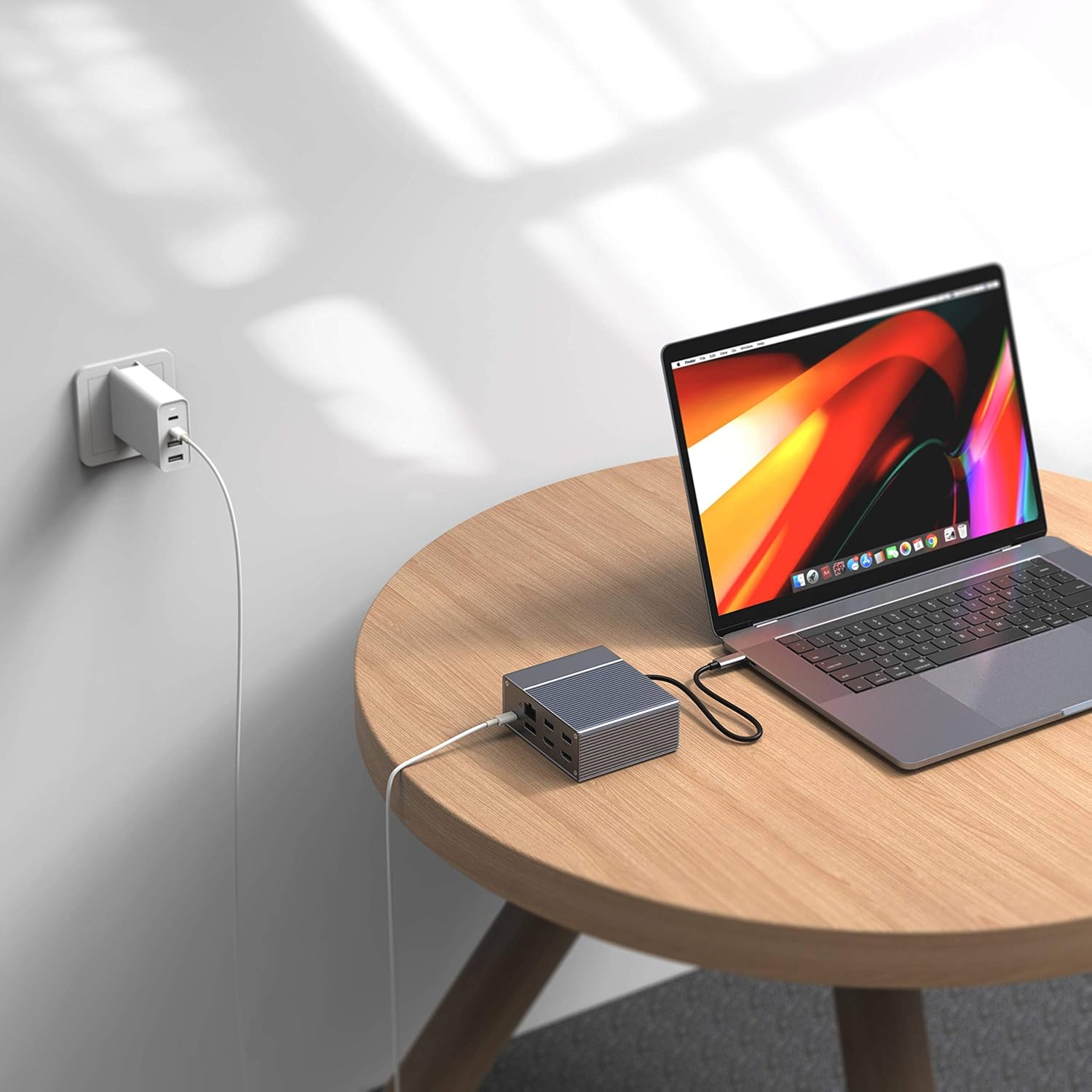
Figure 3: Laptop connected to the docking station and a power adapter for charging.
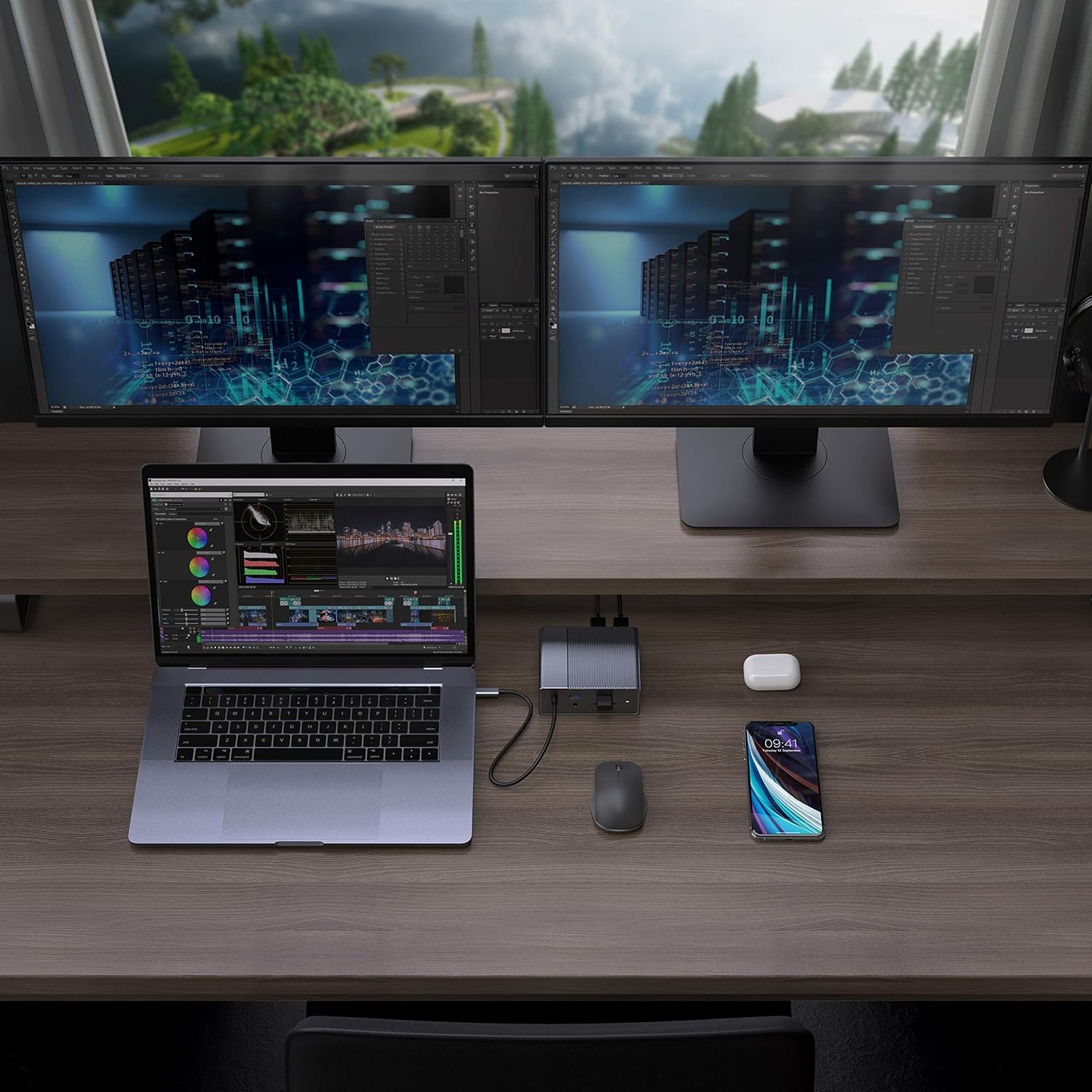
Figure 4: A typical setup showing a laptop connected to the docking station with multiple peripherals and external displays.
Navodila za uporabo
Načini prikaza
Priklopna postaja podpira različne konfiguracije zaslona, odvisno od vašega operacijskega sistema:
- MacOS: Supports one extended display with the same image mirrored across all external displays at 4K60Hz. macOS does not support Multi-Stream Transport (MST) for independent extended displays.
- Windows/Chrome OS: Supports Multi-Stream Transport (MST), allowing for up to three extended displays with independent content at 4K60Hz.

Figure 5: Illustration of display modes for macOS (mirror mode) and Windows (mirror and extended modes) using the docking station.
Data Transfer and Power Delivery
- USB-A 10Gbps Ports: Use these ports for high-speed data transfer with compatible external hard drives, SSDs, or other USB 3.1 Gen 2 devices.
- Vrata USB-A 2.0: Ideal for connecting standard peripherals like keyboards, mice, or USB flash drives where high-speed data transfer is not critical.
- SD/MicroSD Card Slots: Insert your memory cards for quick access and transfer of photos and videos at up to 300MB/s (UHS-II speeds).
- Vrata USB-C PD: Connect your laptop's power adapter to this port to charge your laptop while using the docking station. This port also supports data transfer.
Video 1: Uradni konecview of the HyperDrive GEN2 USB-C Hub, demonstrating its speed, power, and various port functionalities.
Vzdrževanje
- Polnilno postajo hranite v čistem in suhem okolju.
- Naprave ne izpostavljajte ekstremnim temperaturam ali neposredni sončni svetlobi.
- Zunanjost očistite z mehko, suho krpo. Ne uporabljajte tekočih čistil ali aerosolov.
- Poskrbite za ustrezno prezračevanje okoli naprave, da preprečite pregrevanje.
Odpravljanje težav
- No display output or flickering screen:
- Prepričajte se, da vrata USB-C vaše gostiteljske naprave podpirajo način DisplayPort Alt.
- Preverite vse kabelske povezave (USB-C do gostitelja, HDMI/DP do monitorjev).
- Poskusite z drugim kablom HDMI ali DisplayPort.
- Verify your monitor input settings are correct.
- For macOS, remember that only one extended display is supported, with other external displays mirroring the extended one.
- Naprave USB niso prepoznane:
- Reconnect the USB device to the docking station.
- Poskusite z drugim USB-vhodom na priklopni postaji.
- Prepričajte se, da je priklopna postaja pravilno priključena na gostiteljsko napravo.
- If using high-power USB devices, ensure the docking station is connected to a power source via its USB-C PD port.
- Prenosnik se ne polni:
- Ensure your laptop's original USB-C power adapter is connected to the USB-C PD port on the docking station.
- Preverite, ali vaš prenosnik podpira napajanje prek USB-C.
- Preverite napajalnik in kabel za morebitne poškodbe.
Specifikacije
| Funkcija | Specifikacija |
|---|---|
| Model | GEN2 12-in-1 USB-C Hub |
| Znamka | Hiper |
| Vrata HDMI | 2x HDMI 4K60Hz HDR |
| DisplayPort | 1x DisplayPort 4K60Hz |
| USB-C PD vrata | 1x USB-C napajanje 100 W |
| Podatkovna vrata USB-A | 2x USB-A 10Gbps (USB 3.1 Gen 2), 2x USB-A 2.0 |
| Ethernet | 1x Gigabit Ethernet |
| Čitalniki kartic | 1x MicroSD UHS-II (300MB/s), 1x SD UHS-II (300MB/s) |
| Avdio priključek | 1x 3.5 mm avdio priključek |
| Združljiv OS | macOS, Windows, Chrome OS |
| Teža predmeta | 480.8 gramov |
| UPC | 817110014519 |
Garancija in podpora
For warranty information and technical support, please refer to the official Hyper webspletno mesto ali se obrnite na njihovo službo za stranke. Za uveljavljanje garancije shranite račun.
Spletna podpora: www.hyper.com/support