
1. Uvod
This manual provides detailed instructions for the proper installation, operation, and maintenance of your Dakota Micro AHD 7-inch Waterproof Monitor, model DM-WH7. This monitor is designed to complement Dakota Micro's ruggedized camera lines, offering seamless compatibility with various camera formats including CVBS, AHD, NTSC, and PAL. Its waterproof design ensures reliable performance in diverse weather conditions.
Pred uporabo izdelka natančno preberite ta priročnik, da zagotovite optimalno delovanje in dolgo življenjsko dobo.
2. Izdelek je končanview
2.1 Ključne lastnosti
- Vodoodporen dizajn, primeren za vse vremenske razmere.
- Integrated sunshield for improved visibility in bright light.
- Includes monitor wire harness with watertight connections.
- Compatible with CVBS, AHD, NTSC, and PAL camera formats.
- 7-inch screen size for clear viewing.
2.2 Vključene komponente
- Dakota Micro AHD 7-inch Waterproof Monitor (DM-WH7)
- Monitor Wire Harness with watertight connections
- Power Cable (e.g., cigarette lighter adapter)
- Montažni nosilec in strojna oprema
2.3 Vizualna referenca

Slika 1: Spredaj view of the Dakota Micro AHD 7-inch Waterproof Monitor, showing the screen, control buttons, and integrated sunshield.

Figure 2: The monitor wire harness, featuring multiple watertight connectors for camera inputs and power.
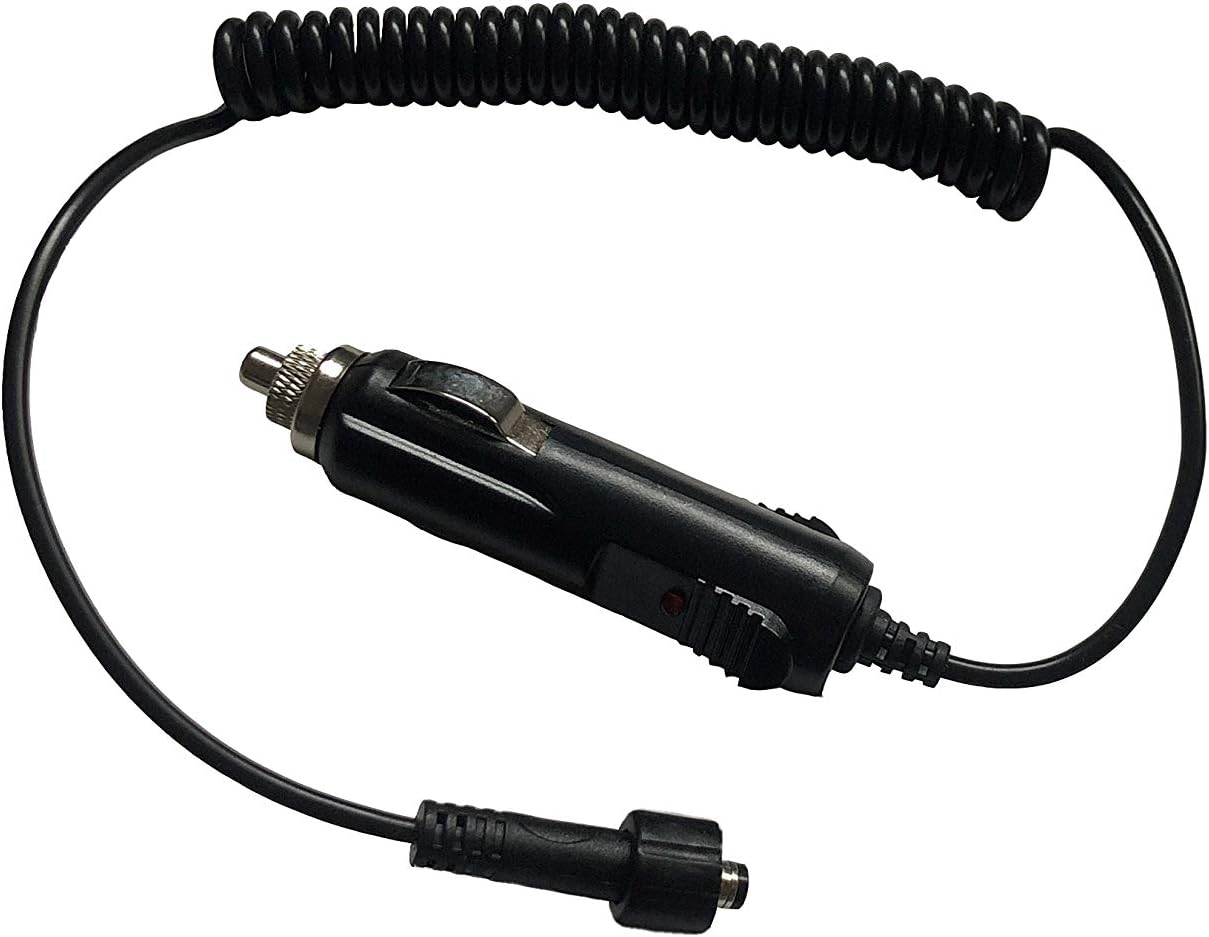
Figure 3: The power cable with a cigarette lighter adapter for convenient power supply.
3. Nastavitev in namestitev
3.1 Montaža monitorja
- Izberite lokacijo: Select a stable, flat surface in your vehicle or equipment where the monitor will be easily visible and accessible, but will not obstruct your view ali motijo delovanje vozila.
- Zavarujte nosilec: Use the provided mounting bracket and hardware to securely attach the monitor to the chosen surface. Ensure all screws are tightened to prevent vibration.
- Prilagodi kot: Adjust the monitor's angle for optimal viewing, then tighten the adjustment knobs to fix its position.
3.2 Priključitev napajanja
- Priključite napajalni kabel: Plug the power cable into the designated power input on the monitor's wire harness. Ensure a secure, watertight connection.
- Priključite na vir napajanja: Insert the cigarette lighter adapter into your vehicle's 12V power outlet. The monitor should power on or indicate readiness.
- Alternative Wiring (Optional): For a permanent installation, consult a qualified technician to hardwire the monitor directly to your vehicle's electrical system, ensuring proper fusing and voltage.
3.3 Povezovanje kamer
- Identify Camera Inputs: The monitor harness provides multiple inputs for cameras. Identify the appropriate input for your camera type (AHD, CVBS, NTSC, PAL).
- Connect Camera Cables: Connect your Dakota Micro camera cables to the corresponding inputs on the monitor's wire harness. Ensure all connections are watertight and securely fastened.
- Smer kablov: Carefully route all cables to avoid pinching, abrasion, or interference with moving parts. Use cable ties or clips to secure them.
4. Navodila za uporabo
4.1 Vklop/izklop
- Vklop: Pritisnite Moč button (usually marked with a circle and vertical line icon) on the monitor's front panel. The screen will illuminate.
- Ugasniti: Pritisnite in držite Moč button for a few seconds until the screen turns off.
4.2 Preklop kamere Views
If multiple cameras are connected, use the AV or Izbira kanala button on the monitor's front panel to cycle through the available camera inputs. Each press will switch to the next connected camera.
4.3 Prilagajanje nastavitev
The monitor features an M (meni) button to access display settings.
- Dostop do menija: Pritisnite M button to open the on-screen display (OSD) menu.
- Navigacija: Uporabite Up in Dol arrow buttons to navigate through menu options (e.g., Brightness, Contrast, Color, Mirror/Flip).
- Prilagodi vrednosti: Uporabite levo in prav arrow buttons to adjust the selected setting's value.
- Izhod iz menija: Pritisnite M button again or wait for the menu to time out to exit.
Note: Specific button functions may vary slightly. Refer to the icons on your monitor for precise identification.
5. Vzdrževanje
- Čiščenje: Uporabite mehko, damp cloth to clean the monitor screen and casing. Avoid abrasive cleaners or solvents that could damage the surfaces.
- Preverjanje povezave: Periodically inspect all cable connections for tightness and signs of wear or corrosion. Ensure watertight seals are intact.
- Shranjevanje: If storing the monitor for an extended period, disconnect it from power and store it in a clean, dry environment within its operating temperature range.
- Sunshield: Ensure the sunshield is free from obstructions and clean for optimal glare reduction.
6. Odpravljanje težav
| Težava | Možen vzrok | rešitev |
|---|---|---|
| Monitor se ne vklopi. | Ni napajanja; ohlapna povezava; pregorela varovalka. | Check power cable connection; ensure vehicle's 12V outlet is functional; check vehicle's fuse box. |
| Ni prikazane slike. | Camera not connected; incorrect input selected; faulty camera/cable. | Verify camera connections; cycle through AV inputs; test with a known working camera/cable. |
| Image is distorted or poor quality. | Loose cable connection; incompatible camera format; interference. | Secure all connections; ensure camera format matches monitor compatibility; check for strong electromagnetic interference sources. |
| Gumbi se ne odzivajo. | Začasna programska napaka; fizična poškodba. | Try powering off and on the monitor; if problem persists, contact support. |
7. Specifikacije
| Funkcija | Podrobnost |
|---|---|
| Znamka | Dakota Micro |
| Model | DM-WH7 |
| Velikost zaslona | 7 palcev |
| Združljive naprave | Monitor (for various camera types) |
| Vrsta namestitve | Monitor (vehicle-mounted) |
| Tehnologija optičnega senzorja | CMOS (for compatible cameras) |
| Združljivost | CVBS, AHD, NTSC, PAL camera formats |
| Posebne lastnosti | Waterproof, Built-in Sunshield, Watertight Connections |
| UPC | 817436014699 |
8. Garancija in podpora
For warranty information, technical support, or service inquiries, please contact Dakota Micro directly.
- Proizvajalec: Dakota Micro
- Webspletno mesto: Obiščite uradnika Dakota Micro Store on Amazon za več informacij in kontaktne podatke.
- Izdelek ASIN: B08FTH4VHZ
Always refer to the manufacturer's official website or included documentation for the most current warranty terms and support procedures.


