
TENMIYA A13
Uporabniški priročnik za prenosni Bluetooth zvočnik TENMIYA A13
Model: A13
Uvod
Hvala za nakupasing the TENMIYA A13 Portable Bluetooth Speaker. This manual provides detailed instructions for the proper use, setup, and maintenance of your speaker. Please read this manual thoroughly before operating the device to ensure optimal performance and longevity.
Varnostne informacije
- Zvočnika ne izpostavljajte ekstremnim temperaturam, vlagi ali neposredni sončni svetlobi.
- Izogibajte se padcem ali izpostavljanju zvočnika močnim udarcem.
- Zvočnika ne razstavljajte, popravljajte ali spreminjajte sami. Obrnite se na usposobljeno servisno osebje.
- Zvočnik hranite stran od vode in drugih tekočin.
- Uporabljajte samo predpisani polnilni kabel in napajalnik.
- Zvočnik očistite z mehko, suho krpo. Ne uporabljajte abrazivnih čistil ali topil.
Vsebina paketa
Prosimo, preverite paket za naslednje artikle:
- 1 x A13 Bluetooth zvočnik
- 1 x Remote control (requires 2*AAA batteries, not included)
- 1 x AUX kabel
- 1 x USB kabel
- 1 x uporabniški priročnik
Konec izdelkaview
The TENMIYA A13 is a portable Bluetooth speaker designed for versatile audio playback. It features a powerful subwoofer, two tweeters, and a rear heavy bass guide tube for rich sound. Key features include Bluetooth 5.0 connectivity, FM radio, TF/SD card support, USB playback, AUX input, a 3.5mm microphone jack, intelligent remote control, digital display, and colorful RGB lights.
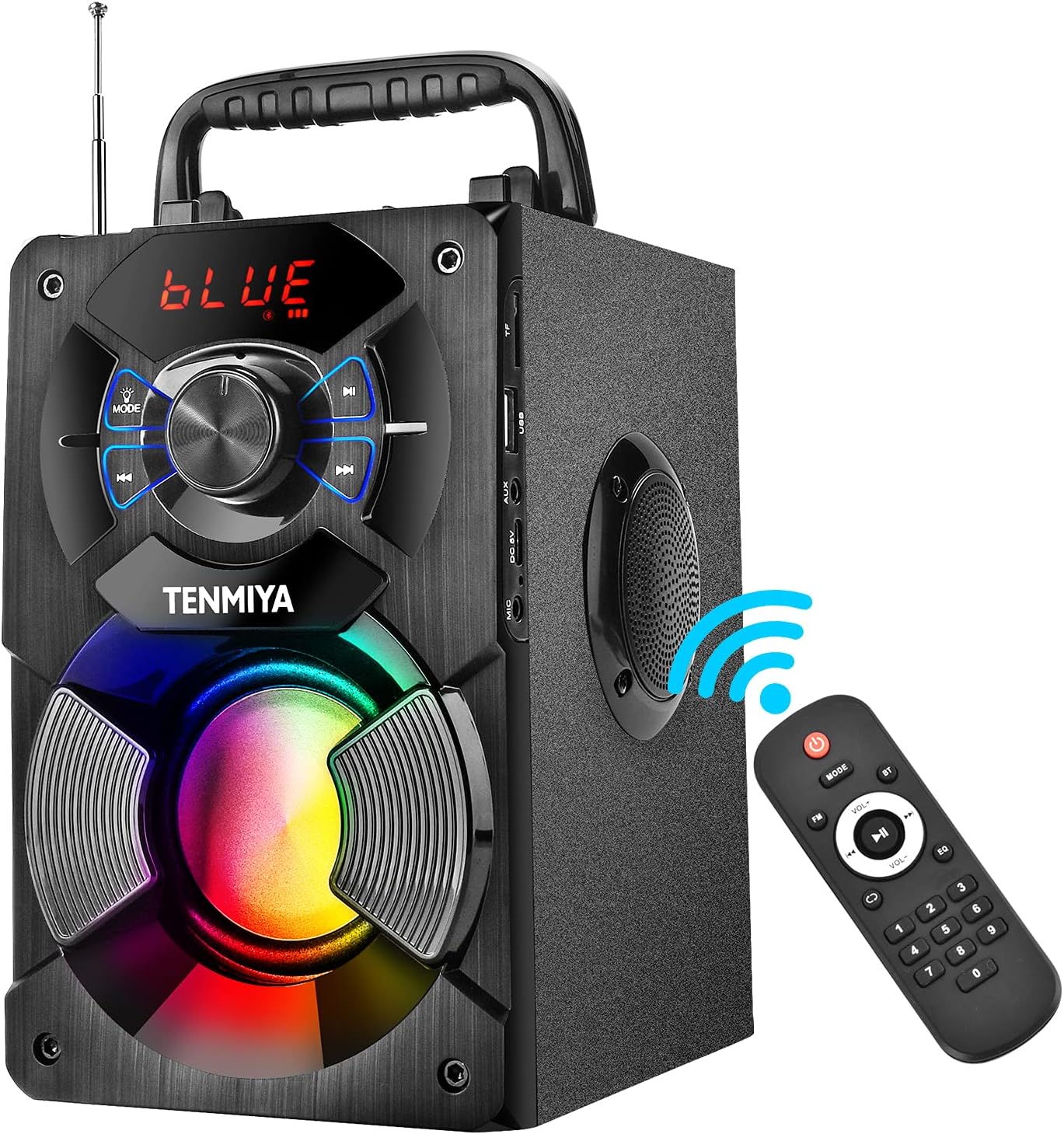
Figure 1: TENMIYA A13 Portable Bluetooth Speaker with included remote control, highlighting wireless connectivity.
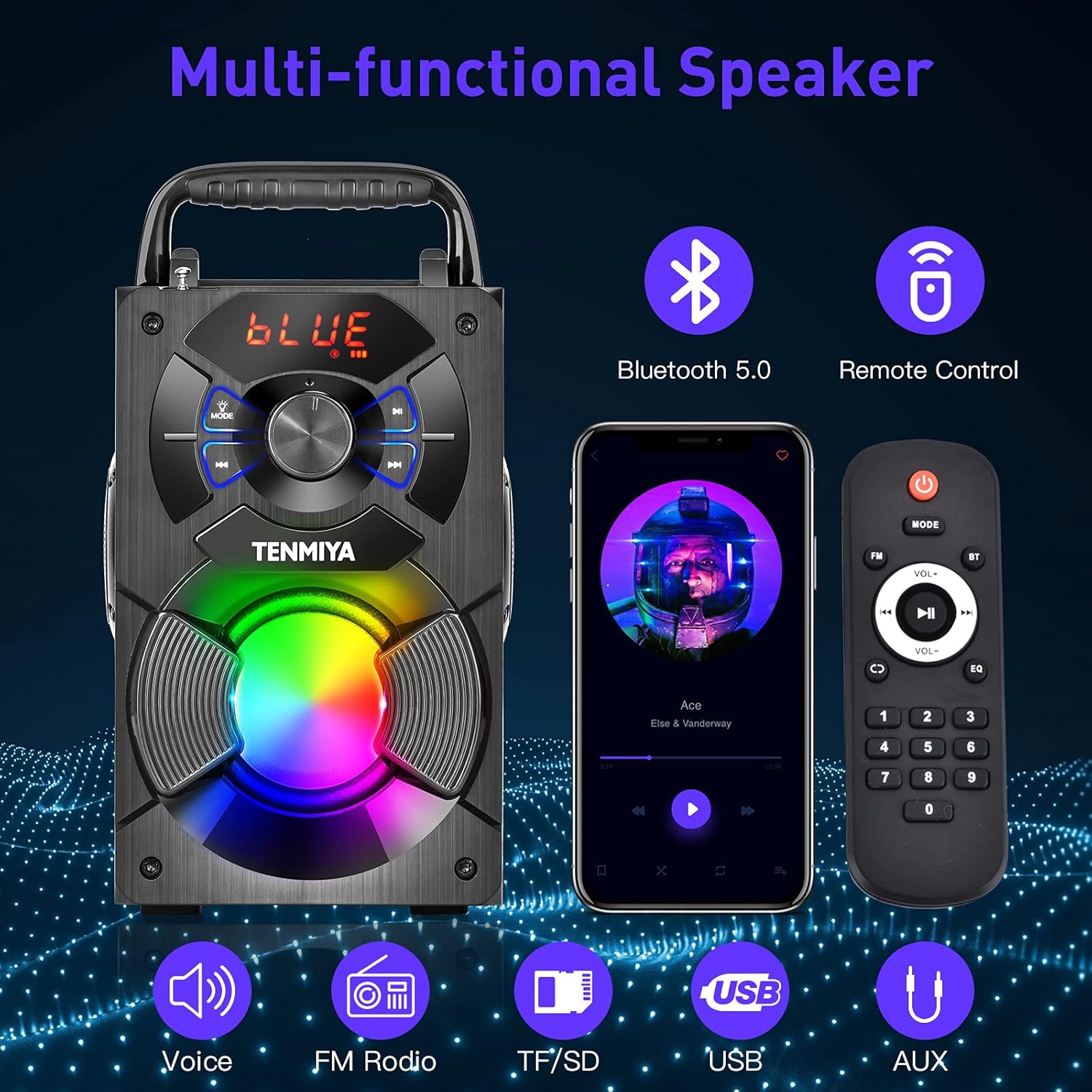
Slika 2: Konecview of the speaker's multi-functional capabilities including Bluetooth 5.0, remote control, voice prompts, FM radio, TF/SD card, USB, and AUX input.

Figure 3: Dimensions of the TENMIYA A13 Portable Bluetooth Speaker, showing its compact size and portability with a handle.
Nastavitev
Polnjenje zvočnika
Before first use, fully charge the speaker. Connect the supplied USB cable to the speaker's DC 5V input port and the other end to a USB power adapter (not included) or a computer's USB port. The charging indicator will illuminate during charging and turn off when fully charged.
Vklop/izklop
To power on the speaker, press and hold the Power button until the digital display illuminates. To power off, press and hold the Power button again until the display turns off.
Navodila za uporabo
Bluetooth združitev
- Turn on the speaker. It will automatically enter Bluetooth pairing mode, indicated by a flashing "BLUE" on the digital display.
- Enable Bluetooth on your smartphone, tablet, or other Bluetooth device.
- Iskanje "A13" in the list of available devices and select it to connect.
- Once successfully paired, the speaker will emit a confirmation tone, and "BLUE" on the display will stop flashing.
- Zdaj lahko predvajate zvok iz naprave prek zvočnika.
Delovanje radia FM
- Press the "MODE" button on the speaker or remote control to switch to FM radio mode.
- Za boljši sprejem raztegnite anteno.
- To automatically search and save available stations, long press the "Play/Pause" button. The speaker will scan and store stations.
- Za navigacijo med shranjenimi postajami uporabite gumba »Prejšnja/Naslednja«.
- Alternatively, use the remote control to manually input a station frequency.

Figure 4: The TENMIYA A13 speaker supporting FM radio, shown in an outdoor setting.
TF/SD Card Music Playback
Insert a TF (Micro SD) card into the TF card slot. The speaker will automatically switch to TF card mode and begin playing audio files (MP3, WAV, etc.) from the card.
USB Flash Drive Music Playback
Vstavite USB ključek v vrata USB. Zvočnik bo samodejno preklopil v način USB in začel predvajati zvok. files (MP3, WAV, etc.) from the drive.
AUX Line-in Connection
Connect one end of the supplied AUX cable to the speaker's AUX input port and the other end to the audio output jack of your external device (e.g., MP3 player, computer). Press the "MODE" button to switch to AUX mode.
Uporaba mikrofona
Connect a 3.5mm microphone (not included) to the speaker's microphone jack. The speaker will amplify the microphone input, allowing for karaoke or public speaking.
Funkcije daljinskega upravljanja
The included remote control allows for convenient operation of the speaker from a distance. Ensure 2*AAA batteries are inserted correctly. Functions include:
- moč: Vklopite/izklopite zvočnik.
- NAVODILA: Switch between Bluetooth, FM, TF/SD, USB, and AUX modes.
- Glasnost +/-: Prilagodite glavno glasnost.
- Prejšnji/Naslednji: Skip tracks or navigate FM stations.
- Predvajanje/pavza: Play or pause audio. Long press for FM auto-scan.
- EQ: Cycle through various equalizer presets (Jazz, Rock, Classical, Pop, etc.).
- Številčna ploščica: For direct input of FM frequencies.

Figure 5: User operating the TENMIYA A13 speaker with the remote control for convenient audio playback.
RGB barvite luči
The speaker features built-in RGB colorful lights that enhance the listening experience. These lights typically activate automatically when the speaker is on. Specific controls for light modes may be available via the remote control or a dedicated button on the speaker (refer to the speaker's control panel for details).
Zvočni učinki izenačevalnika
The speaker includes various EQ sound effects to customize your audio experience. Press the "EQ" button on the remote control to cycle through presets such as Jazz, Rock, Classical, Pop, and more, adjusting the audio output to suit different music genres.
Vzdrževanje
- Čiščenje: Za čiščenje površine zvočnika uporabite mehko, suho krpo, ki ne pušča vlaken. Ne uporabljajte tekočih čistil, aerosolov ali topil.
- Shranjevanje: Ko zvočnika dlje časa ne uporabljate, ga shranite na hladnem in suhem mestu, stran od neposredne sončne svetlobe in ekstremnih temperatur.
- Vzdrževanje baterije: Da podaljšate življenjsko dobo baterije, se izogibajte pogostemu popolnemu praznjenju baterije. Zvočnik redno polnite, tudi če ga ne uporabljate.
Odpravljanje težav
| Težava | Možen vzrok | rešitev |
|---|---|---|
| Zvočnik se ne vklopi. | Nizka baterija. | Zvočnik popolnoma napolnite. |
| Brez zvoka. | Glasnost je prenizka; napačen način; naprava ni povezana. | Increase volume; switch to correct mode (Bluetooth, AUX, etc.); ensure device is paired/connected. |
| Bluetooth seznanjanje ne uspe. | Zvočnik ni v načinu seznanjanja; naprava je predaleč; motnje. | Ensure speaker is in Bluetooth mode and flashing; move device closer; restart both devices. |
| Statični FM radio. | Šibek signal; antena ni iztegnjena. | Extend the antenna fully; try auto-scanning for stations again; move to a location with better reception. |
| Daljinski upravljalnik ne deluje. | Batteries low or incorrectly inserted; remote out of range. | Replace AAA batteries; ensure correct polarity; point remote directly at the speaker; reduce distance. |
Specifikacije
| Funkcija | Podrobnost |
|---|---|
| Vrsta izdelka | Zvočnik A13 Bluetooth |
| Izhodna moč zvočnika | 5W + 3W x 2 (Total 11W) |
| Zvočniška enota | 3" (Subwoofer) + 2" x 2 (Tweeters) |
| Frekvenčni odziv | 80Hz-20KHz |
| Vhodna impedanca | 10 kΩ |
| Vhodna voltage | DC 5V |
| Dimenzije izdelka | 6.1 x 4.72 x 7.48 palcev (18.52 x 11.51 x 22.5 cm) |
| Čas predvajanja | Approx. 6-8 hours (depends on playing volume) |
| Kapaciteta baterije | 2500 mAh (litij-ionska) |
| Različica Bluetooth | 5.0 |
| Brezžično Domet | Up to 100 feet (barrier-free environment) |
| Podprte funkcije | Bluetooth, MP3 music player, FM radio, TF Card, AUX, USB music player, Remote control, EQ, Karaoke |
| Združljive naprave | Computer, MP3, MP4, Smart Phone, Tablet, Laptop |
| Vrsta materiala | Les |
Garancija in podpora
TENMIYA products are designed and manufactured to the highest quality standards. For information regarding warranty coverage, please refer to the warranty card included with your purchase or visit the official TENMIYA website. If you encounter any issues or have questions about your A13 speaker, please contact our customer service team. Our dedicated support staff will respond to your inquiries within 12 hours to assist you.
For customer service, please refer to the contact information provided on the product packaging or the official TENMIYA webmesto.
Ask a question about this manual
Ask about setup, troubleshooting, compatibility, parts, safety, or missing instructions. Manuals+ will review the question and use this page’s manual context to help answer it.