
1. Uvod
The PNI House IP516 is a 16-channel Network Video Recorder (NVR) designed for advanced surveillance systems, supporting up to 5MP IP cameras and H.265 video compression. This NVR allows for local and remote monitoring, recording, and management of your security cameras. It is compatible with ONVIF protocol cameras, offering flexibility in camera selection. This manual provides essential information for the proper installation, operation, and maintenance of your PNI House IP516 NVR.
2. Vsebina paketa
Preverite, ali so v paketu vsi spodaj navedeni predmeti. Če kateri koli predmet manjka ali je poškodovan, se obrnite na prodajalca.
- PNI House IP516 NVR Unit
- Miška USB
- Napajalni adapter
- Uporabniški priročnik (ta dokument)
- CD s programsko opremo
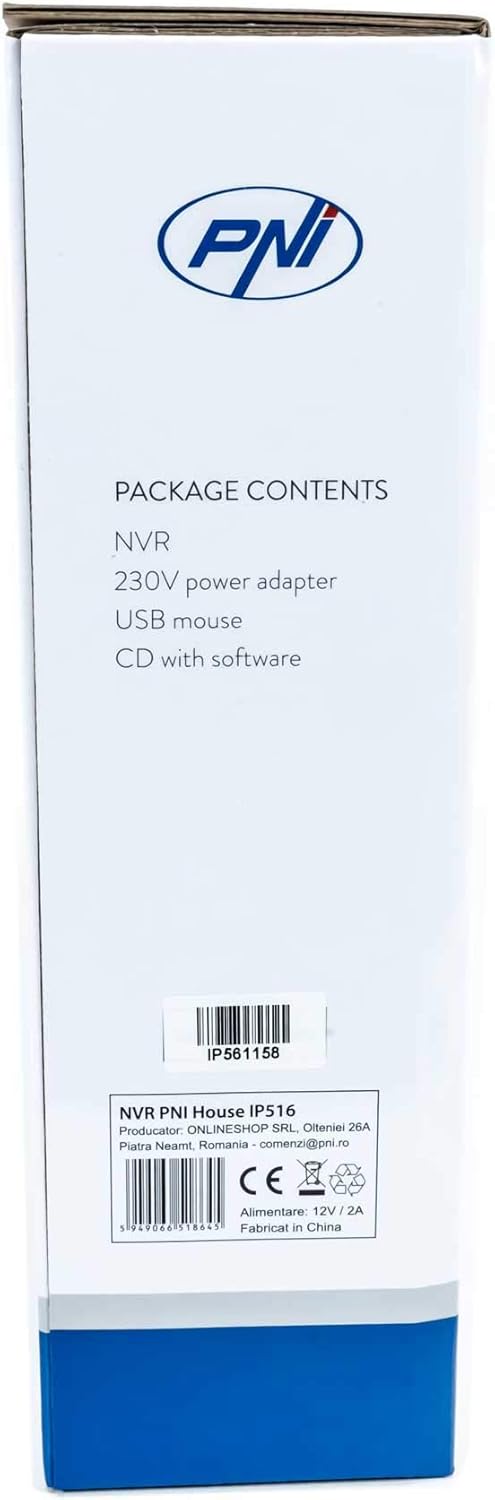
Image: Side of the NVR box detailing the package contents.

Image: The PNI House IP516 NVR unit, power adapter, and USB mouse included in the package.
3. Izdelek je končanview
3.1 Sprednja plošča
The front panel of the NVR features indicator lights for system status.
- PWR (moč): Indicates the NVR is powered on.
- REC (snemanje): Flashes when recording is active.
- NET (Omrežje): Označuje omrežno aktivnost.

Slika: spredaj view of the PNI House IP516 NVR, showing the power, record, and network indicator lights.
3.2 Zadnja plošča
The rear panel provides all necessary connection ports for the NVR.
- VGA vrata: Povezuje se z monitorjem VGA.
- Vrata HDMI: Connects to an HDMI monitor or TV for high-definition video output.
- LAN Port (RJ45 10/100 Mbps): Connects to your network router or switch.
- Vrata USB (x2): For connecting the USB mouse, external storage, or for system upgrades.
- Vhodna moč DC 12V: Priklopi se na priloženi napajalnik.

Slika: Zadaj view of the PNI House IP516 NVR, displaying VGA, HDMI, LAN, USB, and DC 12V power input ports.
4. Nastavitev
4.1 Namestitev trdega diska (izbirno)
The NVR supports a hard drive up to 8 TB for video storage. It is recommended to use dedicated CCTV hard drives for optimal reliability and endurance.
- Odvijte in odstranite zgornji pokrov NVR.
- Priključite podatkovne in napajalne kable SATA iz snemalnika (NVR) na trdi disk.
- Trdi disk pritrdite na ohišje NVR-ja s priloženimi vijaki.
- Namestite zgornji pokrov in ga pritrdite z vijaki.
4.2 Začetne povezave
- Connect a monitor to the NVR's VGA or HDMI port.
- Priključite miško USB na enega od vrat USB na snemalniku.
- Priključite ethernetni kabel iz LAN vhoda NVR-ja na omrežni usmerjevalnik ali stikalo.
- Connect the power adapter to the NVR's DC 12V input and then plug it into a power outlet. The NVR will power on automatically.
4.3 First Boot and Basic Configuration
Upon the first boot, the NVR will guide you through an initial setup wizard. Follow the on-screen prompts to:
- Set up a strong password for the administrator account.
- Konfigurirajte nastavitve datuma in časa.
- Format the installed hard drive (if applicable).
- Perform network settings (DHCP is usually enabled by default).
- Iskanje and add IP cameras to the NVR. The NVR supports up to 16 cameras at 2560x1920px (5MP) and is compatible with ONVIF protocol cameras.
5. Upravljanje snemalnika
5.1 Lokalno delovanje
Use the connected mouse to navigate the NVR's graphical user interface (GUI) on the monitor. Right-click to access the main menu, which includes options for live view, playback, recording settings, system configuration, and more.
5.2 Oddaljeni dostop
The PNI House IP516 NVR can be accessed remotely for live viewing, playback, and configuration.
- Mobile Application (XMEye): Download the XMEye app from the Android Play Store or Apple App Store. Register an account, add your NVR by scanning its QR code or entering its serial number, and then you can view your cameras from anywhere with an internet connection.
- PC Software (General CMS): Install the General CMS software from the included CD or download it from the PNI support website. This software allows for comprehensive management of your NVR and cameras from a Windows PC.
5.3 Upravljanje snemanja
NVR podpira različne načine snemanja:
- Nenehno snemanje: Zapisi 24/7.
- Predvideno snemanje: Zapisi v določenih časovnih obdobjih.
- Snemanje zaznavanja gibanja: Snema samo, ko kamere zaznajo gibanje.
Configure these settings in the NVR's menu under 'Record' or 'Storage' settings.
5.4 Zaznavanje gibanja in opozorila
When motion is detected, the system can trigger various alerts:
- Mobilna obvestila: Text notifications sent via the XMEye mobile application.
- E-poštna opozorila: An email sent to a predefined address.
- FTP Upload: The recording saved to an FTP server.
These alert settings can be configured in the NVR's 'Alarm' or 'Event' menu.
6. Vzdrževanje
6.1 Upravljanje trdega diska
Regularly check the status of your hard drive in the NVR's storage settings. If the hard drive becomes full, the NVR will typically overwrite the oldest recordings (loop recording). You may need to format the hard drive periodically if you encounter issues or wish to clear all data.
6.2 Posodobitve sistema
Periodically check the PNI support website for firmware updates. Firmware updates can improve performance, add new features, or fix bugs. Follow the instructions provided with the firmware update carefully to avoid damaging the device.
6.3 Čiščenje
Ensure the NVR unit is kept clean and free from dust. Use a soft, dry cloth to wipe the exterior. Do not use liquid cleaners or aerosols directly on the unit.
7. Odpravljanje težav
| Težava | Možen vzrok | rešitev |
|---|---|---|
| NVR does not power on | No power supply; faulty power adapter | Check power connection; test power adapter; try a different outlet. |
| Ni video izhoda na monitorju | Loose cable; incorrect input selected on monitor | Ensure VGA/HDMI cable is securely connected; select correct input on monitor. |
| Do NVR-ja ni mogoče dostopati na daljavo | Network issue; incorrect app settings; NVR not connected to internet | Verify NVR network connection; check router settings; ensure correct NVR ID/serial in app. |
| Kamere ne prikazujejo slike | Camera not powered; network issue; incorrect camera IP/protocol | Check camera power and network cables; ensure cameras are ONVIF compatible; verify camera IP addresses. |
| Brez snemanja | Hard drive not installed/formatted; recording schedule not set; motion detection not configured | Install and format HDD; configure recording schedule; set up motion detection zones and sensitivity. |
8. Specifikacije
| Funkcija | Podrobnost |
|---|---|
| Številka modela | IP516 |
| Kanali | 16 |
| Največja ločljivost | 5MP (2560 x 1920px) |
| Stiskanje videa | H.265 |
| Združljive naprave | IP Cameras, Smartphone |
| Tehnologija povezljivosti | HDMI, USB, VGA, RJ45 Ethernet |
| Komunikacijski vmesnik | RJ45 10/100 Mbps |
| Največja zmogljivost shranjevanja | 8 TB (trdi disk) |
| Vrata USB | 2 |
| Poraba energije | 10 vatov |
| Številka dela proizvajalca | PNI-1920P |
9. Garancija
The PNI House IP516 NVR comes with a standard manufacturer's warranty. Please refer to the warranty card included in your package or visit the official PNI webZa podrobne pogoje glede garancijskega kritja, trajanja in servisnih postopkov obiščite spletno mesto. Shranite dokazilo o nakupu za uveljavljanje garancije.
10. Podpora
For technical support, troubleshooting assistance, or further inquiries regarding your PNI House IP516 NVR, please visit the official PNI website or contact their customer service department. You can find contact information and additional resources on the PNI brand store page: PNI Brand Store.