
1. Uvod
Thank you for choosing the CORN Technology N520 Wireless Keyboard and Mouse Combo. This product is designed to enhance your computing experience with its ergonomic design, retro chiclet round keycaps, and stable 2.4GHz wireless connectivity. This manual provides detailed instructions to help you set up, operate, and maintain your new device effectively.
2. Značilnosti izdelka
- 2.4GHz Stable Wireless Connectivity: Plug and play with a single USB receiver for both keyboard and mouse, offering up to 33ft effective wireless range.
- 12 Function Hotkey Design: Multimedia hotkeys (FN combinations) for quick access to music, movies, web brskanje in e-pošta.
- Ergonomska oblika: 1600 DPI mouse for adjustable cursor sensitivity and smooth tracking. Ergonomic keycaps for a comfortable typing experience with balanced sound levels.
- Široka združljivost: Supports Windows XP / WIN7 / WIN10 / ISO, compatible with Notebooks and Desktop PCs.
- Varčevanje z energijo: Automatic sleep mode for both keyboard and mouse after a period of inactivity to conserve battery life.
3. Vsebina paketa
Prosimo, preverite, ali so v vašem paketu vsi predmeti:
- 1 x brezžična tipkovnica
- 1 x brezžična miška
- 1 x USB sprejemnik (shranjen v predalu za baterije miške)
- 3 x AA Batteries (for mouse and keyboard)
- 1 x Vodnik za dobrodošlico
4. Navodila za nastavitev
- Namestite baterije:
- Open the battery compartment on the underside of the mouse and insert 1 AA battery.
- Open the battery compartment on the underside of the keyboard and insert 2 AAA batteries.
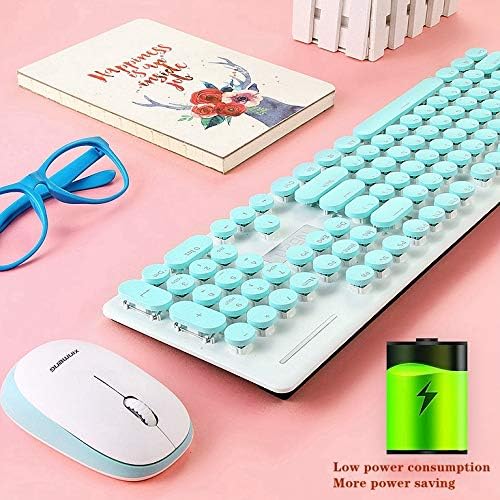
Image: The underside of the keyboard and mouse, highlighting the battery compartments. An icon indicating low power consumption is also visible, suggesting efficient battery usage.
- Poiščite USB sprejemnik: The tiny USB receiver is stored securely within the battery compartment of the mouse. Carefully remove it.
- Povežite se z računalnikom: Priključite sprejemnik USB v razpoložljiva vrata USB na vašem računalniku ali prenosniku.
- Vklop: Ensure both the keyboard and mouse are switched ON (if they have an on/off switch). The devices should automatically connect to your computer. No additional drivers are typically required.
Video: A seller-provided video demonstrating the installation of batteries and the USB receiver for a wireless keyboard and mouse combo. It shows the process of opening compartments, inserting batteries, and plugging in the receiver.
5. Navodila za uporabo
5.1 Delovanje miške
- Prilagoditev DPI: The mouse features a 1600 DPI sensor. Press the DPI button (usually located near the scroll wheel) to cycle through different sensitivity levels to suit your preference.
- Varčevanje z energijo: The mouse will automatically enter sleep mode after a period of inactivity. To wake it up, simply move the mouse or click any button.
5.2 Upravljanje s tipkovnico
- Večpredstavnostne bližnjice: Use the 'Fn' key in combination with the F1-F12 function keys to access various multimedia and system functions (e.g., volume control, media playback, web browser, email). Refer to the keycap legends for specific functions.
- Ergonomic Typing: The keyboard features an inclined design for comfortable typing.
- Varčevanje z energijo: The keyboard will automatically enter sleep mode after a period of inactivity. To wake it up, simply press any key.
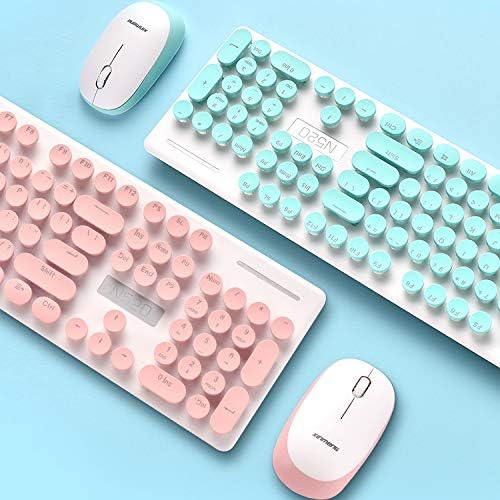
Slika: Bližnji posnetek view of the keyboard, highlighting the round chiclet-style keycaps and the function keys, which can be used for multimedia controls.
6. Vzdrževanje
- Čiščenje: The floating keycap design allows for easy cleaning. Use a soft brush or compressed air to remove dust and debris from between the keys. For surface cleaning, use a soft, damp krpo.
- Vodotesna zasnova: The keyboard features a waterproof design, making it resistant to minor spills and easier to clean. However, avoid submerging the device in water.

Image: A visual representation emphasizing the waterproof capabilities of the keyboard, indicating its resilience against liquid spills.
7. Odpravljanje težav
- Ni povezave:
- Prepričajte se, da je USB-sprejemnik varno priključen v delujoča USB-vrata.
- Check if the batteries in both the keyboard and mouse are correctly installed and have sufficient charge.
- Poskusite priključiti USB sprejemnik v drug USB vhod na računalniku.
- Znova zaženite računalnik.
- Zakasnitev ali občasna povezava:
- Ensure the devices are within the effective wireless range (up to 33ft) of the USB receiver.
- Zmanjšajte motnje zaradi drugih brezžičnih naprav ali velikih kovinskih predmetov.
- Zamenjajte baterije, če so prazne.
- Lost USB Receiver: The USB receiver is crucial for wireless connectivity. If lost, contact customer service for potential replacement options.
8. Specifikacije
| Znamka | KORUZA |
| Številka modela | N520 (EL0780-01B) |
| barva | Modra |
| Tehnologija povezljivosti | 2.4GHz Radio Frequency Wireless |
| DPI miške | 1600 DPI (adjustable) |
| Tipke na tipkovnici | 104 ključev |
| Sistemska podpora | Windows XP / WIN7 / WIN10 / ISO, Mac OS X 10.3+ |
| Združljive naprave | Prenosni računalnik, osebni računalnik |
| Potrebne baterije | 1 AA for Mouse, 2 AAA for Keyboard (included) |
| Teža predmeta | 2 funtov |
| Dimenzije paketa | 17.7 x 8.7 x 1.18 palcev |
9. Garancija in podpora
Your CORN Technology N520 Wireless Keyboard and Mouse Combo comes with a worry-free 12-month warranty. For any product inquiries, technical support, or warranty claims, please contact our friendly customer service team. Refer to the contact information provided in your welcome guide or on the product packaging.