
Uvod
This manual provides detailed instructions for the installation, operation, and maintenance of your BINIZE Double Din Car Stereo. Please read this manual thoroughly before using the product to ensure proper functionality and to prevent damage. Keep this manual for future reference.
Konec izdelkaview
The BINIZE Double Din Car Stereo is a 10.1-inch multimedia player running on an Android 13 system. It offers a range of features designed to enhance your in-car entertainment and navigation experience.
Ključne značilnosti:
- 10.1-inch capacitive touch screen with 1024x600 resolution.
- Android 13 Operating System with Quad-core Coretex-A7 processor (up to 1.3GHz).
- 2 GB RAM-a + 32 GB notranjega pomnilnika.
- Wireless CarPlay and Android Auto support.
- Wired MirrorLink for Android and iOS devices.
- Vgrajen Bluetooth za prostoročno klicanje in pretakanje zvoka.
- Integrated GPS receiver for online and offline navigation.
- FM-sprejemnik radia.
- Support for AUX, front, and rear camera inputs.
- Steering Wheel Control compatibility (manual learning required).
- Built-in Wi-Fi receiver and support for 4G communication (via external dongle, not included).
- Expandable options for OBD and tire pressure monitoring (accessories sold separately).

Figure 1: BINIZE Double Din Car Stereo Front View s poudarjenimi ključnimi značilnostmi.
Nastavitev in namestitev
Proper installation is crucial for the optimal performance of your car stereo. If you are unfamiliar with car audio wiring and installation, professional assistance is recommended.
Fizične dimenzije:
The unit measures approximately 251mm (width) x 146mm (height) x 56mm (depth). Ensure your vehicle's dashboard opening is compatible with these dimensions.
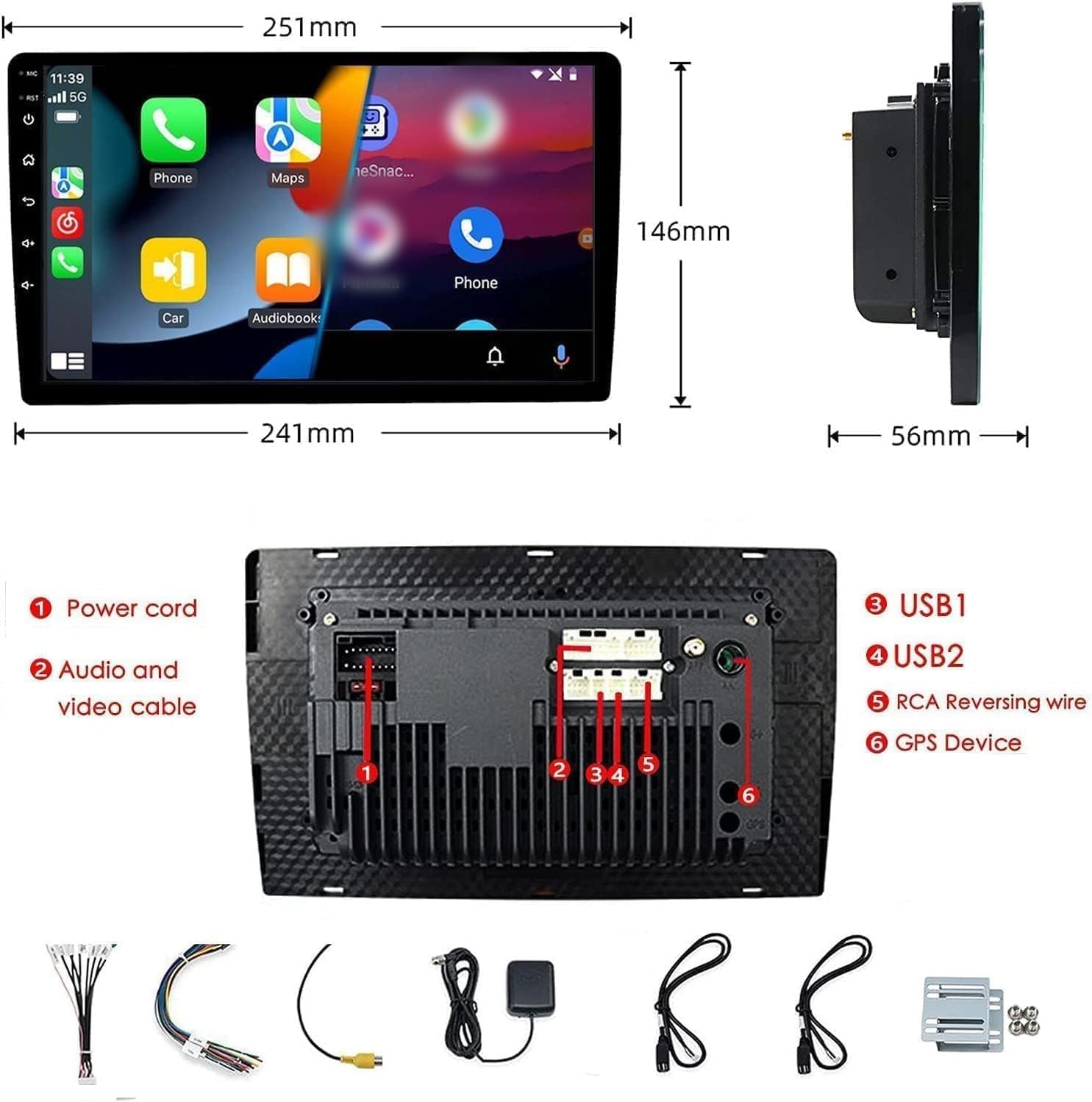
Figure 2: Unit dimensions and rear panel connection points.
Žične povezave:
Refer to the included wiring diagram for specific connections. Key connections include:
- Napajalni kabel: Connect to vehicle's power supply (constant 12V, accessory 12V, ground).
- Audio and Video Cable: For external audio/video devices.
- Vrata USB (USB1, USB2): For media playback, phone charging, and wired CarPlay/Android Auto.
- RCA Reversing Wire: Connect to the backup camera trigger wire.
- GPS Device: Connect the external GPS antenna for navigation functionality.
- Steering Wheel Control Wires (Key/SW): For integrating with vehicle's steering wheel controls.
Prepričajte se, da so vse povezave varne in pravilno izolirane, da preprečite kratke stike.
Navodila za uporabo
Vklop/izklop:
The unit will power on automatically when the vehicle's ignition is turned on. To manually power off or restart, use the power button on the front panel.
Delovanje zaslona na dotik:
Navigate the interface by tapping, swiping, and pinching on the 10.1-inch capacitive touch screen, similar to a smartphone or tablet.
FM radio:
Access the FM Radio application from the main menu. You can scan for stations, save presets, and adjust volume. The unit supports standard FM frequencies.

Slika 3: Vmesnik FM radia.
Bluetooth seznanjanje:
- Prepričajte se, da je Bluetooth omogočen na vašem mobilnem telefonu.
- On the car stereo, open the Bluetooth application.
- Iskanje available devices on your phone and select "BINIZE" or a similar device name.
- Po potrebi potrdite kodo za seznanjanje na obeh napravah.
- Ko sta seznanjena, lahko prostoročno kličete in pretakate zvok.
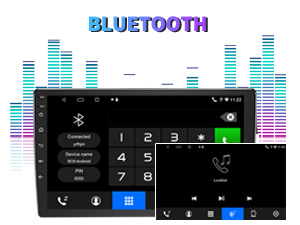
Figure 4: Bluetooth pairing screen.
Nadzor na volanu:
To use your vehicle's steering wheel controls, manual learning is required. Access the Steering Wheel Control settings in the system menu and follow the on-screen instructions to map your vehicle's buttons to the stereo functions.
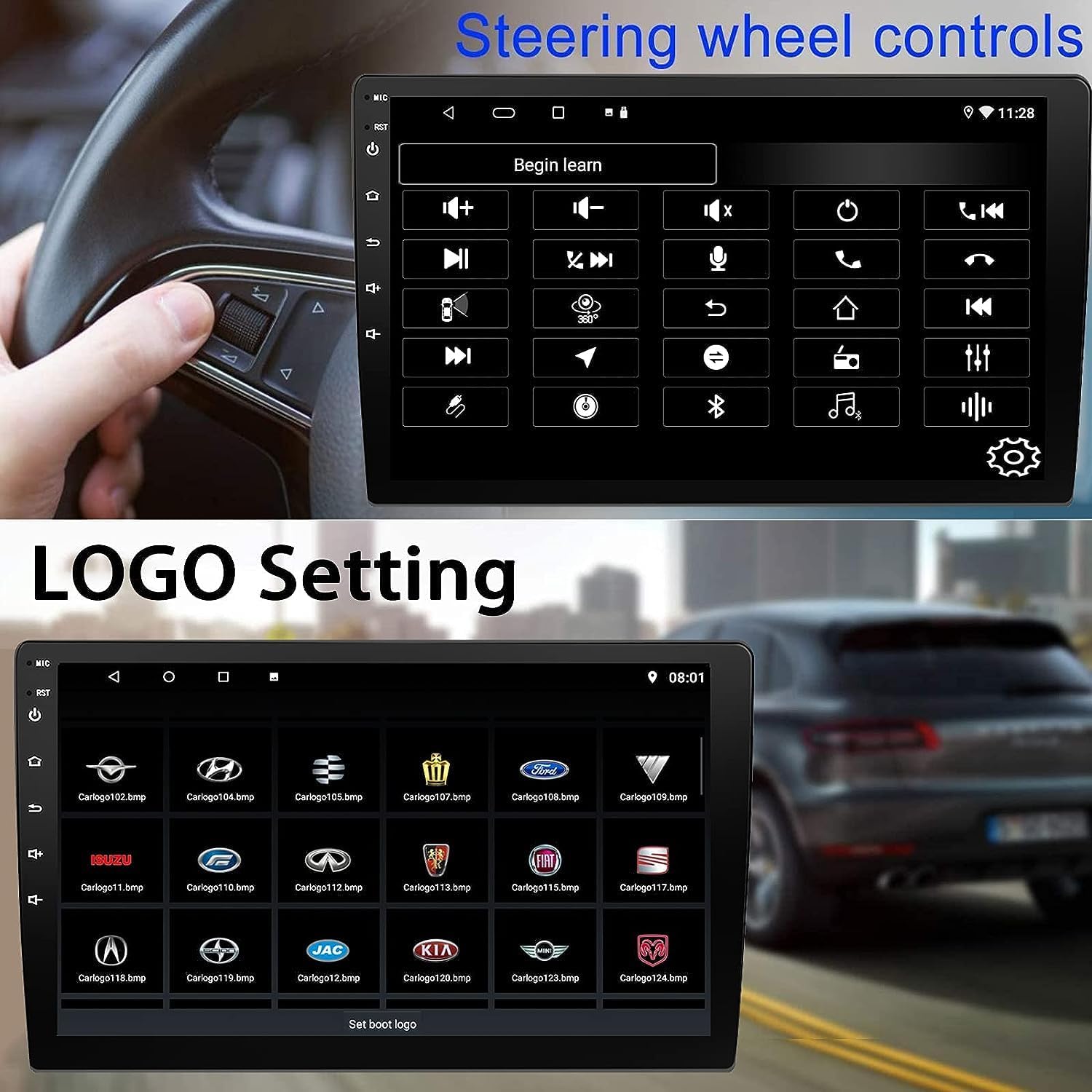
Figure 5: Steering Wheel Control setup screen.
Connectivity: CarPlay, Android Auto, and MirrorLink
Brezžični CarPlay:
Connect your iPhone wirelessly to access CarPlay features such as navigation, music, messages, and calls directly on the stereo display. Ensure Wi-Fi and Bluetooth are enabled on your iPhone.
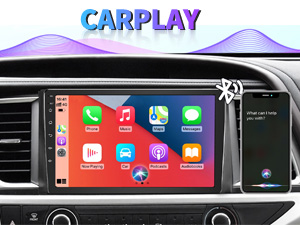
Figure 6: Wireless CarPlay interface.
Brezžični Android Auto:
Connect your Android phone wirelessly to use Android Auto for navigation, communication, and entertainment apps. Ensure Wi-Fi and Bluetooth are enabled on your Android device.

Figure 7: Wireless Android Auto interface.
MirrorLink:
MirrorLink allows you to display your smartphone's screen directly onto the car stereo. This feature works with both Android and iOS devices via a wired connection. Note that CarPlay/Android Auto and MirrorLink cannot be used simultaneously.

Figure 8: MirrorLink feature displaying a phone screen on the stereo.
Navigacija
The car stereo features an integrated GPS receiver, supporting both online and offline navigation. Connect to Wi-Fi or a mobile hotspot to use online navigation apps. For offline navigation, you may need to download map data.

Figure 9: GPS navigation map display.
Vnos kamere
Rezervna kamera:
The unit supports backup camera input. When properly connected, the display will automatically switch to the rear view when the vehicle is put into reverse, providing parking assistance with guidelines.
Spredaj View Kamera:
The stereo also supports front view camera input, allowing for enhanced visibility when maneuvering in tight spaces.

Figure 10: Backup camera and front view camera displays.
Vzdrževanje
To ensure the longevity and optimal performance of your BINIZE car stereo, follow these maintenance guidelines:
- Čiščenje zaslona: Zaslon na dotik nežno obrišite z mehko krpo, ki ne pušča vlaken. Za trdovratne madeže rahlo obrišiteampKrpo obrišite z vodo ali čistilom za zaslone. Izogibajte se agresivnim kemikalijam ali abrazivnim materialom.
- Generalno čiščenje: Keep the unit and surrounding areas free from dust and debris. Use a soft brush or compressed air to clean vents and button areas.
- Posodobitve programske opreme: Periodically check for available software updates through the system settings to ensure you have the latest features and performance improvements.
- Izogibajte se ekstremnim temperaturam: Naprave ne izpostavljajte ekstremni vročini ali mrazu dlje časa, saj lahko to vpliva na njene elektronske komponente.
Odpravljanje težav
Če imate težave z avtomobilskim stereo sistemom, si oglejte naslednje pogoste težave in rešitve:
| Težava | Možen vzrok | rešitev |
|---|---|---|
| Enota se ne vklopi. | Nepravilno ožičenje; Pregorela varovalka; Težava z napajanjem vozila. | Check power connections and vehicle fuses. Ensure constant 12V and accessory 12V are correctly wired. |
| Brez zvoka. | Glasnost je prenizka; Vklopljen je izklop zvoka; Težava z ožičenjem zvočnika. | Povečaj glasnost. Preverite, ali je vklopljen izklop zvoka. Preverite povezave zvočnikov. |
| CarPlay/Android Auto se ne povezuje brezžično. | Bluetooth/Wi-Fi off on phone; Pairing issue; Software glitch. | Ensure phone's Bluetooth and Wi-Fi are on. Try re-pairing the device. Restart both phone and stereo. Some users reported needing to open phone's Bluetooth settings each time. |
| Screen too bright/dim at night. | Nastavitve zaslona niso optimizirane. | Adjust brightness settings in the display menu. Consider using a screen dimming app if available. |
| Vzvratna kamera se ne prikazuje. | Camera not connected; RCA reversing wire not connected or faulty. | Check camera and RCA reversing wire connections. Ensure the camera is powered. |
Specifikacije
| Funkcija | Podrobnost |
|---|---|
| Znamka | BINIZE |
| Številka modela | Binize |
| Operacijski sistem | Android 13 |
| Velikost zaslona | 10.1 palcev (26 cm vidne diagonale) |
| Resolucija | 1024x600 |
| Procesor | Quad-core Coretex-A7, 1.3GHz |
| Pomnilnik (RAM) | 2 GB |
| Shramba (ROM) | 32 GB |
| Povezljivost | Bluetooth, Wi-Fi, USB, Auxiliary |
| Posebne lastnosti | Wireless CarPlay, Wireless Android Auto, MirrorLink, GPS Navigation, Touchscreen, Built-In Bluetooth |
| Način avdio izhoda | Stereo (konfiguracija kanalov za prostorski zvok 2.0) |
| Teža predmeta | 2.94 funtov |
| barva | Črna |
Garancija in podpora
Informacije o garanciji:
The BINIZE Double Din Car Stereo comes with a 1-letna brezplačna garancija od datuma nakupa. Ta garancija krije proizvodne napake in okvare pri normalni uporabi. Za uveljavljanje garancije shranite dokazilo o nakupu.
Tehnična podpora:
For any technical assistance, questions, or issues not covered in this manual, please contact our professional technical support team. You can reach us via Amazon email for 24/7 online technical support. Our team is available to assist with system upgrades and parts replacement.
We are committed to providing enthusiastic customer service and ensuring your satisfaction with the BINIZE product.