
Uvod
Thank you for choosing the SXFJF L350 Bluetooth Over-Ear Wireless Headphones. This manual provides essential information for the safe and efficient use of your headphones. Please read it carefully before use and retain it for future reference.
Konec izdelkaview
The SXFJF L350 headphones are designed for comfort and high-fidelity audio, featuring active noise cancellation, deep bass, and a built-in microphone for hands-free communication. Their foldable design enhances portability.
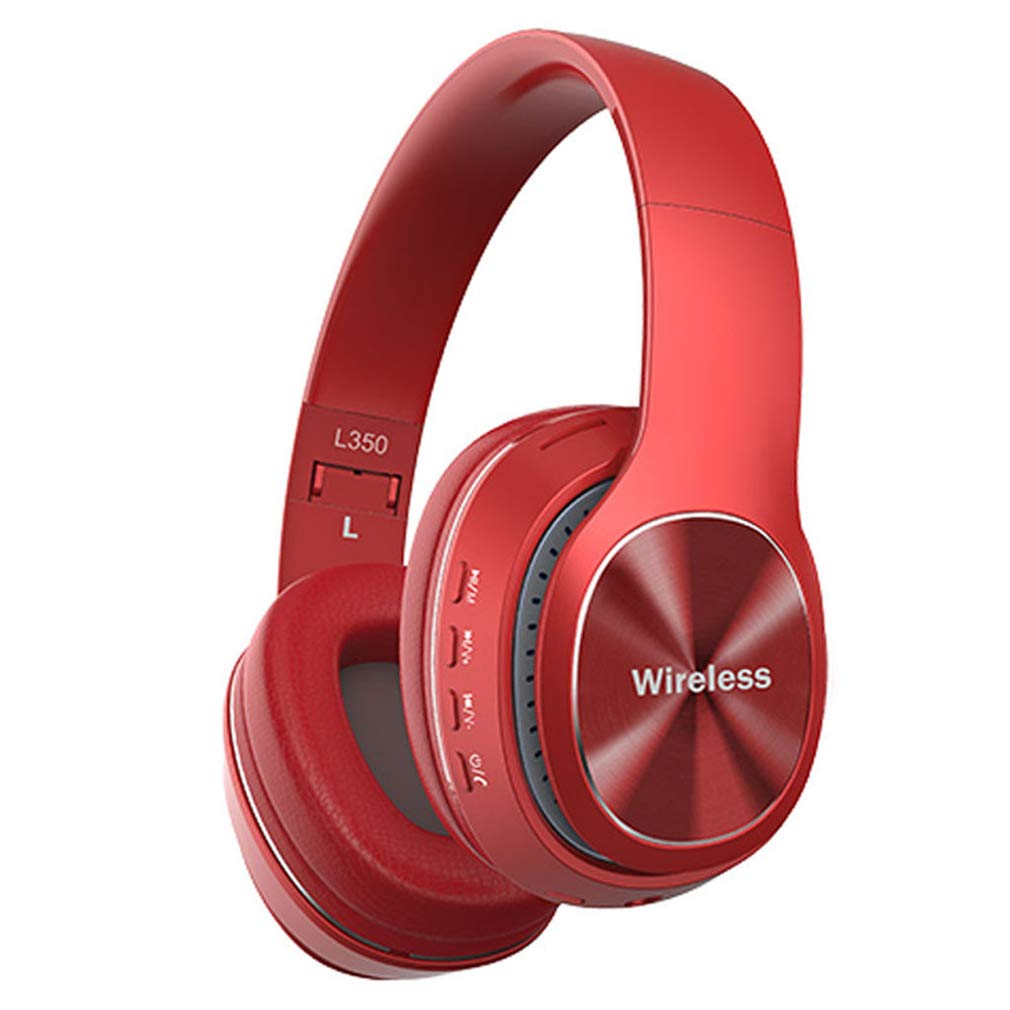
Image: SXFJF L350 Red Bluetooth Over-Ear Wireless Headphones. This image displays the red variant of the L350 headphones, highlighting the over-ear design, control buttons on the earcup, and the 'Wireless' branding.
Ključne značilnosti:
- Active Noise Cancelling Function
- Premium Audio with Deep Bass
- 40mm Horn Drivers
- 105dB Sensitivity and 100dB Signal-to-Noise Ratio
- Foldable Structure for Portability
- Soft Memory-Protein Earmuffs for Comfort
- Ergonomsko prileganje
- Bluetooth 5.0 Connectivity with 15-meter working range
- 8-10 Hours Music Playback Time
- Čas pripravljenosti 1300 ur
- Vgrajen mikrofon za prostoročne klice
- 3.5mm Stereo Interface for Wired Connection
Nastavitev
1. Polnjenje slušalk
Before first use, fully charge your headphones. Use the provided USB charging cable.
- Connect the Micro USB end of the charging cable to the charging port on the headphone earcup.
- Connect the USB-A end to a 5V USB power source (e.g., computer USB port, wall adapter).
- LED indikator bo med polnjenjem svetil in spremenil barvo ali ugasnil, ko bo popolnoma napolnjen.
2. Bluetooth seznanjanje
Za seznanjanje slušalk z napravo, ki podpira Bluetooth, sledite tem korakom:
- Prepričajte se, da so slušalke izklopljene.
- Pritisnite in držite gumb za vklop, dokler LED indikator ne utripa izmenično rdeče in modro, kar označuje način seznanjanja.
- V napravi (pametnem telefonu, tablici, računalniku) omogočite Bluetooth in poiščite razpoložljive naprave.
- Select "L350" or "SXFJF Headphones" from the list of found devices.
- Ko sta seznanjena, bo LED indikator običajno svetil modro ali počasi utripal modro.
- Če se od vas zahteva geslo, vnesite »0000«.
3. Žična povezava (izbirno)
For devices without Bluetooth or when the battery is depleted, you can use the 3.5mm audio cable:
- Connect one end of the 3.5mm audio cable to the audio input jack on the headphones.
- Connect the other end to the 3.5mm audio output jack on your device.
- The headphones will function as wired headphones, and Bluetooth features will be disabled.
Video: SXFJF Bluetooth Over-Ear Wireless Headphones. This video provides a visual overview of the headphones, demonstrating their design, features, and various color options. It highlights the active noise cancellation, deep bass, and comfortable fit.
Navodila za uporabo
Vklop/izklop
- Vklop: Pritisnite in držite gumb za vklop približno 3 sekundi, dokler se ne prižge LED indikator.
- Ugasniti: Pritisnite in držite gumb za vklop približno 3 sekunde, dokler se LED indikator ne izklopi.
Predvajanje glasbe
- Predvajanje/pavza: Enkrat pritisnite gumb Predvajaj/Premor.
- Naslednja skladba: Pritisnite in držite gumb za povečanje glasnosti (+).
- Prejšnja skladba: Pritisnite in držite gumb za zmanjšanje glasnosti (-).
Upravljanje klicev
- Sprejmi/končaj klic: Enkrat pritisnite gumb Predvajaj/Premor.
- Zavrni klic: Pritisnite in držite gumb za predvajanje/pavzo 2 sekundi.
- Ponovno klicanje zadnje številke: Dvakrat pritisnite gumb Predvajaj/Premor.
Nadzor glasnosti
- Povečajte glasnost: Pritisnite gumb za povečanje glasnosti (+).
- Zmanjšaj glasnost: Pritisnite gumb za zmanjšanje glasnosti (-).
Vzdrževanje
Pravilno vzdrževanje zagotavlja dolgo življenjsko dobo in delovanje vaših slušalk:
- Čiščenje: Za čiščenje slušalk uporabljajte mehko, suho krpo. Ne uporabljajte abrazivnih čistil ali topil.
- Shranjevanje: Ko slušalk ne uporabljate, jih shranjujte na hladnem in suhem mestu, stran od neposredne sončne svetlobe in ekstremnih temperatur. Za kompaktno shranjevanje uporabite zložljivo zasnovo.
- Izogibajte se vodi: Te slušalke niso vodoodporne. Izogibajte se izpostavljanju vodi ali prekomerni vlagi.
- Ravnajte previdno: Slušalk ne spuščajte, ne razstavljajte in ne spreminjajte.
Odpravljanje težav
Če imate težave s slušalkami, si oglejte naslednje pogoste težave in rešitve:
| Težava | rešitev |
|---|---|
| Slušalke se ne vklopijo. | Prepričajte se, da so slušalke popolnoma napolnjene. Priključite jih na vir napajanja in poskusite znova. |
| Seznanitev z napravo ni mogoča. | Ensure headphones are in pairing mode (LED flashing red/blue). Turn off and on Bluetooth on your device. Move closer to the device. |
| Ni zvoka ali nizka glasnost. | Check volume levels on both headphones and your device. Ensure headphones are properly paired or connected via audio cable. |
| Slaba kakovost zvoka. | Ensure there are no obstructions between the headphones and your device. Avoid interference from other wireless devices. Try a wired connection. |
| Mikrofon ne deluje. | Ensure the headphones are properly connected and selected as the input device on your phone/computer. |
Specifikacije
Technical specifications for the SXFJF L350 Bluetooth Over-Ear Wireless Headphones:
| Funkcija | Podrobnost |
|---|---|
| Različica Bluetooth | Bluetooth 5.0 |
| Delovno območje | Do 15 metre |
| Glasbeni čas | 8-10 ur |
| Čas pripravljenosti | 1300 uri |
| Kapaciteta baterije | 200 mAh |
| Polnjenje Voltage | 5V |
| Polnilni tok | 5V500mA |
| Vmesnik za polnjenje | mikro USB |
| Vrsta vtiča | 3.5mm Stereo Interface |
| Specifikacija roga | 40 mm |
| Moč obremenitve | 50mW |
| Dobava Voltage | 3.3-4.2V |
| SNR (razmerje med signalom in šumom) | 100 dB |
| Občutljivost | 105 dB |
| Delovni tok | 30mA |
| Frekvenčno območje | 24 GHz-2480 GHz |
Garancija in podpora
For warranty information, product support, or any issues not covered in this manual, please refer to the product detail page on Amazon or contact SXFJF customer service directly. Contact details are typically available on the product packaging or the seller's Amazon storefront.