
1. Uvod
Thank you for choosing the BAOSHISHAN Electric Remote Control Rotating Turntable Display Table. This device is designed to provide a smooth, controlled rotation for displaying products, photography, and video recording. It features remote control operation, adjustable speed, and various rotation modes to enhance your display needs. Please read this manual carefully before operation to ensure proper use and longevity of the product.
2. Varnostna navodila
- Ensure the turntable is placed on a stable, level surface before use.
- Ne prekoračite največje dovoljene nosilnosti 40 kg (88 lbs).
- Napravo hranite stran od vode ali drugih tekočin, da preprečite električni udar.
- Naprave ne poskušajte razstavljati ali popravljati sami. Za servis se obrnite na usposobljeno osebje.
- Hraniti izven dosega otrok.
- Uporabljajte samo priloženi napajalnik.
3. Vsebina paketa
Prosimo, preverite paket za naslednje artikle:
- Electric Rotating Turntable
- Daljinski upravljalnik
- Power Adapter (220V Power Cord)
- ABS Plastic Background Plates (various colors)

Image: Included ABS plastic background plates in various colors, including black with matte and glossy sides.
4. Nastavitev
- Postavite gramofon na ravno, stabilno površino.
- Connect the power adapter to the power socket on the side of the turntable.
- Plug the power adapter into a suitable 220V power outlet.
- Turn on the main power switch located next to the power socket on the turntable.
- Place the item you wish to display on the center of the turntable. Ensure the item's diameter does not significantly exceed the turntable's diameter (40cm) for optimal stability, especially for heavier objects. Lighter objects may extend slightly beyond the edge.

Image: Diagram showing the turntable dimensions (40cm diameter) and the recommended maximum item diameter, along with the 40kg weight capacity.

Image: Close-up of the turntable's power socket and switch, along with the remote control and key specifications.
5. Navodila za uporabo
5.1 Funkcije daljinskega upravljalnika

Image: Detailed diagram of the remote control with labels for each button's function.
- Lock (🔒): Locks the remote control to prevent accidental presses.
- Rotation Angle Shortcut Keys (1/4, 1/8, 1/16, 1/32, 1/48, 1/64, 0.5°, 0.1°): These buttons allow for precise, incremental rotation. For example, 1/4 rotates the turntable by 90 degrees (360/4).
- Set Current as Origin (⌖): Sets the current position of the turntable as the starting point for subsequent operations.
- Back to Origin (↺): Returns the turntable to the previously set origin point.
- Pospeši (+): Increases the rotation speed.
- Slow Down (-): Decreases the rotation speed.
- Turn Left (◀): Rotates the turntable counter-clockwise.
- Turn Right (▶): Rotates the turntable clockwise.
- Start/Stop (►▮): Starts or stops the rotation.
- Continuous Mode (↻): Activates continuous rotation.
- Intermittent Mode (⌛): Activates intermittent rotation, where the turntable rotates, pauses, and then rotates again.
- 360° Equal Circle Shortcut Keys (2, 4, 8, 16, 24, 32, 48, 64, 96): These keys are used in intermittent mode to divide a full 360-degree rotation into equal segments. For example, pressing '8' will make the turntable rotate in 45-degree increments (360/8) with pauses in between.
5.2 Smer vrtenja
The turntable supports both clockwise and counter-clockwise rotation. Use the 'Turn Left' (◀) or 'Turn Right' (▶) buttons on the remote control to select the desired direction.
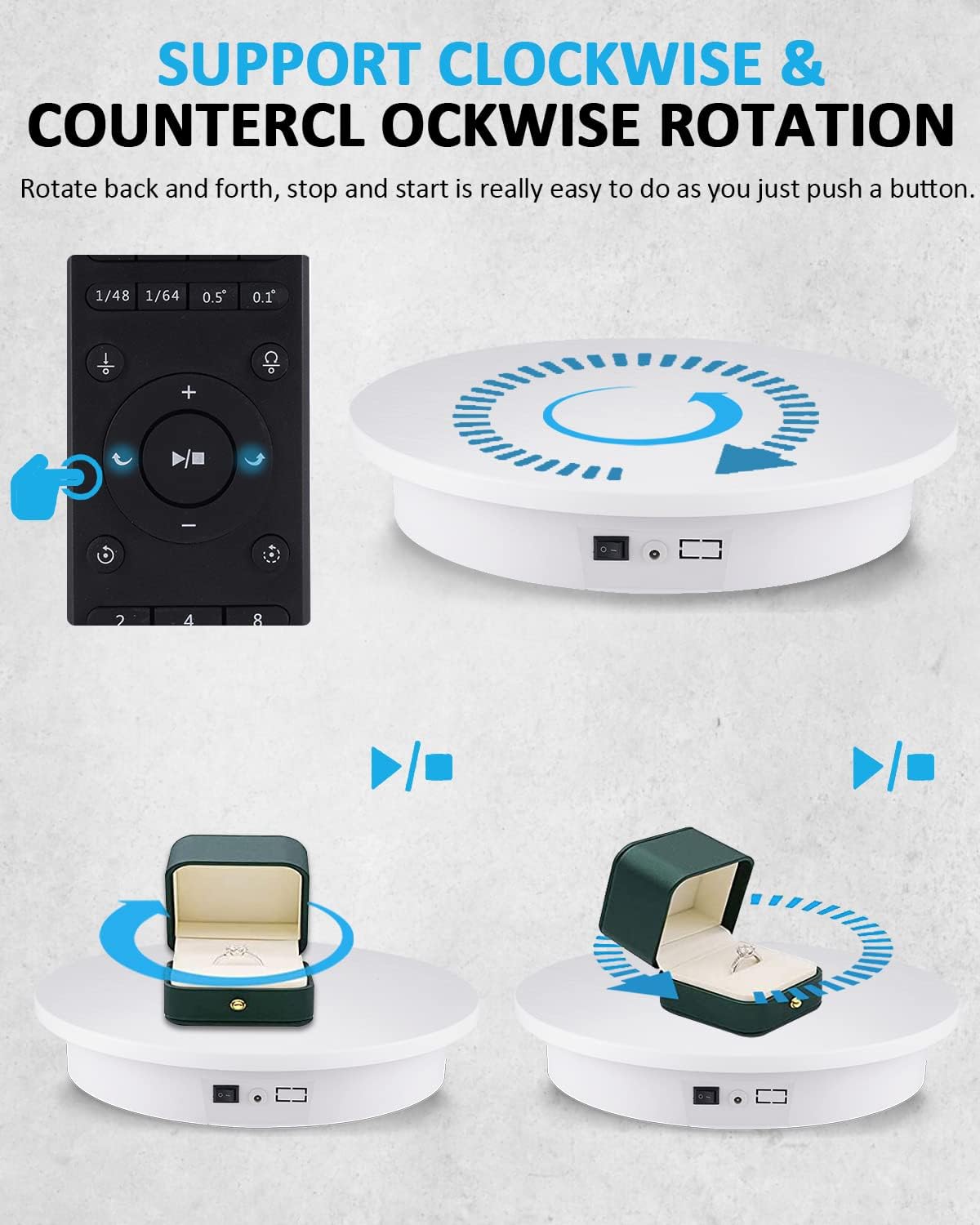
Image: Illustration showing the turntable rotating both clockwise and counter-clockwise, controlled by the remote.
5.3 Intermittent Rotation with Multiple Angles
The intermittent mode allows you to rotate the turntable to fixed points for photography or detailed viewing. Press the 'Intermittent Mode' button (⌛), then select one of the 360° Equal Circle Shortcut Keys (e.g., 2, 4, 8, 16, etc.). The turntable will rotate by the corresponding angle, pause for approximately three seconds, and then continue to the next segment if no further operations are performed.

Slika: npramples of intermittent rotation, showing how pressing '48' results in 7.5° increments and '8' results in 45° increments.
6. Vzdrževanje
- Clean the turntable surface with a soft, dry cloth. Do not use abrasive cleaners or solvents.
- Pred čiščenjem se prepričajte, da je napajanje odklopljeno.
- Store the turntable in a dry, dust-free environment when not in use.
7. Odpravljanje težav
- Turntable does not rotate:
- Check if the power adapter is securely connected and plugged into a live outlet.
- Ensure the main power switch on the turntable is in the 'ON' position.
- Verify the remote control batteries are not depleted.
- Ensure no objects are obstructing the turntable's movement.
- Rotation is uneven or jerky:
- Ensure the item placed on the turntable is centered and its weight does not exceed the maximum capacity.
- Check if the turntable is on a stable and level surface.
- Daljinski upravljalnik se ne odziva:
- Zamenjajte baterije daljinskega upravljalnika.
- Ensure there are no obstructions between the remote control and the turntable's receiver.
- Check if the 'Lock' button on the remote is disengaged.
8. Specifikacije
| Znamka | BAOŠIŠAN |
| Številka modela | NJ-001 |
| Material | Metal (internal components), ABS Plastic (housing) |
| barva | Bela |
| Premer | 40 cm |
| Največja nosilnost | 40 kg |
| voltage | 220 V |
| Hitrost vrtenja | 24-68 seconds per revolution (adjustable) |
| Domet daljinskega upravljalnika | Do 5 metre |
9. Garancija in podpora
BAOSHISHAN products are designed for quality and reliability. For warranty information or technical support, please refer to the purchase documentation or contact your retailer. Keep your purchase receipt as proof of purchase.