
FLAMA 5540FL
FLAMA 5540FL Ironing Center User Manual
Model: 5540FL
Uvod
Thank you for choosing the FLAMA 5540FL Ironing Center. This powerful steam generator iron is designed to make your ironing tasks efficient and effortless. With its 3000W power, 6 bar steam pressure, 120 g/min continuous steam, and a 1.7L water tank, it provides professional results at home. Please read this manual carefully before first use to ensure safe and optimal operation of your appliance.
Pomembna varnostna navodila
- Vedno zagotovite voltagNavedena vrednost na nalepki z nazivnimi vrednostmi ustreza vaši omrežni napetosti.tage.
- Aparata, napajalnega kabla ali vtiča ne potapljajte v vodo ali katero koli drugo tekočino.
- Napravo hranite izven dosega otrok in hišnih ljubljenčkov.
- Never leave the ironing center unattended when it is switched on or connected to the mains.
- Napravo uporabljajte samo za predvideni namen, kot je opisano v tem priročniku.
- Pred shranjevanjem pustite, da se likalnik popolnoma ohladi.
- Do not touch the hot soleplate or steam. Risk of burns.
- Unplug the appliance from the mains socket before filling with water, cleaning, or when not in use.
- Če je napajalni kabel poškodovan, ga mora zamenjati proizvajalec, njegov serviser ali podobno usposobljena oseba, da se izognete nevarnosti.
Konec izdelkaview
Familiarize yourself with the components of your FLAMA 5540FL Ironing Center.
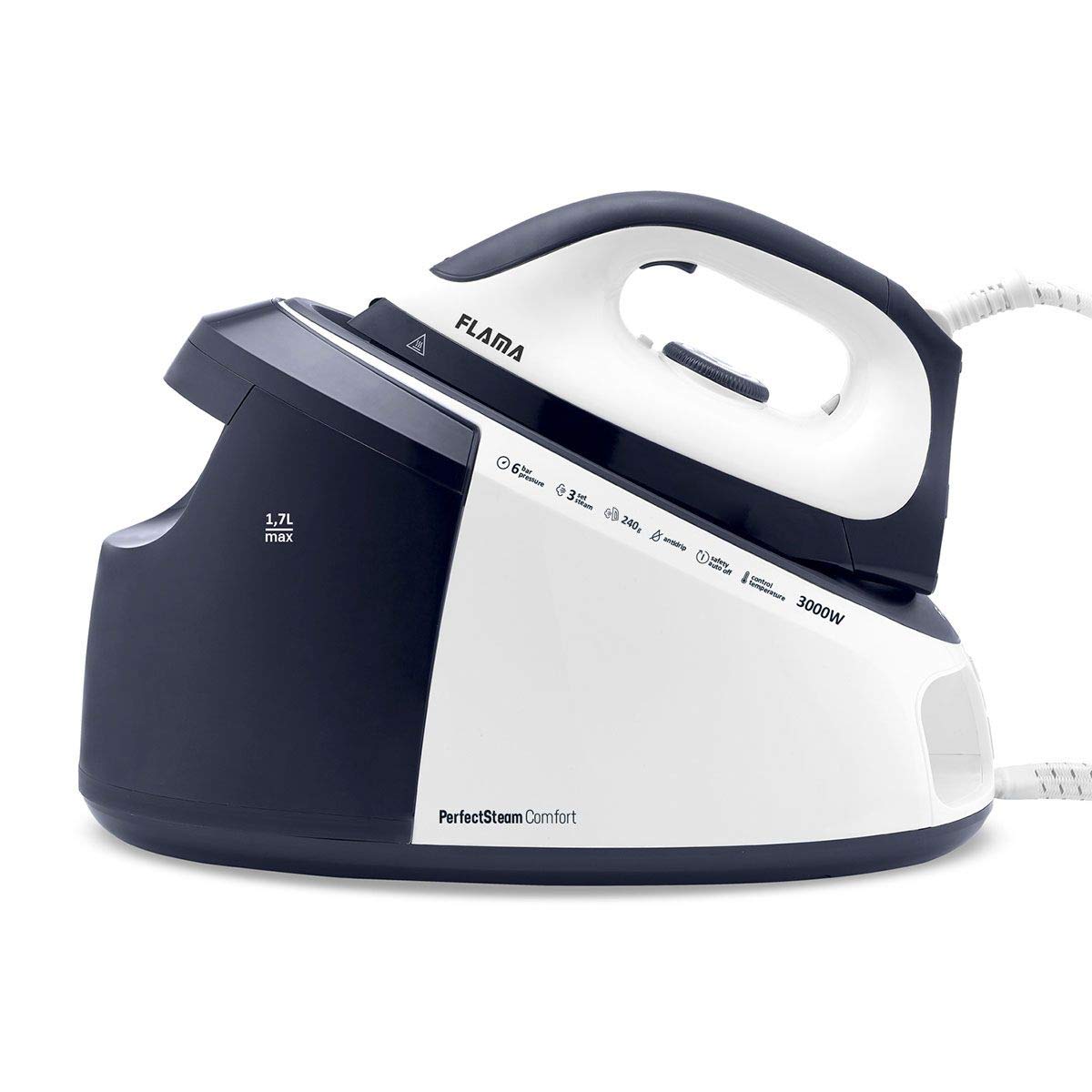
Slika: The FLAMA 5540FL Ironing Center, showing the main steam generator unit and the iron. The unit is white and blue with control buttons visible.
- Iron with ceramic soleplate
- Regulator temperature
- Gumb za sprožitev pare
- Osnovna enota parnega generatorja
- Odstranljiv rezervoar za vodo (prostornina 1.7 l)
- Control panel (ON/OFF, steam mode buttons)
- Cev za paro
- Napajalni kabel
Nastavitev in prva uporaba
1. Razpakiranje
- Carefully remove all packaging materials from the ironing center.
- Preverite, ali je med transportom prišlo do poškodb. Če je poškodovan, ga ne uporabljajte in se obrnite na podporo strankam.
- Place the steam generator base unit on a stable, heat-resistant surface.
2. Polnjenje rezervoarja za vodo
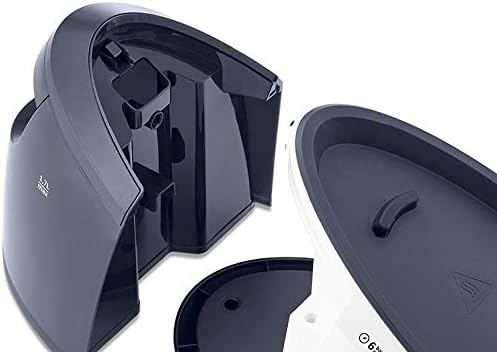
Slika: The removable 1.7L water tank detached from the base unit, showing the filling opening. The tank is black and transparent.
- Prepričajte se, da je naprava izklopljena iz vtičnice.
- Odstranite rezervoar za vodo iz osnovne enote.
- Fill the tank with clean tap water up to the "MAX" indicator. Distilled or demineralized water is recommended to prevent limescale buildup, especially in hard water areas.
- Rezervoar za vodo varno namestite nazaj v osnovno enoto.
3. Prva uporaba
- Priključite napajalni kabel v ozemljeno električno vtičnico.
- Pritisnite gumb VKLOP/IZKLOP na nadzorni plošči. Kontrolna lučka bo zasvetila.
- Allow the iron to heat up. This usually takes a few minutes. The indicator light on the iron will turn off when the desired temperature is reached.
- Za prvo uporabo zlikajte star kos blaga, da odstranite morebitne ostanke izdelave z likalne plošče.
Navodila za uporabo
1. Vklop in izklop
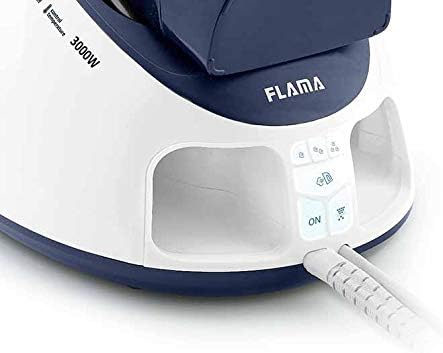
Slika: Close-up of the control panel on the base unit, showing the 'ON' button illuminated, along with steam control buttons.
- Če želite vklopiti, pritisnite VKLOP/IZKLOP button on the base unit. The indicator light will glow.
- Za izklop pritisnite VKLOP/IZKLOP button again. Unplug the appliance from the wall socket after use.
2. Nastavitev temperature
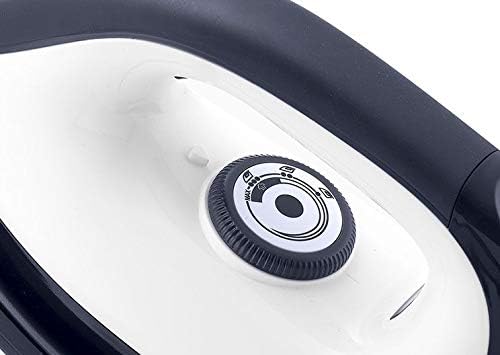
Slika: A close-up of the temperature control dial located on the iron, showing various fabric settings.
- Adjust the temperature control dial on the iron to the desired setting according to the fabric type.
- Refer to the fabric care labels on your garments. Start with lower temperatures for delicate fabrics and increase for heavier materials.
- Wait for the iron's indicator light to turn off, indicating it has reached the set temperature.
3. Funkcije pare

Slika: The FLAMA 5540FL iron with steam visibly emanating from its soleplate, demonstrating its steam function.
- Neprekinjena para: Once the iron is hot, press and hold the steam trigger button under the iron handle for continuous steam (up to 120 g/min). Release to stop.
- Steam Jet (Shot of Steam): For stubborn creases, press the steam jet button on the control panel or rapidly press the steam trigger multiple times for a powerful burst of steam (up to 240 g).
- Ensure the temperature setting is high enough for steam generation. Steam will not be produced at very low temperatures.
4. Suho likanje
- To dry iron, simply do not activate the steam functions.
- Ensure the water tank is empty or the steam function is turned off on the control panel.
Vzdrževanje in nega
1. Čiščenje likalne plošče
- Pred čiščenjem se vedno prepričajte, da je likalnik izklopljen iz električnega omrežja in popolnoma ohlajen.
- Obrišite keramično likalno ploščo zamp krpo in po potrebi neabrazivno čistilo.
- Ne uporabljajte abrazivnih čistilnih gobic ali agresivnih kemikalij, saj lahko poškodujejo likalno ploščo.
2. Odstranjevanje vodnega kamna (sistem proti vodnemu kamnu)
The FLAMA 5540FL Ironing Center features an anti-calc system to reduce limescale buildup. However, regular descaling is still recommended, especially in hard water areas.
- Refer to the specific descaling instructions in the full product manual for your model.
- Generally, this involves using a descaling solution or a vinegar-water mixture (check manufacturer's recommendation) and running steam through the iron.
- Perform descaling every 1-3 months depending on water hardness and usage frequency.
3. Shranjevanje
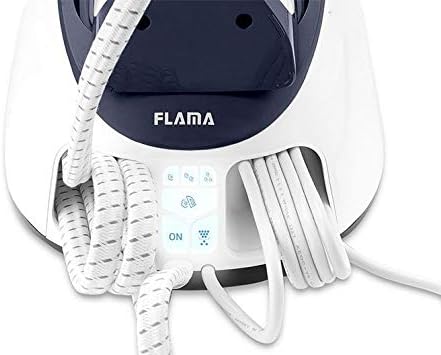
Slika: The FLAMA 5540FL Ironing Center base unit showing the integrated storage for the power cord and steam hose, keeping them tidy.
- Pred shranjevanjem se prepričajte, da je naprava izklopljena iz električnega omrežja in popolnoma ohlajena.
- Iz rezervoarja izpraznite preostalo vodo.
- Wrap the power cord and steam hose neatly around the designated storage areas on the base unit.
- Store the ironing center in a dry, safe place, away from direct sunlight and moisture.
Odpravljanje težav
Preden se obrnete na službo za stranke, preverite naslednje pogoste težave in rešitve:
| Težava | Možen vzrok | rešitev |
|---|---|---|
| Para se ne proizvaja. | Rezervoar za vodo prazen. Likalnik ni dovolj vroč. Steam function not activated. | Napolnite rezervoar za vodo. Allow the iron to heat up to the correct temperature. Press the steam trigger/button. |
| Voda pušča iz likalne plošče. | Temperatura je prenizka za paro. Prenapolnjen rezervoar za vodo. | Zvišajte temperaturo likalnika. Ne napolnite čez vrstico MAX. |
| Likalnik se ne segreva. | Ni priključen. Gumb za vklop ni pritisnjen. Napačna vtičnica. | Preverite napajalno povezavo. Pritisnite gumb VKLOP/IZKLOP. Poskusite z drugo vtičnico. |
| Beli kosmiči na oblačilih. | Nabiranje vodnega kamna. | Perform descaling procedure. Use distilled water. |
Tehnične specifikacije
- Model: FLAMA 5540FL
- moč: 3000 vatov
- Parni tlak: 6 barov
- Neprekinjena para: 120 g/min
- Steam Jet: Do 240 g
- Kapaciteta rezervoarja za vodo: 1.7 litra
- Material likalne plošče: Keramika
- ASIN: B087LKSCK9
Garancija in podpora
Your FLAMA 5540FL Ironing Center comes with a standard manufacturer's warranty. Please refer to the warranty card included in your product packaging for specific terms and conditions, including the warranty period and coverage details.
For technical assistance, spare parts, or warranty claims, please contact FLAMA customer support through their official website or the contact information provided in your product documentation. Always have your model number (5540FL) and proof of purchase ready when contacting support.
Ask a question about this manual
Ask about setup, troubleshooting, compatibility, parts, safety, or missing instructions. Manuals+ will review the question and use this page’s manual context to help answer it.