
1. Uvod
This manual provides detailed instructions for the installation, operation, and maintenance of your JOOAN 3MP Wireless Security Camera System, Model 703. This system is designed to provide reliable surveillance with features such as 3MP resolution, AI human detection, audio recording, and remote access.

Slika 1.1: Konecview of the JOOAN Wireless Security Camera System components.
2. Sistemske komponente
The JOOAN 3MP Wireless Security Camera System typically includes the following components:
- NVR (Network Video Recorder) with pre-installed 1TB HDD
- Wireless IP Cameras (4 units)
- Power Adapters for NVR and cameras
- Miška USB
- Ethernet kabel
- Montažni vijaki in sidra
- Uporabniški priročnik (ta dokument)

Image 2.1: The 1TB Hard Disk Drive included with the NVR for video storage.
3. Navodila za namestitev
3.1 Začetni vklop in priključitev
- Priključite NVR na monitor s kablom HDMI ali VGA.
- Connect the USB mouse to the NVR.
- Connect the NVR to power using its adapter.
- Connect each camera to its respective power adapter.
- The cameras will automatically pair with the NVR upon power-up.

Image 3.1: Illustration of the 'Auto Pair, Plug N Play' setup process for the camera system.
The system is designed for 'Plug N Play' functionality, meaning cameras should automatically connect to the NVR once powered. For optimal wireless signal, consider the NVR's built-in router capabilities.

Image 3.2: The NVR features a built-in router, providing up to 200ft range with one wall obstruction and up to 1640ft in open spaces.
3.2 Remote Access Setup (Eseecloud App)
Za view your cameras remotely on mobile devices or PC, download the Eseecloud application.
- Download the Eseecloud app from your mobile app store (iOS/Android) or the Eseecloud software for PC.
- Registrirajte račun in se prijavite.
- On the NVR interface, navigate to Network Setup to find the Cloud ID (QR code).
- In the Eseecloud app, scan the Cloud ID QR code or manually enter the ID to add your device.
- Ensure your NVR is connected to the internet for remote viewing.

Slika 3.3: Daljinski upravljalnik viewing setup showing the Eseecloud app on mobile and PC for multi-device access.
Video 3.1: Demonstrates how to get a local image within one minute, showcasing the quick setup process.
Video 3.2: Overview of the Jooan 3MP Super HD Wireless System, highlighting its features and ease of use.
4. Navodila za uporabo
4.1 V živo View in Predvajanje
Ko je sistem nastavljen, lahko view v živo footage on your connected monitor or through the Eseecloud app. Recorded footage can be accessed via the NVR interface or the app for playback.
4.2 Zaznavanje gibanja in opozorila
The system features advanced AI Human Detection to minimize false alarms. When motion or a human shape is detected, the system can trigger various alerts:
- NVR Buzzer
- E-poštno opozorilo
- APP Notification (Push Alert)

Image 4.1: Demonstrates motion detection and the corresponding app push alerts and email notifications.
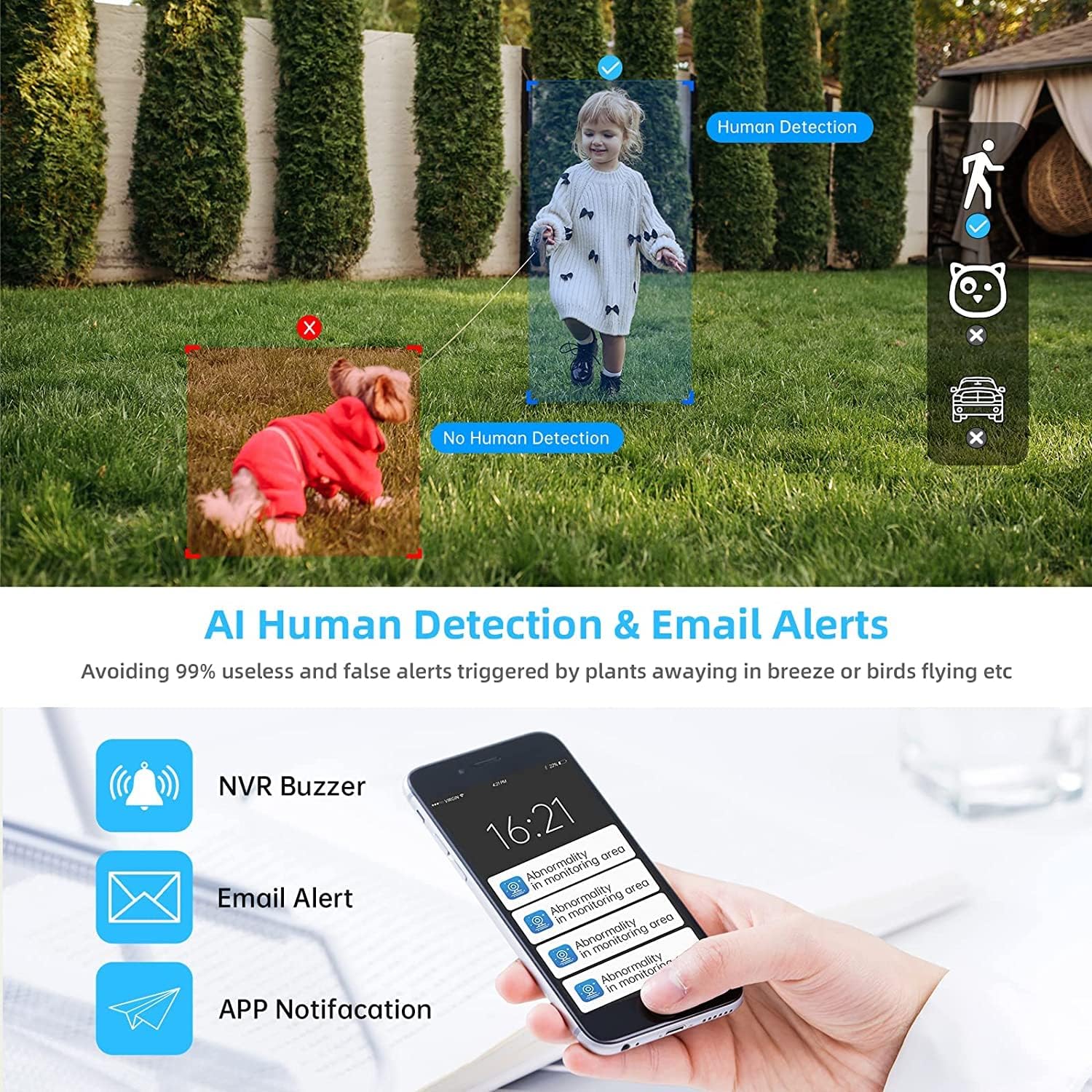
Image 4.2: AI Human Detection feature, distinguishing human shapes from other movements to reduce false alarms.
4.3 Audio Recording (One-Way Audio)
Each camera is equipped with a microphone, allowing for one-way audio recording. You can hear the sound from the monitoring scene during live viewpredvajanje in predvajanje.
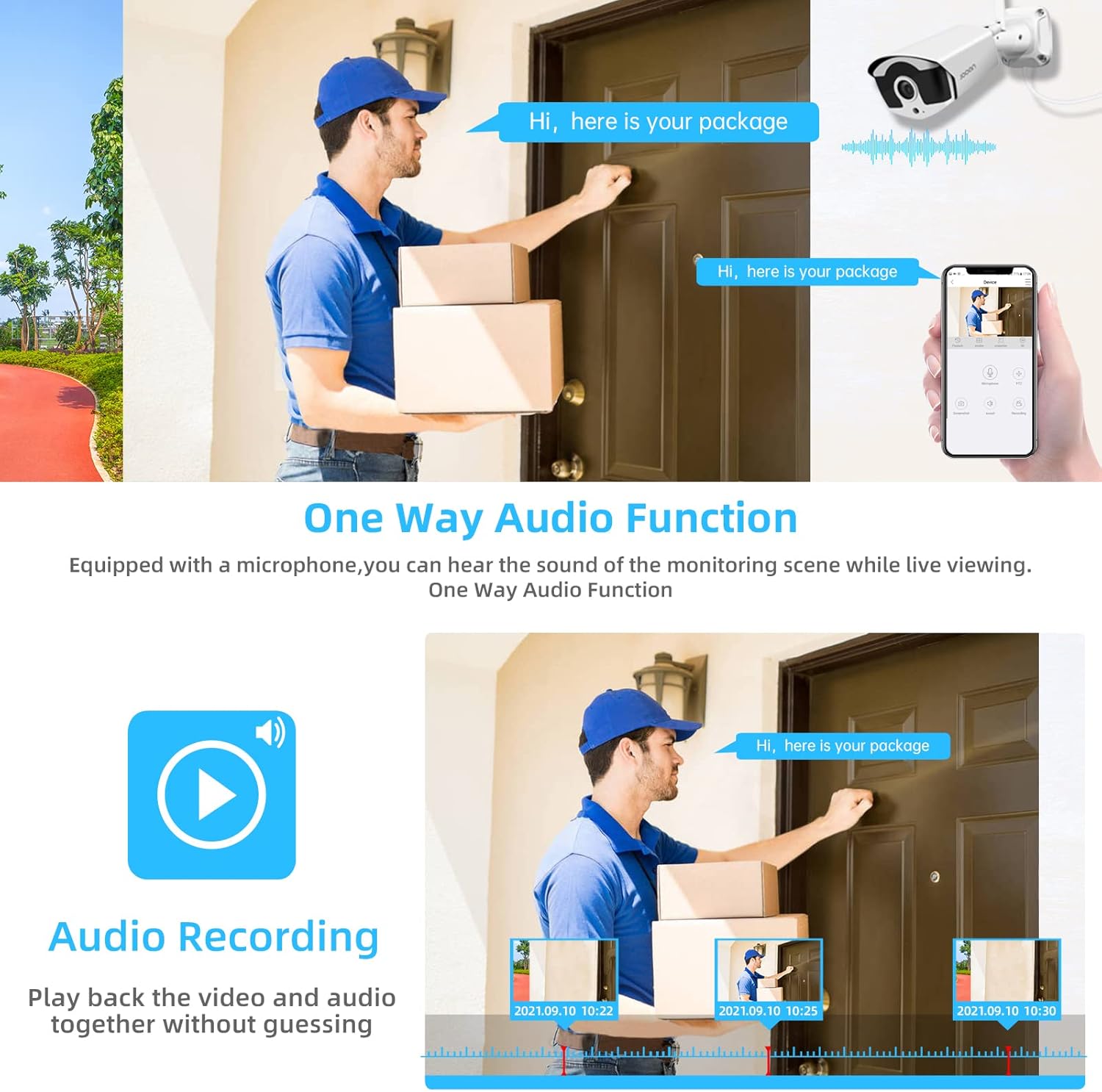
Image 4.3: Illustration of the one-way audio function, showing a delivery person speaking and the audio being recorded.
4.4 Nočni vid
The cameras provide clear night vision, ensuring continuous surveillance even in low-light conditions.

Image 4.4: Depiction of the camera's night vision feature, providing clear images in darkness.
Video 4.1: A short clip demonstrating the night time monitoring capabilities of the camera system.
4.5 H.265+ video kompresija
The system utilizes advanced H.265+ video compression technology, which significantly reduces storage space requirements while maintaining high video quality. This allows for longer recording times on the 1TB HDD.

Image 4.5: Comparison showing how H.265+ compression saves storage space compared to H.264 and H.265.
5. Vzdrževanje
Redno vzdrževanje zagotavlja dolgo življenjsko dobo in optimalno delovanje vašega varnostnega sistema.
- Čiščenje objektiva fotoaparata: Občasno očistite objektive fotoaparata z mehko krpoamp krpo za odstranjevanje prahu in madežev. Izogibajte se abrazivnim čistilom.
- Upravljanje kablov: Prepričajte se, da so vsi kabli varno priključeni in zaščiteni pred okoljskimi poškodbami.
- Posodobitve programske opreme: Preverite pri proizvajalcu website or the Eseecloud app for firmware updates for the NVR and cameras to ensure the latest features and security patches.
- Varstvo okolja: While cameras are IP67 waterproof, extreme weather conditions can still affect performance. Ensure cameras are mounted securely and protected where possible.

Image 5.1: The IP67 waterproof rating ensures the camera's durability against various weather conditions, including rain, snow, and dust.
6. Odpravljanje težav
If you encounter issues with your JOOAN Security Camera System, refer to the following common troubleshooting steps:
6.1 Brez video prikaza
- Preverite moč: Prepričajte se, da so NVR in vse kamere pravilno vklopljeni.
- Povezava monitorja: Verify the HDMI/VGA cable connection between the NVR and the monitor.
- Seznanjanje fotoaparata: If a specific camera has no video, check its power and ensure it's within range of the NVR for wireless connection. Re-pair if necessary (refer to NVR manual for specific re-pairing steps).
6.2 Težave z oddaljenim dostopom
- Internetna povezava: Ensure the NVR is connected to the internet via an Ethernet cable.
- Prijava v aplikacijo: Verify your Eseecloud app login credentials.
- ID v oblaku: Double-check that the correct Cloud ID is entered in the app.
- Nastavitve omrežja: Ensure your router settings are not blocking the NVR's internet access.
6.3 Težave s snemanjem
- HDD Status: Check the NVR's settings to ensure the 1TB HDD is detected and functioning correctly.
- Urnik snemanja: Verify that the recording schedule is properly configured.
- Nastavitve zaznavanja gibanja: If using motion-triggered recording, ensure motion detection is enabled and sensitivity is adjusted appropriately.
7. Specifikacije
| Funkcija | Specifikacija |
|---|---|
| Znamka | JOOAN |
| Številka modela | 703 |
| Ločljivost zajema videa | 3MP (Clearer than 1080p) |
| Število kanalov | 8 |
| Nočni vid | Night color (up to 100ft) |
| Način snemanja | Continuous, Motion Detection, Event |
| Strojni vmesnik | 802.11 ac/b/g/n (Wireless) |
| Video vhod | VGA, HDMI |
| Tehnologija optičnega senzorja | CMOS |
| Ocena vodotesnosti | IP67 |
| HDD Included | 1 TB |
8. Garancija in podpora
For warranty information and technical support, please refer to the official JOOAN webspletno mesto ali se obrnite neposredno na njihovo službo za stranke. Račun shranite kot dokazilo o nakupu za uveljavljanje garancije.
Dodatne vire in pogosta vprašanja najdete tudi na JOOAN Store on Amazon.