
Uvod
This user manual provides comprehensive instructions for operating your Samsung Galaxy S10 smartphone. It covers essential functions, setup procedures, maintenance tips, and troubleshooting guidance to help you maximize your device's capabilities. Please read this manual thoroughly before using your device to ensure safe and optimal performance.
The Samsung Galaxy S10 series includes various models such as SM-G970F, SM-G970F/DS, SM-G973F/DS, SM-G975F, SM-G975F/DS, and SM-G977B. While specific features may vary slightly by region or carrier, the core functionalities described herein apply to all models.
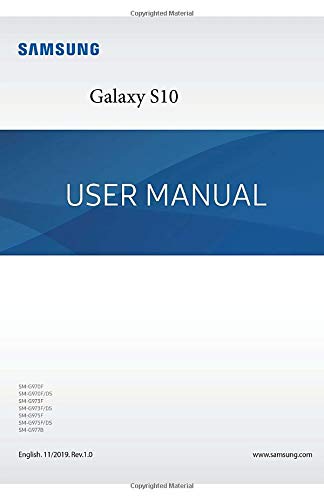
Figure 1: Front cover of the Samsung Galaxy S10 User Manual.
Nastavitev
1. Razpakiranje in prvi pregled
Previdno vzemite vse komponente iz embalaže. Preverite, ali so prisotni naslednji elementi:
- Samsung Galaxy S10 device
- USB-C kabel
- Napajalnik
- Orodje za izmet kartice SIM
- Vodnik za hitri začetek (če je priložen)
Pred nadaljevanjem preverite napravo glede morebitnih fizičnih poškodb.
2. Vstavljanje SIM kartice in MicroSD kartice
- Poiščite pladenj za kartico SIM na strani naprave.
- Vstavite orodje za izmet SIM kartice v majhno luknjo na pladnju, da ga odprete.
- Vstavite kartico Nano-SIM v reži z zlatimi kontakti obrnjenimi navzdol.
- If applicable, insert a microSD card into the designated slot on the same tray.
- Pladenj nežno potisnite nazaj v napravo, dokler se ne zaskoči.
3. Polnjenje naprave
Before first use, fully charge your Galaxy S10. Connect the USB-C cable to the device's charging port and the power adapter, then plug the adapter into a wall outlet.
4. Čarovnik za začetni vklop in nastavitev
Press and hold the Power/Side key until the Samsung logo appears. Follow the on-screen instructions to complete the initial setup, including language selection, Wi-Fi connection, Google account setup, and security settings.
Upravljanje vaše naprave
1. Osnovna navigacija
- Domači zaslon: Za dostop do različnih plošč povlecite levo ali desno.
- Predal za aplikacije: Povlecite navzgor z začetnega zaslona do view vse nameščene aplikacije.
- Obvestilna plošča: Za dostop do obvestil in hitrih nastavitev povlecite navzdol z vrha zaslona.
- Nedavne aplikacije: Tap the Recent Apps button (three vertical lines) to view in preklapljajte med nedavno uporabljenimi aplikacijami.
2. Klici in pošiljanje sporočil
Če želite opraviti klic, odprite Telefon aplikacijo, vnesite številko in tapnite ikono za klic. Če želite poslati sporočilo, odprite Sporočila app, tap the new message icon, enter the recipient and your message, then tap send.
3. Connecting to Wi-Fi and Mobile Data
Pojdite na Nastavitve > Povezave > Wi-Fi to connect to a wireless network. For mobile data, ensure your SIM card is active and go to Nastavitve > Povezave > Poraba podatkov to manage mobile data settings.
4. Uporaba kamere
Odprite Kamera app. Tap the shutter button to take a photo. Swipe left or right to switch between camera modes (e.g., Photo, Video, Pro, Live Focus). Tap the camera switch icon to toggle between front and rear cameras.
5. Varnostne funkcije
Your Galaxy S10 offers various security options:
- Čitalnik prstnih odtisov: Registrirajte svoje prstne odtise prek Nastavitve > Biometrija in varnost > Prstni odtisi.
- Prepoznavanje obraza: Set up face unlock via Nastavitve > Biometrija in varnost > Prepoznavanje obraza.
- PIN, vzorec, geslo: Configure these traditional security methods via Nastavitve > Zaklenjen zaslon > Vrsta zaklepanja zaslona.
Vzdrževanje
1. Čiščenje naprave
Use a soft, lint-free cloth to clean the screen and body of your device. Avoid using harsh chemicals or abrasive materials. For stubborn smudges, slightly dampkrpo sperite z vodo ali čistilom za zaslone, namenjenim elektroniki.
2. Posodobitve programske opreme
Redno preverjajte posodobitve programske opreme, da zagotovite, da ima vaša naprava najnovejše funkcije in varnostne popravke. Pojdite na Nastavitve > Posodobitev programske opreme > Prenesi in namesti.
3. Skrb za baterijo
To prolong battery life, avoid extreme temperatures. Do not leave your device fully charged or fully discharged for extended periods. Consider enabling power-saving modes when battery levels are low.
4. Varnostno kopiranje podatkov
Regularly back up your important data to a cloud service (e.g., Samsung Cloud, Google Drive) or a computer to prevent data loss. Go to Nastavitve > Računi in varnostno kopiranje za možnosti.
Odpravljanje težav
1. Pogoste težave
- Naprava se ne vklopi: Ensure the battery is charged. If not, connect to a charger. If still unresponsive, perform a forced restart by holding the Volume Down and Power keys simultaneously for more than 7 seconds.
- Aplikacije se sesuvajo ali zamrzujejo: Počisti predpomnilnik aplikacije (Nastavitve > Aplikacije > [Ime aplikacije] > Pomnilnik > Počisti predpomnilnik) ali pa znova namestite aplikacijo.
- Težave z omrežno povezljivostjo: Toggle Airplane mode on and off. Restart your device. Check your SIM card insertion.
- Počasna zmogljivost: Close unused apps, clear cache, and ensure sufficient storage space.
2. Tovarniška ponastavitev
Warning: A factory reset will erase all data from your device. Back up important data before proceeding.
Za ponastavitev na tovarniške nastavitve pojdite na Nastavitve > Splošno upravljanje > Ponastavi > Ponastavitev na tovarniške nastavitve. Follow the on-screen prompts to confirm.
Specifikacije
The following table outlines key specifications for the Samsung Galaxy S10 series. Please note that specifications may vary by region and specific model (e.g., S10e, S10, S10+).
| Funkcija | Podrobnost |
|---|---|
| ASIN | B0851LFP86 |
| Založnik | Neodvisno objavljeno |
| Datum objave | 18. februar 2020 |
| Jezik | angleščina |
| Dolžina tiska | 261 strani |
| ISBN-13 | 979-8615359002 |
| Teža predmeta | 14.2 unč |
| Dimenzije | 5.5 x 0.59 x 8.5 palcev |
Figure 2: Back cover of the Samsung Galaxy S10 User Manual, displaying ISBN and barcode.
Garancija in podpora
1. Garancija za izdelek
Your Samsung Galaxy S10 device is covered by a limited manufacturer's warranty. The terms and conditions of this warranty vary by region and point of purchase. Please refer to the warranty card included with your device or visit the official Samsung webza podrobne informacije o garancijskem kritju, trajanju in postopkih za uveljavljanje odškodninskih zahtevkov.
2. Podpora strankam
For further assistance, technical support, or service inquiries, please contact Samsung Customer Service through one of the following channels:
- Spletna podpora: Obiščite uradno podporo Samsung website for FAQs, troubleshooting guides, and live chat options. www.samsung.com/support
- Telefonska podpora: Refer to your region-specific Samsung webspletno mesto za lokalne kontaktne številke.
- Servisni centri: Locate authorized Samsung service centers near you for in-person assistance.
When contacting support, please have your device's model number and serial number ready. These can typically be found in Nastavitve > O telefonu.