
1. Uvod
This manual provides instructions for the ZdalaMit XRT136 Replacement Remote Control. This remote is designed to function as a direct replacement for your original Vizio Smart TV remote without requiring any programming or pairing.
Compatible Vizio Smart TV Models:
- M657-G0
- M557-G0
- PX65-G1
- P659-G1
- P759-G1
- D60-F3
2. Vsebina paketa
Prepričajte se, da so v paketu prisotni vsi elementi:
- 1 x ZdalaMit XRT136 Replacement Remote Control
3. Nastavitev
3.1 Namestitev baterije
The remote control requires two (2) AAA alkaline batteries (not included) for operation.
- Poiščite predal za baterije na zadnji strani daljinskega upravljalnika.
- Pokrov predala za baterije potisnite navzdol, da ga odprete.
- Vstavite dve novi bateriji AAA in pazite, da se pozitivni (+) in negativni (-) pol pravilno poravnata z oznakami v predalu.
- Pokrov predalčka za baterije potisnite nazaj na svoje mesto, dokler se ne zaskoči.

Slika: Nazaj view of the XRT136 remote control, illustrating the battery compartment location.
Once batteries are installed, the remote is ready for use. No programming or pairing is required.
4. Navodila za uporabo
To operate your Vizio Smart TV, point the ZdalaMit XRT136 remote control directly at the television's infrared receiver. Press the desired buttons to control your TV's functions.

Slika: spredaj view of the XRT136 remote control, displaying the layout of all buttons.
4.1 Ključne funkcijeview
The remote features standard television control buttons, including:
- Gumb za vklop: Vklopi ali izklopi TV.
- Gumb za vnos: Selects video input sources (HDMI, AV, etc.).
- Navigacijska tipkovnica (gor, dol, levo, desno, V redu): Za navigacijo in izbiro po menijih.
- Povečanje/zmanjšanje glasnosti: Prilagodi glasnost televizije.
- Kanal gor/dol: Menjava televizijskih kanalov.
- Gumb za izklop zvoka: Utiša zvok televizorja.
- Številska tipkovnica (0–9): Za neposreden vstop v kanal.
- Gumbi za nazaj/izhod: Navigates back in menus or exits current functions.
- Menu/Info Buttons: Accesses TV menus and displays information.
- Namenski gumbi za aplikacije: Quick access to streaming services (e.g., VUDU, Netflix, Amazon, Xumo, Crackle, iHeartRadio).

Image: A user holding the XRT136 remote control, demonstrating typical usage by pointing it at a television.
5. Vzdrževanje
5.1 Čiščenje
To clean the remote control, use a soft, dry cloth. Do not use liquid cleaners, sprays, or abrasive materials, as these may damage the remote's surface or internal components.
5.2 Skrb za baterije
- Replace batteries when the remote's performance diminishes or stops working.
- Ne mešajte starih in novih baterij ali različnih vrst baterij.
- Če daljinskega upravljalnika ne boste uporabljali dlje časa, odstranite baterije, da preprečite puščanje.
- Izrabljene baterije zavrzite v skladu z lokalnimi predpisi.
6. Odpravljanje težav
6.1 Daljinski upravljalnik se ne odziva
- Preverite baterije: Prepričajte se, da so baterije pravilno vstavljene s pravilno polarnostjo (+/-).
- Zamenjava baterij: If the batteries are old or depleted, replace them with two new AAA alkaline batteries.
- Vidnem polju: Ensure there are no obstructions between the remote control and the TV's infrared receiver. Point the remote directly at the TV.
- Razdalja: Confirm you are within the effective operating range (up to 33 feet).
6.2 Omejena funkcionalnost
- Verify that your Vizio Smart TV model is listed under the compatible models in Section 1.
- Some advanced TV features or smart functions may require the original remote or specific TV settings. This remote is designed for primary control functions.
7. Specifikacije
| Znamka | ZdalaMit |
| Ime modela | XRT136 (Mfr Part Number: fghea-593) |
| Združljive naprave | Vizio Smart Televisions (M657-G0, M557-G0, PX65-G1, P659-G1, P759-G1, D60-F3) |
| Tehnologija povezljivosti | Infrardeči |
| Vrsta krmilnika | Nadzor gumbov |
| Število gumbov | 18 |
| Napajalnik | 2 x 1.5 V AAA alkalne baterije |
| Največji doseg | 33 čevljev (10 metra) |
| Mere predmeta (D x Š x V) | 6.75" x 1.79" x 0.55" (17.15 cm x 4.55 cm x 1.4 cm) |
| Teža predmeta | 1.6 unče (45 gramov) |
| Posebna funkcija | Ergonomska oblika |
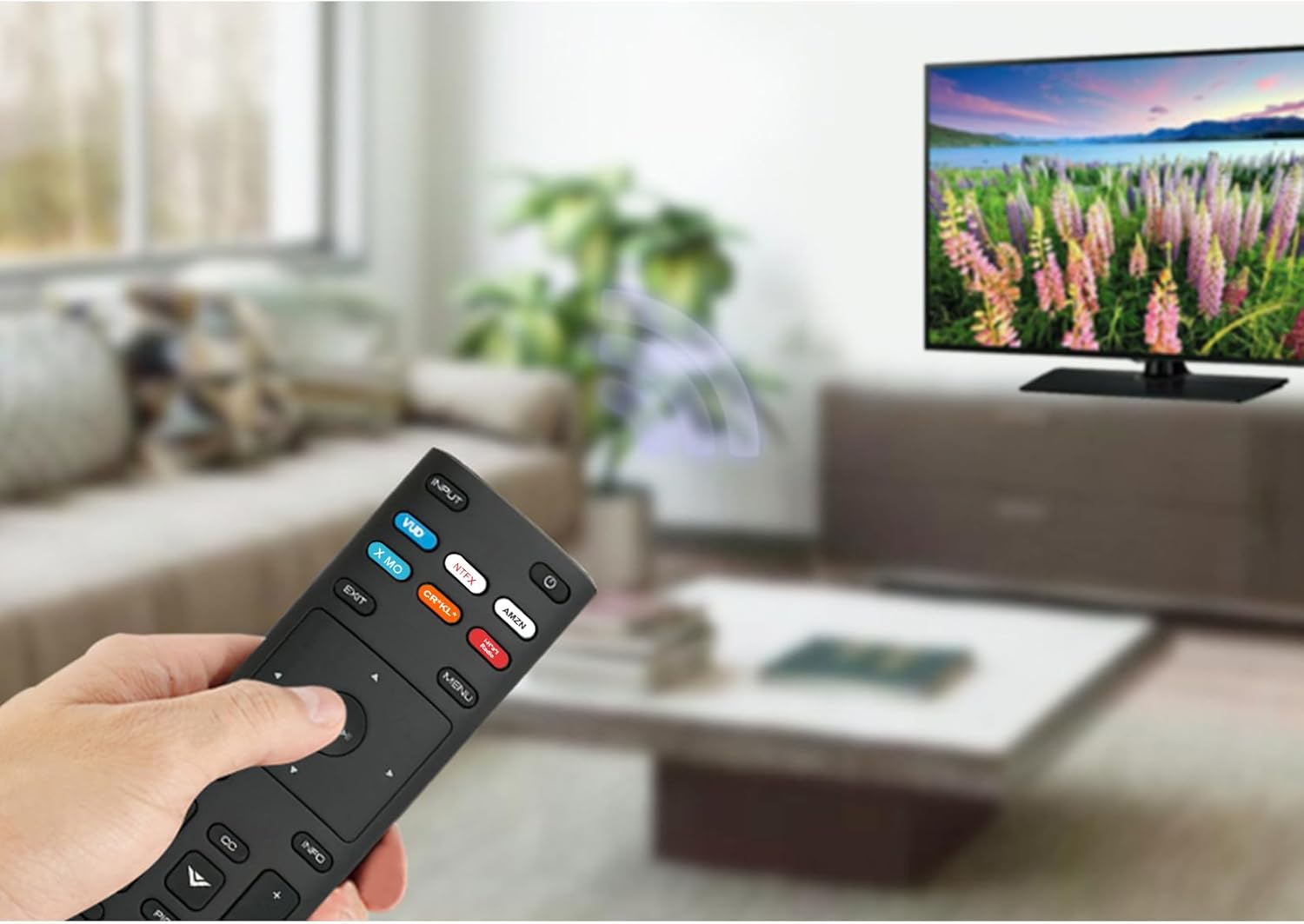
Image: The XRT136 remote control with its physical dimensions highlighted.
8. Informacije o garanciji
This ZdalaMit product comes with a 1-letna garancija od datuma nakupa. Ta garancija krije proizvodne napake pri normalni uporabi. Ne krije škode, ki jo povzroči nepravilna uporaba, nesreče, nepooblaščene spremembe ali puščanje baterije.
9. Podpora
If you encounter any issues or have questions regarding your ZdalaMit XRT136 Replacement Remote Control that are not addressed in this manual, please contact the seller or manufacturer for assistance. Provide your product model (XRT136) and a detailed description of the issue for efficient support.