
Uvod
This manual provides detailed instructions for the setup, operation, and maintenance of your LTC Nimbleback LK-301 Low Profile Mechanical Keyboard. Please read this manual thoroughly before using the product to ensure proper functionality and to maximize your user experience.

Image: The LTC Nimbleback LK-301 Low Profile Mehanska tipkovnica, razstavaasing njegovo popolno postavitev in elegantno obliko.
Lastnosti izdelka
- Nizka profesionalnostfile Mehanska stikala: Equipped with responsive and comfortable white mechanical switches.
- Dvojna povezljivost: Supports both Bluetooth 3.0 wireless and wired USB Type-C connections.
- Preklapljanje med več napravami: Seamlessly switch between up to three connected Bluetooth devices.
- Razporeditev z 96 tipkami: A compact layout that retains essential keys, including a numeric keypad.
- Bela osvetlitev ozadja: Features white backlighting with 17 different modes, adjustable brightness, and speed.
- RGB Side Lighting: Customizable RGB lighting on the sides of the keyboard.
- Vzdržljiva konstrukcija: Built with an all-metal frame for enhanced durability and a premium feel.
- Thin & Lightweight Design: Ideal for portability and comfortable use.
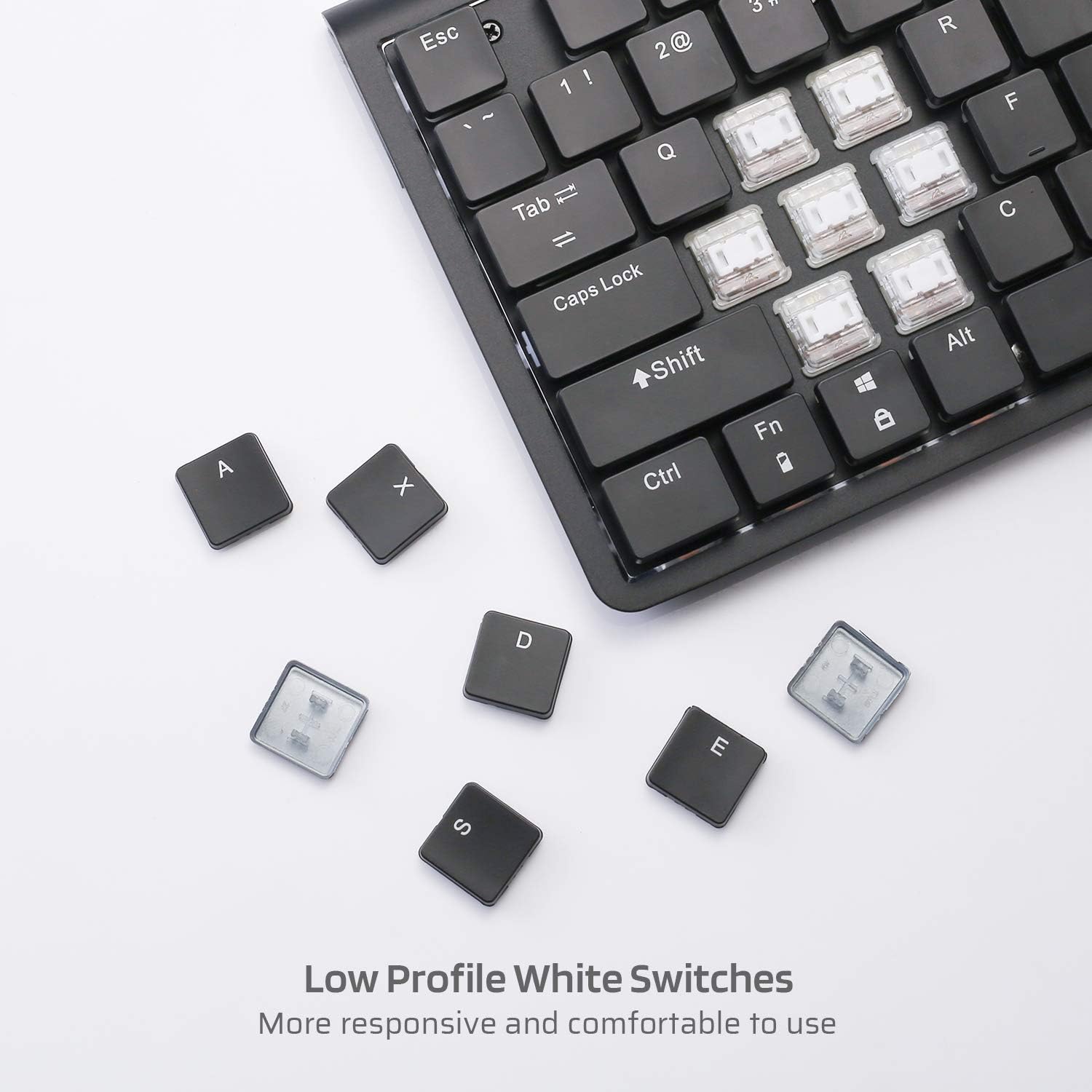
Slika: Bližnji posnetek view of the low profile white mechanical switches, highlighting their design.
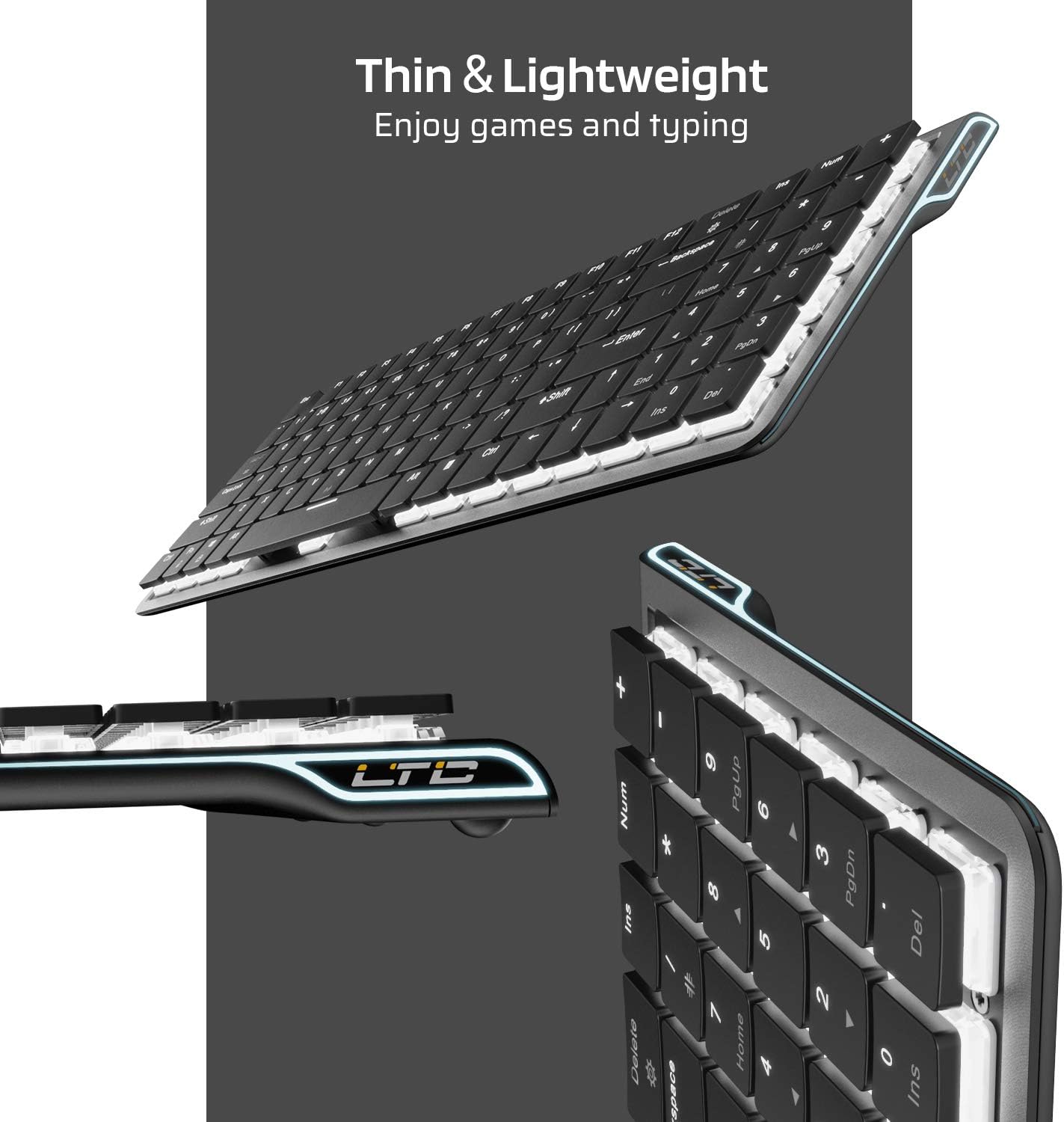
Slika: Stran view of the keyboard, emphasizing its thin and lightweight profile.
Navodila za namestitev
Žična povezava
- Locate the USB Type-C cable included in the package.
- Connect one end of the USB Type-C cable to the port on the keyboard.
- Drugi konec kabla priključite na razpoložljiva vrata USB na vašem računalniku.
- Tipkovnica bo samodejno prepoznana in pripravljena za uporabo.
Brezžična povezava Bluetooth
- Ensure the keyboard is charged or connected via USB-C initially.
- Locate the ON/OFF switch on the underside of the keyboard and slide it to the 'ON' position.
- Pritisnite Fn + Tab to switch the keyboard to wireless mode. The keyboard's backlight will blink twice to indicate wireless mode.
- To select a Bluetooth device slot, press Fn + Q, Fn + W, oz Fn + E. The corresponding key will blink slowly.
- To enter pairing mode, long-press Fn+B for 3 seconds. The selected Bluetooth key (Q, W, or E) will blink quickly, indicating it is ready to pair.
- On your device (computer, tablet, or mobile phone), enable Bluetooth and search for available devices. Select "LTC Nimbleback LK-301" from the list.
- Once paired, the selected Bluetooth key will stop blinking and remain steadily lit.

Image: Illustration showing both wireless Bluetooth 3.0 and wired USB Type-C connection options for the keyboard.

Image: The keyboard connected to multiple devices (smartphone, tablet, laptop), demonstrating its multi-device switching capability.
Video: Prekoračitevview of the LTC Nimbleback LK-301 Low Profile Mechanical Keyboard, demonstrating its features and design. This video is provided by AceGadget.
Navodila za uporabo
Nadzor osvetlitve ozadja
- Spremeni način osvetlitve ozadja: Pritisnite Fn+Delete to cycle through 17 different white backlight modes.
- Pre-set Backlight Modes:
- Pritisnite fn+1 for FPS (First-Person Shooter) backlight mode.
- Pritisnite fn+2 for LOL (League of Legends) backlight mode.
- Pritisnite fn+3 for Office backlight mode.
- Prilagodite svetlost osvetlitve ozadja: Pritisnite Fn + puščica gor za povečanje svetlosti in Fn + puščica navzdol za zmanjšanje svetlosti.
- Prilagodi hitrost osvetlitve ozadja: Pritisnite Fn + puščica desno to increase animation speed, and Fn + puščica levo to decrease animation speed.
Side RGB Lighting Control
- Change Side Light Mode/Color: Pritisnite Fn + /? (located on the numeric keypad) to cycle through various RGB side lighting effects and colors.
Video: Podrobna poročilaview of the LTC Nimbleback LK-301 Low Profile Mechanical Keyboard, including demonstrations of its backlighting and side RGB effects. This video is provided by AngelPGC Store.
Vzdrževanje
Za zagotovitev dolge življenjske dobe in optimalnega delovanja tipkovnice upoštevajte ta navodila za vzdrževanje:
- Čiščenje: Za brisanje površine tipkovnice uporabite mehko, suho krpo. Za temeljitejše čiščenje uporabite stisnjen zrak, da odstranite prah in umazanijo med tipkami. Izogibajte se uporabi agresivnih kemikalij ali abrazivnih materialov.
- Shranjevanje: When not in use, store the keyboard in a cool, dry place away from direct sunlight and extreme temperatures. The included fabric bag can be used for protection during storage or travel.
- Izpostavljenost tekočini: Avoid spilling liquids on the keyboard. In case of accidental spills, immediately disconnect the keyboard, turn it off, and allow it to dry completely before attempting to use it again.
Odpravljanje težav
Keyboard Not Responding (Wired Mode)
- Prepričajte se, da je kabel USB Type-C varno priključen na tipkovnico in računalnik.
- Poskusite tipkovnico priključiti na drug USB vhod na računalniku.
- Preizkusite tipkovnico na drugem računalniku, da izključite težave, specifične za sistem.
Keyboard Not Connecting (Bluetooth Mode)
- Verify that the keyboard's ON/OFF switch is in the 'ON' position.
- Ensure the keyboard is in wireless mode (Fn + Tab).
- Confirm that the correct Bluetooth device slot is selected (Fn + Q/W/E).
- Re-enter pairing mode by long-pressing Fn+B za 3 sekund.
- Check your device's Bluetooth settings to ensure Bluetooth is enabled and the keyboard is visible or already paired. Try removing and re-pairing the device.
- Prepričajte se, da je baterija tipkovnice dovolj napolnjena.
Osvetlitev ozadja ne deluje ali je zatemnjena
- Adjust the brightness using Fn + puščica gor.
- Preklapljajte med načini osvetlitve ozadja z Fn+Delete to see if a different mode activates the lights.
- Ensure the keyboard battery has sufficient charge, as low battery can affect backlight performance.
Specifikacije
| Funkcija | Podrobnost |
|---|---|
| Številka modela | LK-301 |
| Tehnologija povezljivosti | Bluetooth 3.0, USB Type-C (Wired) |
| Opis tipkovnice | Mehanska igralna tipkovnica |
| Posebne lastnosti | Bluetooth, Lighting (White Backlit, RGB Side), Wireless |
| barva | Črna |
| Material | Kovina |
| Teža predmeta | 1.76 funta (približno 0.8 kg) |
| Dimenzije paketa | 15.28 x 6.3 x 2.2 palcev |
| Vključene komponente | USB Receiver (Note: USB Type-C cable is also included for wired connection and charging) |
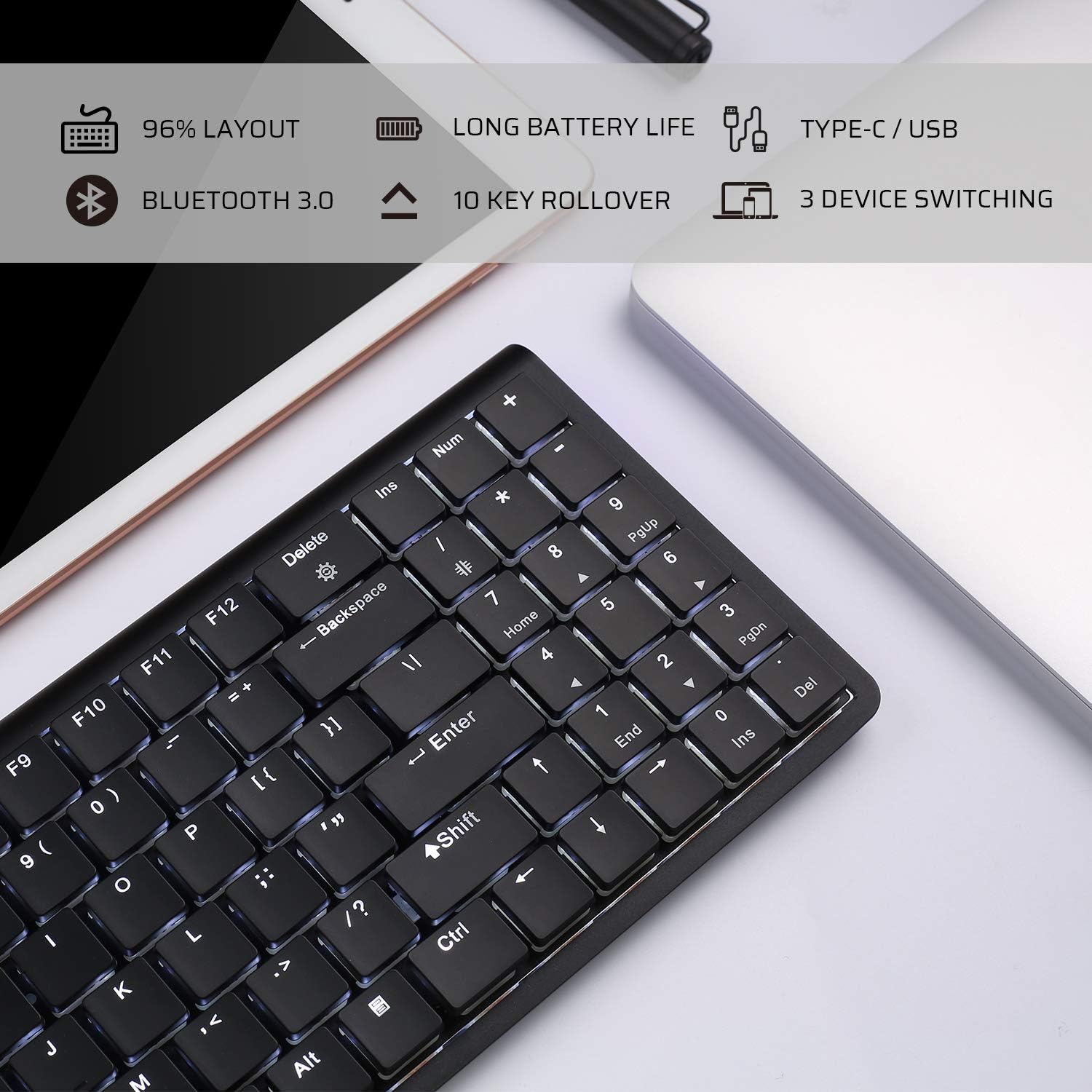
Image: An infographic highlighting key features such as 96% layout, long battery life, Type-C/USB, Bluetooth 3.0, 10-key rollover, and 3-device switching.
Garancija in podpora
For warranty information and customer support, please refer to the warranty card included in your product packaging or visit the official LTC webspletnega mesta. Račun shranite kot dokazilo o nakupu za morebitne garancijske zahtevke.