
1. Uvod
Thank you for choosing the Alomejor Digital Drum Metronome Practice Pad. This device is designed to assist drummers and musicians in developing precise rhythm and tempo. It features a digital LCD screen, multiple practice modes, and an earphone jack for private practice sessions. Please read this manual thoroughly before using the product to ensure proper operation and longevity.
Vsebina paketa:
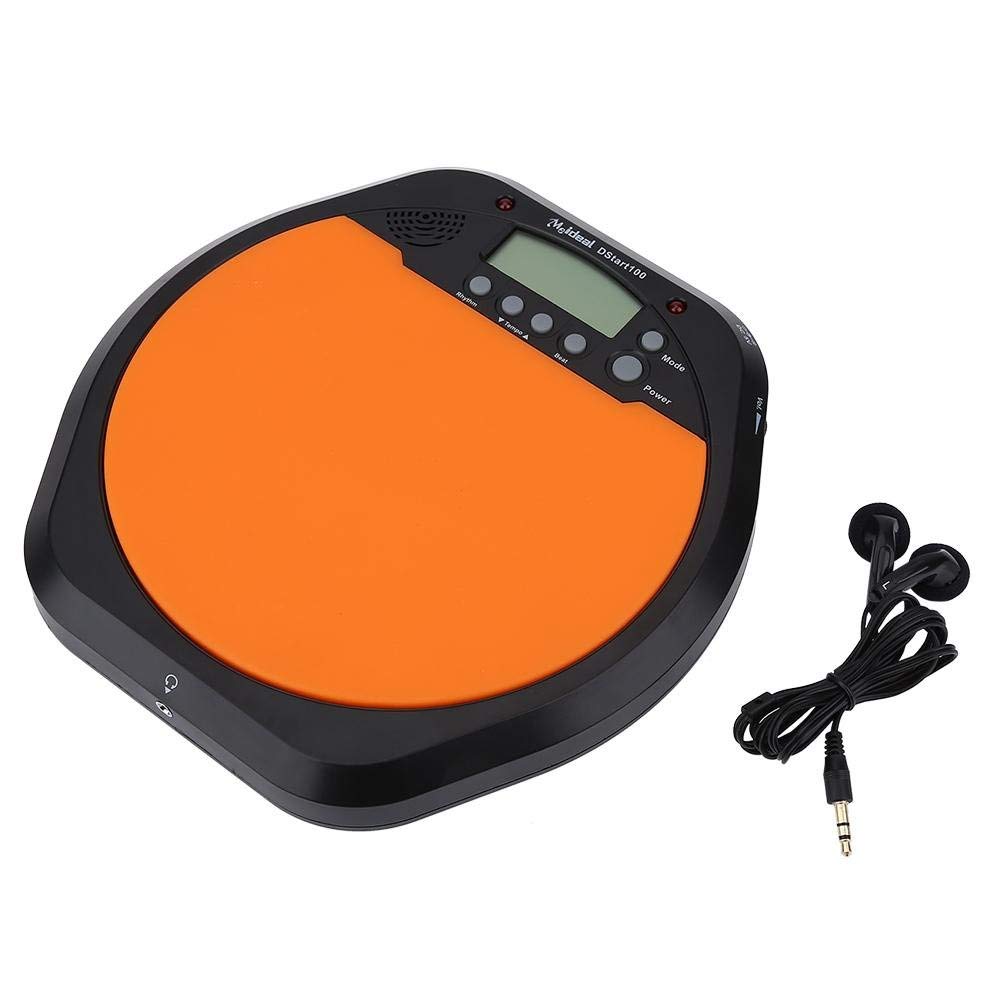
- 1 x Digital Drum Metronome Practice Pad
- 1 x slušalka
- (2 x AAA batteries not included)
2. Značilnosti izdelka
- Večnamenska zasnova: Offers various modes for comprehensive rhythm training.
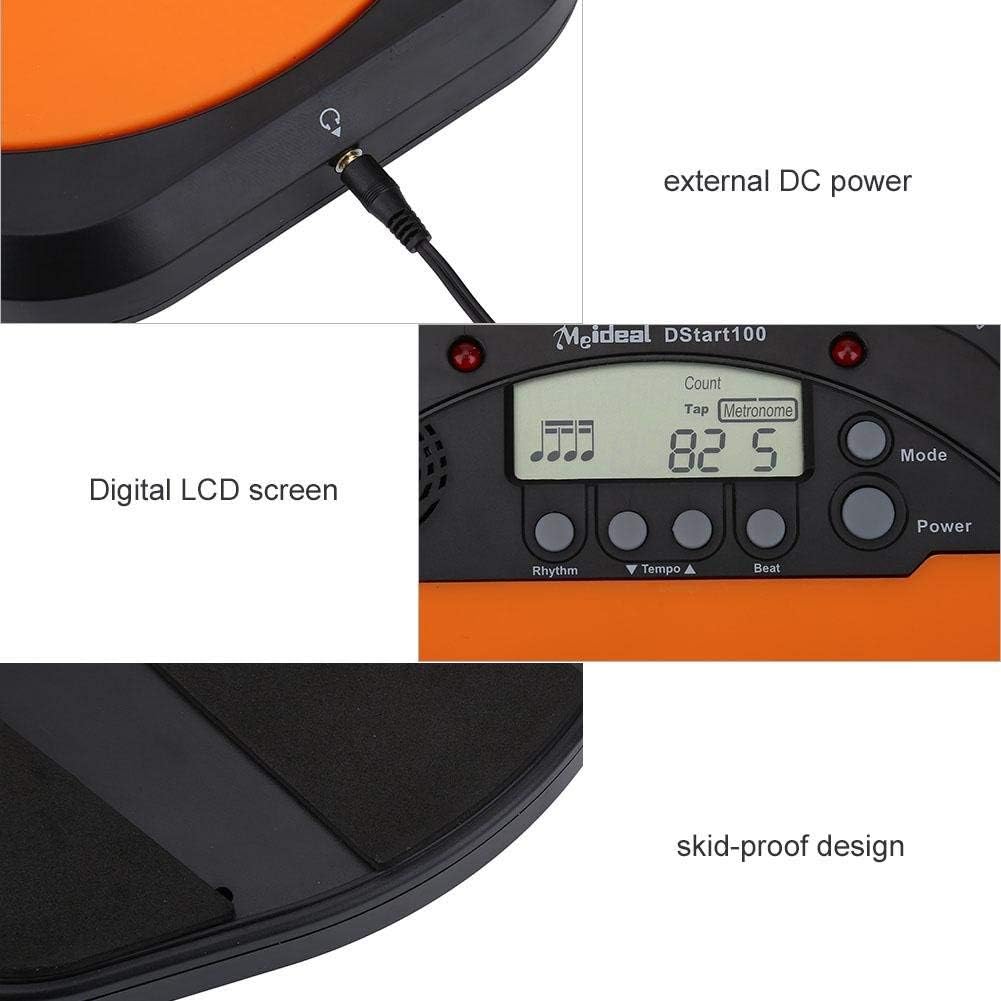
- Digitalni LCD zaslon: Provides clear visual feedback for tempo, rhythm, and count.
- Funkcija tapkanja: Allows users to test and set their ideal tempo or match a song's tempo.
- Realistic Drum Feel: Engineered to provide a responsive surface similar to a real drum.
- Priključek za slušalke: Enables silent practice, ideal for use in various environments without disturbing others.
- External DC Power Option: Supports external power supply for extended use (adapter not included).
- Vzdržljiva konstrukcija: Features anti-shock and anti-slip design for stability and longevity.


3. Nastavitev
3.1 Namestitev baterije
- Locate the battery compartment on the underside of the practice pad.
- Odprite pokrov prostora za baterije.
- Vstavite dve (2) bateriji AAA in pazite na pravilno polarnost (+/-).
- Trdno zaprite pokrov prostora za baterije.

3.2 Napajalni priključek
- Moč baterije: Once batteries are installed, the device is ready for use.
- External DC Power (Optional): For continuous use, connect a compatible DC power adapter (not included) to the external DC power port located on the side of the unit.

3.3 Priključek za slušalke
To practice silently, plug the included earphone into the 3.5mm headphone jack located on the side of the practice pad.

4. Navodila za uporabo
4.1 Vklop/izklop
- Pritisnite Moč gumb za vklop naprave.
- Pritisnite in držite Moč gumb za izklop naprave.
4.2 Izbira načina
Pritisnite Način button to cycle through the available practice modes:
- Metronome Mode: Provides a steady click for tempo practice.
- Tapping Mode: Allows you to tap a rhythm, and the device will display the calculated tempo.
- Način štetja: Helps in practicing specific counts or measures.

4.3 Adjusting Tempo and Rhythm
- Uporabite Tempo ▲ in Tempo ▼ buttons to increase or decrease the metronome's tempo (BPM).
- Uporabite ritem button to change the rhythm pattern.
- Uporabite Beat button to adjust the beat subdivision.
The LCD screen will display the current tempo, rhythm, and beat settings.
5. Vzdrževanje
- Čiščenje: Wipe the surface of the practice pad with a soft, dry cloth. Do not use abrasive cleaners or solvents.
- Shranjevanje: Napravo shranjujte na hladnem in suhem mestu, stran od neposredne sončne svetlobe in ekstremnih temperatur.
- Vzdrževanje baterije: Če naprave ne boste uporabljali dlje časa, odstranite baterije, da preprečite puščanje.
- Izogibajte se udarcem: While designed to be shockproof, avoid dropping the device or subjecting it to strong impacts.
6. Odpravljanje težav
| Težava | Možen vzrok | rešitev |
|---|---|---|
| Naprava se ne vklopi. |
|
|
| Iz zvočnika/slušalk ni zvoka. |
|
|
| Tap function is inaccurate. |
|
|
7. Specifikacije
| Znamka | Alomejor |
| Številka modela | Alomejorrxzdnhs6e2 |
| barva | Črna/oranžna |
| Material | Plastika |
| Mere (pribl.) | 207 x 206 x 29 mm (8.15 x 8.11 x 1.14 palca) |
| Teža (pribl.) | 496 g (1.1 lbs) |
| Razpon tempa | 30-280 utripov na minuto |
| Napajalnik | 2 x AAA batteries (not included) or external DC power (adapter not included) |
8. Garancija in podpora
Alomejor products are designed for quality and performance. While specific warranty details are not provided in this manual, please refer to your purchase documentation or contact the retailer for information regarding warranty coverage and customer support.
For any issues or inquiries, please contact Alomejor customer service through the platform where you purchased the product.