
Uvod
This manual provides detailed instructions for the installation, operation, and maintenance of your ORICO 4-Port USB 3.0 Cylinder Hub (Model RH4CS). Please read this manual thoroughly before using the product to ensure proper function and longevity.
Konec izdelkaview
The ORICO RH4CS is a versatile USB hub designed to expand your computer's connectivity with four SuperSpeed USB 3.0 ports and two dedicated charging ports. Its compact, cylinder design is both functional and aesthetically pleasing, inspired by modern desktop aesthetics.
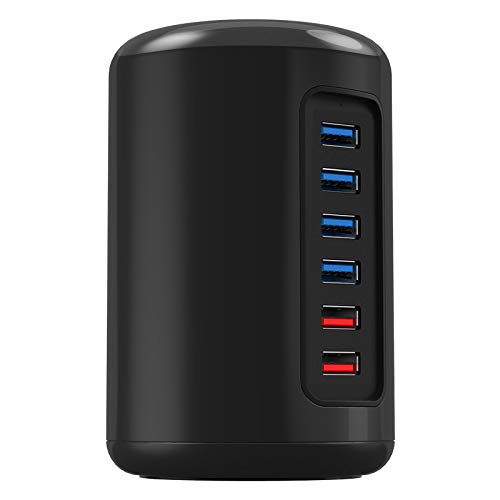
Slika 1: Spredaj view of the ORICO 4-Port USB 3.0 Cylinder Hub, highlighting its six ports.
Ključne značilnosti:
- 4 SuperSpeed USB 3.0 Ports: Provides data transfer rates up to 5 Gbps, enabling quick synchronization of large files.
- 2 Dedicated Charging Ports: Delivers 1.0 - 2.4A current for efficient charging of mobile phones, tablets, and other USB-powered devices.
- Independent Power Adapter: Includes a 12V2.5A power adapter to ensure stable operation even under full load, protecting connected devices.
- Namestitev brez gonilnikov: Compatible with Windows XP / 7 / 8 / Vista, Linux, Mac OS, and other major operating systems without requiring additional driver installation.
- Kompakten in vzdržljiv dizajn: Features a high-strength material construction with a high-gloss lacquer finish.
Kaj je v škatli:
- ORICO 4-Port USB 3.0 Cylinder Hub (RH4CS)
- 1m USB 3.0 Data Cable
- Napajalnik 12V2.5A
- Uporabniški priročnik
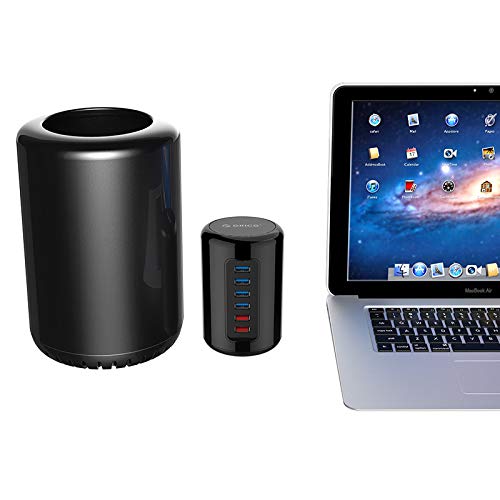
Slika 2: The ORICO RH4CS hub demonstrating its compact size and design alongside a Mac Pro and MacBook Air.
Navodila za namestitev
- Priključite napajalnik: Insert the DC plug of the 12V2.5A power adapter into the power input port on the back of the ORICO RH4CS hub. Plug the power adapter into a standard wall outlet.
- Povežite se z računalnikom: Use the provided 1m USB 3.0 data cable. Connect one end to the USB 3.0 input port on the ORICO RH4CS hub and the other end to an available USB 3.0 port on your computer.
- Prepoznavanje sistema: Your operating system (Windows, Mac OS, Linux) should automatically detect and configure the hub. No additional drivers are typically required.
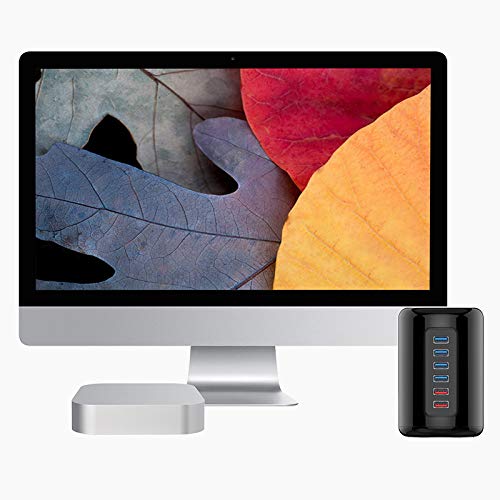
Slika 3: The ORICO RH4CS hub integrated into a desktop environment with an iMac and Mac Mini, showing potential setup configurations.
Navodila za uporabo
Uporaba podatkovnih vrat USB 3.0:
Connect your USB devices such as external hard drives, USB flash drives, keyboards, mice, or other peripherals to the blue USB 3.0 ports on the hub. These ports support SuperSpeed data transfer up to 5 Gbps.
Using Charging Ports:
The two red ports are dedicated charging ports. Connect your smartphones, tablets, or other USB-chargeable devices to these ports for efficient charging. These ports provide a current range of 1.0A to 2.4A.
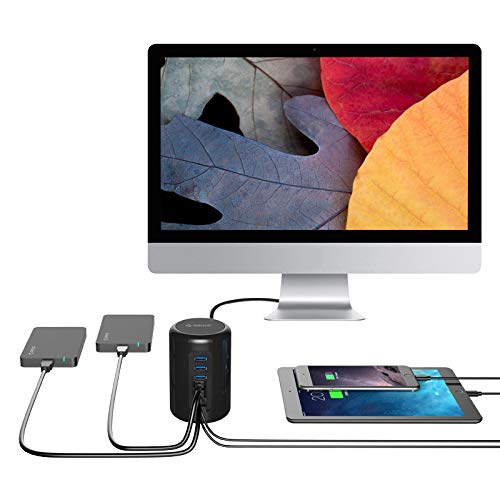
Slika 4: The ORICO RH4CS hub in active use, demonstrating its data and charging capabilities with multiple devices connected.
Vzdrževanje
- Čiščenje: Use a soft, dry cloth to clean the exterior of the hub. Avoid using liquid cleaners or abrasive materials, as they may damage the finish.
- Shranjevanje: When not in use for extended periods, disconnect the hub from power and your computer. Store it in a cool, dry place away from direct sunlight and extreme temperatures.
- Ravnanje: Avoid dropping the device or subjecting it to strong impacts. Do not attempt to disassemble the hub, as this will void any warranty.
Odpravljanje težav
| Težava | Možen vzrok | rešitev |
|---|---|---|
| Računalnik ne prepozna naprave. |
|
|
| Počasne hitrosti prenosa podatkov. |
|
|
| Devices not charging or charging slowly. |
|
|
Specifikacije
| Koda izdelka | ORICO RH4CS |
| Vrata USB | 4 SuperSpeed USB 3.0 Ports |
| Vrata za polnjenje | 2 Super Charger Ports (1.0 - 2.4A) |
| Krmilnik | Via-Labs VL812 |
| Napajalnik | Napajalnik 12V2.5A |
| Podatkovni kabel | 1m USB 3.0 Cord |
| Voznik | Driver Not Required |
| Podprti sistemi | Windows XP, Vista, 7, 8, 8.1, 10, Mac OS, and Linux |
| Dimenzije | 115 x 76 mm (Height x Diameter) |
| Teža predmeta | 320 gramov |
| Številka modela | RH4CS-V1-EU-BK-BP |
Garancija in podpora
For warranty information, please refer to the documentation included with your product or contact ORICO customer support. The manufacturer's contact information is provided below:
Proizvajalec: ORICO Technologies Co., Ltd.
Naslov: 903-904, 14A, Zhonghaixin Innovation Industrial Park, 6th Gan Lee Road, Buji, Longgang District, Shenzhen, China
For further assistance, please visit the official ORICO webali se obrnite na njihov oddelek za pomoč uporabnikom.