
Uvod
The August Audar Smart Band KERi is a versatile health and fitness tracker designed to monitor various aspects of your well-being. This manual provides detailed instructions for setting up, operating, maintaining, and troubleshooting your device to ensure optimal performance and a seamless user experience. Please read this manual thoroughly before using your Smart Band.
Nastavitev
1. Polnjenje pametne zapestnice
Before initial use, fully charge your Audar Smart Band KERi. The device features a convenient integrated USB charger. Simply remove the strap from one end of the tracker to reveal the USB connector.

Image: The Audar Smart Band KERi being plugged into a USB port for charging. The image highlights the integrated USB connector on the device.

Slika: Podrobna view of the Audar Smart Band KERi's integrated USB charging port, showing how it connects to a power source.
- Connect the USB connector to any standard USB charging port (e.g., computer, USB wall adapter).
- Indikator baterije na zaslonu bo prikazoval napredek polnjenja.
- A full charge can provide up to 30 days of battery life.
2. Installing the Audar App
To unlock the full potential of your Smart Band and view your health data, download the official Audar app on your smartphone.
- Scan the QR code provided in the product packaging or search for "Audar" in your device's app store.
- The app is compatible with both Android and iPhone devices.

Image: Screenshot of the Audar app interface, displaying health data and showing icons for Google Play and Apple App Store downloads.
3. Seznanjanje s pametnim telefonom
- Prepričajte se, da je Bluetooth na vašem pametnem telefonu omogočen.
- Open the Audar app and follow the on-screen instructions to search for and connect to your KERi Smart Band.
- Confirm the pairing request on both your phone and the Smart Band if prompted.
4. Začetna konfiguracija
- Once paired, the app will guide you through setting up your personal profile, including age, height, weight, and gender, for accurate data tracking.
- Synchronize the time and date with your phone.
Navodila za uporabo
1. Osnovna navigacija
The Audar Smart Band KERi features a color touchscreen display for easy navigation.
- Tapnite: To select an option or wake the screen.
- Povlecite: To scroll through different menus and data screens.
2. Sledenje aktivnosti
The Smart Band automatically tracks your daily activity.

Image: A person running outdoors with the Audar Smart Band KERi on their wrist, showing the display with steps, distance, and calorie data.
- Koraki: Šteje število korakov, prehojenih čez dan.
- Razdalja: Estimates the distance covered based on your steps and profile podatke.
- Kalorije: Izračuna porabljene kalorije med aktivnostjo.
- GPS sledenje: When connected to your smartphone, the app can use your phone's GPS to map your route during outdoor activities.
3. Spremljanje zdravja
The KERi Smart Band provides continuous and on-demand health monitoring.
- Monitor srčnega utripa: Measures your heart rate in real-time. Access this feature from the band's menu or through the app.
- Merilnik krvnega tlaka: Provides an estimate of your blood pressure. For accurate medical readings, consult a healthcare professional.
- Krvni nadzor kisika: Meri raven nasičenosti krvi s kisikom.
- Monitor spanja: Automatically tracks your sleep patterns, including deep sleep, light sleep, and wake times. View detailed analysis in the Audar app.
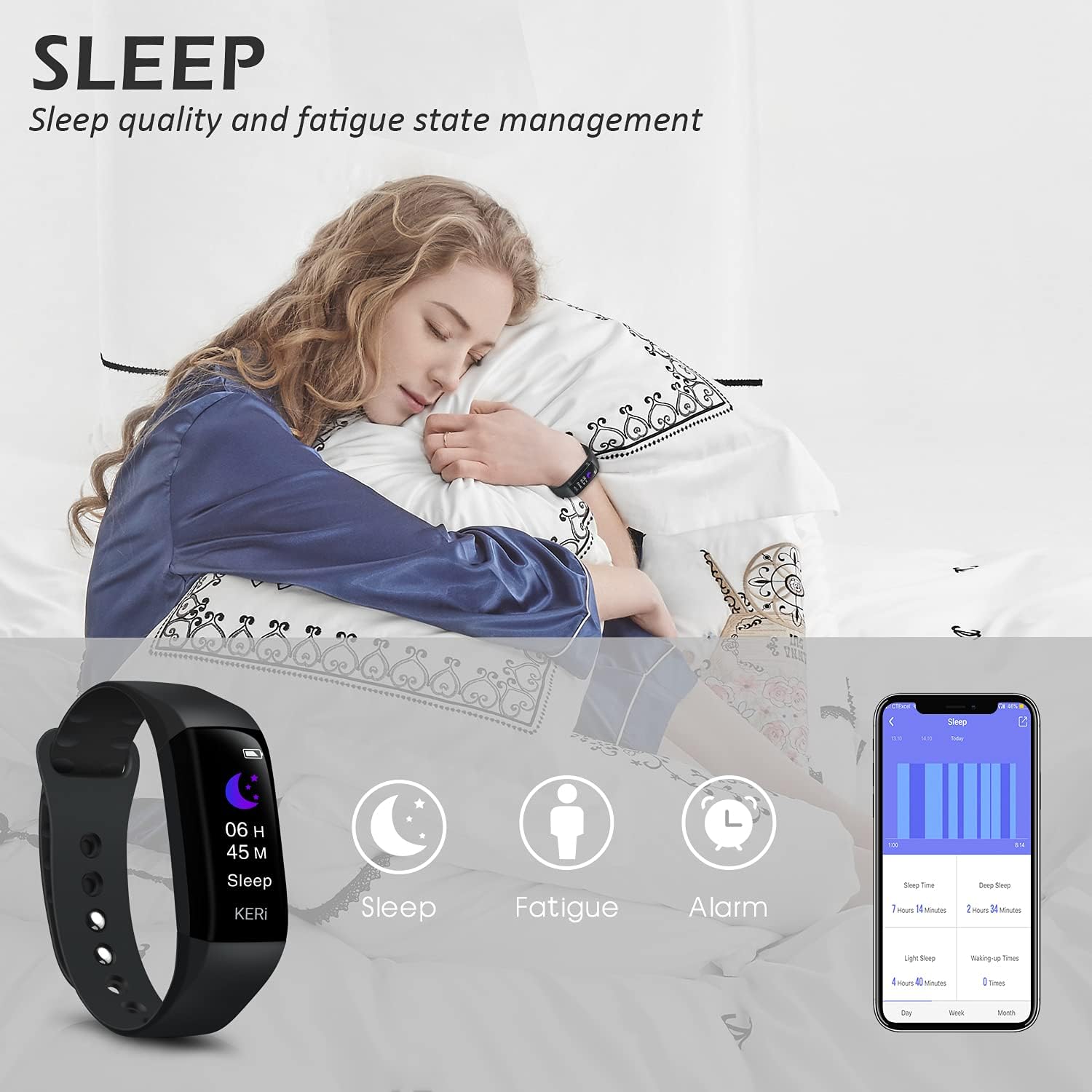
Image: A person sleeping with the Audar Smart Band KERi on their wrist, showing the band's display indicating sleep duration and an accompanying smartphone app displaying sleep analysis.
4. Obvestila
Receive alerts directly on your wrist when connected to your smartphone.

Image: A close-up of a wrist wearing the Audar Smart Band KERi, with the screen showing an incoming call notification.
- Opozorila o klicih: Displays incoming call notifications.
- Opozorila o sporočilih: Shows notifications for SMS, WhatsApp, Messenger, and other selected apps.
- Configure which app notifications you wish to receive through the Audar app settings.
5. Dodatne funkcije
- Remote Camera Control (Shake Shooting): Use the band to remotely trigger your smartphone's camera by shaking your wrist.
- Najdi moj telefon: Activate this feature from the band to make your paired phone ring, helping you locate it.
- Budilka: Nastavite tihe vibrirajoče alarme prek aplikacije.
- CareMate Function: Share your health data with family members through the app, allowing them to monitor your well-being remotely.

Image: Screenshots of the Audar app demonstrating the CareMate function, showing how users can subscribe to and view family members' health data.
Vzdrževanje
1. Čiščenje
- Regularly clean your Smart Band and strap to prevent skin irritation and maintain device hygiene.
- Napravo obrišite z mehko damp krpo. Izogibajte se uporabi močnih kemikalij ali abrazivnih čistil.
- Pred polnjenjem se prepričajte, da so polnilni kontakti čisti in suhi.
2. Vodoodpornost
The Audar Smart Band KERi is IP67 waterproof.

Image: The Audar Smart Band KERi being splashed with water, illustrating its IP67 waterproof capability. Icons for heart rate, calories, steps, distance, SMS alerts, and blood oxygen are also visible.
- It is resistant to rain, sweat, and can be submerged up to 1 meter underwater for a limited time.
- It is suitable for showering and swimming in shallow water.
- Avoid prolonged exposure to hot water, steam, or high-velocity water.
3. Shranjevanje
- Ko naprave ne uporabljate, jo hranite na hladnem in suhem mestu.
- Izogibajte se ekstremnim temperaturam.
Odpravljanje težav
If you encounter issues with your Audar Smart Band KERi, refer to the following common solutions:
| Težava | Možen vzrok | rešitev |
|---|---|---|
| Device does not turn on or respond | Nizka baterija | Napravo polnite vsaj 30 minut. |
| Ni mogoče združiti s pametnim telefonom | Bluetooth off, app issue, device out of range | Ensure Bluetooth is on. Restart phone and band. Reinstall app. Move band closer to phone. |
| Netočni zdravstveni odčitki | Improper fit, movement during measurement, sensor obstruction | Ensure band is snug but comfortable. Remain still during measurements. Clean sensor on back of band. |
| No data synchronization to app | Bluetooth connection lost, app not running in background | Check Bluetooth connection. Ensure app has necessary permissions and is running. Manually sync from app. |
| Kratka življenjska doba baterije | Frequent notifications, continuous monitoring, old battery | Reduce notification frequency. Disable continuous monitoring for certain features. Ensure full charge. |
Če težava še vedno obstaja, se za dodatno pomoč obrnite na razdelek za podporo.
Specifikacije

Image: A diagram illustrating the dimensions of the Audar Smart Band KERi, including screen size and band length.
| Funkcija | Podrobnost |
|---|---|
| Ime modela | KERi |
| Znamka | avgusta |
| Velikost zaslona | 0.96 palcev |
| Vrsta zaslona | LCD |
| Resolucija | 240 x 240 |
| Tehnologija povezljivosti | Bluetooth, USB |
| Standard brezžične komunikacije | Bluetooth |
| Operacijski sistem | Android (Compatible with Android & iPhone) |
| Izmerjene metrike | Heart Rate, Blood Pressure, Sleep Duration, Blood Oxygen |
| Posebne lastnosti | Alarm Clock, Calorie Tracker, Notifications, GPS (via phone), Remote Camera Control |
| Stopnja vodoodpornosti | IP67 (Waterproof up to 1 meter) |
| Tip baterije | Litijev polimer |
| Povprečna življenjska doba baterije | Do 30 dni |
| Vrsta materiala traku | Rubber or Silicone |
| Vrsta materiala ohišja | Keramika |
| Teža predmeta | 29 gramov |
| Mere predmeta | 25.8 x 2.2 x 1.3 centimetrov |
| Dolžina traku | 130 - 190 Millimetres |
| barva | Črna |
Informacije o garanciji
For detailed warranty information regarding your August Audar Smart Band KERi, please refer to the warranty card included in your product packaging or visit the official August webGarancijski pogoji se lahko razlikujejo glede na regijo in prodajalca.

Image: The contents of the Audar Smart Band KERi product box, showing the smart band, charging cable, and instruction manuals.
Podpora uporabnikom
If you require further assistance or have questions not covered in this manual, please contact August customer support through one of the following channels:
- Spletna podpora: Visit the official August webspletno mesto za pogosta vprašanja, članke za podporo in kontaktne obrazce.
- Podpora po e-pošti: Refer to your product packaging or the August webspletno mesto za e-poštni naslov službe za stranke.
- Trgovina z blagovno znamko: Obiščete lahko tudi August Brand Store za več informacij o izdelku in vire podpore.