
1. Uvod
This manual provides comprehensive instructions for the Microsoft Surface Laptop 3, Model VGY-00001. Designed for productivity and portability, this device features a 13.5-inch touchscreen, Intel Core i5 processor, 8GB RAM, and a 128GB Solid State Drive. Please read this manual thoroughly to ensure proper setup, operation, and maintenance of your device.
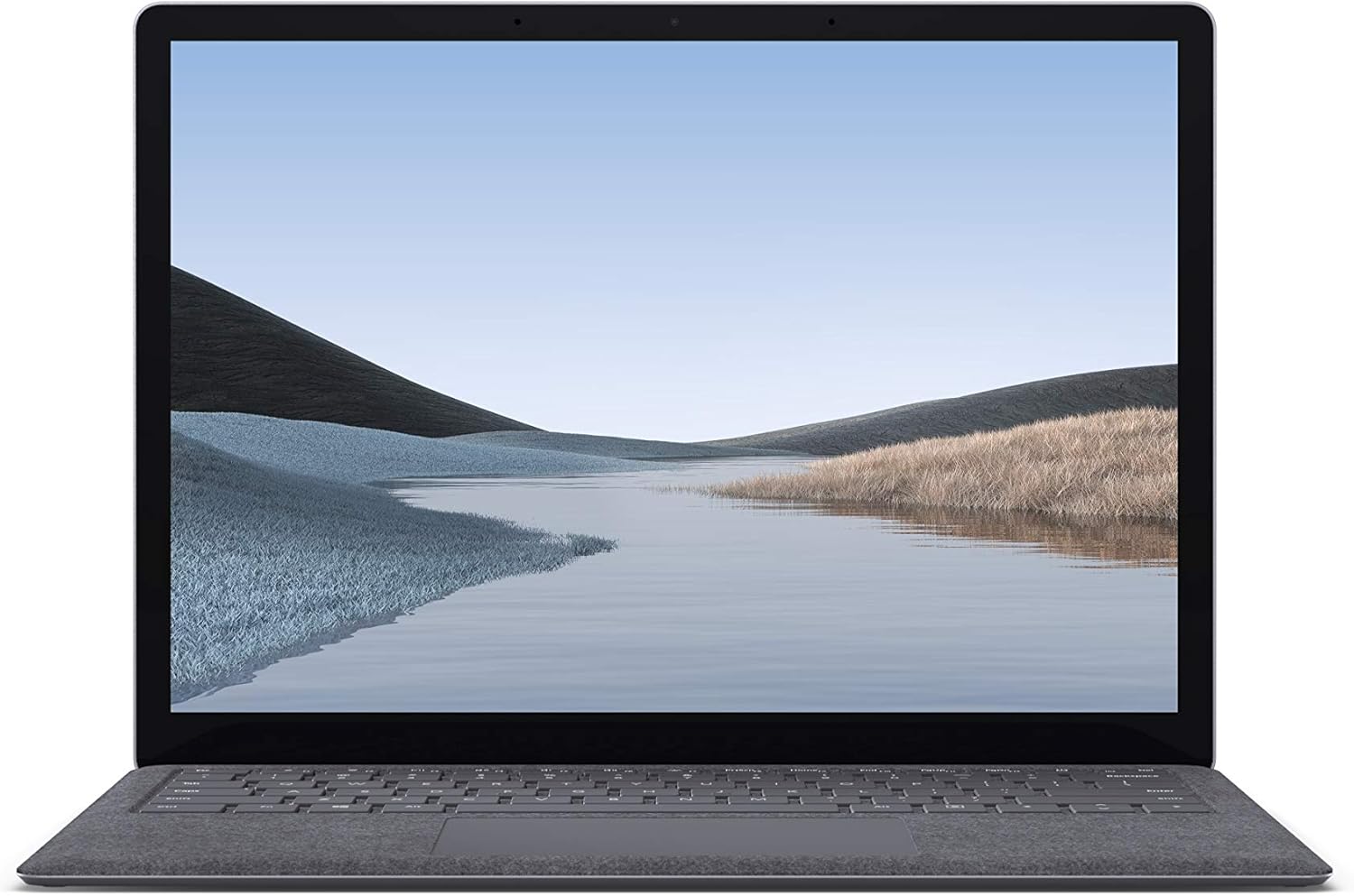
Slika 1.1: Spredaj view of the Microsoft Surface Laptop 3 with its display active.
The Surface Laptop 3 offers a clean, elegant design, weighing approximately 2.79 pounds, making it easy to carry. It features improved speed and performance with its 10th Gen Intel Core processors, offering up to two times faster performance than previous models. Connectivity options include USB-C and USB-A ports for connecting to displays, docking stations, and accessories. The device provides up to 11.5 hours of battery life and supports fast charging, reaching up to 80% in about one hour.
2. Kaj je v škatli
Upon unboxing your Microsoft Surface Laptop 3, verify that all the following items are present:
- Microsoft Surface Laptop 3 (Model VGY-00001)
- Navodila za hiter začetek (QSG)
- Power Supply (AC adapter)
3. Nastavitev
3.1 Začetni vklop
- Priključite napajanje: Plug the power supply into a wall outlet and connect the magnetic Surface Connect port to your laptop. The LED indicator on the connector will light up when properly connected.
- Vklop: Open the laptop lid or press the power button located on the keyboard.
- Namestitev sistema Windows: Sledite navodilom na zaslonu, da dokončate namestitev sistema Windows 10 Home. To vključuje izbiro regije, povezavo z omrežjem Wi-Fi in ustvarjanje uporabniškega računa.
- Pozdravljeni v sistemu Windows: Configure Windows Hello for secure and fast login using facial recognition.
3.2 Priključitev zunanjih naprav
Your Surface Laptop 3 includes various ports for connecting external devices:
- Vrata USB-C: For data transfer, video output, and charging compatible devices.
- Vrata USB-A: For connecting traditional USB devices like mice, keyboards, and external storage.
- 3.5 mm priključek za slušalke: Za avdio izhod na slušalke ali zunanje zvočnike.
- Vrata Surface Connect: For the power supply and compatible Surface docking stations.

Slika 3.1: Stran view illustrating the available ports on the Surface Laptop 3.
4. Operating Your Surface Laptop 3
4.1 Zaslon in zaslon na dotik
The 13.5-inch PixelSense touchscreen display offers a resolution of 2256 x 1504 pixels. It supports multi-touch gestures and is compatible with the Surface Pen (sold separately) for writing and drawing directly on the screen.
4.2 Tipkovnica in sledilna ploščica
The full-size ergonomic keyboard features backlighting for comfortable typing in various lighting conditions. The large precision touchpad supports multi-finger gestures for navigation and control.
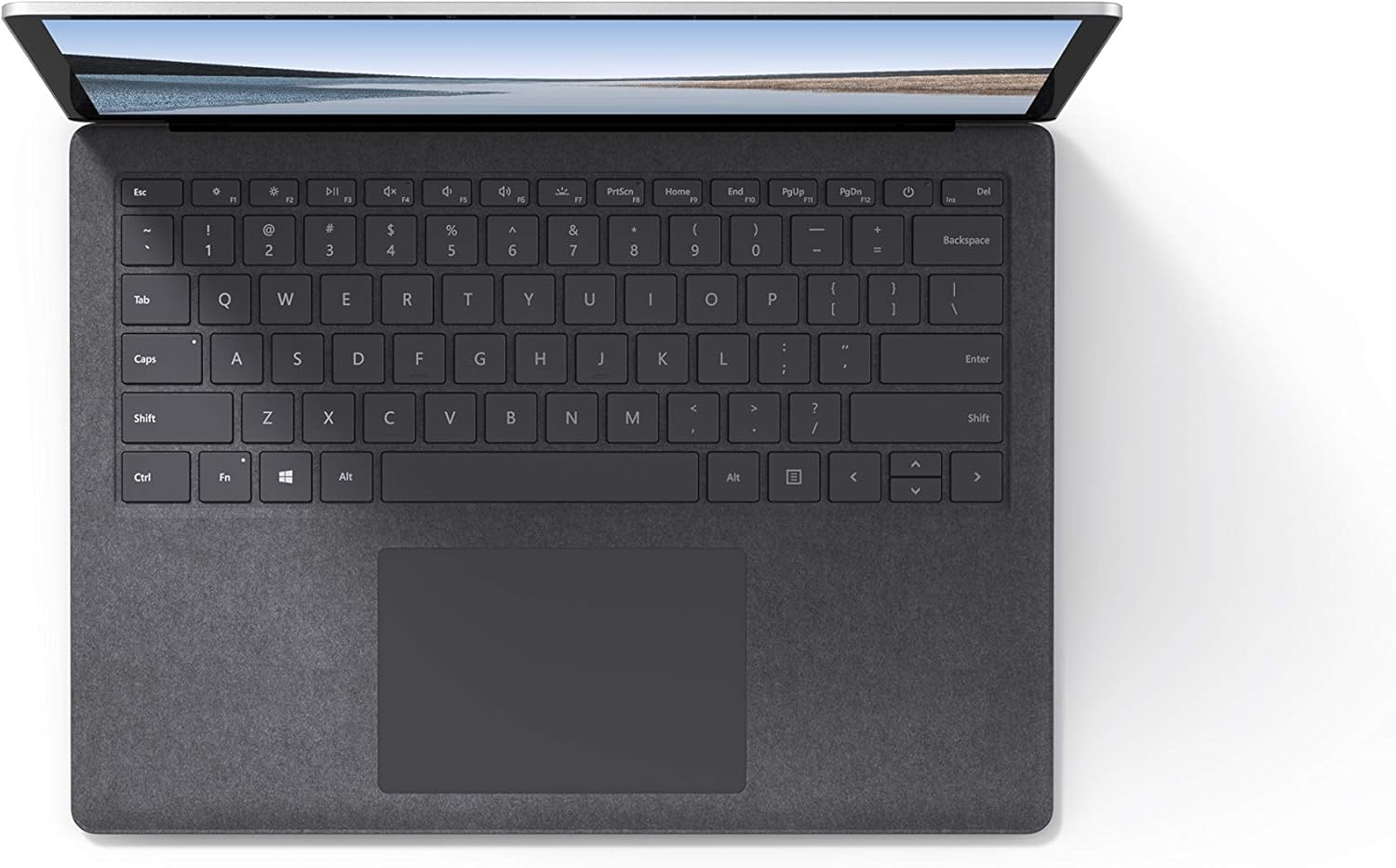
Slika 4.1: Od zgoraj navzdol view območja tipkovnice in sledilne ploščice.
4.3 Zvok in kamera
The laptop is equipped with Omnisonic Speakers with Dolby Audio Premium for clear sound. Dual far-field Studio Mics enhance voice clarity for calls and recordings. A front-facing 720p HD camera supports video conferencing and Windows Hello facial authentication.
4.4 Brezžična povezljivost
The Surface Laptop 3 supports Wi-Fi 6 (802.11ax) for fast and reliable internet access, and Bluetooth 5.0 for connecting wireless accessories.
Video 4.1: Official Microsoft video showcasing the Surface Laptop 3's features and design.
5. Vzdrževanje
5.1 Čiščenje naprave
- Uporabite mehko krpo, ki ne pušča vlaken dampened with water or an approved screen cleaner to clean the display.
- Za tipkovnico in ohišje uporabite mehko, suho krpo. Izogibajte se agresivnim kemikalijam ali abrazivnim materialom.
- Vrata naj bodo brez prahu in umazanije.
5.2 Posodobitve programske opreme
Redno preverjajte in nameščajte posodobitve sistema Windows, da zagotovite optimalno delovanje, varnost in dostop do najnovejših funkcij. Pojdite na Nastavitve > Posodobitev in varnost > Windows Update.
5.3 Skrb za baterije
- Izogibajte se ekstremnim temperaturam.
- Za optimalno življenjsko dobo baterije se izogibajte nenehnemu praznjenju baterije na 0 % ali njenemu dolgotrajnemu ohranjanju napolnjenosti 100 %.
- Uporabljajte le priloženi napajalnik.
6. Odpravljanje težav
6.1 Težave z napajanjem
- Naprava se ne vklopi: Ensure the power supply is securely connected and the outlet is functional. Try a forced shutdown by holding the power button for 30 seconds, then release and press again briefly to restart.
- Baterija se ne polni: Verify the Surface Connect cable is properly attached. Check for any damage to the cable or port.
6.2 Težave z zmogljivostjo
- Počasna zmogljivost: Close unnecessary applications. Check Task Manager for resource-intensive processes. Ensure Windows is up to date.
- Pregrevanje: Ensure ventilation vents are not blocked. Avoid using the laptop on soft surfaces that can obstruct airflow.
6.3 Težave s povezljivostjo
- Brezžična povezava se ne vzpostavi: Restart your router and the laptop. Check Wi-Fi settings and ensure the correct network is selected and password entered.
- Naprava Bluetooth se ne more seznaniti: Prepričajte se, da je naprava Bluetooth v načinu seznanjanja in v dosegu. Preverite nastavitve Bluetooth na prenosnem računalniku.
7. Specifikacije
| Funkcija | Podrobnost |
|---|---|
| Znamka | Microsoft |
| Ime modela | Surface Laptop 3 |
| Številka modela | VGY-00001 |
| Velikost zaslona | 13.5 palcev |
| Resolucija | 2256 x 1504 slikovnih pik |
| Model procesorja | Intel Core i5 (10th Generation) |
| Hitrost procesorja | 1.2 GHz (up to 3.7 GHz with Turbo Boost) |
| Velikost nameščenega RAM-a | 8 GB LPDDR4 |
| Velikost trdega diska | 128 GB SSD |
| Operacijski sistem | Windows 10 Home (Free Upgrade to Windows 11 when available) |
| Grafični koprocesor | Intel Iris Plus |
| Tehnologija povezljivosti | 1 x USB-C, 1 x USB-A, 3.5 mm headphone jack, 1 x Surface Connect port |
| Brezžična tehnologija | Wi-Fi 6 (802.11ax), Bluetooth 5.0 |
| Življenjska doba baterije | Do 11.5 uri |
| Teža predmeta | 2.79 funta |
| Dimensions (L x W x Thickness) | 8.8 cm D x 12.1 cm Š x 0.57 cm Debelina |
| Kamera | Front-facing 720p HD camera with Windows Hello face authentication |
| Avdio | Omnisonic Speakers with Dolby Audio Premium, Dual far-field Studio Mics |
8. Garancija in podpora
8.1 Garancija izdelka
The Microsoft Surface Laptop 3 (Model VGY-00001) comes with a 1-letna omejena garancija proizvajalca. This warranty covers defects in materials and workmanship under normal use. For specific terms and conditions, please refer to the warranty documentation included with your product or visit the official Microsoft support webmesto.
8.2 Podpora strankam
For technical assistance, troubleshooting, or warranty claims, please contact Microsoft Support. You can find contact information and additional resources on the official Microsoft Surface support webspletnega mesta. Ko se obrnete na podporo, imejte dokazilo o nakupu in serijsko številko izdelka vedno pri roki.
Spletna podpora: Obisk support.microsoft.com/surface za pogosta vprašanja, gonilnike in prenos programske opreme.