
Uvod
This manual provides essential information for the safe operation and maintenance of your Potensic T35 GPS Drone. Please read this manual thoroughly before operating the drone to ensure proper function and to avoid damage or injury. Keep this manual for future reference.
Varnostne smernice
- Dron vedno upravljajte na odprtih območjih, stran od ljudi, stavb in ovir.
- Med letom vzdržujte varno razdaljo od drona.
- Ne letite v močnem vetru ali slabih vremenskih razmerah.
- Pred vsakim poletom se prepričajte, da so baterije popolnoma napolnjene.
- Upoštevajte vse lokalne predpise in zakone glede upravljanja dronov.
- Prste in ohlapna oblačila držite stran od vrtečih se propelerjev.
Vsebina paketa
Preverite, ali so v paketu vsi elementi:
- Potensic T35 GPS Drone
- Daljinski upravljalnik
- 2 x 2500mAh Drone Batteries
- USB polnilni kabel
- Rezervni propelerji
- Zaščita propelerja
- Izvijač
- Uporabniški priročnik
Konec izdelkaview
Komponente dronov
Familiarize yourself with the main parts of your T35 drone.

Image: The Potensic T35 GPS Drone, showcasing its overall design with propellers and integrated camera.
Ključne značilnosti
- 1080P HD Camera with 120° FOV: Captures high-definition aerial footage. The camera angle is 90° adjustable. A 4-32G SD card is required for 1080P recording.
- Videoposnetek v živo z FPV-jem: Real-time video transmission to your smartphone via Wi-Fi.
- Dual GPS System: Provides stable flight and precise positioning.
- GPS povratek domov: Automatically returns the drone to its takeoff point in case of low battery, signal loss, or manual activation.
- Način Sledi mi: The drone follows your movement, capturing footage samodejno.
- Zadrževanje višine: Vzdržuje konstantno višino za stabilno lebdenje.
- Draw the Dot (Waypoint Flight): Plan a flight path by drawing points on the app screen, and the drone will follow it.
- 2500mAh baterija: Provides extended flight time. Two batteries are included for longer sessions.
Nastavitev
1. Namestitev in polnjenje baterije
- Insert the 2500mAh battery into the drone's battery compartment until it clicks into place.
- To charge, remove the battery and connect it to the USB charging cable. Plug the USB cable into a compatible USB power source (e.g., computer, USB wall adapter). The charging indicator will show charging status.

Image: Two 2500mAh drone batteries, ready for charging or installation.
2. Propeller and Propeller Guard Installation
- Attach the propellers to the motor shafts, ensuring correct orientation (A and B propellers).
- Secure the propeller guards to the drone's arms using the provided screws and screwdriver.
3. Nastavitev daljinskega upravljalnika
- V daljinski upravljalnik vstavite 4 baterije AA (niso priložene).
- Mount your smartphone onto the controller's phone holder.
4. Namestitev aplikacije
- Download and install the official Potensic drone app from your smartphone's app store (iOS or Android).
- Connect your smartphone to the drone's Wi-Fi network (usually named 'Potensic_XXXXXX') in your phone's Wi-Fi settings.
Navodila za uporabo
1. Vklop in seznanjanje
- Postavite dron na ravno, ravno površino.
- Vklopite dron in nato vklopite daljinski upravljalnik.
- Push the left joystick up then down to pair the drone with the controller. The drone's indicator lights will become solid.
2. GPS Calibration
- Perform compass calibration as instructed by the app or manual. This typically involves rotating the drone horizontally and vertically.
- Wait for the drone to acquire sufficient GPS satellites (indicated by solid green lights or app status).
3. Vzlet in pristanek
- Vzlet z enim ključem: Press the one-key takeoff button on the controller or in the app. The drone will automatically ascend to a safe altitude.
- Ročni vzlet: Push both joysticks down and outwards to start the motors. Then push the left joystick up to ascend.
- Pristanek z enim ključem: Pritisnite gumb za pristanek z enim gumbom. Dron se bo spustil in samodejno pristal.
- Ročno pristajanje: Gently pull the left joystick down to descend.
4. Načini letenja
The Potensic T35 offers several intelligent flight modes:
- GPS povratek domov: When activated, the drone will fly back to its recorded takeoff point. This feature is also triggered automatically by low battery or signal loss.
- Način Sledi mi: Enable this mode in the app. The drone will use GPS to track your mobile device and follow you, maintaining a set distance and altitude.
- Zadrževanje višine: This mode is active by default, allowing the drone to maintain its current altitude without constant throttle input.
- Draw the Dot (Waypoint Flight): In the app, draw a series of points on the map. The drone will fly along this predefined path while maintaining its altitude.
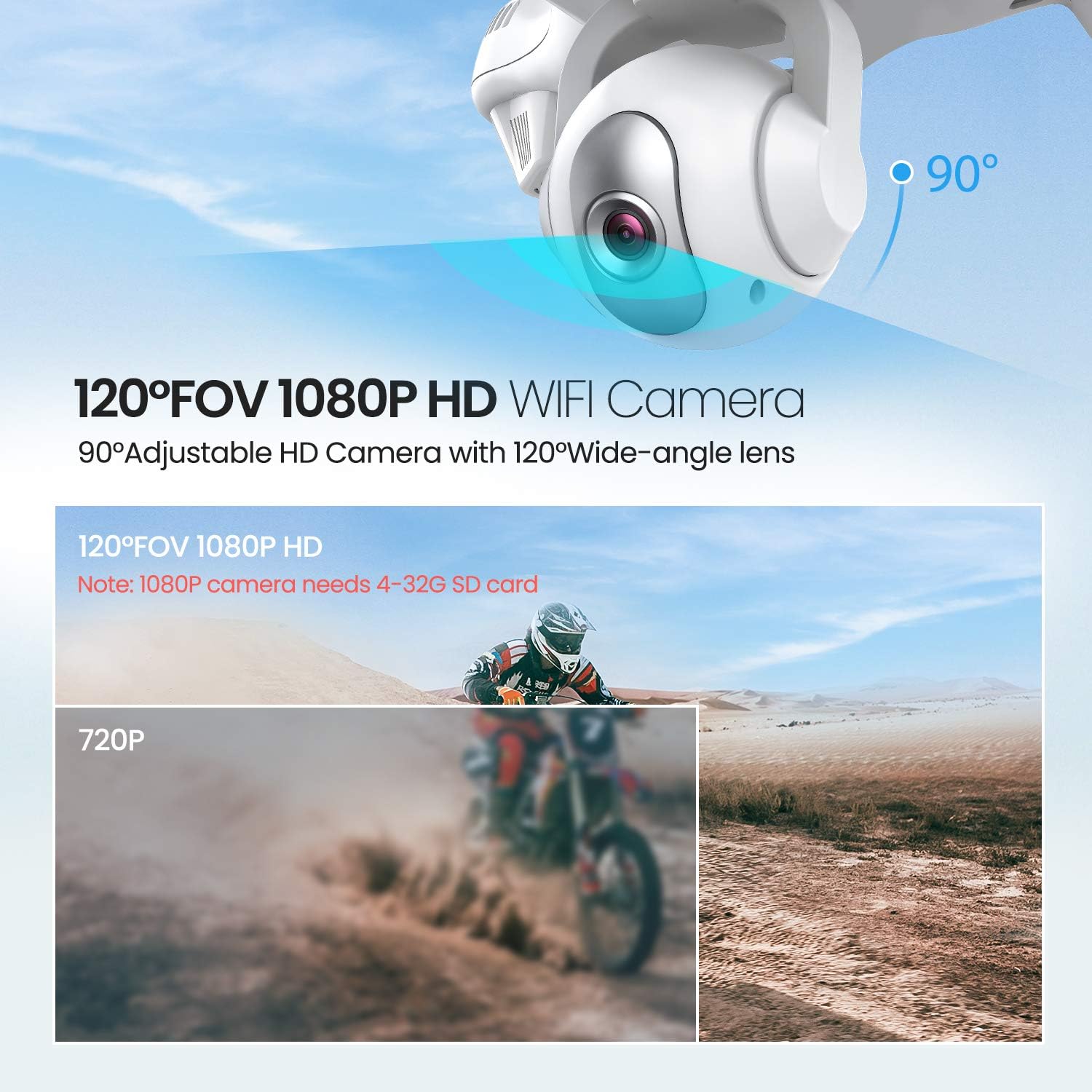
Image: The drone illustrating its GPS Auto Return function, showing a flight path back to a designated home point.

Image: The drone demonstrating its Follow Me Technology, tracking a moving subject.

Image: A user interacting with the 'Draw the Dot' feature on a smartphone, planning the drone's flight path.
Delovanje kamere
1. 1080P HD kamera
The T35 drone is equipped with a 1080P HD camera with a 120° wide-angle lens. The camera angle can be adjusted by 90° for optimal viewing.

Image: Close-up of the drone's 120° FOV 1080P HD Wi-Fi camera, highlighting its adjustable angle.
2. FPV Live Video
Once connected to the drone's Wi-Fi, open the Potensic app to view real-time FPV (First Person View) video directly on your smartphone. This allows for precise framing of photos and videos.
3. Recording and Photos
- Insert a 4-32GB SD card into the drone's camera slot for 1080P video recording and photo storage.
- Use the dedicated buttons on the remote controller or the app interface to start/stop video recording or take photos.
Vzdrževanje
- Čiščenje: Za čiščenje drona in daljinskega upravljalnika uporabljajte mehko, suho krpo. Ne uporabljajte agresivnih kemikalij ali topil.
- Propelerji: Regularly inspect propellers for damage. Replace any bent or chipped propellers immediately.
- Vzdrževanje baterije: Store batteries in a cool, dry place. Do not overcharge or over-discharge batteries.
- Shranjevanje: When not in use, store the drone and its components in a protective case to prevent damage.
Odpravljanje težav
| Težava | Možen vzrok | rešitev |
|---|---|---|
| Dron se ne vklopi | Baterija ni pravilno nameščena ali je prazna | Prepričajte se, da je baterija popolnoma napolnjena in pravilno vstavljena. |
| Drone cannot pair with controller | Incorrect pairing sequence or low controller battery | Follow pairing instructions. Replace controller batteries. |
| Nestabilen let / Drsenje | Improper calibration or strong winds | Perform GPS and gyroscope calibration. Avoid flying in windy conditions. |
| No FPV video feed | Wi-Fi not connected or app issue | Ensure phone is connected to drone's Wi-Fi. Restart app and drone. |
| GPS Return Home not working | Insufficient GPS satellites or no recorded home point | Ensure drone acquires enough GPS signals before takeoff. |
Specifikacije
| Funkcija | Podrobnost |
|---|---|
| Znamka | Potenzično |
| Ime modela | T35 |
| Ločljivost zajema videa | 1080p |
| Tehnologija povezljivosti | Wi-Fi |
| Kapaciteta baterije | 2500 milliamp ure |
| Vrsta nadzora | Daljinski upravljalnik |
| Vrsta medija | SD Card (4-32GB recommended for 1080P) |
| Starostna skupina (opis) | Odrasel |
Uradni videoposnetek izdelka
Za over si oglejte ta uradni videoposnetekview of the Potensic T35 GPS Drone's features and operation.
Video: Uradna video predstavitev izdelkaasing the Potensic T35 GPS Drone in action, highlighting its various features and capabilities.
Garancija in podpora
For warranty information, technical support, or service inquiries, please refer to the contact details provided on the Potensic official webspletno mesto ali dokumentacijo o nakupu. Dokazilo o nakupu shranite za uveljavljanje garancije.