
1. Uvod
The Glorious Model O- (Minus) is a compact, wired gaming mouse designed for speed, control, and comfort. Featuring a superlight honeycomb design, customizable RGB lighting, a high-precision Pixart 3360 sensor, and durable Omron switches, it is engineered for competitive gaming. Its ambidextrous shape is ideal for users with medium and small hands.
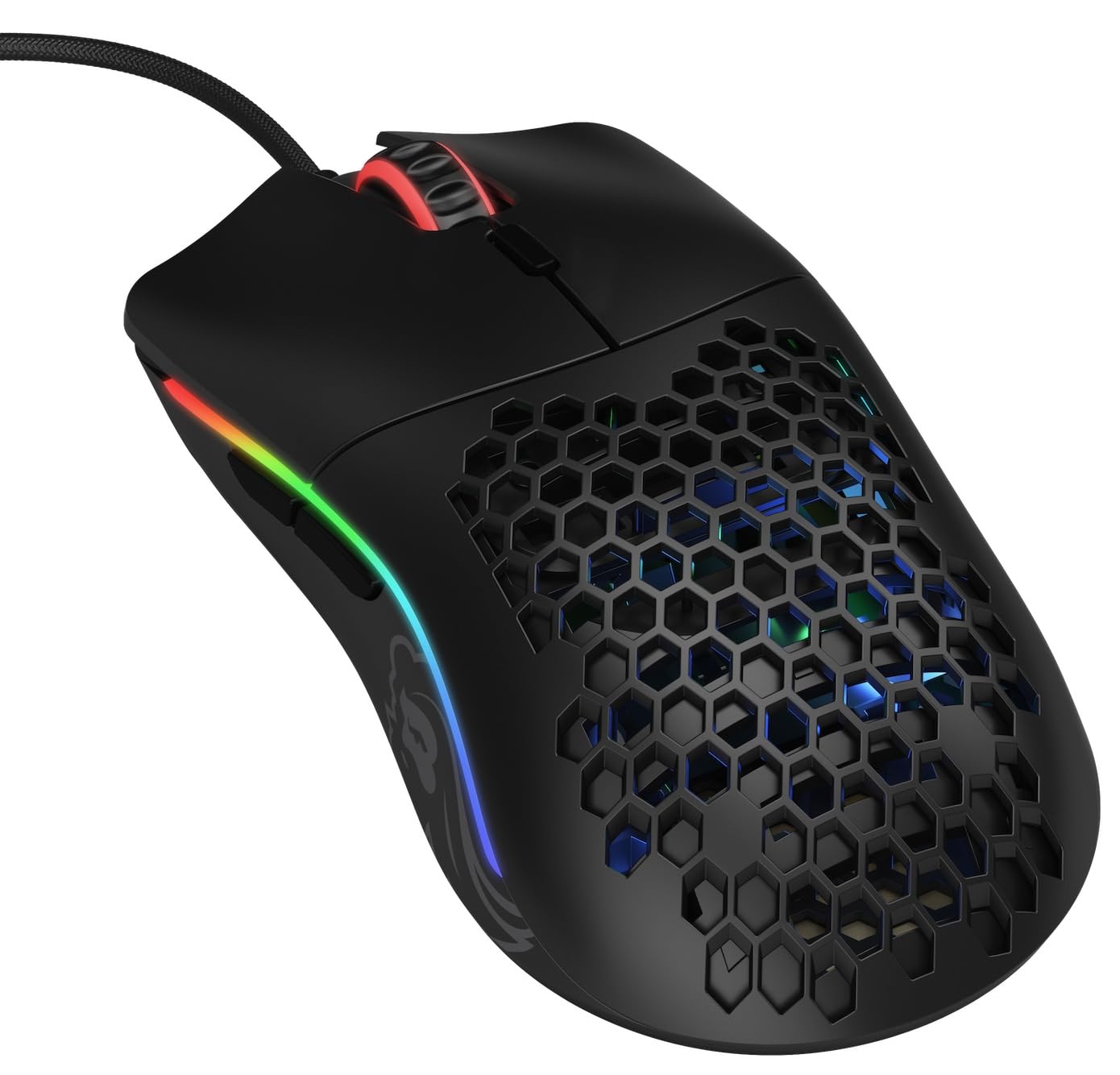
Slika: Od zgoraj navzdol view of the Glorious Model O- (Minus) mouse, showcasing its honeycomb shell and RGB lighting.
2. Nastavitev
- Razpakirajte miško: Carefully remove the Glorious Model O- (Minus) mouse and its Ascended Cord from the packaging.
- Povežite se z računalnikom: Plug the USB connector of the mouse's Ascended Cord into an available USB port on your computer.
- Namestitev gonilnika: Your operating system (Windows, macOS, Linux) should automatically detect and install the necessary drivers. Allow a few moments for this process to complete.
- Namestitev programske opreme (neobvezno): For advanced customization of DPI settings, RGB lighting, and button macros, download and install the official Glorious Core software from the GLORIOUS webmesto.

Image: The Glorious Model O- (Minus) mouse connected via its lightweight, flexible Ascended Cord.
3. Navodila za uporabo
- Osnovna funkcionalnost: Once connected, the mouse will function immediately for basic navigation and clicking.
- Prilagoditev DPI: Use the dedicated DPI button located on the top of the mouse, behind the scroll wheel, to cycle through preset DPI levels. The RGB lighting will change to indicate the current DPI setting.
- Stranski gumbi: The mouse features two side buttons, typically used for forward and backward navigation in web browsers or customizable functions in games.
- Prilagajanje RGB: Utilize the Glorious Core software to personalize the RGB lighting effects, colors, and brightness.
- Podpora za makre: The software also allows for programming the 6 buttons with custom macros for enhanced productivity or gaming performance.
Video: Kratek posnetekview of the Glorious Model O mouse, highlighting its design and features.
4. Ključne značilnosti
- Superlight Honeycomb Design: Weighing only 58 grams, the mouse's honeycomb shell reduces weight without compromising durability, allowing for swift and precise movements. This design also aids in ventilation, keeping your hand cool during extended use.
- Ascended Paracord Cable: The ultra-flexible, braided cable is designed to minimize drag, providing a near-wireless feel and unrestricted mouse movement.
- G-Skates Premium Mouse Feet: Made from 100% pure Virgin PTFE, these mouse feet ensure an incredibly smooth glide across any surface, offering superior control.
- Senzor Pixart 3360: Experience pixel-perfect tracking with zero mouse acceleration and no spinouts. The sensor supports up to 12000 DPI and a 1000 Hz polling rate, with a lift-off distance of less than 0.7mm.
- Omron Switches: Equipped with state-of-the-art Omron switches, rated for 20 million clicks, ensuring long-lasting responsiveness and durability.
- Ambidextrous design: The symmetrical shape of the mouse is comfortable for both left and right-handed users, catering to various grip styles.
Video: A brief promotional video by Glorious PC Gaming showcasing the Model O mouse.
5. Specifikacije
| Znamka | VELIKO |
| Ime modela | Glorious Model O Minus |
| Številka modela | GOM-BLACK |
| Tehnologija povezljivosti | USB |
| Tehnologija zaznavanja gibanja | Optical (Pixart 3360 Sensor) |
| Največja občutljivost | 12000 DPI |
| Polling Rate | 1000 Hz |
| Dvižna razdalja | Manj kot 0.7 mm |
| Količina gumbov | 6 (programabilno) |
| Tip stikala | Omron (rated for 20M clicks) |
| Ročna orientacija | Obojepravni |
| Teža predmeta | 58 gramov |
| Mere predmeta (D x Š) | 4.72 cm D x 2.48 cm Š |
| Vrsta kabla | Ascended Paracord |
| Mouse Feet Material | 100% Pure Virgin PTFE (G-Skates) |

Image: Diagram showing the dimensions of the Glorious Model O- (Minus) mouse.
6. Vzdrževanje
- Čiščenje: Regularly clean the mouse surface with a soft, dry cloth. For the honeycomb areas, use compressed air to remove dust and debris. Avoid using harsh chemicals or abrasive materials.
- Skrb za senzor: Keep the optical sensor on the underside of the mouse clean and free from obstructions to ensure optimal tracking performance.
- Upravljanje kablov: While the Ascended Cord is flexible, avoid sharp bends or excessive pulling to prolong its lifespan. Consider using a mouse bungee to prevent cable drag and wear.
- Shranjevanje: Ko miške ne uporabljate, jo shranjujte v čistem in suhem okolju, stran od ekstremnih temperatur.
7. Odpravljanje težav
- Miška se ne odziva:
- Prepričajte se, da je kabel USB varno priključen v računalnik.
- Poskusite miško priključiti v drug USB vhod.
- Znova zaženite računalnik.
- Težave s sledenjem:
- Očistite optični senzor na spodnji strani miške.
- Miško uporabljajte na čisti, enakomerni površini ali na visokokakovostni podlogi za miško.
- Check DPI settings via the mouse button or Glorious Core software.
- RGB osvetlitev ne deluje/je napačna:
- Verify that the Glorious Core software is installed and running.
- Check RGB settings within the software.
- Prepričajte se, da je vdelana programska oprema miške posodobljena.
- Gumbi ne delujejo:
- Check for any software conflicts or re-map buttons using the Glorious Core software.
- Prepričajte se, da je vdelana programska oprema miške posodobljena.
8. Garancija in podpora
The Glorious Model O- (Minus) Compact Wired Gaming Mouse comes with a 2-letna garancija proizvajalca. For technical support, warranty claims, or further assistance, please visit the official GLORIOUS webspletno mesto ali se obrnite neposredno na njihovo podporo strankam. Za potrditev garancije shranite dokazilo o nakupu.
Za več informacij in virov obiščite GLORIOUS Store on Amazon.