
1. Izdelek je končanview
The TP-Link Archer T4U Plus is an AC1300 Dual Band Wireless USB Adapter designed to provide high-speed Wi-Fi connectivity for desktop computers. It supports the 802.11ac Wi-Fi standard, offering speeds of up to 867 Mbps on the 5 GHz band and 400 Mbps on the 2.4 GHz band. Equipped with dual high-gain antennas and a USB 3.0 interface, it aims to enhance wireless range and data transfer efficiency.

The TP-Link Archer T4U Plus USB WiFi Adapter, featuring two high-gain antennas and a USB 3.0 cable for connection to a computer.
2. Vsebina paketa
Preverite, ali vaš paket vsebuje naslednje elemente:
- AC1300 Dual Antennas High-Gain Wireless USB Adapter (Archer T4U Plus)
- 1-meter USB 3.0 Cable
- Navodila za hitro namestitev
- CD z viri (za gonilnike)
3. Navodila za nastavitev
3.1 Namestitev strojne opreme
- Razpakirajte adapter: Carefully remove the Archer T4U Plus adapter and its USB cable from the packaging.
- Priključite USB kabel: Connect one end of the provided 1-meter USB 3.0 cable to the USB 3.0 port on the Archer T4U Plus adapter.
- Povežite se z računalnikom: Plug the other end of the USB 3.0 cable into an available USB 3.0 port on your desktop computer. For optimal performance, use a USB 3.0 port (typically blue inside).
- Postavite adapter: Place the adapter in a location that allows for good signal reception, ideally away from obstructions. The adjustable antennas can be rotated and angled for best performance.

The Archer T4U Plus adapter shown connected to a USB port via its included cable, illustrating its desktop placement.
3.2 Namestitev gonilnika
The Archer T4U Plus requires drivers to function correctly. Drivers can be installed via the included Resource CD or by downloading them from the TP-Link webmesto.
For Windows Operating Systems (Windows 11/10/8.1/8/7/XP):
- Uporaba CD-ja z viri: Insert the Resource CD into your computer's CD-ROM drive. Follow the on-screen instructions to install the drivers.
- Prenos s TP-Linka Webspletno mesto: If your computer lacks a CD-ROM drive, visit the official TP-Link support website, search for "Archer T4U Plus", and download the latest drivers for your specific Windows version. Run the downloaded installer and follow the prompts.
- Automatic Installation (Windows 10/11): In some cases, Windows 10 or 11 may automatically detect and install the necessary drivers upon connecting the adapter. Verify installation in Device Manager under "Network Adapters".
For Mac OS (10.15 and earlier):
- Prenos s TP-Linka Webspletno mesto: Obiščite uradno podporo TP-Link website, search for "Archer T4U Plus", and download the latest drivers for your Mac OS version.
- Namesti gonilnike: Odprite preneseno file and follow the installation instructions. You may need to restart your computer after installation.
4. Navodila za uporabo
4.1 Povezovanje z brezžičnim omrežjem
Once the drivers are successfully installed, you can connect to a Wi-Fi network:
- Dostop do omrežnih nastavitev:
- Windows: Kliknite ikono Wi-Fi v sistemski vrstici (spodnji desni kot zaslona).
- MacOS: V menijski vrstici (zgornji desni kot zaslona) kliknite ikono Wi-Fi.
- Izberite omrežje: Prikazal se bo seznam razpoložljivih brezžičnih omrežij. Izberite želeno omrežje (SSID).
- Vnesite geslo: If prompted, enter the Wi-Fi password (security key) for your network.
- Povežite se: Click "Connect" to establish the wireless connection.
4.2 Dvopasovno delovanje
The Archer T4U Plus supports both 2.4 GHz and 5 GHz Wi-Fi bands. You can choose the band that best suits your needs:
- 2.4 GHz pas: Offers broader coverage and better penetration through walls, suitable for general internet use like web brskanje in e-pošta.
- 5 GHz pas: Provides faster speeds and less interference, ideal for bandwidth-intensive activities such as online gaming, HD video streaming, and large file prenosi.
Your router may broadcast separate SSIDs for each band (e.g., "MyWiFi_2.4GHz" and "MyWiFi_5GHz"). Select the appropriate network from the available list.

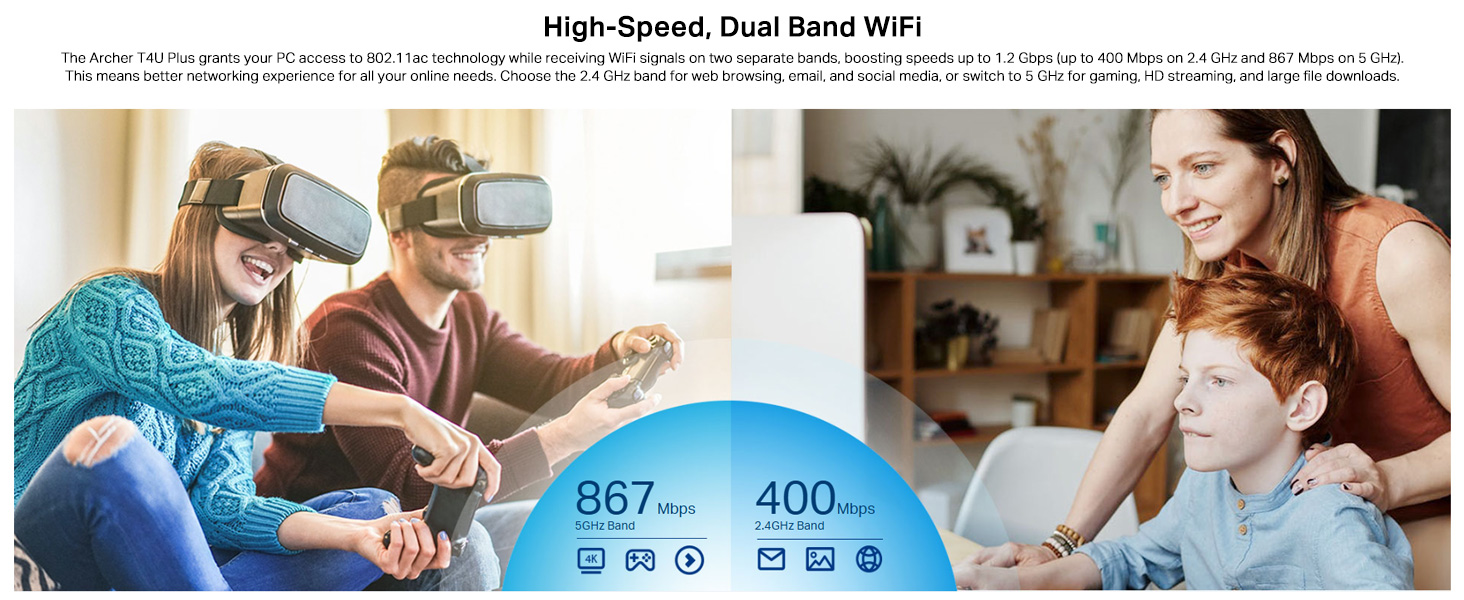
An image illustrating the dual-band capabilities of the adapter, showing 867 Mbps on the 5GHz band for activities like 4K streaming and gaming, and 400 Mbps on the 2.4GHz band for web brskanje in e-pošta.
4.3 Enhanced Coverage and MU-MIMO
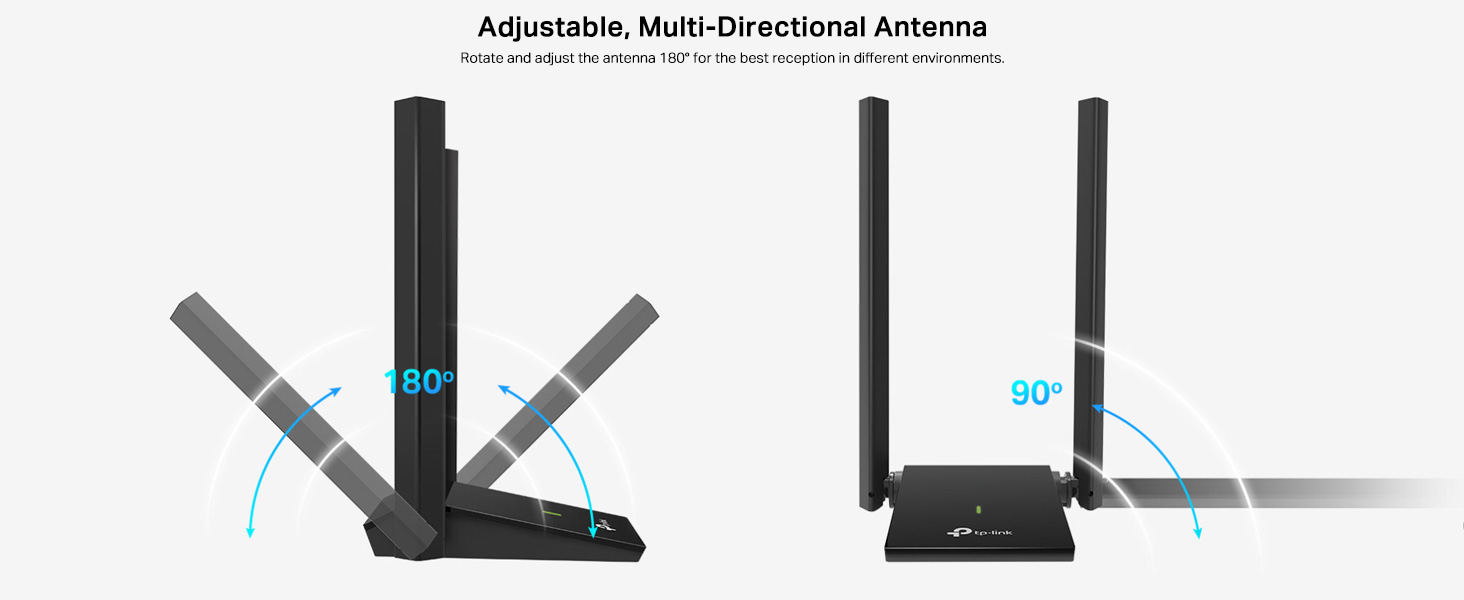
The dual high-gain antennas are designed to improve signal transmission and reception, extending your wireless coverage. For optimal performance, adjust the antennas to point towards your wireless router.
Illustrates the flexibility of the adapter's antennas, which can be rotated 180 degrees and adjusted 90 degrees for optimal signal reception.
The adapter also supports MU-MIMO technology. When used with a compatible MU-MIMO router, this technology allows the adapter to communicate with multiple devices simultaneously, improving network throughput and efficiency.
A visual representation of MU-MIMO technology, showing how the Archer T4U Plus adapter, when paired with a compatible router, can communicate with multiple devices simultaneously for improved network efficiency.
5. Vzdrževanje
- Naj bodo gonilniki posodobljeni: Redno preverjajte podporo TP-Link webspletno mesto za najnovejše gonilnike, da zagotovite optimalno delovanje in združljivost.
- Očistite napravo: Za čiščenje adapterja uporabite mehko, suho krpo. Izogibajte se uporabi tekočih čistil ali topil.
- Pravilna postavitev: Ensure the adapter is placed in a well-ventilated area and not covered, to prevent overheating.
- Varna povezava: Ensure the USB cable is securely connected to both the adapter and your computer to prevent intermittent disconnections.
6. Odpravljanje težav
- Ni povezave Wi-Fi:
- Ensure the adapter is properly connected to a USB port.
- Verify that the drivers are correctly installed. Check Device Manager (Windows) or System Information (Mac OS) for the adapter's status.
- Znova zaženite računalnik in usmerjevalnik.
- Poskusite se povezati z drugimi vrati USB.
- Počasne hitrosti Wi-Fi-ja:
- Ensure you are connected to the 5 GHz band if available and your router supports it, for faster speeds.
- Za boljši sprejem signala prilagodite antene adapterja.
- Zmanjšajte fizične ovire med adapterjem in usmerjevalnikom.
- Preverite, ali obstajajo motnje zaradi drugih naprav (npr. mikrovalovnih pečic, brezžičnih telefonov).
- Posodobite gonilnike adapterja na najnovejšo različico.
- Pogoste prekinitve povezave:
- Prepričajte se, da kabel USB ni ohlapen.
- Poskusite z drugim USB vhodom, po možnosti z USB 3.0.
- Preverite, ali so na voljo posodobljeni gonilniki.
- Ensure the adapter is not overheating.
- Težave z namestitvijo gonilnikov:
- Disable any antivirus or firewall software temporarily during installation.
- Download drivers directly from the official TP-Link webspletno mesto za vaš specifični operacijski sistem.
- For Linux users, specific driver installation steps may be required, often involving command-line instructions. Refer to community forums or TP-Link's support for detailed guidance.
7. Specifikacije
| Funkcija | Opis |
|---|---|
| Znamka | TP-Link |
| Številka modela | Archer T4U Plus |
| Strojni vmesnik | USB 3.0 |
| Brezžični standard | 802.11ac |
| Hitrost prenosa podatkov | 1300 Mbps (867 Mbps na 5 GHz, 400 Mbps na 2.4 GHz) |
| Antene | Dual High-Gain 5dBi Antennas |
| Operacijski sistemi | Windows 11/10/8.1/8/7/XP, Mac OS 10.15 and earlier |
| Dimenzije (D x Š x V) | 8.4 D x 15.6 Š x 1.9 V centimetrov |
| Teža predmeta | 100 gramov |
| barva | Črna |
8. Garancija in tehnična podpora
8.1 Informacije o garanciji
Ta izdelek je opremljen z 3-letna garancija proizvajalcaProsimo, shranite dokazilo o nakupu za uveljavljanje garancije.
8.2 Tehnična podpora
For technical assistance, driver downloads, or further inquiries, please contact TP-Link support:
- TP-Link India Private Limited
- Naslov: Green Industrial Park, Dongri Pada, Poman, Kaman-Bhiwandi Road, Vasai East, Palghar, Maharashtra – 401208
- Brezplačna telefonska številka: 1800 2094 168
- Podpora po e-pošti: support.in@tp-link.com
- Proizvajalec: TP-Link Corporation, South Building, No.5 Keyuan Road, Central Zone, Science & Technology Park, Nanshan, Shenzhen, P.R. China
For the most up-to-date support information and resources, please visit the official TP-Link webmesto.