
Uvod
This manual provides detailed instructions for the safe and effective operation of your Donner DJ Par Light. Please read this manual thoroughly before use and retain it for future reference. This device is designed to produce various lighting effects for events, parties, and stage predstave.
Varnostne informacije
- Prepričajte se, da je napajalnik voltage ustreza zahtevam naprave.
- Do not expose the device to rain or moisture to prevent electric shock or fire.
- Always disconnect from the power supply before cleaning or servicing.
- Izogibajte se neposredni izpostavljenosti oči viru svetlobe, saj lahko to povzroči poškodbe oči.
- Poskrbite za ustrezno prezračevanje, da preprečite pregrevanje. Ne blokirajte prezračevalnih odprtin.
- Z napravo ravnajte previdno. Pazite, da vam ne pade ali da je ne izpostavljate močnim udarcem.
- Hraniti izven dosega otrok.
Vsebina paketa
Ob razpakiranju preverite, ali so vsi predmeti prisotni:
- Donner DJ Par Light (1 unit)
- Daljinski upravljalnik (1 enota)
- Montažni nosilec (1 enota)
- Napajalni kabel (1 kos)
- Uporabniški priročnik (ta dokument)
Lastnosti izdelka
- 18 RGB LEDs: Features 18 x 3W RGB LED lights (6 Red, 6 Green, 6 Blue) for a wide range of color effects.
- Multi-mode Operation: Includes Static Color, Color Changing, Color Fade, Auto, Sound-activated, Master-slave, and DMX modes.
- Daljinski upravljalnik: Easy control via the included IR remote.
- Združljivo z DMX512: For professional lighting control.
- Vgrajen hladilni ventilator: Ensures stable operation and extends lifespan.
- Adjustable Dual Brackets: Allows for flexible mounting on trusses, walls, or standing on the floor.
Nastavitev
- Razpakiranje: Carefully remove the light and all accessories from the packaging.
- Namestitev nosilca: Attach the dual brackets to the sides of the light using the provided screws and knobs. Ensure they are securely fastened.
- Montaža:
- talno stojalo: Position the light on a flat, stable surface using the brackets as a stand. Adjust the angle as desired.
- Hanging/Truss Mount: Uporabite ustrezno klamps (not included) to secure the light to a truss or ceiling. Always use a safety cable (not included) when hanging the unit.
- Napajalni priključek: Connect the power cable to the light's power input and then to a suitable power outlet.

Načini delovanja
The Donner DJ Par Light offers multiple operating modes, selectable via the remote control or the control panel on the back of the unit.

- Statični barvni način: Displays a single, constant color. Use the remote's color buttons (Red, Green, Blue) or the control panel to select specific colors or mix RGB values.
- Color Changing (Jump) Mode: The light rapidly switches between different colors. The speed of the color change can be adjusted.
- Color Fade (Gradual) Mode: The light smoothly transitions from one color to another. The transition speed can be adjusted.
- Samodejni način: The light cycles through various pre-programmed lighting effects automatically.
- Zvočno aktiviran način: The light reacts to ambient sound or music, changing colors and patterns in sync with the beat. Ensure the built-in microphone is not obstructed.
- Način Master-Slave: Connect multiple lights using DMX cables. One unit acts as the master, controlling all connected slave units, ensuring synchronized lighting effects.
- DMX način: For advanced control using a DMX512 controller. This mode allows precise control over individual light parameters such as color intensity, strobe, and mode selection.
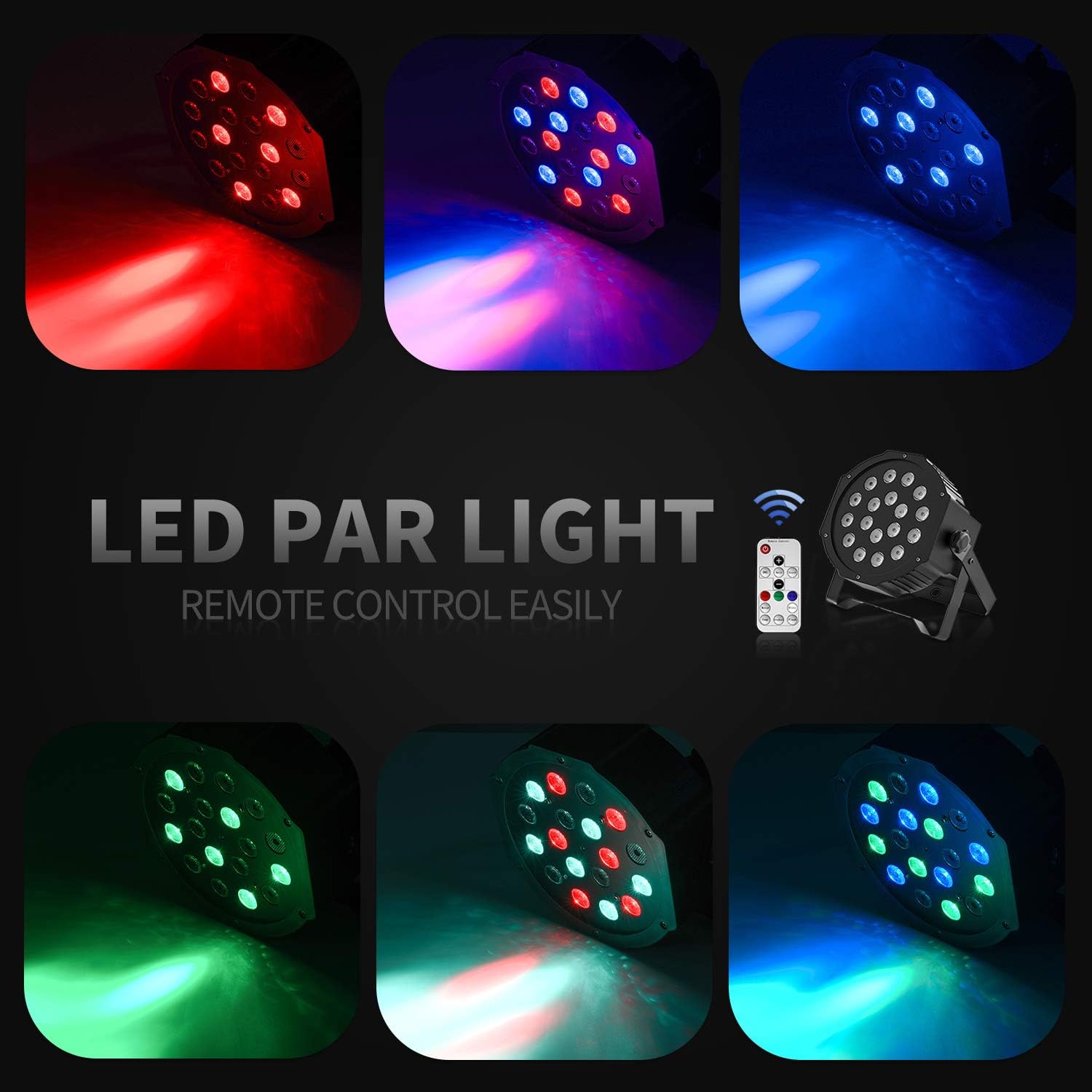
Delovanje daljinskega upravljalnika
The included IR remote control provides convenient access to the light's functions:
- VKLOP/PRIPRAVLJENOST: Press to power on or put the device in standby mode.
- DMX: Activates DMX mode. Use '+' and '-' to adjust the DMX address.
- Samodejno: Activates Auto mode.
- zvok: Activates Sound-Activated mode.
- Rdeča/zelena/modra: Selects static red, green, or blue color.
- Bela: Selects static white color.
- skok: Activates Color Changing (Jump) mode.
- Postopno: Activates Color Fade (Gradual) mode.
- Flash: Activates Strobe mode.
- Gumbi +/-: Adjust speed in Jump/Gradual/Flash modes, or DMX address in DMX mode.
DMX nadzor
The Donner DJ Par Light supports DMX512 protocol for professional control. Connect a DMX controller to the DMX IN port using a 3-pin XLR cable. For multiple units, daisy-chain them by connecting the DMX OUT of one unit to the DMX IN of the next.
DMX Channel Functions (Example for 7-channel mode):
| Kanal | funkcija | Razpon vrednosti | Opis |
|---|---|---|---|
| 1 | Mojster Dimmer | 0-255 | Overall brightness (0=off, 255=max) |
| 2 | Rdeča intenzivnost | 0-255 | Red LED brightness (0=off, 255=max) |
| 3 | Intenzivnost zelene barve | 0-255 | Green LED brightness (0=off, 255=max) |
| 4 | Modra intenzivnost | 0-255 | Blue LED brightness (0=off, 255=max) |
| 5 | Stroboskop | 0-255 | Strobe speed (0=off, 255=fastest) |
| 6 | Izbira načina | 0-255 | Selects various internal programs (Auto, Sound, Jump, Gradual) |
| 7 | Hitrost programa | 0-255 | Adjusts speed of selected program (0=slow, 255=fast) |
Vzdrževanje
- Čiščenje: Regularly clean the lens and housing with a soft, lint-free cloth. Do not use abrasive cleaners.
- Shranjevanje: Napravo shranjujte v suhem in brezprašnem okolju, ko je ne uporabljate.
- Pregled: Periodically check the power cable and DMX connections for any signs of damage.
Odpravljanje težav
| Težava | Možen vzrok | rešitev |
|---|---|---|
| Luč se ne vklopi. | No power, faulty cable, device in standby. | Check power connection. Ensure outlet is functional. Press ON/STANDBY button on remote or control panel. |
| Daljinski upravljalnik ne deluje. | Low battery, remote not aimed correctly, IR sensor blocked. | Replace remote battery. Point remote directly at the IR sensor on the front of the light. Ensure no obstructions. |
| Light not responding in DMX mode. | Incorrect DMX address, faulty DMX cable, incorrect DMX mode selected. | Verify DMX address matches controller. Check DMX cable connections. Ensure DMX mode is active on the light. |
| Sound-activated mode not working. | Microphone obstructed, sound level too low. | Ensure the microphone on the back panel is clear. Increase music volume or move the light closer to the sound source. |
Specifikacije
| Model: | Remote Control/DMX |
| Vir svetlobe: | 18 x 3W RGB LEDs (6 Red, 6 Green, 6 Blue) |
| vir energije: | Električni na kabel |
| Načini upravljanja: | Static Color, Color Changing, Color Fade, Auto, Sound-activated, Master-slave, DMX512 |
| Material: | Plastika |
| Dimenzije izdelka: | 7.48 cm D x 5.12 cm Š x 7.48 cm V |
| Teža artikla: | 1.45 funtov |
Garancija in podpora
Donner provides a 12-month warranty for this product, covering manufacturing defects from the date of purchase. For warranty claims, technical support, or service inquiries, please contact Donner customer service through the retailer where the product was purchased or visit the official Donner webspletno mesto za kontaktne podatke.