
1. Uvod
This manual provides detailed instructions for the safe and proper installation, operation, and maintenance of your Cabletech UCH0198-2 Full Motion TV Wall Mount. Please read this manual thoroughly before installation and retain it for future reference. This wall mount is designed to securely hold flat-panel or curved LED televisions ranging from 32 to 55 inches, with a maximum weight capacity of 35 kg (77 lbs).
2. Pomembne varnostne informacije
- Zmogljivost teže: Do not exceed the maximum weight capacity of 35 kg (77 lbs). Exceeding this limit can result in serious injury or property damage.
- Velikost zaslona: This mount is designed for TVs between 32 and 55 inches. While some larger TVs may fit VESA patterns, ensure they do not exceed the weight limit.
- Združljivost z VESA: Verify your TV's VESA mounting pattern is compatible with the mount's supported patterns (75x75, 100x100, 100x150, 150x100, 150x150, 200x100, 100x200, 300x200, 300x300, 400x200, 400x300, 400x400).
- Struktura stene: Ensure the mounting surface (wall) can safely support the combined weight of the mount and your television. For wood stud installation, ensure studs are solid. For concrete or brick walls, use appropriate anchors (not always included). Consult a professional installer if unsure about your wall's integrity.
- Orodja: Za namestitev uporabite ustrezno orodje. Vedno nosite zaščitna očala.
- Montaža: Do not attempt to install this product alone if the TV is heavy. Two or more people are recommended for safe installation.
- otroci: Med namestitvijo naj se otroci ne približujejo. Majhni deli lahko predstavljajo nevarnost zadušitve.
- Poškodbe: Do not install if any parts are missing or damaged. Contact customer support for replacement parts.
3. Vsebina paketa
Please check to ensure all components are present and undamaged before beginning installation. If any parts are missing or damaged, do not proceed with installation and contact customer support.
- Sestavljanje stenske plošče
- TV Bracket Arms (2x)
- Komplet montažne strojne opreme (različni vijaki, podložke, distančniki za TV in steno)
- Wall Anchors (for concrete/brick, if included)
- Raven
- Navodila za uporabo

Slika 1: Spredaj view of the wall mount components.
4. Specifikacije izdelka
| Številka modela | UCH0198-2 |
| Znamka | Cabletech |
| Združljive velikosti zaslona | 32" - 55" |
| Največja nosilnost | 35 kg (77 lbs) |
| Združljivost VESA | 75x75, 100x100, 100x150, 150x100, 150x150, 200x100, 100x200, 300x200, 300x300, 400x200, 400x300, 400x400 |
| Kot nagiba | 0° do -20° |
| Horizontal Level Adjustment | +3° do -3° |
| Razdalja od stene (podaljšana) | 78 mm - 400 mm (3.07" - 15.75") |
| Material | Kovina |
| barva | Črna |
5. Nastavitev in namestitev
Before you begin, ensure you have all necessary tools and have read the safety information. Two people are recommended for installation.
5.1 Potrebno orodje (ni vključeno)
- Svinčnik
- Stud Finder (for wood stud walls)
- Drill with appropriate drill bits (e.g., 10mm for concrete, 5.5mm for wood studs)
- Nasadni ključ ali nastavljivi ključ
- Phillips izvijač za glavo
- Merilni trak
- Zaščitna očala
5.2 Pritrditev nosilcev televizorja na televizor
- Televizor previdno postavite z zaslonom navzdol na mehko, čisto površino, da preprečite poškodbe zaslona.
- Prepoznajte pritrdilne luknje VESA na zadnji strani televizorja.
- Select the correct diameter and length screws from the hardware kit that fit your TV's mounting holes. Use washers and spacers if necessary to ensure the screws do not penetrate too deeply or leave the bracket loose.
- Attach the two vertical TV bracket arms to the back of your TV using the selected screws. Ensure the hooks on the bracket arms are facing upwards (or towards the top of the TV) and are level with each other. Do not overtighten.
5.3 Namestitev stenske plošče na steno
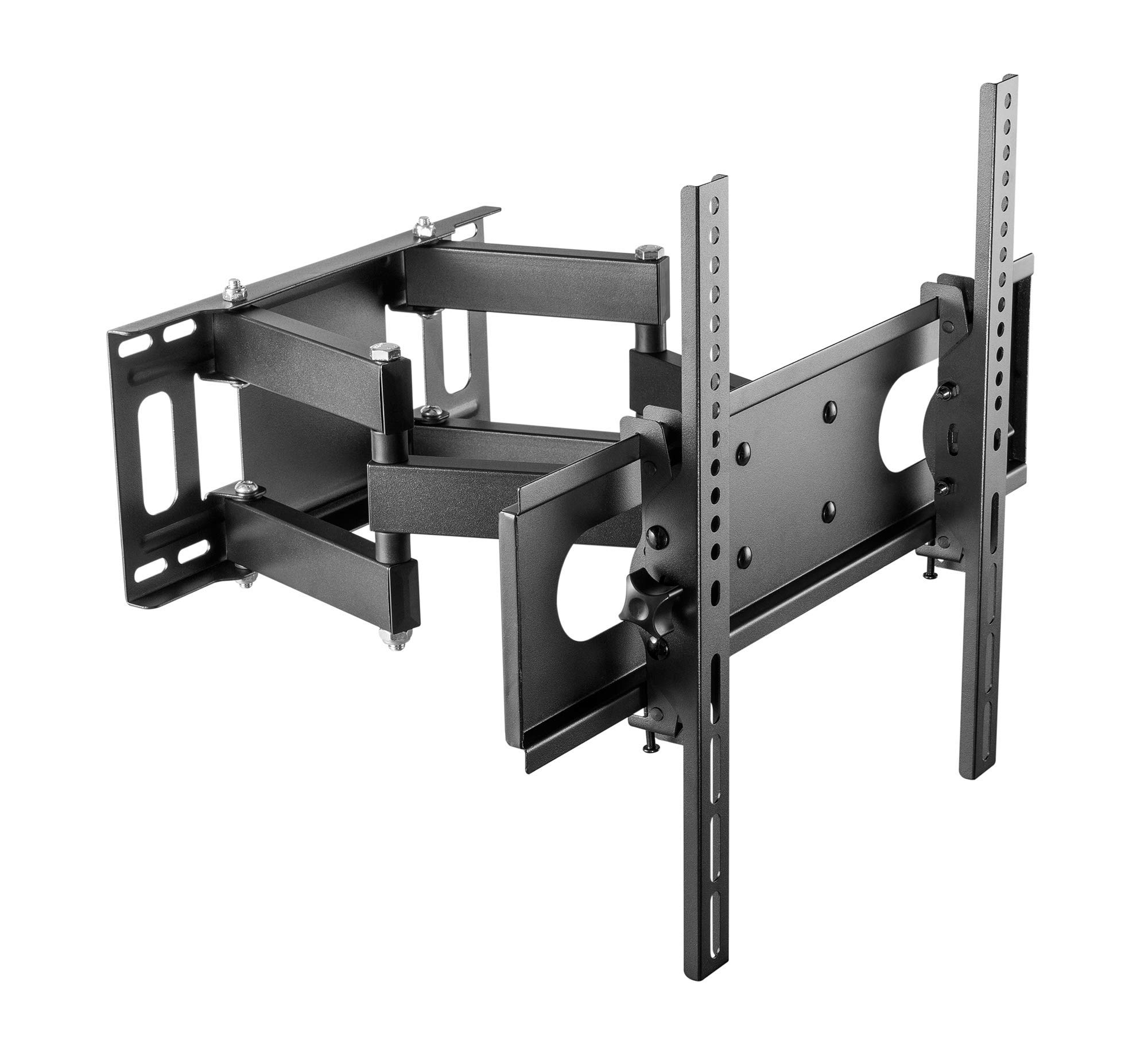
Figure 2: Cabletech UCH0198-2 wall mount in extended position.
- Določite mesto namestitve: Decide on the desired height for your TV. Mark the center point on the wall.
- Poiščite nosilce (za lesene stene): Use a stud finder to locate the edges and center of two adjacent wood studs. The wall plate must be mounted to at least two studs for secure installation.
- Položaj stenske plošče: Hold the wall plate against the wall at your desired height and center. Use a level to ensure it is perfectly horizontal. Mark the drilling locations through the holes on the wall plate.
- Vrtanje pilotnih lukenj:
- Za Leseni čepi: Drill pilot holes using a 5.5mm drill bit to a depth of approximately 60mm.
- Za Solid Concrete/Brick Walls: Drill pilot holes using a 10mm drill bit to a depth of approximately 60mm. Insert the concrete anchors into the drilled holes until they are flush with the wall surface.
- Pritrdite stensko ploščo: Align the wall plate with the drilled holes. Secure it to the wall using the lag bolts and washers provided in the hardware kit. Tighten all bolts firmly, but do not overtighten.
5.4 Obešanje televizorja
- With assistance, carefully lift the TV (with brackets attached) and hook the TV bracket arms onto the wall plate.
- Ensure the TV is securely seated on the wall plate. The safety screws or locking mechanisms on the bottom of the TV bracket arms should be engaged to prevent accidental dislodging.
- Preden namestite televizor, ga previdno preverite kot stabilnega.asinpopolnoma ga poišči.
6. Navodila za uporabo (prilagoditve)
Your Cabletech UCH0198-2 mount offers various adjustments for optimal viewing.
6.1 Extending and Retracting the TV

Figure 3: Wall mount extended, showing adjustable distance from wall.
- Gently pull or push the TV to extend it away from the wall (up to 400mm) or retract it closer to the wall (minimum 78mm).
- Ensure cables are not pinched or strained during movement.
6.2 Tilting the TV
- The mount allows for a tilt range of 0° to -20° (downwards).
- Loosen the tilt adjustment knobs or bolts on the TV bracket arms.
- Adjust the TV to the desired tilt angle.
- Retighten the knobs/bolts to secure the TV in position.
6.3 Swiveling the TV (Horizontal Adjustment)
- The articulating arm allows you to swivel the TV horizontally to achieve various viewing kotov.
- Gently push or pull the side of the TV to rotate it left or right.
- The mount also features a small horizontal level adjustment of +3° to -3° to correct for minor leveling issues after installation. This is typically adjusted by loosening specific bolts on the TV plate, leveling, and retightening. Refer to the detailed diagrams for specific adjustment points.
6.4 Upravljanje kablov
- The mount includes a cable winder or clips to help organize and route cables along the articulating arm.
- Secure cables to prevent them from dangling or getting caught during TV movement. Ensure enough slack is provided for full range of motion.
7. Vzdrževanje
- Čiščenje: Nosilec obrišite z mehko, suho krpo. Ne uporabljajte abrazivnih čistil ali topil.
- Periodični pregledi: Občasno preverite vse vijake in matico, da se prepričate, da so trdno priviti. Po potrebi jih ponovno privijte.
- Gibanje: If the mount's movement becomes stiff, a small amount of silicone-based lubricant can be applied to the pivot points, avoiding contact with painted surfaces.
8. Odpravljanje težav
| Težava | Možen vzrok | rešitev |
|---|---|---|
| Televizor po namestitvi ni poravnan. | Wall plate not perfectly level, or minor adjustment needed. | Use the horizontal level adjustment feature (+3° to -3°). Loosen the specific bolts on the TV plate, adjust with a level, and retighten. |
| Nosilec se zdi ohlapen ali nestabilen. | Mounting bolts not fully tightened, or wall structure is inadequate. | Check and retighten all wall mounting bolts. If the wall structure is compromised, consult a professional. Ensure TV safety screws are engaged. |
| TV cannot tilt or swivel smoothly. | Adjustment bolts are too tight, or pivot points need lubrication. | Loosen tilt adjustment knobs/bolts slightly. Apply a small amount of silicone-based lubricant to pivot points if necessary. |
| Cables are getting pinched. | Insufficient slack or improper cable routing. | Reroute cables using the integrated cable management. Ensure enough slack for full range of motion. |
9. Garancija in podpora strankam
This Cabletech UCH0198-2 TV Wall Mount comes with a manufacturer's warranty of 2 leti od datuma nakupa.
For warranty claims, technical assistance, or if you have any questions regarding the installation or operation of your product, please contact Cabletech customer support through your retailer or the official Cabletech website. Please have your model number (UCH0198-2) and proof of purchase ready when contacting support.