
N-Gear NGS828-BT
N-Gear NGS828-BT Karaoke System User Manual
Model: NGS828-BT / EKS828/9-BT
Uvod
This manual provides essential information for the safe and effective operation of your N-Gear NGS828-BT Karaoke System. Please read it thoroughly before use and retain it for future reference.
The N-Gear NGS828-BT karaoke system is designed to provide an immersive entertainment experience. It features two integrated speakers with a total power output of 30 watts, mounted on a sturdy stand that includes an integrated lighting system. The system comes complete with two wired microphones, allowing for duets and interactive performances. Music playback is versatile, supporting connections via Bluetooth, auxiliary audio input, or directly from a USB flash drive. A unique feature of this system is the ability to record your vocal performances directly onto a USB stick. Enhance your party atmosphere with two distinct light animations: one integrated into the stand and the second on the main unit, creating a dynamic disco-style effect. The system also offers convenient controls for microphone volume and an echo function to add professional vocal effects.

Slika: spredaj view of the N-Gear NGS828-BT Karaoke System, showcasing its stand, main unit with controls, and integrated multi-color LED lights.
Varnostne informacije
- Prepričajte se, da je napajalnik združljiv z vašim lokalnim napajanjem.
- Naprave ne izpostavljajte dežju ali vlagi, da preprečite električni udar.
- Napravo hranite stran od virov toplote, neposredne sončne svetlobe in prekomernega prahu.
- Ne blokirajte prezračevalnih odprtin.
- Uporabljajte samo priključke/dodatke, ki jih je določil proizvajalec.
- Izključite enoto med nevihtami ali ko je ne uporabljate dlje časa.
- Za vse servise se obrnite na usposobljeno servisno osebje.
Vsebina paketa
Prosimo, preverite, ali so vsi predmeti prisotni in v dobrem stanju:
- N-Gear NGS828-BT Karaoke System Main Unit
- Karaoke System Stand
- 2 x žična mikrofona
- Power Adapter (Cable included)
- Uporabniški priročnik (ta dokument)
Lastnosti izdelka
- Vgrajeni stereo zvočniki: Two speakers with 30W total power output.
- Dvojni mikrofonski vhodi: Comes with two wired microphones for duets.
- Vsestranska povezljivost: Bluetooth for wireless streaming, Auxiliary input, and USB port for MP3 playback.
- Funkcija snemanja: Record your vocal performances directly to a USB stick.
- Dynamic Light Shows: Integrated LED lights on the stand and a disco-style light on the main unit.
- Vokalni učinki: Adjustable microphone volume and echo function.
- LED zaslon: For easy navigation and status indication.

Slika: Podrobna view of the main unit's control panel, highlighting the two microphone inputs, speaker grilles, and the display indicating 120W PMPO output.
Vodnik za namestitev
- Sestavite stojalo: Carefully attach the main unit to the stand base. Ensure all connections are secure.
- Priključite mikrofone: Plug the two wired microphones into the designated microphone input jacks on the main unit.
- Napajalni priključek: Connect the power adapter to the DC input port on the unit, then plug the adapter into a suitable power outlet.
- Začetni vklop: Press the Power button to turn on the system. The LED display should illuminate.
Navodila za uporabo
1. Vklop/izklop
Pritisnite Moč button located on the control panel to turn the system on or off.
2. Izbira načina
Uporabite Način button to switch between available input sources: Bluetooth, Auxiliary (AUX), and USB.
3. Bluetooth povezava
- Izberite Bluetooth mode using the Mode button. The LED display will show "BT" and a pairing indicator will flash.
- On your mobile device (phone, tablet, computer, laptop), enable Bluetooth and search for available devices.
- Izberite "N-Gear Karaoke" or similar from the list.
- Once connected, the pairing indicator will stop flashing, and you can play music from your device wirelessly.
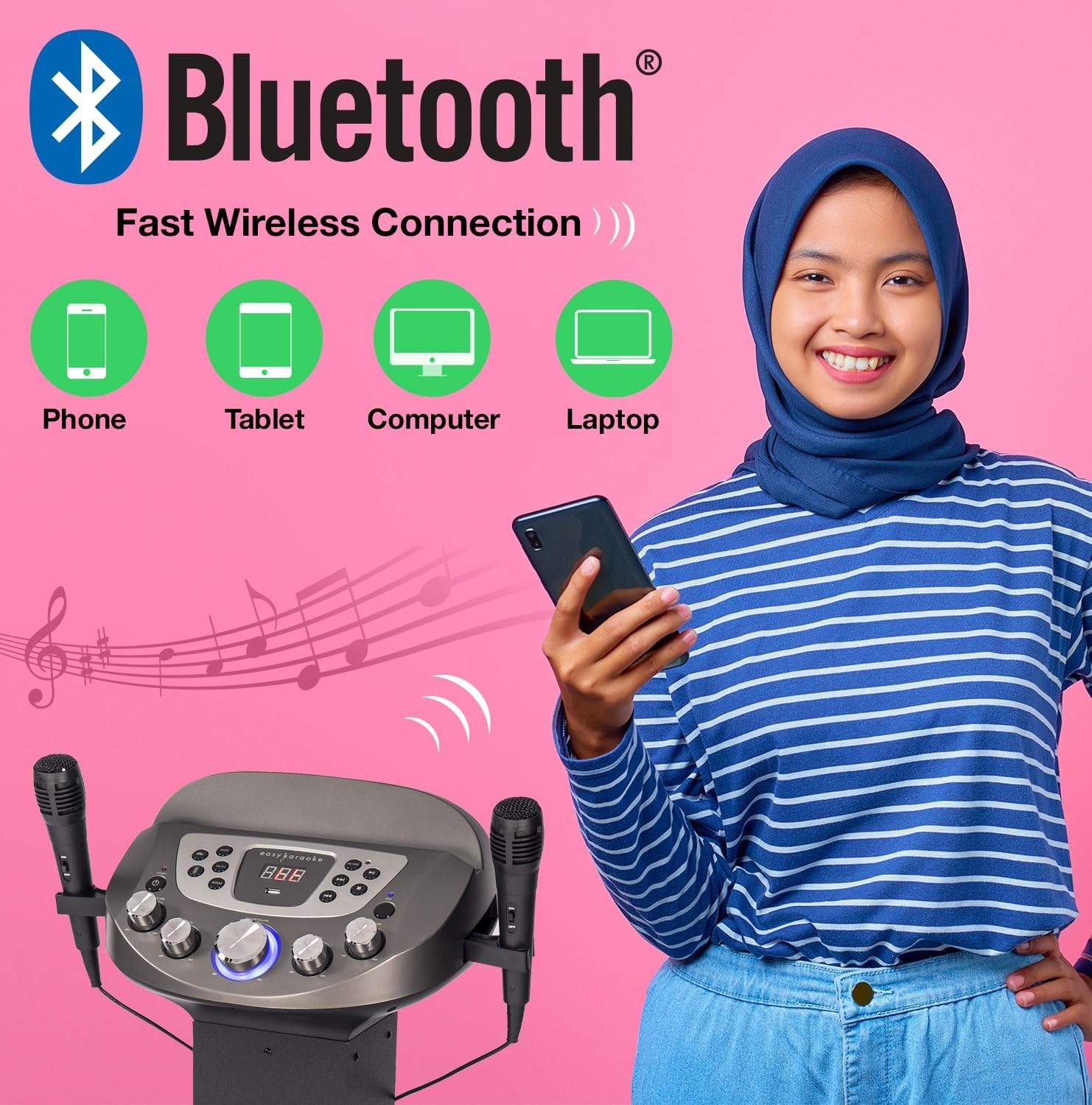
Image: Diagram illustrating various devices (phone, tablet, computer, laptop) that can connect to the karaoke system via Bluetooth for wireless music streaming.
4. USB Playback and Recording
- Vstavite USB-ključek v vrata USB.
- Izberite USB mode using the Mode button. The system will automatically detect and play compatible audio file(npr. MP3).
- Uporabite Predvajaj/Premor, Naprej, in Prejšnja gumbi za nadzor predvajanja.
- Za Zapis your singing: While playing music from USB or AUX, press the Zapis button. Sing into the microphones. Press Record again to stop. Your recording will be saved on the USB drive.
5. Pomožni vhod (AUX)
Connect an external audio device (e.g., smartphone, MP3 player) to the AUX input jack using a 3.5mm audio cable (not included). Select POMOŽ način za predvajanje zvoka iz priključene naprave.
6. Uporaba mikrofona
- Ensure microphones are securely plugged in.
- Adjust microphone volume using the dedicated MIC VOL gumb na nadzorni plošči.
- Uporabite Echo knob to add vocal echo effects.

Image: A group of people enjoying the karaoke system, with visual cues pointing to the LED lights, disco ball, echo effect, and microphone volume control features.
7. Light Show Control
The system features integrated LED lights on the stand and a disco-style light on the main unit. These lights activate automatically when the system is powered on, enhancing the party atmosphere.
Vzdrževanje
- Čiščenje: Za čiščenje zunanjosti enote uporabite mehko, suho krpo. Ne uporabljajte abrazivnih čistil ali topil.
- Shranjevanje: Ko sistema ne uporabljate, ga shranite na hladnem in suhem mestu, stran od neposredne sončne svetlobe in ekstremnih temperatur.
- Vzdrževanje mikrofona: Handle microphones carefully. Avoid dropping them or exposing them to moisture.
Odpravljanje težav
| Težava | Možen vzrok | rešitev |
|---|---|---|
| Brez moči | Napajalnik ni priključen ali pa je vtičnica pokvarjena. | Preverite napajalne priključke. Poskusite z drugo vtičnico. |
| Iz zvočnikov ni zvoka | Volume too low; incorrect input mode; device not connected properly. | Increase master volume. Select correct input mode (Bluetooth, USB, AUX). Ensure external device is playing. |
| Mikrofon ne deluje | Microphone not plugged in; MIC VOL too low; faulty microphone. | Ensure microphone is fully plugged in. Increase MIC VOL. Test with the other microphone if available. |
| Težave s povezovanjem Bluetooth | Device too far; system not in Bluetooth mode; previously paired device connected. | Ensure device is within range (approx. 10m). Select Bluetooth mode. Disconnect from other Bluetooth devices. |
| USB playback error | Nezdružljivo file format; corrupted USB drive; USB drive not inserted correctly. | Zagotovite fileso v formatu MP3. Poskusite z drugim pogonom USB. Ponovno vstavite pogon USB. |
Specifikacije
| Funkcija | Podrobnost |
|---|---|
| Ime modela | NGS828-BT |
| Številka modela | EKS828/9-BT |
| Znamka | N-Gear (EASY KARAOKE) |
| barva | Črna |
| Izhod za zvočnike | 30 Watts Total (2 Speakers) / 120W PMPO |
| Povezljivost | Bluetooth, pomožni (3.5 mm), USB |
| Vrata USB | 1 (for playback and recording) |
| Mikrofoni | 2 x Wired Microphones included |
| Posebne lastnosti | Integrated LED Light Show (Stand & Disco Ball), Echo Function, Microphone Volume Control, LED Display |
| Vir napajanja | Napajalni adapter |
| Priporočena uporaba | Family gatherings, parties, events, personal use with tablet-based karaoke apps |
Garancija in podpora
For warranty information and technical support, please refer to the contact details provided with your purchase or visit the official N-Gear / EASY KARAOKE webspletnega mesta. Shranite dokazilo o nakupu za morebitne garancijske zahtevke.
While specific warranty details are not provided in this manual, N-Gear products typically come with a standard manufacturer's warranty covering defects in materials and workmanship. Please consult the packaging or the manufacturer's webza najnovejše garancijske pogoje.
Ask a question about this manual
Ask about setup, troubleshooting, compatibility, parts, safety, or missing instructions. Manuals+ will review the question and use this page’s manual context to help answer it.