
TENMIYA A200
Uporabniški priročnik za prenosni Bluetooth zvočnik TENMIYA A200
Model: A200
Uvod
The TENMIYA A200 Portable Bluetooth Speaker is designed to provide high-quality audio with versatile connectivity options. Featuring Bluetooth 5.0, FM radio, TF card, USB, and AUX input, this speaker offers a comprehensive audio experience for various environments, from home to outdoor gatherings. Its compact design and remote control functionality ensure ease of use and portability.

Image: The TENMIYA A200 speaker in beech color, showcasing its front panel with a large speaker grille, digital display, control buttons, and a remote control placed in front.
Kaj je v škatli
Prosimo, preverite vsebino paketa, da se prepričate, da so vsi predmeti prisotni in v dobrem stanju:
- 1 x TENMIYA A200 Bluetooth Speaker
- 1 x daljinski upravljalnik
- 1 x AUX kabel (3.5 mm)
- 1 x USB polnilni kabel
- 1 x Uporabniški priročnik (ta dokument)
Nastavitev
1. Polnjenje zvočnika
Before first use, fully charge the speaker. Connect the provided USB charging cable to the speaker's DC 5V input port and the other end to a USB power adapter (not included) or a computer USB port. The charging indicator will show the charging status. A full charge typically takes about 3-4 hours.
2. Vklop/izklop
Locate the power switch on the side of the speaker. Slide it to the "ON" position to power on the speaker. Slide it to the "OFF" position to power off.
3. Bluetooth povezava
- Power on the speaker. It will automatically enter Bluetooth pairing mode, indicated by a flashing Bluetooth icon on the digital display.
- V napravi (pametnem telefonu, tablici, prenosniku) omogočite Bluetooth in poiščite razpoložljive naprave.
- Select "TENMIYA A200" from the list of devices.
- Once connected, the speaker will emit a confirmation sound, and the Bluetooth icon on the display will stop flashing.

Image: The TENMIYA A200 speaker displaying "Bluetooth 4.1" (note: product specs state 5.0, this image might be older) and a smartphone screen showing music playback, illustrating Bluetooth connectivity.
4. AUX Input Connection
For devices without Bluetooth, use the provided 3.5mm AUX cable. Connect one end to the speaker's AUX input port and the other end to the audio output jack of your device (e.g., MP3 player, computer, TV). The speaker will automatically switch to AUX mode.
5. TF Card and USB Playback
Insert a TF (MicroSD) card or a USB flash drive containing MP3 music files into the respective slots on the side of the speaker. The speaker will automatically detect the storage device and begin playing music.
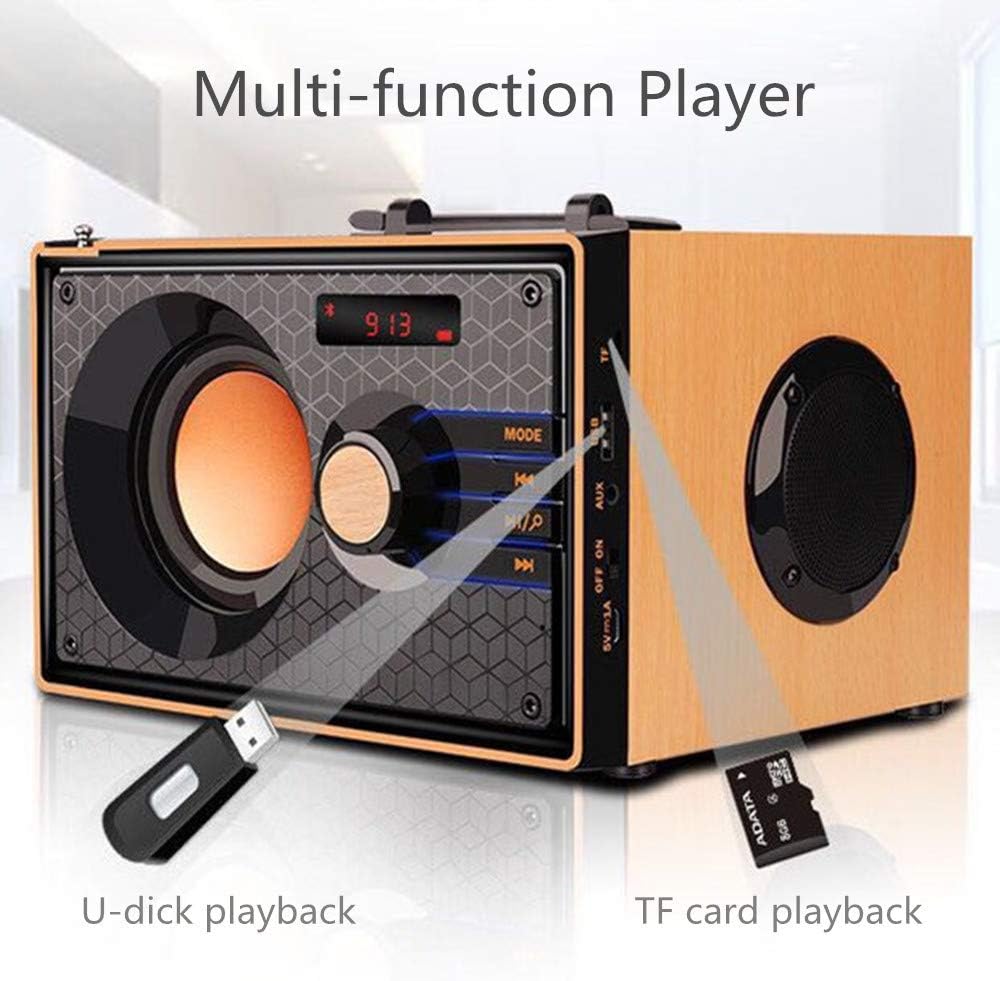
Image: A close-up of the side panel of the TENMIYA A200 speaker, highlighting the USB and TF card input slots with a USB drive and TF card inserted, demonstrating multi-function playback.
Navodila za uporabo
1. Izbira načina
Pritisnite NAČIN button on the speaker's front panel or the remote control to cycle through available modes: Bluetooth, FM Radio, AUX, TF Card, and USB.
2. Nadzor glasnosti
Rotate the large knob on the front panel clockwise to increase volume and counter-clockwise to decrease volume. Alternatively, use the GLASNOST+ in ZV.- gumbi na daljinskem upravljalniku.
3. Playback Control (Bluetooth, TF Card, USB)
- Pritisnite Predvajaj/Premor gumb (▶▶) za predvajanje ali začasno ustavitev trenutne skladbe.
- Pritisnite Prejšnja skladba gumb (◀◀) to go to the beginning of the current track or the previous track.
- Pritisnite Naslednja skladba gumb (▶▶), da preskočite na naslednjo skladbo.
4. Delovanje radia FM
- Preklopite v način FM z uporabo NAČIN gumb.
- Za samodejno iskanje in shranjevanje razpoložljivih postaj pritisnite in držite Predvajaj/Premor button. The speaker will scan and store stations with strong signals.
- To manually tune or navigate through saved stations, use the Prejšnja skladba in Naslednja skladba gumbi.
- Extend the telescopic antenna on the back of the speaker for improved FM reception.

Image: A man relaxing on a couch, listening to the TENMIYA A200 speaker which has its telescopic antenna extended, indicating FM radio functionality.
5. Uporaba daljinskega upravljalnika
The included remote control provides convenient access to all speaker functions from a distance of up to 10 feet. Functions include power on/off, mode selection, volume control, track navigation, play/pause, and direct station input for FM radio (if supported by the remote's number pad).
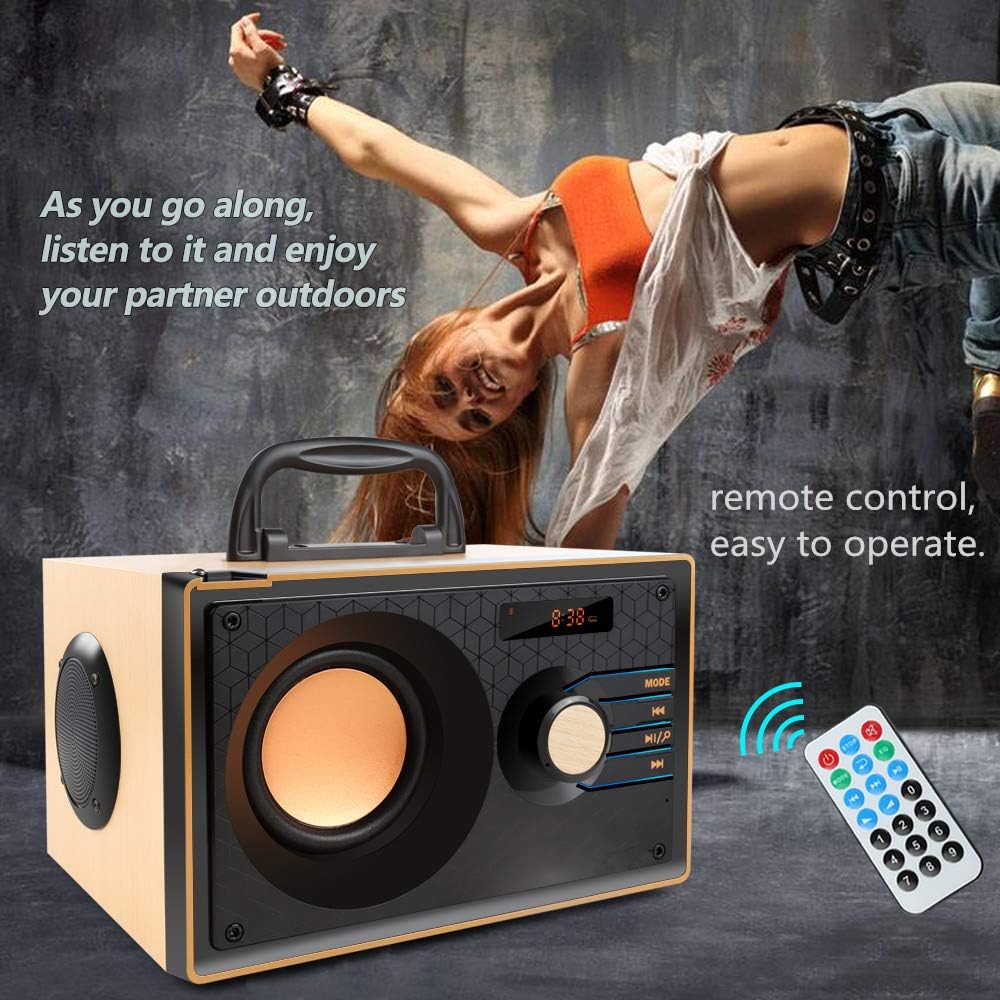
Image: The TENMIYA A200 speaker with its remote control, emphasizing the ease of operation from a distance.
Vzdrževanje
- Keep the speaker away from water, moisture, and direct sunlight.
- Zvočnik očistite z mehko, suho krpo. Ne uporabljajte abrazivnih čistil ali topil.
- Pazite, da vam zvočnik ne pade ali da ga ne izpostavljate močnim udarcem.
- Zvočnik shranite na hladnem in suhem mestu, ko ga dlje časa ne uporabljate.
Odpravljanje težav
| Težava | Možen vzrok | rešitev |
|---|---|---|
| Zvočnik se ne vklopi. | Prazna baterija; Stikalo za vklop je izklopljeno. | Charge the speaker; Ensure the power switch is in the "ON" position. |
| Brez zvoka. | Glasnost je prenizka; izbran je napačen način; naprava ni pravilno priključena. | Increase volume; Press MODE button to select correct input; Reconnect device. |
| Bluetooth povezava ne uspe. | Zvočnik ni v načinu seznanjanja; Bluetooth naprave izklopljen; Preveč daleč od zvočnika. | Ensure speaker is in Bluetooth mode and flashing; Turn on device Bluetooth; Move device closer (within 10 meters/33 feet). |
| Slab sprejem FM radia. | Antena ni iztegnjena; Območje šibkega signala. | Fully extend the telescopic antenna; Try repositioning the speaker for better signal. |
| Daljinski upravljalnik ne deluje. | Battery depleted; Obstruction between remote and speaker; Too far from speaker. | Replace remote battery; Remove obstructions; Move closer to speaker (within 10 feet). |
Specifikacije
| Funkcija | Podrobnost |
|---|---|
| Znamka | TENMIYA |
| Model | A200 |
| Izhodna moč zvočnika | 10W (5W + 2.5W x 2) |
| Zvočniška enota | 3" + 2" x 2 |
| Frekvenčni odziv | 60Hz - 20KHz |
| Različica Bluetooth | 5.0 |
| Bluetooth obseg | Do 10 metrov (33 čevljev) |
| Kapaciteta baterije | 2200 mAh |
| Čas polnjenja | Pribl. 3-4 ur |
| Čas predvajanja | Pribl. 8 ur (pri 40% glasnosti) |
| Vhodna moč | DC 5V |
| Dimenzije (D x Š x V) | 7.5 x 6.1 x 4.7 palca (190 x 155 x 120 mm) |
| Teža predmeta | 2.91 funtov |
| Podprte funkcije | Bluetooth, FM Radio, TF Card, USB, AUX Input |
| Nadzorna metoda | Ročni gumbi, Daljinski upravljalnik |

Image: The TENMIYA A200 speaker with its dimensions labeled (190mm length, 155mm depth, 120mm height), illustrating its compact size.
Garancija in podpora
The TENMIYA A200 Portable Bluetooth Speaker comes with a worry-free 12-month warranty. If you encounter any issues or have questions regarding your product, please contact our customer service team. We are committed to providing the best customer service and will respond to your inquiries within 24 hours.
For support, please refer to the contact information provided on the product packaging or the seller's page where you purchased the item.
Ask a question about this manual
Ask about setup, troubleshooting, compatibility, parts, safety, or missing instructions. Manuals+ will review the question and use this page’s manual context to help answer it.