
1. Uvod
Thank you for choosing the Targus W620 Wireless Optical Mouse. This manual provides detailed instructions for setting up, operating, and maintaining your mouse to ensure optimal performance and longevity. The Targus W620 offers reliable 2.4 GHz wireless connectivity, a precise 1600 DPI optical sensor, and a compact design suitable for both office and mobile use.
2. Vsebina paketa
Prosimo, preverite paket za naslednje artikle:
- Targus W620 Wireless Optical Mouse
- USB sprejemnik
- 2 x AAA baterije
3. Izdelek je končanview
Familiarize yourself with the components of your Targus W620 Wireless Optical Mouse.
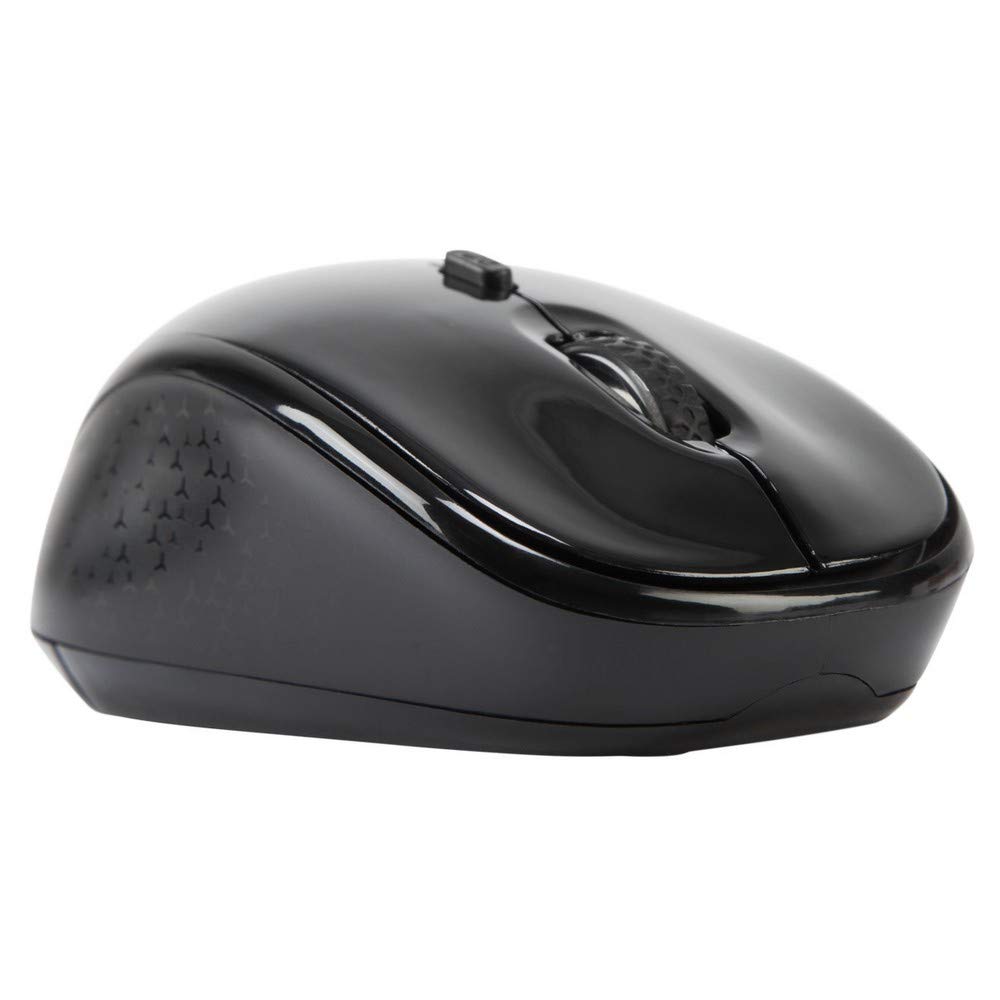
Slika 3.1: Vrh view of the Targus W620 Wireless Optical Mouse. This image displays the primary buttons and scroll wheel.
- Levi klik na gumb: Standardna funkcija primarnega klika.
- Desni klik na gumb: Standardna funkcija sekundarnega klika.
- Kolesce za pomikanje: Za navpično drsenje in funkcijo klika s srednjim gumbom miške.
- Gumb DPI: Adjusts the mouse sensitivity (DPI).
- Optični senzor: Located on the bottom, detects mouse movement.
- Predal za baterije: Located on the bottom, holds two AAA batteries.
- Shranjevanje USB sprejemnika: A dedicated slot on the bottom for storing the USB receiver when not in use.

Slika 3.2: Spodaj view of the mouse, highlighting the battery compartment and optical sensor.
4. Navodila za nastavitev
Follow these steps to set up your Targus W620 Wireless Optical Mouse:
- Namestite baterije:
- Poiščite pokrov predalčka za baterije na spodnji strani miške.
- Odprite pokrov.
- Vstavite dve bateriji AAA in pazite na pravilno polarnost (+/-).
- Trdno zaprite pokrov prostora za baterije.
- Priključite USB sprejemnik:
- The USB receiver is typically stored in a slot on the bottom of the mouse for transport. Gently remove it.
- USB-sprejemnik priključite v razpoložljiva vrata USB na vašem računalniku.

Slika 4.1: The mouse with its USB receiver, ready for connection.
- Vklop:
- There is no explicit power switch on this model; the mouse activates upon movement and connection.
- Vaš računalnik bi moral samodejno zaznati in namestiti potrebne gonilnike. To lahko traja nekaj trenutkov.
- Once drivers are installed, the mouse is ready for use.
5. Navodila za uporabo
The Targus W620 Wireless Optical Mouse is designed for intuitive use. Here are its primary functions:
- Osnovna navigacija: Move the mouse on a flat surface to control the cursor on your screen.
- Levi klik: Uporablja se za izbiranje elementov, odpiranje fileali aktiviranje funkcij.
- Desni klik: Uporablja se za dostop do kontekstnih menijev ali sekundarnih funkcij.
- Kolesce za pomikanje: Rotate the wheel to scroll vertically through documents and web pages. Press the scroll wheel for a middle-click function, often used for opening links in new tabs or auto-scrolling.
- Prilagoditev DPI: Press the DPI button (located behind the scroll wheel) to cycle through the available DPI settings (800, 1200, 1600 DPI). This changes the sensitivity of the mouse cursor. A higher DPI means the cursor moves further with less physical mouse movement.
6. Vzdrževanje
Proper maintenance ensures the longevity and performance of your mouse.
- Čiščenje: Za čiščenje zunanjosti miške uporabite mehko, suho krpo, ki ne pušča vlaken. Za trdovratno umazanijo rahlo obrišiteampkrpo sperite z vodo. Izogibajte se uporabi agresivnih kemikalij ali abrazivnih čistil.
- Optični senzor: Optični senzor na spodnji strani miške naj bo čist in brez prahu ali umazanije, da zagotovite natančno sledenje.
- Zamenjava baterije: When the mouse performance degrades or stops responding, it is likely time to replace the batteries. Follow the steps in Section 4.1 to replace the two AAA batteries.
- Shranjevanje: When transporting or storing the mouse, always place the USB receiver back into its dedicated storage slot on the bottom of the mouse to prevent loss.
7. Odpravljanje težav
If you encounter issues with your Targus W620 mouse, try the following solutions:
| Težava | Možna rešitev |
|---|---|
| Mouse not responding or cursor not moving. |
|
| Premikanje kurzorja je neenakomerno ali poskakujoče. |
|
| DPI button not changing sensitivity. |
|
| Težave z brezžično povezavo. |
|
8. Specifikacije
| Znamka | Targus |
| Številka modela | AMW620AP |
| Tehnologija povezljivosti | 2.4 GHz Wireless (Radio Frequency) |
| Tehnologija zaznavanja gibanja | Optical (BlueTrace Technology) |
| DPI ravni | 800 / 1200 / 1600 DPI (nastavljivo) |
| Število gumbov | 4 (levo, desno, drsno kolesce, DPI) |
| Ročna orientacija | Right (Comfortable for ambidextrous use) |
| Vir napajanja | 2 x AAA baterije (priložene) |
| Teža predmeta | 26 gramov |
| Združljivost operacijskega sistema | Linux, Windows XP (Compatible with modern Windows and macOS) |
| Platforma strojne opreme | Mac, računalnik |
| barva | Črna |
9. Garancija in podpora
Informacije o garanciji: The Targus W620 Wireless Optical Mouse comes with a 3-letna garancija proizvajalca od datuma nakupa. Ta garancija krije napake v materialu in izdelavi pri normalni uporabi. Prosimo, shranite dokazilo o nakupu za uveljavljanje garancije.
Podpora strankam: For technical assistance, troubleshooting beyond this manual, or warranty inquiries, please visit the official Targus website or contact their customer support service. Refer to the contact information provided with your product packaging or on the Targus official webmesto.