
1. Uvod
The TP-Link Archer T2U Plus is an AC600 High Gain Wireless Dual Band USB Adapter designed to provide high-speed Wi-Fi connectivity for desktop PCs and laptops. It supports both 2.4 GHz and 5 GHz bands, offering flexible connectivity options and enhanced range with its 5dBi high-gain antenna. This manual provides instructions for setting up, operating, and maintaining your adapter.

Image: The TP-Link Archer T2U Plus AC600 High Gain Wireless Dual Band USB Adapter.
2. Vsebina paketa
Preverite, ali vaš paket vsebuje naslednje elemente:
- AC600 High Gain Wireless Dual Band USB Adapter (Archer T2U Plus)
- Navodila za hitro namestitev
- CD z viri (za gonilnike in pripomočke)

Image: The retail packaging for the Archer T2U Plus, showing the adapter and its key features.
3. Sistemske zahteve
Pred namestitvijo se prepričajte, da vaš sistem izpolnjuje naslednje zahteve:
- An available USB port (USB 2.0 or higher recommended).
- Operating System: Windows 11/10/8.1/8/7/XP or Mac OS 10.15 and earlier.
- CD-ROM drive (for driver installation from Resource CD) or internet access (for driver download).

Image: Icons representing compatible operating systems: Windows 10, Windows 8.1, Windows 8, Windows 7, Windows XP, and Mac OS.
4. Namestitev in namestitev gonilnikov
4.1 Namestitev strojne opreme
- Vstavite adapter: Plug the Archer T2U Plus USB adapter into an available USB port on your computer. Ensure it is securely seated.
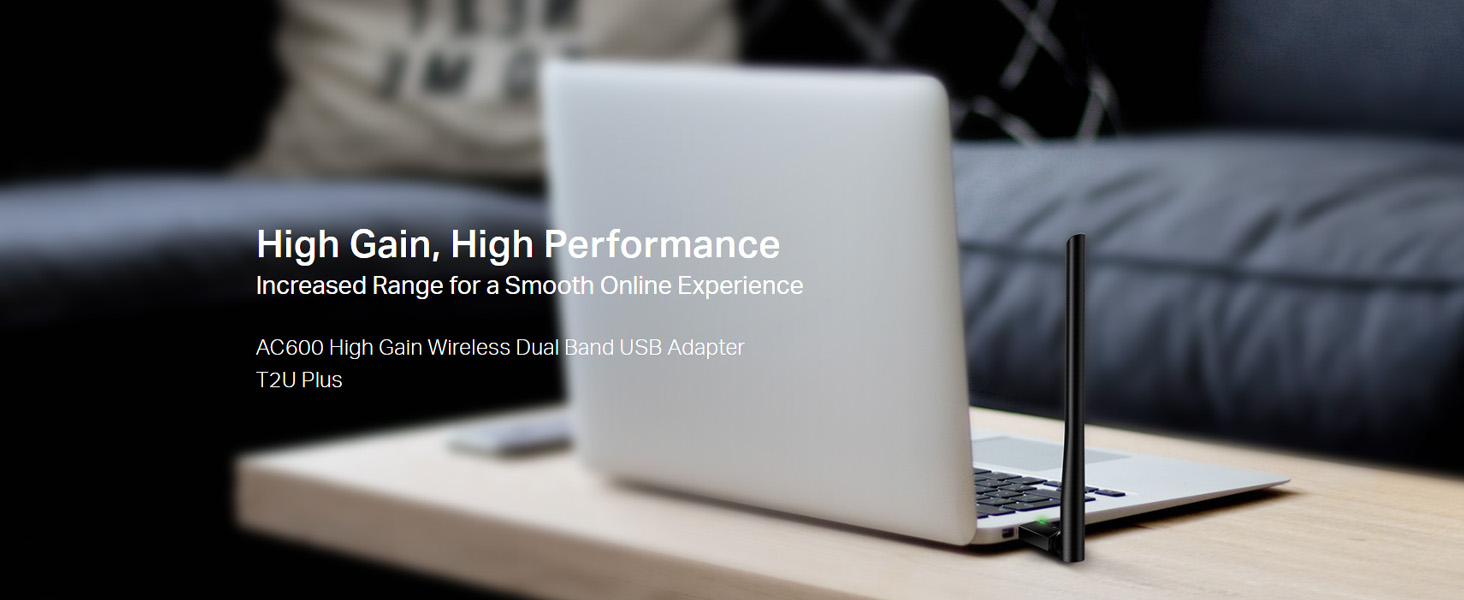
Image: The Archer T2U Plus adapter connected to a laptop's USB port, demonstrating its compact form factor.
4.2 Namestitev gonilnika
The adapter requires a driver to function correctly. You can install it using the provided Resource CD or by downloading it from the TP-Link webmesto.
Option A: Using the Resource CD
- Vstavite CD z viri v pogon CD-ROM računalnika.
- Sledite navodilom na zaslonu, da zaženete čarovnika za nastavitev.
- Select the Archer T2U Plus model and proceed with the driver installation.
- Znova zaženite računalnik, če ste pozvani.
Option B: Downloading Drivers Online
- Obiščite uradno podporo TP-Link webspletno mesto (www.tp-link.com/support/download/).
- Iskanje "Archer T2U Plus" and download the latest driver compatible with your operating system.
- Izvlecite preneseno file (if compressed) and run the setup executable.
- Follow the installation wizard and restart your computer if required.
5. Navodila za uporabo
5.1 Povezovanje z omrežjem Wi-Fi
- After successful driver installation, the adapter will be detected by your operating system.
- Click the Wi-Fi icon in your system tray (Windows) or menu bar (Mac OS).
- Select your desired Wi-Fi network (SSID) from the list of available networks.
- Enter the network password (security key) if prompted and click Povežite se.
- The adapter will establish a connection to the Wi-Fi network.
5.2 Dual Band Functionality
The Archer T2U Plus supports both 2.4 GHz and 5 GHz Wi-Fi bands. The 5 GHz band offers faster speeds and less interference, ideal for streaming and gaming, while the 2.4 GHz band provides wider coverage.
- 2.4 GHz pas: Up to 200 Mbps data rate, suitable for general web brskanje in e-pošta.
- 5 GHz pas: Up to 433 Mbps data rate, ideal for HD video streaming and online gaming.
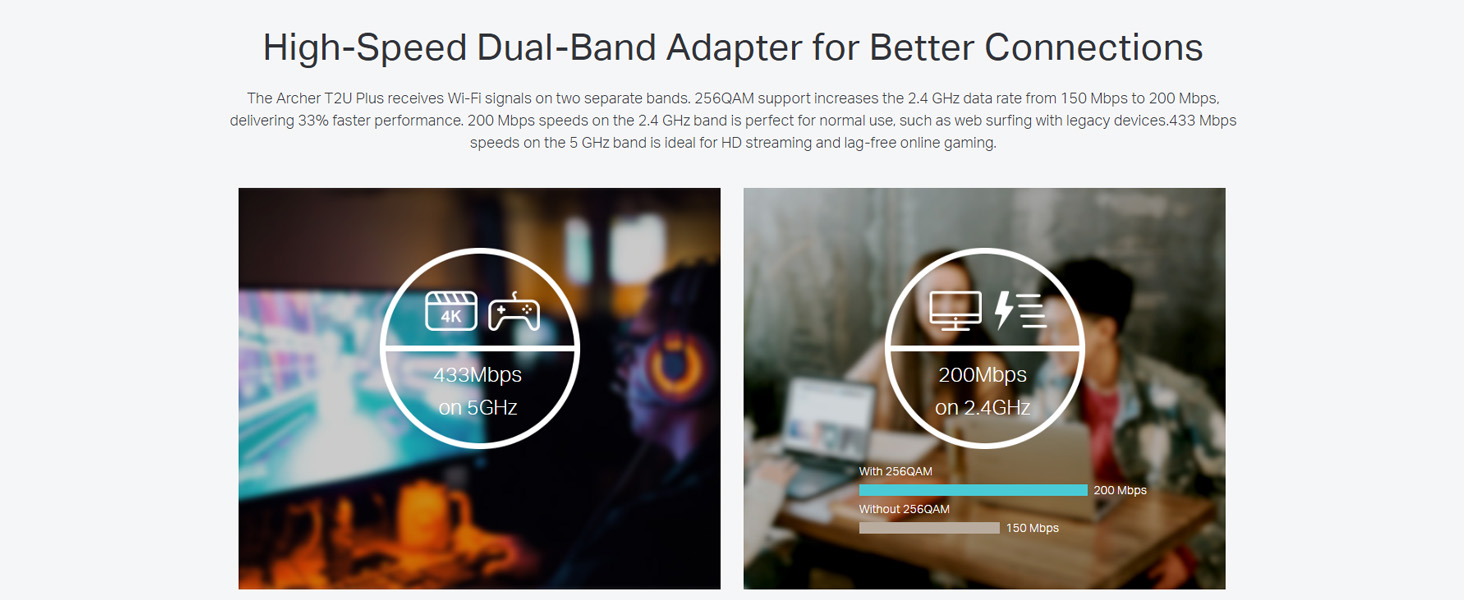
Image: A visual representation comparing the data rates and typical uses for the 2.4 GHz (200 Mbps) and 5 GHz (433 Mbps) bands.
5.3 Nastavitev antene
The adapter features an adjustable, multi-directional 5dBi high-gain antenna to optimize signal reception and transmission.
- Rotate and adjust the antenna in various directions to find the optimal position for signal strength and performance in your environment.
- Experiment with different angles to achieve the best possible Wi-Fi range and stability.

Image: The Archer T2U Plus adapter illustrating its adjustable antenna, capable of rotating up to 180 degrees and tilting 90 degrees for optimal signal.
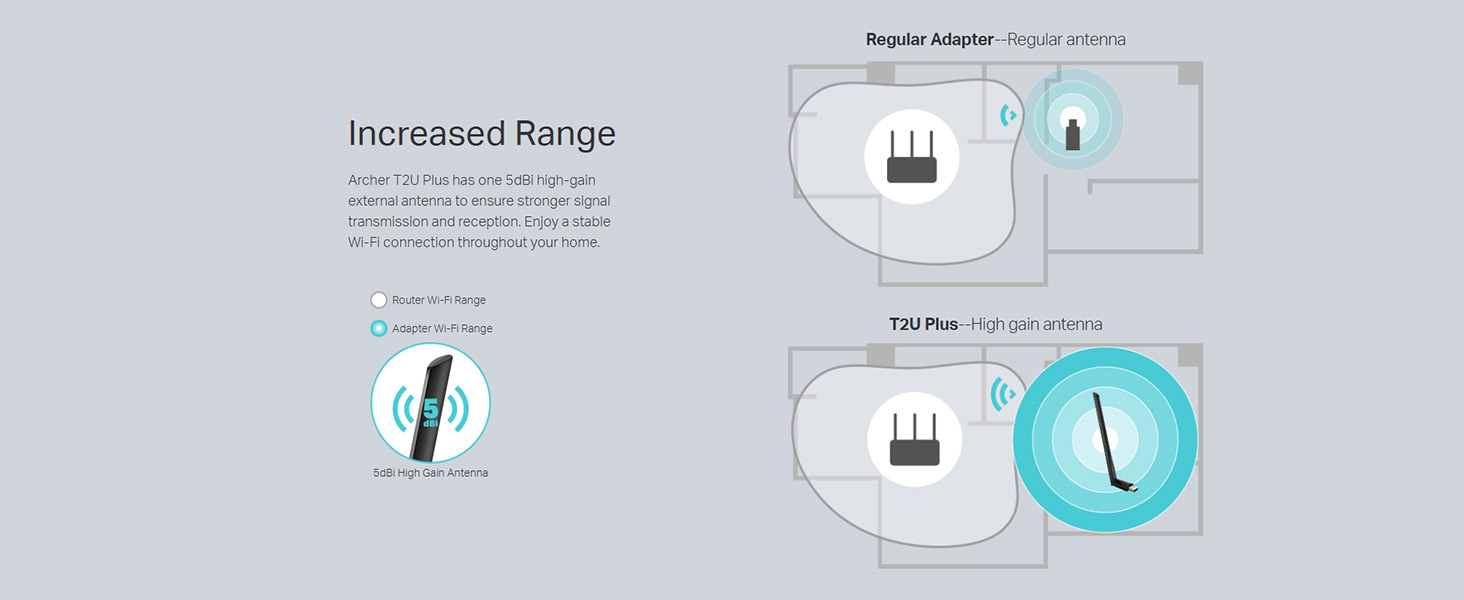
Image: A diagram comparing the Wi-Fi coverage area of a regular adapter with a standard antenna versus the extended range provided by the Archer T2U Plus's high-gain antenna.
6. Vzdrževanje
6.1 Posodobitve gonilnikov
Redno preverjajte podporo TP-Link website for updated drivers. Keeping your drivers current ensures optimal performance, compatibility, and security.
6.2 Čiščenje
To maintain the adapter's performance, keep it clean and free from dust. Use a soft, dry cloth to wipe the device. Avoid using liquid cleaners or solvents.
7. Odpravljanje težav
If you encounter issues with your Archer T2U Plus adapter, refer to the following common troubleshooting steps:
- Ni povezave Wi-Fi:
- Prepričajte se, da je adapter varno priključen v vrata USB.
- Preverite, ali so gonilniki pravilno nameščeni. Po potrebi jih znova namestite.
- Preverite, ali je vaš usmerjevalnik vklopljen in oddaja signal Wi-Fi.
- Poskusite se povezati z drugimi vrati USB.
- Počasna hitrost Wi-Fi-ja:
- Ensure you are connected to the 5 GHz band if your router supports it, for faster speeds.
- Za boljši sprejem signala prilagodite položaj antene.
- Zmanjšajte motnje tako, da adapter premaknete stran od drugih elektronskih naprav.
- Posodobite gonilnike adapterja na najnovejšo različico.
- Adapter ni bil zaznan:
- Try plugging the adapter into another USB port.
- Znova zaženite računalnik.
- Manually install the drivers from the Resource CD or TP-Link webmesto.
8. Specifikacije
| Znamka | TP-Link |
| Model | Archer T2U Plus |
| Strojni vmesnik | USB, USB 2.0 |
| Hitrost prenosa podatkov | 600 Megabits Per Second (200 Mbps on 2.4 GHz, 433 Mbps on 5 GHz) |
| Vrsta antene | 5dBi High-Gain External Antenna |
| Združljivi operacijski sistemi | Windows 11/10/8.1/8/7/XP, Mac OS 10.15 and earlier |
| Mere izdelka (D x Š x V) | 5.8 D x 1.8 Š x 17.3 V centimetrov |
| Teža predmeta | 12 gramov |
| barva | Črna |
9. Garancija in podpora
9.1 Informacije o garanciji
Ta izdelek je opremljen z 3-letna garancija od datuma nakupa. Za uveljavljanje garancije shranite dokazilo o nakupu. Garancija krije proizvodne napake in okvare pri normalnih pogojih uporabe.
9.2 Tehnična podpora
For technical assistance, driver downloads, or further inquiries, please contact TP-Link support:
- Brezplačna podpora: 1800-209-4168
- Podpora po e-pošti: support.in@tp-link.com
- Webspletno mesto: www.tp-link.com/in/support/


