
1. Uvod
Thank you for choosing the KWANWA Digital Alarm Clock, Model KW616-3N. This manual provides detailed instructions for setting up, operating, and maintaining your new clock. Designed for clear visibility and convenience, this battery-operated clock features an 8-inch extra-large LED display with 3-inch digits, adjustable brightness, and versatile placement options.

Figure 1: KWANWA Digital Alarm Clock (Model KW616-3N) with large red LED display.
2. Značilnosti izdelka
- Lahko berljiv zaslon: 3-inch huge LED time display against a large black backlit screen for excellent visibility.
- Napajanje na baterije: Operates on 2 D-cell batteries (not included), eliminating messy cords and allowing flexible placement.
- Vsestranska postavitev: Features two unfoldable stand legs for table-top use and three wall-mounting hang holes for wall installation.
- Nastavljiva svetlost: Offers 3-level manual brightness adjustment and an automatic night mode (8 PM - 6 AM) to dim the display.
- Visoka natančnost: Maintains time accuracy within ±30 seconds per month.
- Dnevni alarm: Includes a daily alarm with a gradually increasing volume for up to 2 minutes.
3. Vsebina paketa
- KWANWA Digital Alarm Clock (Model KW616-3N)
- Uporabniški priročnik
4. Nastavitev
4.1. Namestitev baterije
- Poiščite predal za baterije na zadnji strani ure.
- Odprite pokrov prostora za baterije.
- Insert two (2) D-cell alkaline batteries (not included), ensuring correct polarity (+/-).
- Trdno zaprite pokrov prostora za baterije.
4.2. Umestitev
The clock offers two convenient placement options:
- Table-top: Unfold the two stand legs located on the back of the clock to place it on a desk, table, bedside, or nightstand.
- Montaža na steno: Use the three wall-mounting hang holes on the back of the clock to securely hang it on a wall.
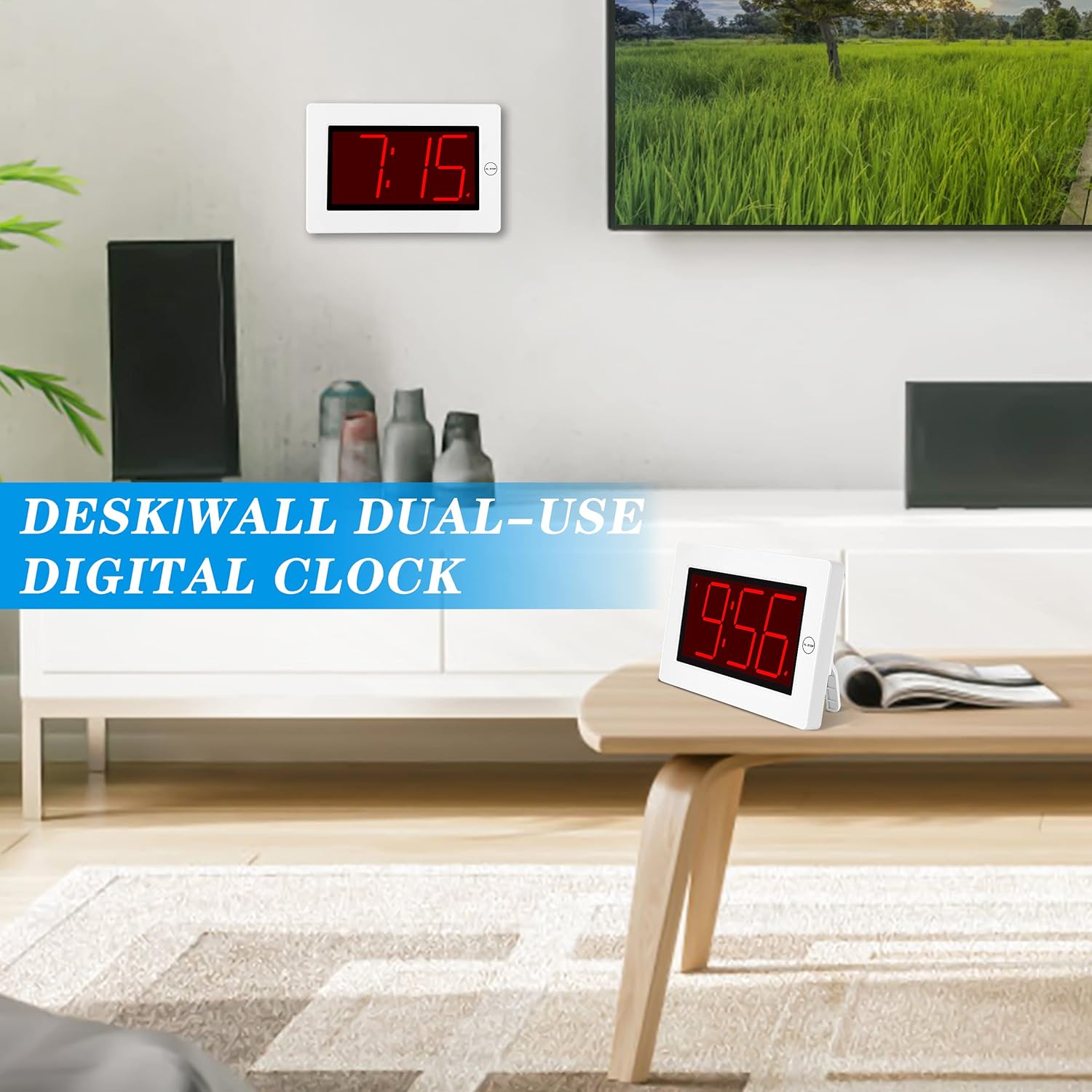
Figure 2: The clock can be used as a table-top or wall-mounted device.
5. Navodila za uporabo
All control buttons are located on the back of the clock for easy access.

Slika 3: Zadaj view of the clock with labeled control buttons.
5.1. Nastavitev časa
- Pritisnite in držite ČAS NAST 2 sekunde držite gumb , da vstopite v način nastavitve časa. Številke za ure bodo utripale.
- Pritisnite URA gumb za nastavitev ure.
- Pritisnite MIN gumb za prilagoditev minut.
- Pritisnite ČAS NAST ponovno za potrditev in izhod.
5.2. Nastavitev alarma
- Pritisnite in držite ALARM NASTAVLJEN 2 sekunde držite gumb , da vstopite v način nastavitve alarma. Številke ure alarma bodo utripale.
- Pritisnite URA gumb za nastavitev budilke.
- Pritisnite MIN gumb za nastavitev minut alarma.
- Pritisnite ALARM NASTAVLJEN ponovno za potrditev in izhod.
5.3. Alarm On/Off & Snooze
- Vklop/izklop alarma: Pritisnite VKLOP / IZKLOP ALARMA button on the back to activate or deactivate the alarm. An alarm icon will appear/disappear on the display.
- Preložitev: Ko se oglasi alarm, pritisnite veliko AL STOP button on the top of the clock to activate snooze. The alarm will pause for a short period and sound again later.
- Ustavi alarm: To stop the alarm for the day, press any button on the back of the clock.

Figure 4: Interacting with the alarm and snooze button.
5.4. Nastavitev svetlosti
The clock offers both manual and automatic brightness control:
- Manual Dimmer: Pritisnite MANUAL DIMMER button on the back to cycle through 3 brightness levels (High, Medium, Low) or turn the display OFF.
- Samodejna zatemnitev: The clock automatically dims the LED display between 8 PM and 6 AM to protect your eyes and save energy. This feature can be toggled ON/OFF using the AUTO DIMMER ON/OFF gumb na zadnji strani.

Figure 5: Visual representation of the three brightness levels.
5.5. Poletni čas (DST)
Pritisnite poletni čas button on the back to adjust the time for Daylight Saving Time. This will advance or set back the time by one hour.
5.6. Prilagoditev glasnosti
Uporabite GLASNOST button on the back to adjust the alarm volume to your preference.
6. Vzdrževanje
- Clean the clock's exterior with a soft, dry cloth. Avoid using abrasive cleaners or solvents.
- Če ure ne boste uporabljali dalj časa, odstranite baterije, da preprečite puščanje.
7. Odpravljanje težav
- Display is dim or off: Check battery levels and replace if necessary. Ensure the manual dimmer is not set to 'OFF' or the lowest setting.
- Alarm se ne oglasi: Verify that the alarm is activated (alarm icon visible on display). Check the alarm volume setting.
- Napačen čas: Re-set the time following the instructions in section 5.1. Ensure DST setting is correct for your region.
8. Specifikacije
| Funkcija | Podrobnost |
|---|---|
| Znamka | KWANWA |
| Številka modela | KW616-3N |
| Vrsta zaslona | Digitalna LED |
| Velikost zaslona | 8 inches (3-inch digits) |
| Dimenzije izdelka | 8.7 cm Š x 5.6 cm V |
| Vir napajanja | Battery Powered (2 D batteries required) |
| Vrsta namestitve | Table-top/Wall-mounted |
| Material | Plastika |
| Teža predmeta | 11.7 unč |
| Posebna funkcija | Cordless, Adjustable Brightness, Alarm |
9. Garancija in podpora
This product comes with a limited warranty. For warranty claims, technical support, or any inquiries regarding your KWANWA Digital Alarm Clock, please contact KWANWA customer service at sales@us-myhome.com.