Uvod
This user manual provides comprehensive instructions for the setup, operation, maintenance, and troubleshooting of your Alienware M15 Gaming Laptop. Please read this manual thoroughly to ensure optimal performance and longevity of your device. For additional support, refer to the official Alienware support resources.
Konec izdelkaview
Ključne značilnosti
- 8th Generation Intel Core i7-8750H (6-Core, 9MB Cache, up to 4.1GHz w/ Turbo Boost)
- 15.6" FHD (1920 x 1080) 60Hz Anti-glare IPS, 300-nits 72% Color gamut, narrow-border Display
- 16GB, 2x8GB, DDR4, 2666MHz RAM
- 128GB PCIe M.2 SSD + 1TB (+8GB SSHD) Hybrid Drive
- Nvidia GeForce GTX 1060 with 6GB GDDR5 Graphics Card
- Operacijski sistem Windows 10 Home
Fizične komponente

Slika 1: Spredaj view of the Alienware M15 laptop, showcasing the display with the Alienware logo.

Slika 2: Od zgoraj navzdol view of the open Alienware M15 laptop, highlighting the keyboard layout and touchpad.

Slika 3: Leva stran view of the Alienware M15 laptop, showing various ports such as USB 3.0.
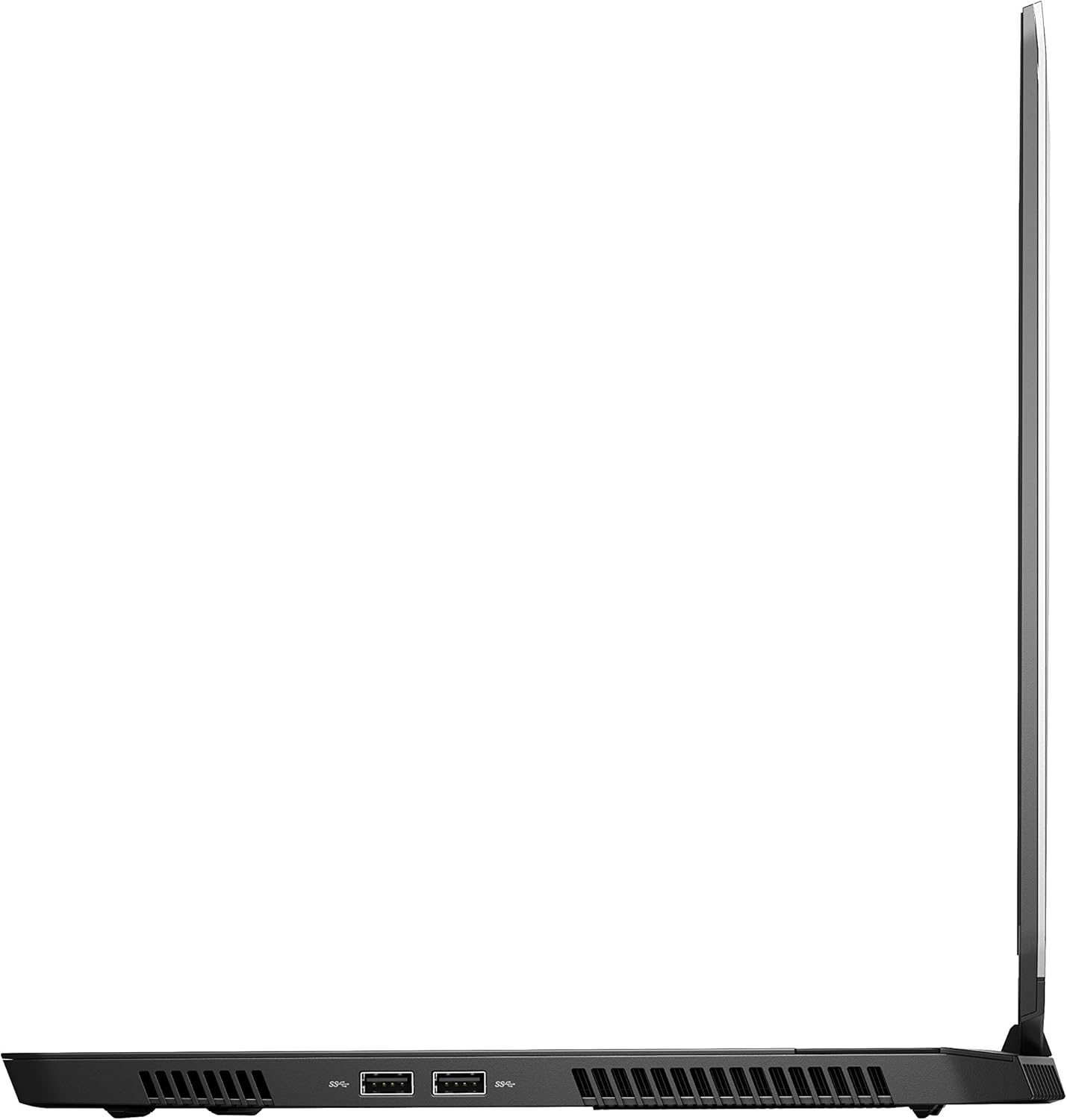
Slika 4: Desna stran view of the Alienware M15 laptop, displaying additional ports and ventilation.

Slika 5: Eksplodiral view illustrating the internal cooling system of the Alienware M15 laptop, including fans and heat sinks.
Nastavitev
Razpakiranje
Previdno vzemite vse komponente iz embalaže. Prepričajte se, da so prisotni naslednji elementi:
- Alienware M15 Gaming Laptop
- Napajalni kabel
- 180W napajalnik
Začetni vklop
- Priključite napajalnik na vhodno vtičnico za napajanje prenosnika.
- Priključite napajalni kabel v stensko vtičnico.
- Open the laptop lid and press the power button, typically located on the top right of the keyboard deck or a dedicated button on the chassis.
- Sledite navodilom na zaslonu, da dokončate postopek namestitve sistema Windows 10 Home, vključno z izbiro jezika, omrežno povezavo in ustvarjanjem uporabniškega računa.
Navodila za uporabo
Osnovno delovanje
Your Alienware M15 laptop runs on Windows 10 Home. Familiarize yourself with the operating system's interface. The keyboard features customizable backlighting via Alienware's software. The touchpad supports multi-touch gestures for navigation.
Igralna zmogljivost
The Alienware M15 is designed for high-performance gaming. For optimal gaming experience, ensure the laptop is connected to the power adapter. This allows the system to utilize its full power capabilities for the CPU and GPU. While gaming, the laptop may generate significant heat; this is normal for high-performance hardware. Consider using a cooling pad for extended gaming sessions to enhance thermal management.
Vzdrževanje
Čiščenje
- zaslon: Uporabite mehko krpo, ki ne pušča vlaken, dampz vodo ali čistilom za zaslone. Izogibajte se agresivnim kemikalijam.
- Tipkovnica in ohišje: Use a soft brush or compressed air to remove dust from keys and vents. Wipe surfaces with a microfiber cloth.
- Pristanišča: Use compressed air to clear dust from USB, HDMI, and other ports.
Posodobitve programske opreme
Regularly update your Windows operating system, graphics drivers (NVIDIA GeForce), and Alienware software. Updates often include performance improvements, security patches, and bug fixes. Access Windows updates through Settings > Update & Security. Graphics drivers can be updated via the NVIDIA GeForce Experience application.
Skrb za baterijo
To maximize battery lifespan, avoid consistently discharging the battery completely. For prolonged use while plugged in, consider using battery management features (if available in Alienware Command Center) to limit charging to 80-90% capacity.
Odpravljanje težav
This section addresses common issues you might encounter with your Alienware M15 laptop.
| Težava | Možen vzrok/rešitev |
|---|---|
| Laptop gets excessively hot during use. | High-performance components generate heat. Ensure ventilation vents are clear. Use a cooling pad. Update graphics drivers. |
| "No media present" error or SSD/HDD not detected. | This can sometimes be a temporary software glitch. Try restarting the laptop. If persistent, ensure the power cable is securely connected and try a hard reboot (unplug power, hold power button for 15 seconds, then reconnect and power on). If the issue persists, contact support. |
| Wi-Fi connection drops frequently. | Ensure Wi-Fi drivers are up to date. Check for interference from other devices. Restart your router and the laptop. If the issue persists, consider reinstalling Wi-Fi drivers or contacting support. |
| System performance is slow or lagging. | Ensure the laptop is plugged into power for full performance. Close unnecessary background applications. Check for malware. Ensure sufficient free space on the SSD/HDD. |
Specifikacije
Detailed technical specifications for the Alienware M15 Gaming Laptop (Model: AWM15-7830SLV-PUS).
| Funkcija | Podrobnost |
|---|---|
| Velikost prikaza stalnega zaslona | 15.6 palcev |
| Ločljivost zaslona | 1920 x 1080 slikovnih pik |
| Največja ločljivost zaslona | 1920 x 1080 slikovnih pik |
| Procesor | 4.1 GHz core_i7_8750h |
| RAM | 16 GB DDR4 |
| Hitrost pomnilnika | 2666 MHz |
| Trdi disk | 1000 GB 128GB PCIe M.2 SSD + 1TB (+8GB SSHD) Hybrid Drive |
| Grafični koprocesor | NVIDIA GeForce GTX 1060 |
| Blagovna znamka čipov | NVIDIA |
| Opis kartice | Predano |
| Velikost RAM-a grafične kartice | 6 GB |
| Brezžična vrsta | 802.11a/b/g/n |
| Število vrat USB 3.0 | 3 |
| Znamka | Alienware |
| serija | AWm15-7830SLV-PUS |
| Številka modela artikla | AWM15-7830SLV-PUS |
| Operacijski sistem | Windows 10 Home |
| Teža predmeta | 4.8 funtov |
| Dimenzije izdelka | 10.8 x 14.3 x 0.8 palcev |
| barva | Črna |
| Znamka procesorja | Intel |
| Število procesorjev | 6 |
| Vrsta pomnilnika računalnika | DDR4 SDRAM |
| Velikost bliskovnega pomnilnika | 16 |
| Vmesnik trdega diska | Solid State |
| Hitrost vrtenja trdega diska | 5400 RPM |
| Vrsta optičnega pogona | Brez optičnega pogona |
| voltage | 240 volta |
| Baterije | Potrebna je 1 litijeva kovinska baterija. (vključeno) |
| Prvič na voljo | 5. januar 2019 |
| Ime modela | AWm15-7830SLV-PUS |
| Velikost zaslona | 15.6 palcev |
| Velikost trdega diska | 1000 GB |
| Model procesorja | Core i7 8750H |
| Nameščena velikost pomnilnika Ram | 16 GB |
| Posebna funkcija | Premaz proti bleščanju |
Garancija in podpora
For detailed warranty information, please refer to the documentation included with your purchase or visit the official Alienware support website. For technical assistance, driver downloads, and further resources, please visit the Alienware support portal.
Na voljo je tudi uradni uporabniški priročnik (PDF) za prenos: Prenesite uporabniški priročnik v PDF obliki