
Edifier W860NB
Uporabniški priročnik za slušalke Edifier W860NB z aktivnim odpravljanjem šumov in Bluetooth aptX
1. Uvod
The Edifier W860NB are Active Noise Cancelling (ANC) Over-Ear Bluetooth aptX Headphones designed to provide an immersive audio experience by reducing external noise. Featuring smart touch controls and a comfortable over-ear design with 40mm neodymium drivers, these headphones offer extended battery life for continuous playback. This manual provides detailed instructions for setup, operation, maintenance, and troubleshooting to ensure optimal performance and longevity of your device.
2. Vsebina paketa
Prosimo, preverite, ali so v paketu prisotni vsi elementi:
- Slušalke Edifier W860NB
- Avdio kabel
- Clamshell Travel Case

Image: Edifier W860NB headphones neatly stored inside their protective clamshell travel case, ready for transport.
3. Izdelek je končanview
Familiarize yourself with the various components and controls of your Edifier W860NB headphones.

Slika: Jasna sprednja stran view of the Edifier W860NB headphones, highlighting their elegant gold finish and over-ear design.
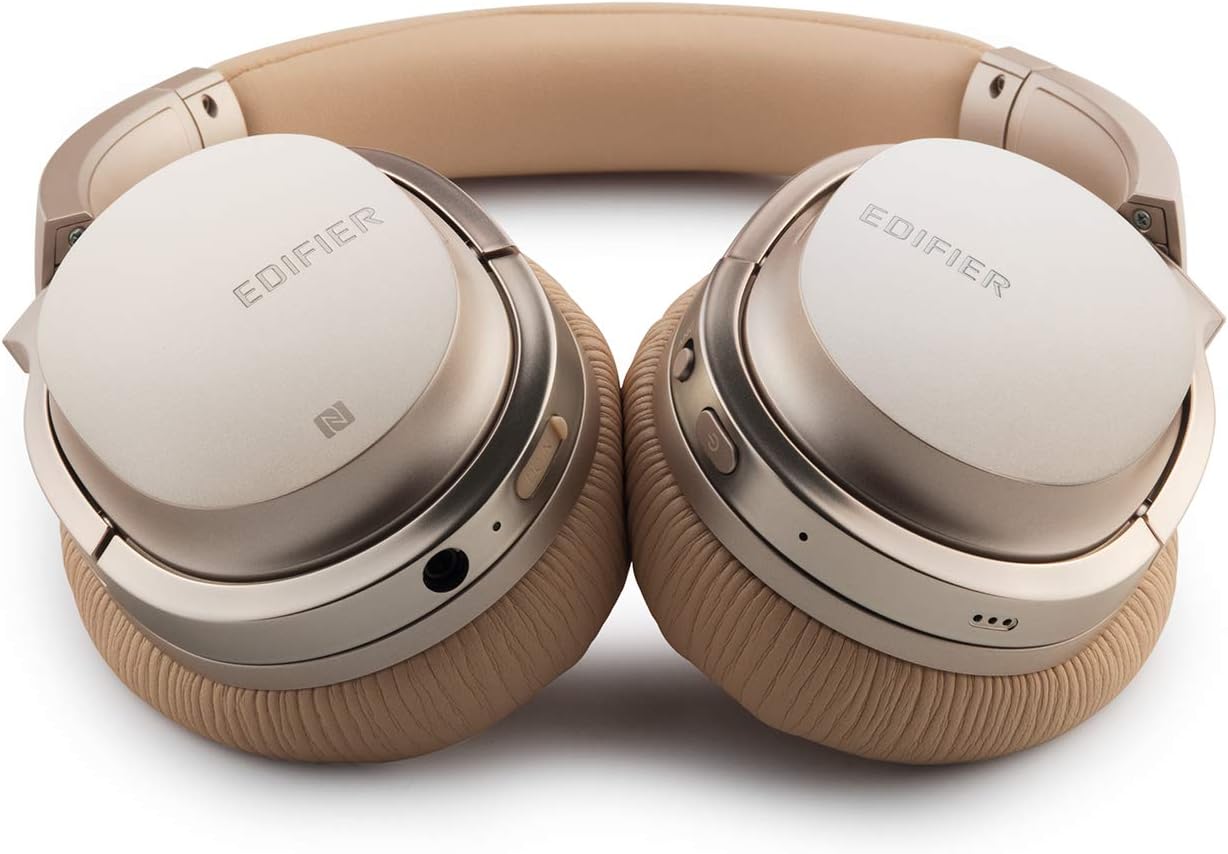
Image: A detailed shot of the right earcup, showing the power button, volume controls, and audio jack.

Image: A close-up on the plush, faux leather earcup, emphasizing the comfort-oriented design.

Image: The adjustable headband mechanism, showing the model designation 'W860NB' on the side.
4. Nastavitev
4.1 Polnjenje slušalk
Before first use, fully charge your headphones. Connect the provided USB charging cable to the charging port on the headphones and to a USB power source (e.g., computer USB port or wall adapter). The LED indicator will show charging status and turn off when fully charged. A full charge provides approximately 25 hours of playback with both Bluetooth and ANC active, or 45 hours with only wireless use.
4.2 Vklop/izklop
- Za vklop: Pritisnite in držite gumb za vklop, dokler ne zasveti LED indikator.
- Za izklop: Pritisnite in držite gumb za vklop, dokler LED indikator ne ugasne.
4.3 Bluetooth seznanjanje
- Prepričajte se, da so slušalke izklopljene.
- Press and hold the power button for approximately 5 seconds until the LED indicator flashes blue and red alternately, indicating pairing mode.
- V napravi (pametnem telefonu, tabličnem računalniku itd.) omogočite Bluetooth in poiščite razpoložljive naprave.
- Select "Edifier W860NB" from the list of found devices.
- Ko je naprava seznanjena, bo LED indikator počasi utripal modro.
NFC povezava: If your device supports NFC, simply tap your NFC-enabled phone against the NFC area on the left earcup to pair instantly.
4.4 žična povezava
To use the headphones with a wired connection, connect one end of the included 3.5mm audio cable to the audio jack on the headphones and the other end to your audio source. The headphones can be used passively in wired mode even if the battery is depleted.
5. Navodila za uporabo
5.1 Pametno upravljanje na dotik
The right earcup features smart touch controls for convenient operation:
- Povečaj glasnost: Swipe up on the earcup.
- Znižaj glasnost: Swipe down on the earcup.
- Predvajanje/pavza: Double-tap the earcup.
- Naslednja skladba: Swipe forward (towards the front of the earcup).
- Prejšnja skladba: Swipe backward (towards the back of the earcup).
5.2 Aktivno odpravljanje hrupa (ANC)
The W860NB headphones feature Active Noise Cancelling technology to reduce ambient noise.
- Aktiviraj ANC: Press the ANC button located on the earcup. The ANC indicator light will illuminate.
- Deaktiviraj ANC: Ponovno pritisnite gumb ANC. Indikatorska lučka ANC ugasne.
5.3 Upravljanje klicev
When connected to a smartphone, you can manage calls using the headphones:
- Sprejmi/končaj klic: Double-tap the earcup.
- Zavrni klic: Press and hold the earcup for 2 seconds.
6. Vzdrževanje
- Čiščenje: Za čiščenje slušalk uporabljajte mehko, suho krpo. Ne uporabljajte abrazivnih čistil ali topil.
- Shranjevanje: When not in use, store the headphones in the provided clamshell case to protect them from dust and damage. Avoid storing in extreme temperatures.
- Vzdrževanje baterije: Da podaljšate življenjsko dobo baterije, se izogibajte pogostemu popolnemu praznjenju baterije. Slušalke redno polnite, tudi če jih dalj časa ne uporabljate.
- Vodoodpornost: Te slušalke niso vodoodporne. Izogibajte se stiku s tekočinami.
7. Odpravljanje težav
| Težava | Možen vzrok | rešitev |
|---|---|---|
| Slušalke se ne vklopijo. | Baterija je skoraj prazna ali izpraznjena. | Slušalke povsem napolnite. |
| Seznanitev z napravo ni mogoča. | Headphones not in pairing mode; device Bluetooth off; too many paired devices. | Ensure headphones are in pairing mode (flashing blue/red). Turn device Bluetooth off/on. Clear Bluetooth list on device or headphones. |
| Brez zvoka. | Glasnost je prenizka; napačen vir zvoka; slušalke niso priključene. | Increase volume on headphones and device. Ensure headphones are properly paired or wired. Check audio output settings on device. |
| ANC ne deluje učinkovito. | ANC ni aktiviran; okoljski hrup je previsok. | Prepričajte se, da je ANC aktiviran (indikatorska lučka sveti). ANC je najučinkovitejši pri nizkofrekvenčnem, stalnem hrupu. |
| Upravljanje na dotik se ne odziva. | Temporary software glitch; dirty earcup surface. | Power off and on the headphones. Clean the earcup surface with a soft, dry cloth. |
8. Tehnične specifikacije
| Funkcija | Specifikacija |
|---|---|
| Ime modela | ed-w860nb-gold-us-fbm |
| Tehnologija povezljivosti | Brezžično (Bluetooth) |
| Brezžična komunikacijska tehnologija | Bluetooth 4.0 |
| Priključek za slušalke | 3.5 mm Jack |
| Nadzor hrupa | Aktivno odpravljanje hrupa |
| Nadzorna metoda | Dotik |
| Vrsta zvočnega gonilnika | Dinamični gonilnik |
| Frekvenčno območje | 20 Hz - 20,000 Hz |
| Oblika slušalke | Nad ušesi |
| Faktor oblike | Nad ušesi |
| Material | Plastika |
| barva | zlato |
| Teža predmeta | 1.76 funtov (800 gramov) |
| Dimenzije izdelka | 10 x 4 x 11 palcev |
| Baterije | 1 potrebna baterija |
| UPC | 875674004438 |
| Proizvajalec | Edifier |
| Prvič na voljo | 27. marec 2019 |
9. Garancija in podpora
9.1 Informacije o garanciji
The Edifier W860NB headphones come with a 1-year US and Canada Warranty. Please retain your proof of purchase for warranty claims. For specific terms and conditions, refer to the warranty card included with your product or visit the official Edifier webmesto.
9.2 Podpora strankam
For further assistance, technical support, or inquiries regarding your Edifier W860NB headphones, please visit the official Edifier support website or contact their customer service department. Contact details can typically be found on the Edifier webmestu ali v embalaži izdelka.
Ask a question about this manual
Ask about setup, troubleshooting, compatibility, parts, safety, or missing instructions. Manuals+ will review the question and use this page’s manual context to help answer it.