
Uvod
This manual provides detailed instructions for the installation, operation, and maintenance of your NEC SL2100 IP7WW-12TXH-B1 12-Button Display Speaker Telephone. Please read this manual thoroughly before using the telephone to ensure proper functionality and to prevent damage.
Varnostne informacije
Pri uporabi tega izdelka vedno upoštevajte osnovne varnostne ukrepe, da zmanjšate tveganje požara, električnega udara in poškodb oseb.
- Ne uporabljajte tega izdelka v bližini vode, nprample, v bližini kopalne kadi, umivalnika, kuhinjskega korita ali kadi za pranje perila, v mokri kleti ali blizu bazena.
- Izogibajte se uporabi telefona med nevihto. Obstaja majhna nevarnost električnega udara zaradi strele.
- Ne uporabljajte telefona za prijavo puščanja plina v bližini puščanja.
- Use only the power source specified in this manual or marked on the product. This telephone is powered by the phone system.
- Pred čiščenjem ta izdelek izključite iz stenske vtičnice. Ne uporabljajte tekočih čistil ali čistil v obliki aerosolov. Uporabite oglasamp krpo za čiščenje.
Vsebina paketa
Preverite, ali so v paketu prisotni vsi elementi:
- NEC SL2100 IP7WW-12TXH-B1 12-Button Display Speaker Telephone (Black)
- Slušalka
- Kabel slušalke
- Base Stand (for desk or wall mounting)
- Ethernet Cable (if applicable for IP connection)
Konec izdelkaview
The NEC SL2100 IP7WW-12TXH-B1 is a corded 12-button display speaker telephone designed for use with NEC SL2100 systems. It features a clear display for call information and menu navigation, a built-in speakerphone for hands-free communication, and 12 programmable function keys.
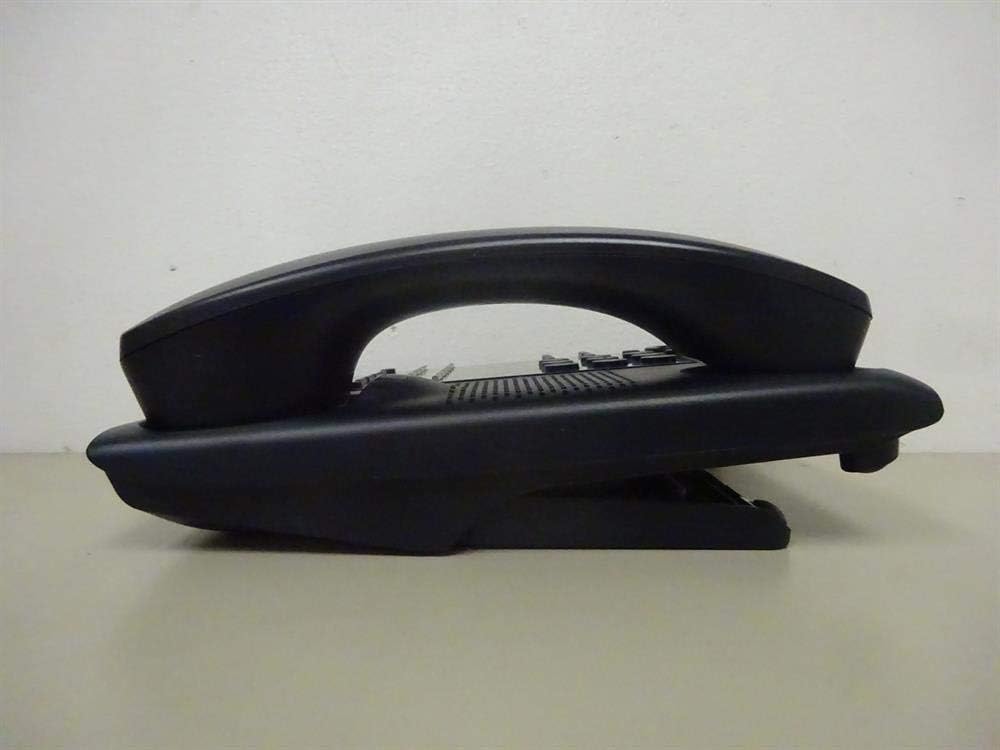
Slika 1: Stran view of the NEC SL2100 IP7WW-12TXH-B1 telephone, showing the ergonomic design of the handset and base unit.

Slika 2: Zadaj view of the telephone, illustrating the various connection ports for the handset and network, as well as the integrated wall-mounting slots.
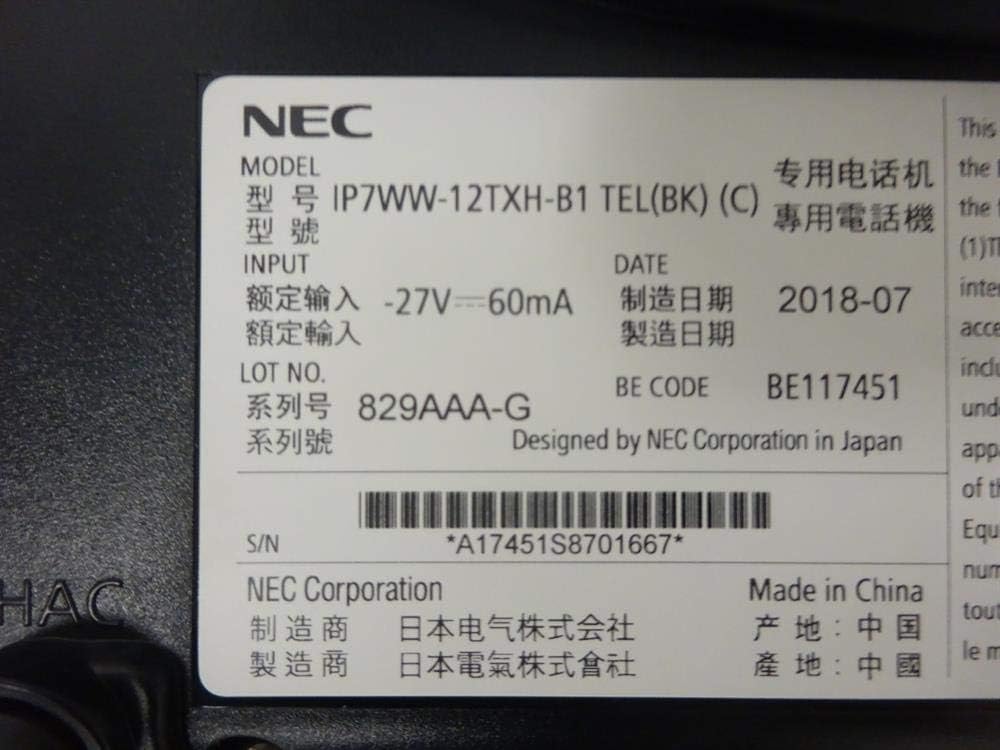
Slika 3: Close-up of the product label, displaying model number IP7WW-12TXH-B1, input specifications, and manufacturer details.
Nastavitev
1. Assembling the Telephone
- Pritrdite osnovno stojalo: Align the base stand with the slots on the bottom of the telephone. Slide it into place until it clicks securely. The stand can be adjusted for different viewing angles or reversed for wall mounting.
- Priključite slušalko: En konec zvitega kabla slušalke priključite v slušalko, drugega pa v za to namenjena vrata na strani telefonske baze.
2. Connecting to the System
This telephone is designed to connect to an NEC SL2100 system. Ensure your SL2100 system is properly installed and configured.
- Priključite omrežni kabel: Plug one end of an Ethernet cable into the LAN port on the back of the telephone. Plug the other end into an available port on your NEC SL2100 system or a network switch connected to the system.
- Vklop: The telephone receives power directly from the NEC SL2100 system (Power over Ethernet - PoE) or via a separate power adapter (not included, if PoE is not available). Once connected, the telephone should power on automatically.
- Začetna konfiguracija: The telephone will typically register with the SL2100 system automatically. If prompted, follow the on-screen instructions or consult your system administrator for specific extension number assignment or network settings.
Navodila za uporabo
Klicanje
- Dvignite ročico: Dvignite slušalko in poslušajte znak centrale.
- Pokliči številko: Z uporabo tipkovnice pokličite želeno telefonsko številko.
- Zvočnik: Pritisnite ZVOČNIK button to activate the speakerphone, then dial the number.
Prejemanje klicev
- Dvignite ročico: When the telephone rings, lift the handset to answer.
- Zvočnik: Pritisnite ZVOČNIK button to answer the call hands-free.
Uporaba zaslona
The display shows call information, menu options, and system status. Use the navigation buttons (usually arrow keys) to scroll through menus and the ENTER or IZBERI gumb za potrditev izbire.
Programmable Function Keys (12 Buttons)
The 12 buttons on the telephone can be programmed for various functions such as speed dial, line access, feature activation, or direct station selection. Consult your system administrator for the specific programming of these keys.
Konferenčni klici
The telephone supports 3-way conference calls. To initiate a conference call:
- Vzpostavite klic s prvo stranko.
- Pritisnite KONF (Conference) button or the designated programmable key. The first party will be put on hold.
- Pokličite številko druge osebe.
- Once connected to the second party, press the KONF button again to join all three parties.
ID klicatelja
When an incoming call is received, the caller's information (name and number, if available) will be displayed on the screen.
Večvrstično delovanje
This telephone supports multi-line operation, allowing you to manage multiple calls simultaneously. Use the designated line keys or programmable keys to switch between active lines or place calls on hold.
Vzdrževanje
Čiščenje
To clean the telephone, unplug it from the network connection. Use a soft, slightly damp cloth. Do not use harsh chemicals, abrasive cleaners, or excessive moisture. Avoid spraying cleaners directly onto the telephone.
Shranjevanje
If storing the telephone for an extended period, ensure it is clean and dry. Store it in a cool, dry place away from direct sunlight and extreme temperatures.
Odpravljanje težav
- Brez znaka centrale:
- Check all cable connections, especially the network cable to the SL2100 system.
- Ensure the SL2100 system is powered on and functioning correctly.
- If using a separate power adapter (not PoE), ensure it is properly connected and receiving power.
- Zaslon ne deluje:
- Verify the telephone is receiving power.
- Try disconnecting and reconnecting the network cable.
- Ne morem klicati/sprejemati klicev:
- Preverite znak centrale.
- Ensure the telephone is properly registered with the SL2100 system.
- Contact your system administrator to verify line assignments and system status.
- Slaba kakovost zvoka:
- Check handset and network cable connections.
- Prepričajte se, da ni motenj zaradi drugih elektronskih naprav.
- Test with another telephone if possible to isolate the issue.
Specifikacije
| Funkcija | Specifikacija |
|---|---|
| Znamka | NEC |
| Številka modela | IP7WW-12TXH-B1 (Mfr Part Number: BE117451) |
| barva | Črna |
| Vrsta telefona | Zrezani |
| Material | Plastika |
| Vir napajanja | Phone System (PoE compatible) |
| Vrsta klicalnika | Enojna tipkovnica |
| Mere predmeta (D x Š x V) | 15 x 12 x 6 palcev |
| Vrsta telefonskega odzivnika | Digital (System Dependent) |
| Združljive naprave | NEC SL2100 Systems, NEC SL2100 IP7WW-082U-B1 8 Port Digital Station Card |
| Zmogljivost konferenčnih klicev | 3-smerni |
| Večvrstično delovanje | ja |
| ID klicatelja | ja |
Garancija in podpora
For warranty information, please refer to the documentation provided with your NEC SL2100 system or contact your NEC authorized dealer. For technical support, please contact your system administrator or NEC customer service.
Korporacija NEC
For further assistance, please visit the official NEC website or contact your local support representative.


