
1. Pomembne varnostne informacije
Please read all instructions and safety warnings carefully before using the DOMAS TENS EMS Unit. Failure to follow these instructions may result in injury or device malfunction.
- Keep the device dry and away from water. Do not use while bathing or near water sources.
- Consult a healthcare professional before use, especially if you have pre-existing medical conditions, are pregnant, have a pacemaker, or any other implanted electronic device.
- Do not apply electrode pads over open wounds, rashes, swollen, red, infected, or inflamed skin areas.
- Do not apply electrode pads over the carotid sinus nerves (front of the neck), on the head, or directly over the heart.
- Hraniti izven dosega otrok.
- Prenehajte z uporabo, če opazite kakršne koli neželene učinke, kot so draženje kože, nelagodje ali omotica.
- Statements regarding this device have not been evaluated by the FDA and are not intended to diagnose, treat, cure, or prevent any disease or health condition.
2. Izdelek je končanview
The DOMAS Touch Screen TENS EMS Unit is a dual-channel muscle stimulator designed for temporary relief of pain associated with sore and aching muscles due to strain from exercise or normal household and work activities. It features a touch screen interface, 24 modes, and adjustable intensity levels.

Figure 2.1: The DOMAS Touch Screen TENS EMS Unit, showing the main device, electrode pads, and charging adapter.
2.1 Ključne lastnosti
- Zaslon na dotik: Intuitive interface for easy navigation and selection.
- 24 načini masaže: A variety of pre-programmed modes for different types of stimulation.
- 20 stopenj intenzivnosti: Customizable intensity to suit individual comfort and needs.
- Dvokanalni izhod: Allows for simultaneous treatment of two different body areas or two people.
- Nastavljiv časovnik: Sessions can be set from 10 to 60 minutes.
- USB za polnjenje: Built-in lithium battery for convenient charging.
- Prenosna zasnova: Compact and lightweight for use at home or on the go.
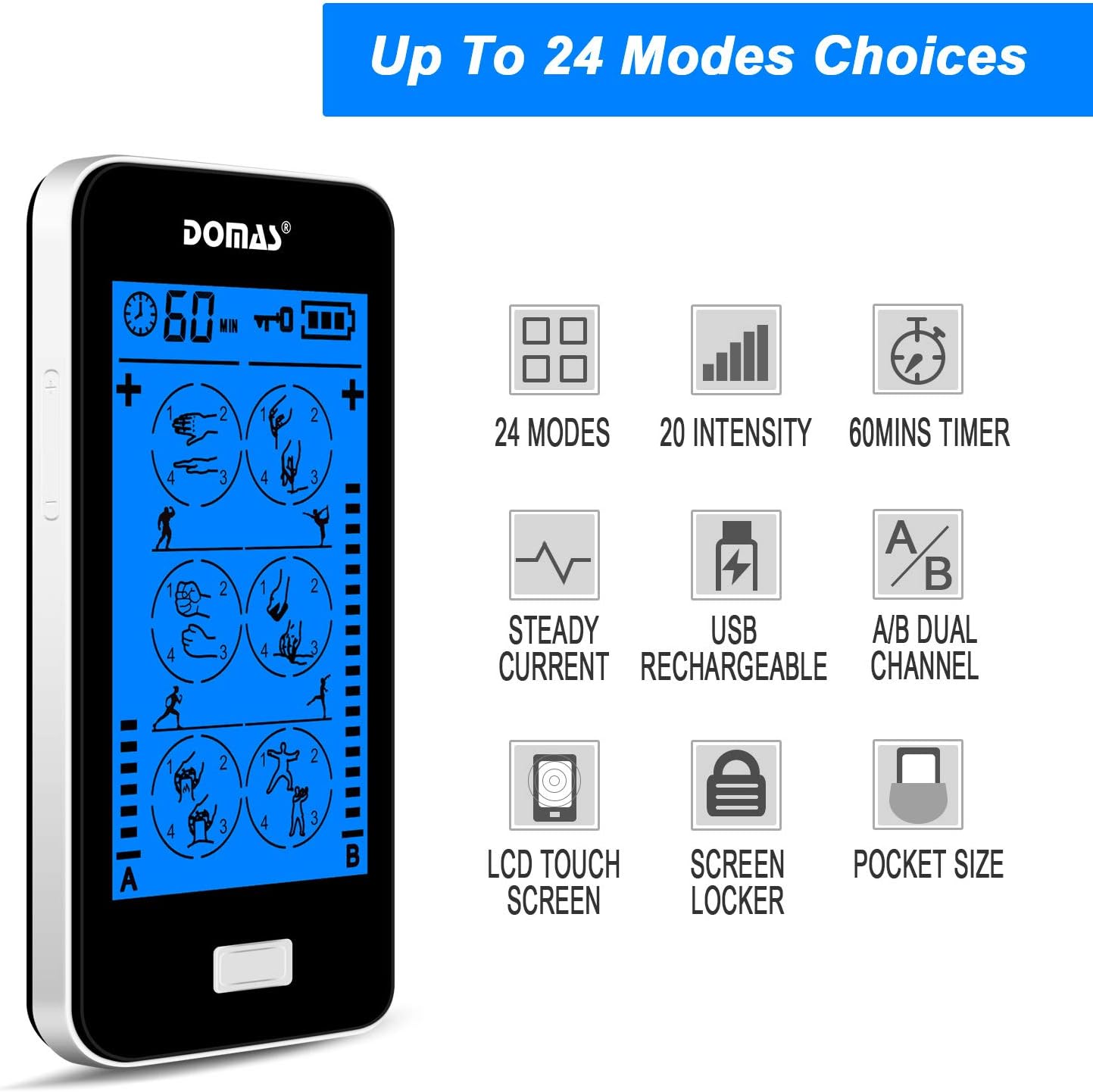
Figure 2.2: Visual representation of the unit's key features, including mode count, intensity levels, and portability.
2.2 Vsebina paketa
Upon opening your DOMAS TENS EMS Unit package, please ensure all the following items are present:
- DOMAS Touch Screen TENS EMS Unit
- Electrode Pads (various sizes)
- Svinčene žice
- USB polnilni kabel
- AC adapter
- Pad Holder/Storage Pouch
- Navodila za uporabo

Figure 2.3: All components included in the DOMAS TENS EMS Unit package.
2.3 Komponente naprave
Familiarize yourself with the different parts of your TENS EMS unit:

Figure 2.4: Labeled diagram of the DOMAS TENS EMS Unit's external features.
- A & B Dual-output Channel: Ports for connecting lead wires to electrode pads.
- Prikaz časovnika: Shows remaining treatment time.
- Gumb za vklop/izklop: Za vklop ali izklop naprave.
- Gumbi za nastavitev intenzivnosti (+/-): To increase or decrease stimulation intensity for each channel.
- Gumb za zaklepanje: To prevent accidental changes during use.
- Rechargeable USB Port: Za polnjenje naprave.
- Zaslon na dotik: Main interface for mode selection and settings.
3. Nastavitev
Follow these steps to prepare your DOMAS TENS EMS Unit for use:
3.1 Polnjenje naprave
- Connect the USB charging cable to the device's USB port.
- Drugi konec kabla USB priključite v napajalnik.
- Insert the AC adapter into a standard wall outlet.
- Indikator baterije na zaslonu bo prikazoval stanje polnjenja. Pred prvo uporabo popolnoma napolnite.

Figure 3.1: Connecting the USB charging cable to the device.
3.2 Priklop elektrod
- Prepričajte se, da je naprava izklopljena.
- Connect the lead wires to the electrode pads by snapping them onto the metal studs.
- Plug the lead wires into the A and/or B output ports on the top of the device.

Figure 3.2: Attaching the lead wire to an electrode pad.
3.3 Nameščanje elektrod
- Clean and dry the skin area where you intend to place the pads.
- Carefully peel the transparent protective film from the adhesive side of the electrode pads. Retain the film for storage.
- Place the pads firmly on the desired treatment area. Ensure good skin contact.

Figure 3.3: Visual guide for connecting pads and applying them to the skin.
4. Navodila za uporabo
Once the device is set up, follow these steps to begin your therapy session:
- Vklopi: Press and hold the Power ON/OFF button located on the top of the device until the screen illuminates.
- Izberite način: The touch screen will display various massage modes. Tap on your desired mode icon to select it. The device offers 24 different modes, each providing a unique stimulation pattern.
- Prilagodite intenzivnost: Use the '+' and '-' buttons on the sides of the device to adjust the intensity level for Channel A and Channel B independently. Start with the lowest intensity and gradually increase until you feel a comfortable, yet effective, sensation. Avoid increasinintenzivnost g na neprijetno raven.
- Nastavi časovnik: The default session time is usually 20 minutes. You can adjust the timer by tapping the timer icon on the screen and selecting your preferred duration (e.g., 10, 20, 30, 40, 50, 60 minutes).
- Lock Screen (Optional): To prevent accidental changes during a session, press the Lock button. The screen will lock, and a lock icon will appear. Press it again to unlock.
- Konec seje: The device will automatically turn off once the timer expires. To manually end a session, press and hold the Power ON/OFF button.

Figure 4.1: The touch screen interface showing available massage modes and settings.
4.1 Mode Selection Guide
The unit offers 24 distinct modes. Experiment with different modes to find what works best for your specific needs and comfort. Common mode categories include:
- Masaža: Gentle, rhythmic pulses for relaxation.
- gnetenje: Deeper, more intense pressure simulation.
- Acupuncture: Sharp, tapping sensations.
- Cupping: Suction-like sensation.
- Strganje: Gliding, scraping sensation.
- Tapkanje: Quick, light pulses.

Slika 4.2: Npramples of body areas suitable for TENS EMS therapy and the variety of modes available.
5. Vzdrževanje
Proper care and maintenance will extend the life of your DOMAS TENS EMS Unit and its accessories.
5.1 Čiščenje naprave
- Turn off the device and disconnect all wires before cleaning.
- Napravo obrišite z mehko damp krpo. Ne uporabljajte abrazivnih čistil in naprave ne potapljajte v vodo.
- Pred shranjevanjem ali naslednjo uporabo se prepričajte, da je naprava popolnoma suha.
5.2 Nega elektrod
- After each use, gently remove the pads from your skin.
- Place the adhesive side of the pads back onto the transparent protective film.
- Store the pads in the provided storage pouch to keep them clean and prevent drying out.
- If pads lose their stickiness, gently wipe the adhesive surface with a damp cloth and let air dry. Replace pads when they no longer adhere well to the skin.
5.3 Shranjevanje
- Napravo in dodatno opremo shranjujte na hladnem in suhem mestu, stran od neposredne sončne svetlobe in ekstremnih temperatur.
- Keep the device and pads in the provided storage pouch or a clean, dry container.
6. Odpravljanje težav
If you encounter issues with your DOMAS TENS EMS Unit, refer to the following common troubleshooting tips:
| Težava | Možen vzrok | rešitev |
|---|---|---|
| Naprava se ne vklopi. | Prazna baterija ali naprava ni napolnjena. | Charge the device fully using the provided USB cable and AC adapter. |
| Brez občutka ali šibek občutek. |
|
|
| Pads lose stickiness quickly. | Skin is oily or dirty; pads are drying out. | Clean skin thoroughly before application. After use, place pads back on the protective film and store in the pouch. Gently wipe adhesive with a damp cloth if needed. Replace pads when necessary. |
| Zaslon se ne odziva ali zamrzne. | Začasna programska napaka. | Press and hold the Power ON/OFF button for 10-15 seconds to perform a hard reset. If the issue persists, contact customer support. |
| Discomfort or skin irritation. | Intensity too high; allergic reaction to pads; improper pad placement. | Decrease intensity immediately. Discontinue use if irritation persists. Ensure pads are not placed over sensitive or broken skin. Try different pad placement. |
7. Specifikacije
Technical details for the DOMAS Touch Screen TENS EMS Unit:
- Številka modela: 898a53b9-6ac2-4d6b-9e0a-edbe601818f0
- vir energije: Napajanje na baterije (USB za polnjenje)
- Material: Plastika
- Kanali: Dual Output (A & B)
- Načini: 24
- Stopnje intenzivnosti: 20
- Časovnik: Adjustable (e.g., 10-60 minutes)
- Dimenzije: Približno 6.06 x 3.54 x 3.07 palca
- Teža: Približno 15.2 unč
- Proizvajalec: DOMAS
8. Garancija in podpora
DOMAS is committed to providing high-quality products. For specific warranty information, please refer to the warranty card included in your product packaging or contact DOMAS customer support directly.
8.1 Podpora strankam
If you have any questions, require assistance, or experience issues not covered in this manual, please contact DOMAS customer support. Contact details can typically be found on the product packaging, the official DOMAS webspletnega mesta ali prek vaše nakupovalne platforme.