
1. Uvod
The Viotek GN32DB is a 32-inch curved gaming monitor designed to deliver an immersive visual experience. It features a WQHD (2560x1440p) resolution, a 144Hz refresh rate, and AMD FreeSync technology, ensuring smooth and responsive gameplay. This manual provides essential information for setting up, operating, maintaining, and troubleshooting your monitor.

Image: The Viotek GN32DB monitor showcasing its 144Hz WQHD display capabilities.
2. Nastavitev
2.1 Razpakiranje in sestavljanje
Carefully remove the monitor and all components from the packaging. Ensure all parts are present before proceeding with assembly. Attach the stand base to the stand neck, then secure the assembled stand to the back of the monitor using the provided screws. The monitor also supports VESA mounting (75x75mm) for alternative installation options.
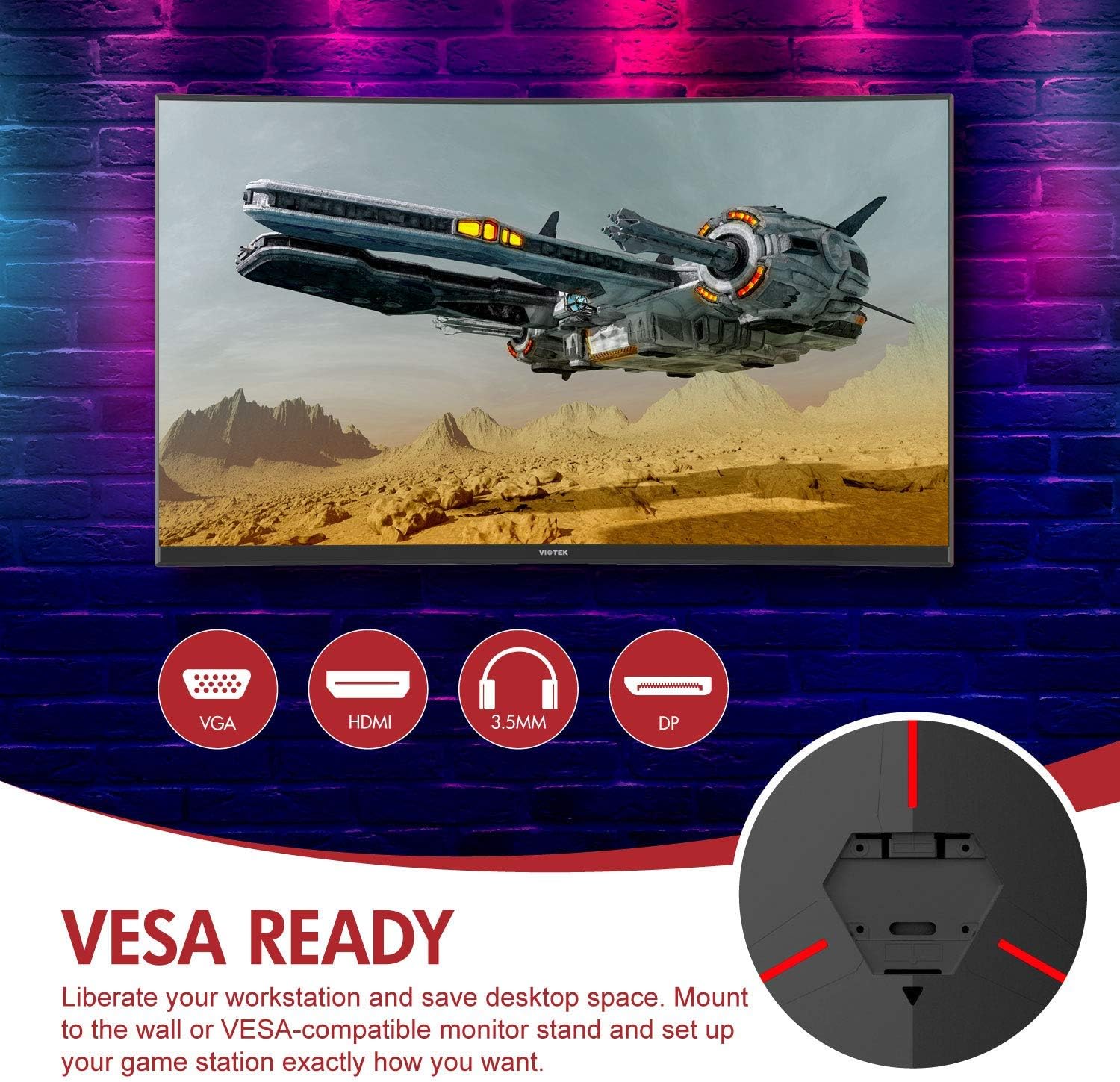
Slika: Zadaj view of the monitor highlighting VESA compatibility and available ports.
2.2 Povezovanje z napravo
Connect your computer or gaming console to the monitor using one of the available input ports:
- DisplayPort (DP 1.2): For optimal performance, including 144Hz refresh rate and FreeSync.
- HDMI (HDMI 2.0): Supports high-resolution and refresh rates.
- DVI: Za združljive naprave.
Connect the power adapter to the monitor and then to a power outlet. The monitor also features a 3.5mm audio output jack for external sound systems.

Slika: Podrobna view of the monitor's rear panel with input ports.
3. Upravljanje monitorja
3.1 Vklop/izklop
Pritisnite gumb za vklop/izklop na monitorju, da ga vklopite ali izklopite. Indikatorska lučka napajanja bo prikazovala stanje monitorja.
3.2 Zaslonski meni (OSD)
Navigate the OSD menu using the buttons or joystick (if present) on the monitor. The OSD allows you to adjust various settings:
- Nastavitve slike: Prilagodite svetlost, kontrast, ostrino in barvno temperaturo.
- Barvni načini: Izberite med vnaprej določenimi barvnimi programifiles ali prilagodite svoje.
- Vir vhoda: Manually select the active input (DP, HDMI, DVI).
- Avdio: Adjust volume for the 3.5mm audio output.
3.3 Igralne funkcije
- AMD FreeSync: This technology synchronizes the monitor's refresh rate with your GPU's frame rate to eliminate screen tearing and stuttering. Ensure FreeSync is enabled in both the monitor's OSD and your graphics card settings.
- FPS/RTS Modes: Optimize display settings for specific game genres.
- Igra Plus: Activate on-screen crosshairs for improved aiming accuracy.

Image: Visual demonstration of AMD FreeSync technology in action.
3.4 Low Blue Light Mode
Activate the Low Blue Light mode to reduce blue light emissions, which can help minimize eye strain during extended use.
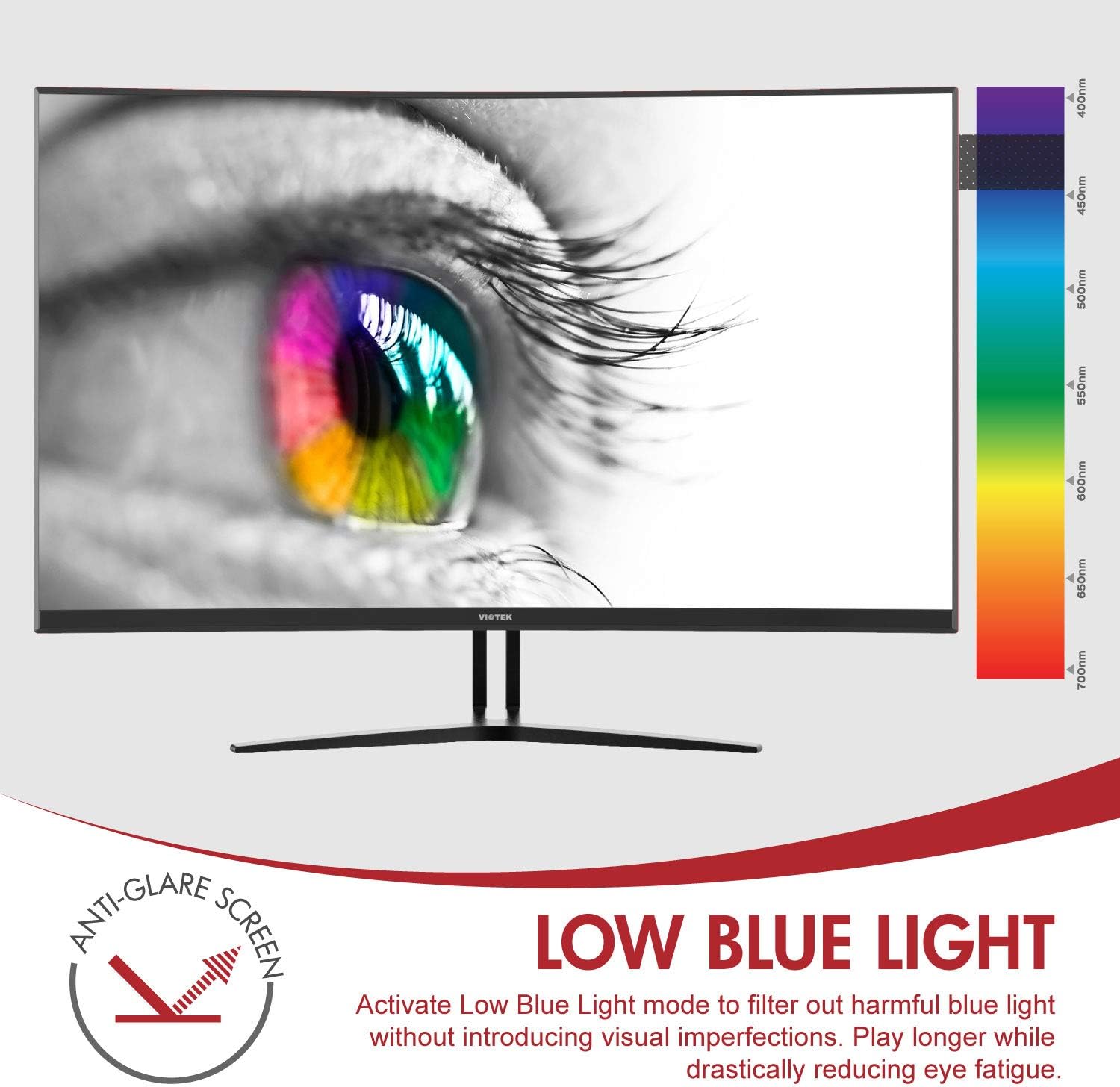
Image: The monitor's Low Blue Light feature for eye comfort.
3.5 Console Compatibility
The GN32DB is compatible with various gaming consoles, including Xbox One S/X and PlayStation 4, via DP 1.2 or HDMI connections. Enjoy FreeSync compatibility with supported Xbox consoles for smoother gameplay.

Image: Monitor compatibility with gaming consoles and adjustable tilt angle.
4. Vzdrževanje
To ensure the longevity and optimal performance of your Viotek GN32DB monitor, follow these maintenance guidelines:
- Čiščenje zaslona: Zaslon nežno obrišite z mehko krpo, ki ne pušča vlaken. Za trdovratne madeže rahlo obrišiteampkrpo obrišite z vodo ali raztopino za čiščenje zaslonov. Izogibajte se uporabi agresivnih kemikalij ali abrazivnih materialov.
- Generalno čiščenje: Za čiščenje monitorja uporabite mehko, suho krpo casing and stand.
- Prezračevanje: Prepričajte se, da prezračevalne odprtine monitorja niso blokirane, da preprečite pregrevanje.
- Shranjevanje: Ko monitorja dalj časa ne uporabljate, ga shranite na hladnem in suhem mestu, idealno v originalni embalaži.
5. Odpravljanje težav
Če imate težave z monitorjem, si oglejte naslednje pogoste težave in rešitve:
| Težava | Možen vzrok | rešitev |
|---|---|---|
| Na zaslonu ni slike | Power cable disconnected, incorrect input source, faulty video cable. | Check power connections. Select correct input source via OSD. Replace video cable. |
| Utripajoča ali popačena slika | Loose video cable, incorrect resolution/refresh rate, FreeSync issue. | Ensure video cable is secure. Adjust display settings on your device. Verify FreeSync settings. |
| No sound from 3.5mm audio out | Volume too low, external speakers not connected, audio source issue. | Increase monitor volume. Connect speakers correctly. Check audio settings on your device. |
| Monitor se ne vklopi | Power supply issue, faulty power button. | Verify power outlet and adapter. Contact support if issue persists. |
If the problem persists after attempting these solutions, please contact Viotek customer support.
6. Specifikacije
| Funkcija | Podrobnost |
|---|---|
| Znamka | Viotek |
| Številka modela | GN32DB |
| Velikost zaslona | 31.5 palcev |
| Resolucija | QHD Wide 1440p (2560x1440) |
| Razmerje stranic | 16:9 |
| Hitrost osveževanja | 144 Hz |
| Odzivni čas | 4 Milliseconds (with Automatic Overdrive) |
| Vrsta zaslona | LED (Samsung VA Panel) |
| Ukrivljenost | 1800R |
| Barvna lestvica | 115% sRGB / 85% NTSC |
| Kontrastno razmerje | 3000:1 (Static), 1,000,000:1 (Dynamic) |
| Svetlost | 250 cd/m² |
| Viewkota | 178 stopinj |
| Prilagodljiva sinhronizacija | FreeSync |
| Povezljivost | 1x DisplayPort 1.2, 1x HDMI 2.0, 1x DVI, 1x 3.5mm Audio Output |
| Vrsta namestitve | Nosilec VESA (75 x 75 mm) |
| Dodatne funkcije | Anti-Glare Screen, Low Blue Light, FPS/RTS Modes, Game Plus |
| Teža predmeta | 17.2 funta |
7. Garancija
The Viotek GN32DB monitor is protected by a 3-letna omejena garancija. This warranty includes a Zero-Tolerance Dead Pixel Policy, ensuring that your monitor is free from dead pixels upon purchase. For detailed terms and conditions, please refer to the official Viotek warranty documentation.

Image: Viotek's 3-Year Limited Warranty and Zero-Tolerance Dead Pixel Policy.
8. Podpora
For any questions, technical assistance, or warranty claims, please contact Viotek's customer service. Our 100% U.S.-based customer service team is available 7 days a week to provide support.
Contact information can be found on the official Viotek webspletnem mestu ali v embalaži vašega izdelka.