
1. Uvod
Hvala za nakupasing the Mesqool Digital Alarm Clock CR1008. This manual provides detailed instructions to help you set up and operate your new alarm clock, ensuring you can utilize all its features effectively. This clock is designed for ease of use and includes features such as a large display, adjustable brightness, a multi-color night light, and convenient charging ports.
2. Ključne značilnosti
- 7.5-inch Large Number Screen: Highly visible time display for easy reading from a distance.
- 5-Level Brightness Dimmer: Adjustable display brightness from very bright to very dim, allowing for comfortable viewdan ali noč.
- 7-barvna nočna lučka: Integrated night light with 7 color options and adjustable brightness, perfect for ambient lighting.
- Dvojna vrata USB za polnjenje: Includes one USB-A and one Type-C port for convenient charging of mobile devices.
- Nastavljiva glasnost alarma: Alarm volume can be set to low, medium, or high, with a maximum of 80 dB, suitable for heavy sleepers.
- Gradual Alarm Sound: Alarm starts softly and gradually increases in volume to provide a gentle wake-up experience.
- 9-Minute Snooze Function: Large, easy-to-press snooze button for an additional 9 minutes of sleep.
- 12H/24H Time Format: Slider switch to easily select between 12-hour and 24-hour time display formats.
- Varnostno kopiranje baterije: Requires 2 AAA batteries (not included) to maintain time and alarm settings during a power outage.
- Daylight Saving Time (DST) Function: Convenient switch for adjusting to Daylight Saving Time.
3. Nastavitev
3.1 Napajalni priključek
The Mesqool Digital Alarm Clock CR1008 is a plug-in electric alarm clock. For all functions, including time display, alarm, and USB charging, the clock must be connected to a DC wall power outlet using the provided 5V 2A power adapter.
3.2 Namestitev rezervnega napajanja z baterijo
To ensure your time and alarm settings are retained during a power failure, install 2 AAA batteries (not included) into the battery compartment located on the back of the unit. The screen display will not turn on when operating solely on battery backup; batteries are for memory retention only.

Figure 1: Battery backup compartment and power connection. Note: AAA batteries are not included.
3.3 Začetni vklop
Once plugged in, the clock display will illuminate. You may then proceed to set the time and alarm as described in the operating instructions.
4. Navodila za uporabo
4.1 Nastavitev časa
- Pritisnite NASTAVI ČAS button once. The hour digits will begin to flash.
- Uporabite URA button (left button on top) to adjust the hour.
- Pritisnite NASTAVI ČAS ponovno pritisnite gumb. Številke minut bodo utripale.
- Uporabite MINUTA button (right button on top) to adjust the minutes.
- Pritisnite NASTAVI ČAS button a third time to confirm and exit time setting mode.
4.2 12H/24H Time Format Selection
Poiščite ČASOVNA OBLIKA slider switch on the back of the clock. Slide it to select either the 12-hour or 24-hour display format according to your preference.

Figure 2: Switching between 12H and 24H time formats.
4.3 Nastavitev alarma
- Pritisnite NASTAVI ALARM button once. The alarm hour digits will begin to flash.
- Uporabite URA button (left button on top) to adjust the alarm hour.
- Pritisnite NASTAVI ALARM ponovno pritisnite gumb. Številke minut alarma bodo utripale.
- Uporabite MINUTA button (right button on top) to adjust the alarm minutes.
- Pritisnite NASTAVI ALARM button a third time to confirm and exit alarm setting mode.
- To activate or deactivate the alarm, use the VKLOP / IZKLOP ALARMA switch located on the back of the clock.
4.4 Prilagajanje glasnosti alarma
On the back of the clock, locate the OBVEZNOST ALARMA slider. Slide it to select your desired alarm volume: NIZKA, MED (Srednje) ali VISOKA. The highest setting provides a loud alarm suitable for heavy sleepers.

Figure 3: Adjustable alarm volume levels.
4.5 Funkcija dremeža
Ko se oglasi alarm, pritisnite veliko SNOOZE / LUČ button on the top of the clock to temporarily silence the alarm for 9 minutes. The alarm will sound again after the snooze period. To turn off the alarm completely, press the ALARM PAVZA gumb na zadnji strani.

Figure 4: Utilizing the snooze function for extra rest.
4.6 Delovanje nočne lučke
Tap the large SNOOZE / LUČ button on the top of the clock to cycle through 7 different night light colors. Continue tapping to change colors. To turn off the night light, cycle through all colors until it switches off, or press and hold the button.
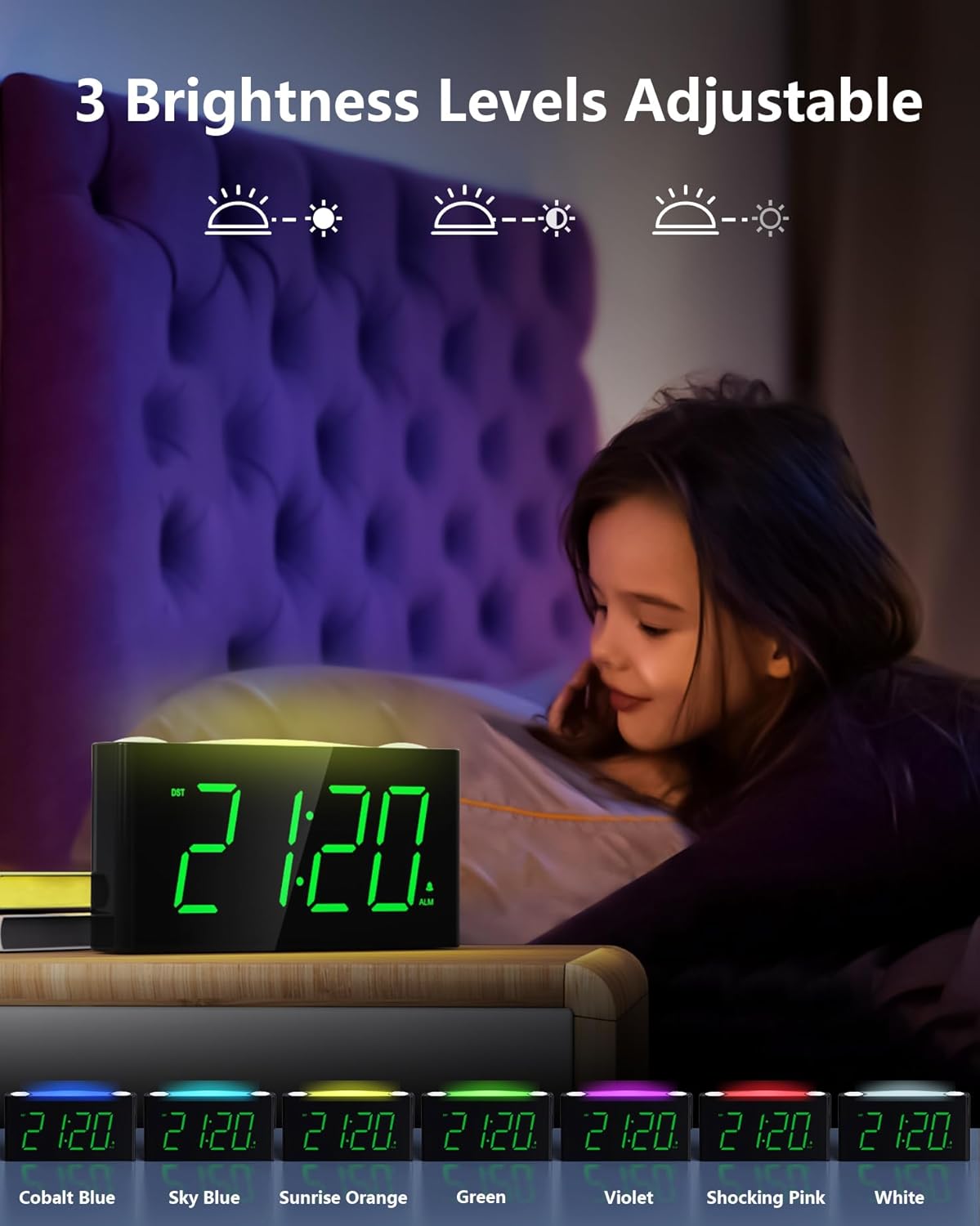
Figure 5: The 7-color night light feature.
Video 1: Demonstration of the 7-color night light and large LED display.
4.7 Prilagajanje svetlosti zaslona (zatemnitev)
On the back of the clock, locate the DIMMER slider. Slide it to adjust the brightness of the time display from its brightest to its dimmest setting. This allows you to customize the display visibility to your comfort level, especially for nighttime use.

Figure 6: Adjusting the 5-level display dimmer.
Video 2: Konecview of clock features, including dimmer and USB ports.
4.8 Uporaba polnilnih vrat USB
The clock is equipped with a standard USB-A port and a Type-C port on the back. These ports allow you to charge your mobile devices conveniently while the clock is plugged into a wall outlet. This helps reduce the number of power outlets needed in your bedroom.

Figure 7: USB and Type-C charging ports.
4.9 Poletni čas (DST)
Poiščite poletni čas switch on the back of the clock. Slide it to activate or deactivate the Daylight Saving Time adjustment as needed.
Video 3: Detailed look at the clock's features, including time and alarm setting.
5. Vzdrževanje
- Čiščenje: Uro obrišite z mehko, suho krpo. Izogibajte se uporabi abrazivnih čistil ali topil.
- Izpostavljenost tekočini: Ure ne izpostavljajte vodi ali drugim tekočinam.
- Umestitev: Uro postavite na stabilno, ravno površino, stran od neposredne sončne svetlobe, virov toplote in prekomerne vlage.
- Zamenjava baterije: Replace AAA backup batteries annually or when the battery indicator suggests low power to ensure continuous memory retention.
6. Odpravljanje težav
- Clock Display is Off: Ensure the power adapter is securely plugged into both the clock and a working wall outlet. If using battery backup, remember the display does not illuminate; batteries only retain settings.
- Alarm se ne oglasi: Check that the ALARM ON/OFF switch on the back is in the 'ON' position. Verify the alarm time is correctly set.
- Vrata USB se ne polnijo: Confirm the clock is properly plugged into a wall outlet. Ensure your device's charging cable is functional and correctly connected to the USB or Type-C port.
- Zaslon presvetel/pretemno: Adjust the DIMMER slider on the back of the clock to your preferred brightness level.
- Night Light Not Changing Colors: Tap the SNOOZE/LIGHT button repeatedly to cycle through all available colors. If it remains stuck, try unplugging and re-plugging the clock to reset it.
7. Specifikacije
| Funkcija | Podrobnost |
|---|---|
| Znamka | Mesqool |
| Številka modela | CR1008 |
| Vrsta zaslona | Digitalna LED |
| Barva zaslona | Zelene števke |
| Barve nočne svetlobe | 7 Options (Oyster White, Cobalt Blue, Sky Blue, Green, Beige, Shocking Pink, Violet) |
| Vir napajanja | Corded Electric (5V 2A Power Adapter included) |
| Rezervna baterija | 2 AAA batteries required (not included) for time/alarm memory |
| Vrata za polnjenje USB | 1x USB-A, 1x Type-C (USB Charger: 5V 1000mA) |
| Dimenzije izdelka | 6.46 palcev (D) x 1.93 palcev (Š) x 3.39 palcev (V) |
| Material | Akrilonitril butadien stiren (ABS) |
| Posebne lastnosti | Adjustable Brightness, Adjustable Volume, Charging Port, Daylight Saving |
8. Garancija in podpora
The Mesqool Digital Alarm Clock CR1008 comes with a one-year limited warranty. Additionally, Mesqool offers a 30-day money-back guarantee and 24-hour response support. For any inquiries or assistance, please contact support@mesqool.com.