
1. Uvod
This manual provides essential information for the proper use and care of your Gmatrix RC280 Replacement Remote Control. This remote is designed to be a direct replacement for your original Roku TV remote, offering seamless functionality without complex setup.
The Gmatrix RC280 is a standard IR (Infrared) remote control. Please note that it does not support voice control or have a headphone jack. It is not an RF (Radio Frequency) remote.
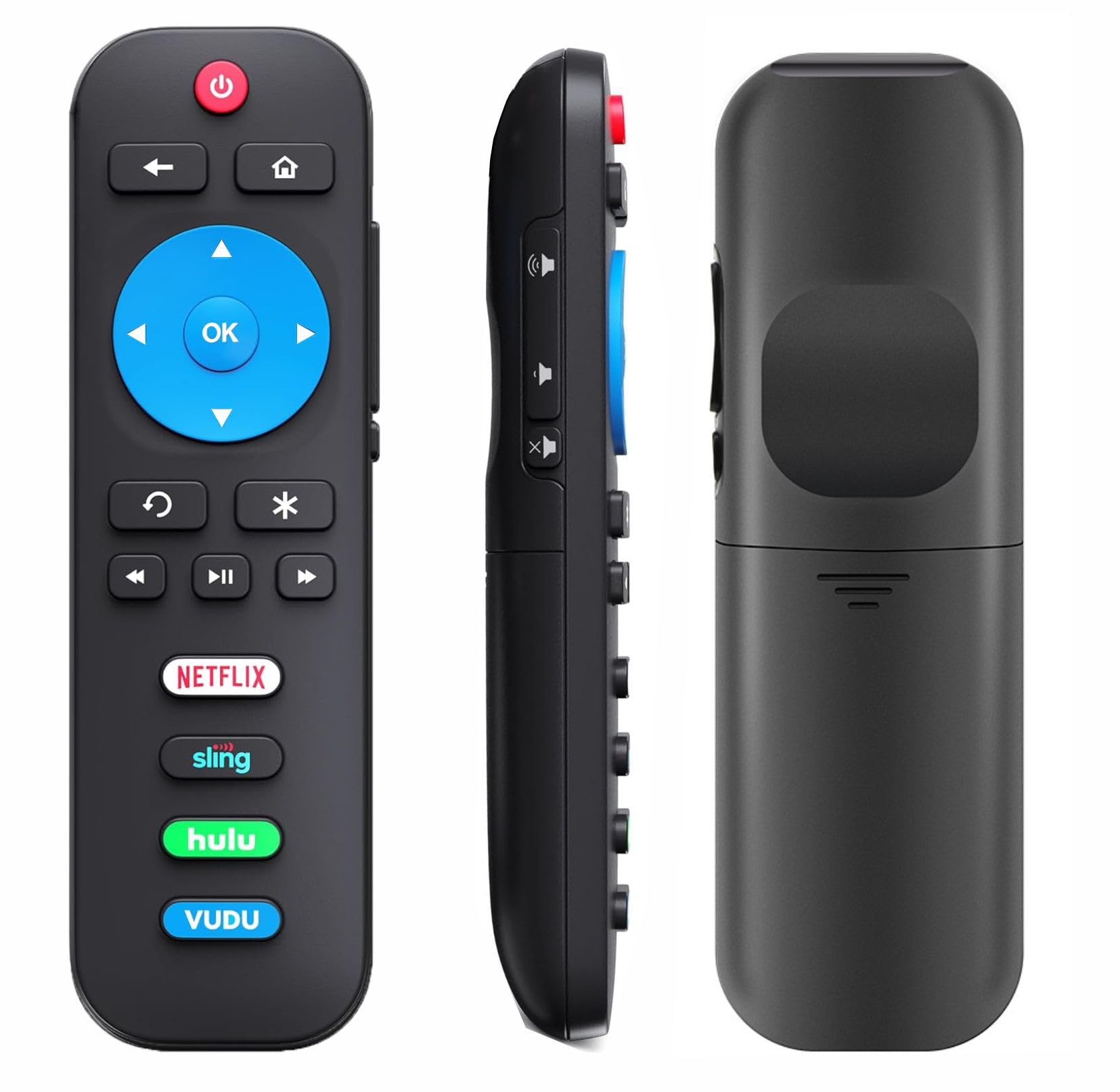
Image 1: Gmatrix RC280 Replacement Remote Control for Roku TVs.
2. Varnostne informacije
- Use only 2 AAA batteries. Do not mix old and new batteries, or different types of batteries.
- Prepričajte se, da so baterije vstavljene s pravilno polarnostjo (+/-).
- Če daljinskega upravljalnika ne boste uporabljali dlje časa, odstranite baterije, da preprečite puščanje.
- Izrabljene baterije zavrzite v skladu z lokalnimi predpisi.
3. Vsebina paketa
- 1x Gmatrix RC280 Replacement Remote Control.
- Opomba: 2 AAA batteries are required and are NOT included in the package.
4. Nastavitev
The Gmatrix RC280 remote control is designed for immediate use with compatible Roku TVs. No programming or pairing is required.
- Namestite baterije: Open the battery compartment on the back of the remote. Insert 2 AAA batteries, ensuring correct polarity.
- Pripravljeno za uporabo: Once batteries are installed, the remote is ready to operate your compatible Roku TV.

Image 2: Battery installation for the Gmatrix RC280 remote control.
Video 1: A short demonstration by Gmatrix Magic showing the remote's functionality and ease of use with a TCL Roku TV.
5. Navodila za uporabo
The Gmatrix RC280 features intuitive buttons for easy navigation and control of your Roku TV.
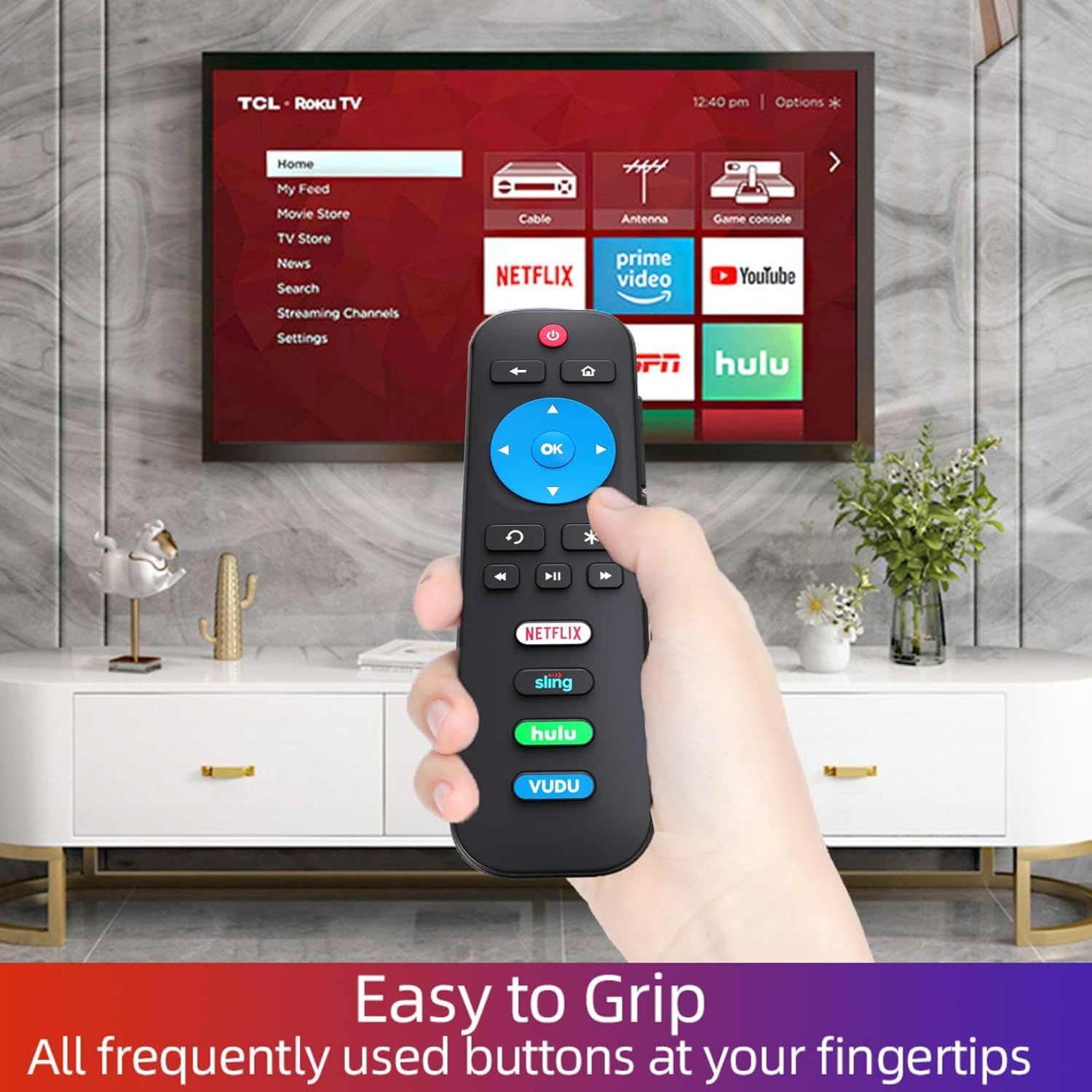
Image 3: Detailed diagram of the remote control's function buttons.
- Gumb za vklop (rdeč): Vklopi ali izklopi TV.
- Gumb Nazaj (puščica levo): Navigates back to the previous menu or screen.
- Gumb Domov (ikona hiše): Takoj se vrne na začetni zaslon.
- Directional Pad (Blue Cross with OK): Use the arrow buttons to navigate menus and content. Press OK za izbiro predmeta.
- Instant Replay (Curved Arrow): Selects models streaming programs that support this feature and broadcasts TV if Live TV Pause is enabled, jumping back a few seconds with each press and resuming play. Broadcast TV if live TV pause is disabled, jumps to the previous channel. When using an on-screen keyboard, backspaces in the text you are entering.
- Options Button (Asterisk): Displays additional options when available.
- Predvajanje/pavza, previjanje nazaj, hitro previjanje naprej: Standardni gumbi za predvajanje medijev.
- Volume Up/Down/Mute (Side Buttons): Control the TV's audio level.
- App Shortcut Buttons (Netflix, Sling, Hulu, Vudu): Directly access these popular streaming applications.

Image 4: The remote control in use with a TCL Roku TV, highlighting the app shortcut buttons.
6. Združljivost
The Gmatrix RC280 Replacement Remote Control is compatible with ALL Built-in Roku TV brands, including but not limited to:
- TCL Roku TV
- TV Hisense Roku
- ONN Roku TV
- INSIGNIA Roku TV
- SHARP Roku TV
- Hitachi Roku TV
- TV Philips Roku
- SANYO Roku TV
- TV Westinghouse Roku
- Element Roku TV
- TV JVC Roku
- LG Roku TV
- RCA Roku TV
- Magnavox Roku TV
- InFocus Roku TV
WARNING: This remote is NOT COMPATIBLE with Roku Stick or Roku Streaming Players.

Image 5: Visual representation of compatible Roku TVs versus incompatible Roku devices.

Slika 6: Primeramples of smart Roku TV brands compatible with the remote.
7. Odpravljanje težav
- Daljinec se ne odziva:
- Ensure fresh 2 AAA batteries are correctly installed.
- Check for any obstructions between the remote and the TV's IR receiver.
- Verify your TV is a compatible Roku TV model (not a Roku Stick or Player).
- No voice control or headphone jack: This remote is a standard IR remote and does not support these features.
8. Specifikacije
| Funkcija | Podrobnost |
|---|---|
| Številka modela | RC280 |
| Dimenzije izdelka | 3 x 3 x 0.5 palcev |
| Teža predmeta | 1.76 unč |
| Potrebne baterije | 2 AAA baterije (niso vključene) |
| Tehnologija povezljivosti | Infrardeči (IR) |
| barva | Črna |
9. Vzdrževanje
- Clean the remote control regularly with a soft, dry cloth. Do not use liquid cleaners.
- Daljinskega upravljalnika ne izpostavljajte ekstremnim temperaturam, vlagi ali neposredni sončni svetlobi.
- Replace batteries promptly when the remote's performance declines.
10. Garancija in podpora
The Gmatrix RC280 Replacement Remote Control comes with a 2-Year Warranty.
We maintain a high standard of excellence and strive for 100% customer satisfaction. If you have any query regarding your order or product, please feel free to contact us. We will respond within 12 hours on working days.