
Pomembna varnostna navodila
Please read these instructions carefully before operating the unit. Keep this manual for future reference.
- Ne blokirajte prezračevalnih odprtin.
- Ne nameščajte v bližini virov toplote.
- Napajalni kabel zaščitite pred pohodom ali stiskanjem.
- Uporabljajte samo priključke/dodatke, ki jih je določil proizvajalec.
- Izklopite napravo med nevihtami ali ko je dlje časa ne uporabljate.
- Za vse servise se obrnite na usposobljeno servisno osebje.
- OPOZORILO: Za zmanjšanje nevarnosti požara ali električnega udara te naprave ne izpostavljajte dežju ali vlagi.
Konec izdelkaview
The Victrola VS-120 is a versatile microsystem offering multiple audio playback options. It includes Bluetooth connectivity, a CD player, USB playback, an Aux-in port, and an FM radio.
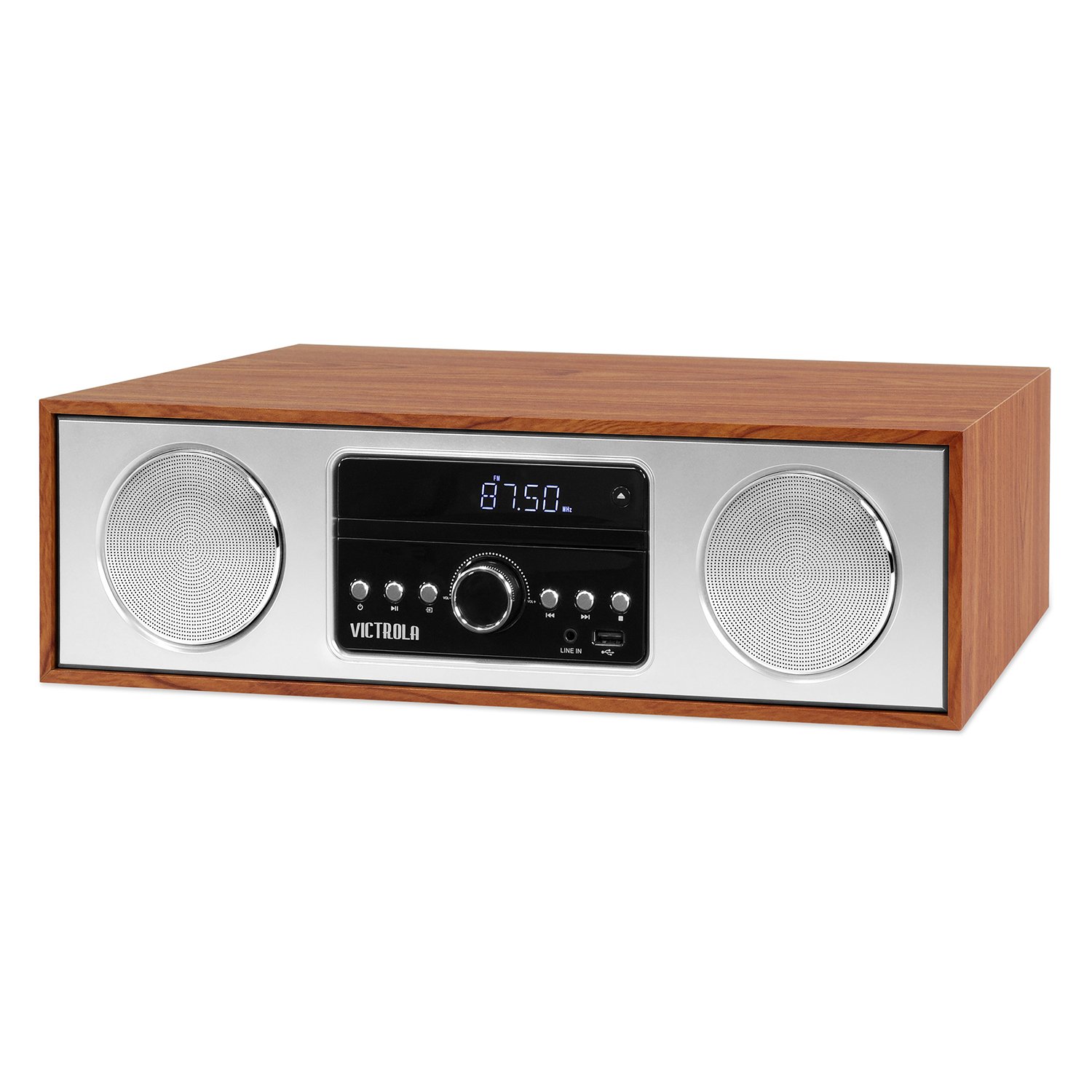
Spredaj view of the Victrola VS-120 Bluetooth Microsystem, showing the speaker, display, and control panel.

The Victrola VS-120 microsystem with its CD tray open, revealing a disc, and the included remote control positioned in the foreground.
Vodnik za namestitev
Razpakiranje
Carefully remove the unit from its packaging. Ensure all accessories are present:
- Victrola VS-120 Microsystem
- Daljinski upravljalnik
- Napajalni adapter
- Uporabniški priročnik (ta dokument)
Napajalni priključek
- Insert the small end of the power adapter into the DC IN jack on the rear of the unit.
- Plug the other end of the power adapter into a standard wall outlet (AC 100-240V, 50/60Hz).
- The unit will enter standby mode, and the LED clock display will illuminate.
Antenna Connection (FM Radio)
For optimal FM radio reception, extend the FM wire antenna fully. Adjust its position for the best signal.
Navodila za uporabo
Vklop/izklop
Pritisnite MOČ button on the unit or remote control to turn the system on or off (standby mode).
Izbira načina
Pritisnite NAČIN button on the unit or remote control repeatedly to cycle through available functions: Bluetooth, CD, USB, POMOŽ, in FM radio.
Bluetooth delovanje
- Izberite Bluetooth mode. The display will show "BT" and flash, indicating pairing mode.
- On your Bluetooth-enabled device (smartphone, tablet, etc.), enable Bluetooth and search for "Victrola VS-120".
- Select "Victrola VS-120" to pair. Once connected, the "BT" indicator will stop flashing and a confirmation tone will sound.
- You can now stream audio from your device to the microsystem.
- Use your device or the microsystem's controls (PLAY/PAUSE, NEXT, PREVIOUS) to manage playback.
Predvajanje CD-ja
- Izberite CD način.
- Pritisnite ODPRTO/ZAPRI gumb za odpiranje pladnja za CD.
- Place a CD (audio CD or MP3 CD) with the label side facing up into the tray.
- Pritisnite ODPRTO/ZAPRI again to close the tray. The unit will read the disc and begin playback automatically.
- Uporaba PREDVAJAJ/PAVZA, NASLEDNJI, in PREJŠNJA gumbi za nadzor predvajanja.
USB predvajanje
- Insert a USB flash drive (FAT32 format, containing MP3 files) v vrata USB.
- Izberite USB mode. The unit will automatically detect and begin playing MP3 files iz pogona.
- Uporaba PREDVAJAJ/PAVZA, NASLEDNJI, in PREJŠNJA gumbi za nadzor predvajanja.
Delovanje radia FM
- Izberite FM radio način.
- Pritisnite in držite TUNE +/- gumbe za samodejno iskanje naslednje razpoložljive postaje.
- Pritisnite TUNE +/- buttons briefly to manually adjust the frequency in small increments.
- Če želite postajo shraniti kot prednastavitev, pritisnite MEM gumb, nato uporabite PREDNASTAVITEV +/- , da izberete prednastavljeno številko, in pritisnite MEM ponovno za potrditev.
- Za priklic prednastavljene postaje uporabite PREDNASTAVITEV +/- gumbi.
Priključek Aux-in
- Priključite zunanjo avdio napravo (npr. predvajalnik MP3, pametni telefon) na AUX IN. vtičnico s 3.5 mm avdio kablom (ni priložen).
- Izberite POMOŽ način.
- Predvajanje in glasnost lahko upravljate z zunanje naprave.
Funkcije daljinskega upravljanja
The included remote control provides full functionality. Ensure batteries are correctly inserted. Key functions include:
- MOČ: Turn unit on/off.
- NAVODILA: Izberite zvočni vir.
- GLASNOST +/-: Prilagodite glasnost.
- PLAY/PAUSE, NEXT, PREVIOUS: Upravljajte predvajanje za CD, USB in Bluetooth.
- TUNE +/-: Tune FM radio stations.
- MEM: Store FM presets.
- PREDNASTAVITEV +/-: Select FM presets.
- EQ: Cycle through equalizer settings (Flat, Rock, Pop, Jazz, Classic).
- URA: Nastavite uro.
- DIMMER: Prilagodite svetlost zaslona.
Prilagajanje nastavitev EQ
Pritisnite EQ button on the remote control to cycle through preset equalizer modes: Flat, Rock, Pop, Jazz, and Classic. Select the mode that best suits your audio preference.
Nastavitev ure
Za nastavitev ure pritisnite URA button on the remote control. Use the TUNE +/- buttons to adjust the hour and minute, and press URA znova, da potrdite vsako nastavitev.
Vzdrževanje
Čiščenje enote
To clean the exterior of the unit, use a soft, dry cloth. Do not use abrasive cleaners, waxes, or solvents as these may damage the surface. Ensure the unit is unplugged before cleaning.
Nega predvajalnika CD-jev
Handle CDs by their edges. Keep them clean and free of scratches. If a CD is dirty, wipe it gently with a soft, lint-free cloth from the center outwards. Do not use solvents or abrasive cleaners on CDs.
Odpravljanje težav
| Težava | Možen vzrok | rešitev |
|---|---|---|
| Brez moči | Napajalni kabel ni priključen; vtičnica ni aktivna. | Prepričajte se, da je napajalni kabel varno priključen; poskusite z drugo vtičnico. |
| Brez zvoka | Glasnost je prenizka; izbran je napačen način; zunanja naprava ne predvaja. | Increase volume; Select correct mode (BT, CD, USB, AUX, FM); Ensure external device is playing and its volume is up. |
| CD se ne predvaja | CD inserted incorrectly; CD is dirty or scratched; Disc format not supported. | Insert CD with label side up; Clean or replace CD; Ensure it's an audio CD or MP3 CD. |
| Bluetooth povezovanje ne uspe | Unit not in pairing mode; Device too far; Device already paired to another unit. | Ensure unit is in BT mode and "BT" is flashing; Move device closer; Disconnect from other devices. |
| Slab FM sprejem | Antena ni iztegnjena ali pravilno nameščena. | Fully extend and reposition the FM wire antenna. |
| Daljinski upravljalnik ne deluje | Baterije so prazne ali nepravilno vstavljene; Ovira med daljinskim upravljalnikom in napravo. | Replace batteries; Ensure correct polarity; Remove obstructions; Point remote directly at the unit's sensor. |
Specifikacije
- Znamka: Victrola
- Model: VS-120
- Povezljivost: Bluetooth, USB, pomožni (3.5 mm)
- Zvočni viri: CD Player, USB Player, FM Radio, Bluetooth, Aux-in
- Izhodna moč: 30 vatov
- Podprti zvočni formati: CD, MP3
- Dimenzije (D x Š x V): 15.97 x 4.69 x 10.83 palcev (40.56 x 11.91 x 27.51 cm)
- Teža: 10.76 funtov (4.88 kg)
- Vhodna moč: AC 100-240V, 50/60Hz
- barva: Javor
Garancija in podpora
Victrola products are designed with quality and performance in mind. For detailed warranty information, please refer to the warranty card included with your product or visit the official Victrola website. For technical support or customer service inquiries, please contact Victrola customer support through their official channels.
Webspletno mesto: www.victrola.com