
1. Uvod
This instruction manual provides essential information for the installation, operation, and maintenance of the Hikvision DS-7604NI-K1/4P 4-Channel 4K PoE Network Video Recorder (NVR). Please read this manual thoroughly before using the product to ensure correct and safe operation. Keep this manual for future reference.
2. Varnostne informacije
Za preprečitev poškodb ali škode na napravi upoštevajte naslednje varnostne ukrepe:
- Napajanje: Uporabljajte samo napajalnik, ki je predpisan za to napravo. Prepričajte se, da je napetosttage is stable and meets the device's requirements.
- Prezračevanje: Do not block ventilation openings. Ensure proper airflow to prevent overheating.
- Okolje: Avoid exposing the device to extreme temperatures, humidity, dust, or corrosive environments. Do not place heavy objects on the device.
- Namestitev: Install the device on a stable surface. Avoid strong vibrations or impacts.
- Servisiranje: Naprave ne poskušajte razstavljati ali spreminjati. Vsa servisna dela prepustite usposobljenemu osebju.
3. Izdelek je končanview
The Hikvision DS-7604NI-K1/4P is a 4-channel Network Video Recorder designed for surveillance systems. It supports up to 4K resolution for live view, recording, and playback, and features Power-over-Ethernet (PoE) interfaces for direct connection and power supply to compatible IP cameras.
3.1 Vsebina paketa
- Hikvision DS-7604NI-K1/4P NVR Unit
- Napajalni adapter
- Miška USB
- Vijaki za namestitev trdega diska
- Vodnik za hiter začetek
3.2 Sprednja plošča
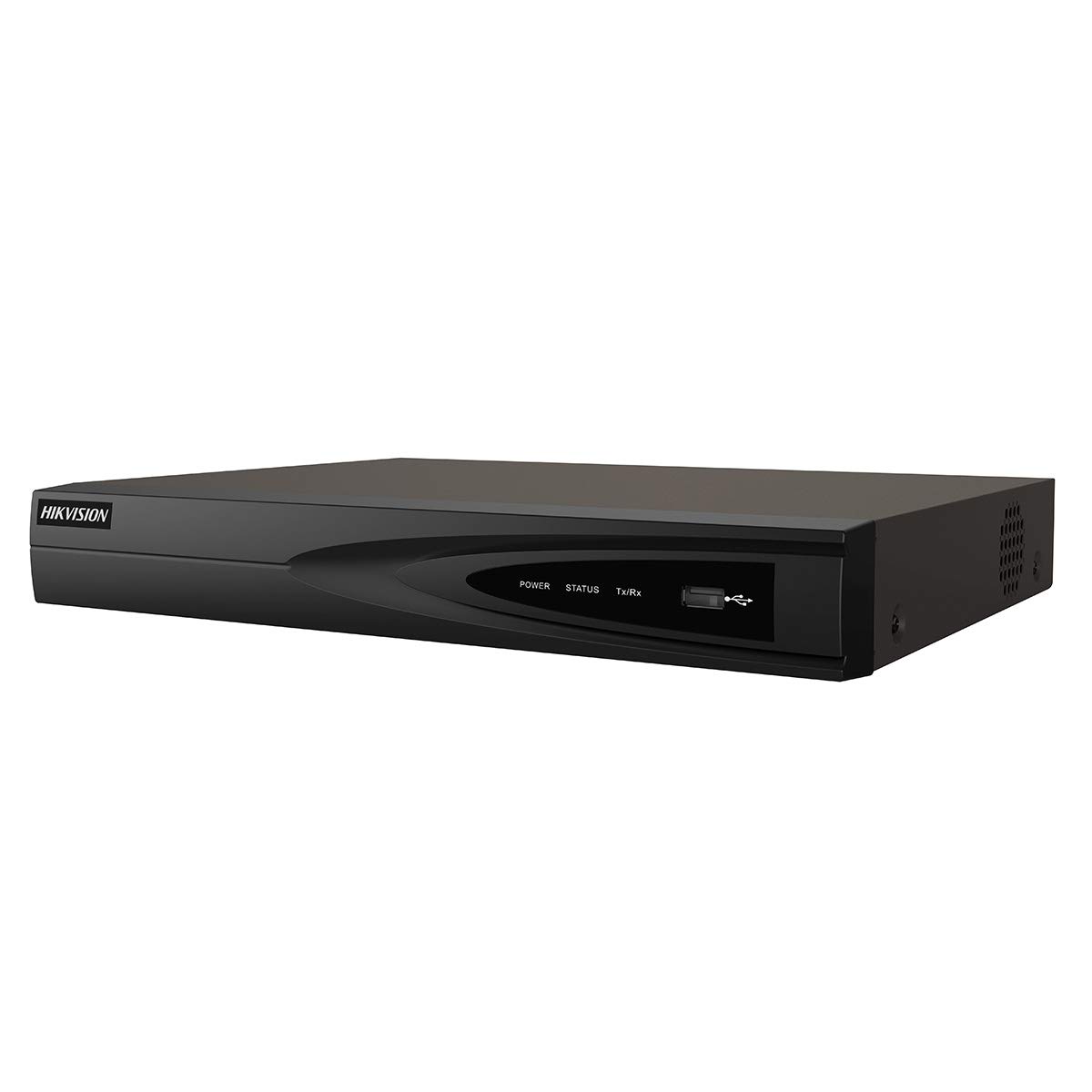
Slika 1: Spredaj view of the Hikvision DS-7604NI-K1/4P NVR. This image displays the front panel of the NVR, typically featuring status indicator lights and a USB port for peripheral connections.
3.3 Zadnja plošča
Zadnja plošča vključuje različne priključke za povezljivost:
- PoE Ports (x4): For connecting IP cameras and providing power.
- Vrata LAN: For network connection to a router or switch.
- HDMI izhod: For connecting to a monitor or TV for high-definition video output.
- VGA izhod: For connecting to a monitor for video output.
- USB Ports (x2 total, typically one front, one rear): For mouse, USB drive, or other peripherals.
- Avdio vhod (RCA): Za priklop zunanjega avdio vira.
- Vhodna moč: Za priključitev napajalnika.
4. Nastavitev
4.1 Namestitev trdega diska (izbirno)
The NVR supports one internal SATA hard drive for video storage (up to 6 TB). If a hard drive is not pre-installed, follow these steps:
- Unscrew and remove the NVR's top cover.
- Priključite podatkovni kabel SATA in napajalni kabel na trdi disk.
- Align the hard drive with the mounting holes and secure it with the provided screws.
- Replace the NVR's top cover and secure it with screws.
4.2 Priključitev zunanjih naprav
- Monitor: Priključite monitor na izhodna vrata HDMI ali VGA na snemalniku.
- Miška: Priključite miško USB na vrata USB na snemalniku (NVR).
- Omrežje: Priključite LAN vrata NVR-ja na usmerjevalnik ali omrežno stikalo z ethernetnim kablom.
- Kamere: Connect IP cameras to the NVR's PoE ports. The NVR will automatically power and detect compatible Hikvision PoE cameras.
4.3 Vklop in začetna konfiguracija
- Napajalnik priključite na vhod za napajanje snemalnika in nato na električno vtičnico.
- NVR se bo samodejno vklopil.
- Upon first boot, the NVR will guide you through an initialization wizard. Follow the on-screen prompts to set up a strong password, network settings, and hard drive formatting (if applicable).
- Ensure the hard drive is formatted before recording can begin.
5. Delovanje
5.1 V živo View
After initial setup, the NVR will display the live video feed from connected cameras on the monitor. You can switch between single-camera view in mreža z več kamerami view z uporabo zaslonskih kontrol ali miške.
5.2 Snemanje
NVR podpira različne načine snemanja:
- Nenehno snemanje: Records video constantly.
- Snemanje zaznavanja gibanja: Snema samo, ko je v kameri zaznano gibanje view.
- Predvideno snemanje: Zapisi temeljijo na vnaprej določenem urniku.
Configure recording settings via the NVR's menu interface (typically accessible by right-clicking on the live view screen and selecting 'Menu').
5.3 Predvajanje
Za ponovnoview posnet footage:
- Do menija »Predvajanje« dostopite iz glavnega vmesnika snemalnika NVR.
- Izberite želeno kamero (kamere) in datumsko/časovno obdobje.
- Za navigacijo po posnetku uporabite krmilne elemente predvajanja (predvajanje, premor, hitro previjanje naprej, previjanje nazaj).tage.
5.4 Oddaljeni dostop
Za daljinsko viewing and management, download the Hik-Connect app on your mobile device or use the Hik-Connect web portal. The NVR must be connected to the internet, and you will need to register the device with your Hik-Connect account. Refer to the Hik-Connect documentation for detailed instructions.
6. Vzdrževanje
6.1 Posodobitve vdelane programske opreme
Periodically check the official Hikvision website for firmware updates. Updating the firmware can improve performance, add new features, and enhance security. Follow the instructions provided with the firmware update package carefully.
6.2 Upravljanje trdega diska
Regularly check the health status of your hard drive through the NVR's menu. If the hard drive shows errors or is nearing its end of life, consider replacing it to prevent data loss. You may also need to format the hard drive periodically, which will erase all recorded data.
6.3 Čiščenje
Clean the exterior of the NVR with a soft, dry cloth. Do not use liquid cleaners or aerosols. Ensure ventilation openings are free from dust and debris.
7. Odpravljanje težav
| Težava | Možen vzrok | rešitev |
|---|---|---|
| Na monitorju ni prikaza videa | Ohlapna kabelska povezava, napačen vhodni vir na monitorju, NVR ni vklopljen. | Check HDMI/VGA cable connections. Ensure monitor is set to correct input. Verify NVR power. |
| Ni slike kamere | Camera not powered, network issue, camera not added/activated. | Check PoE cable connection. Ensure camera is powered. Verify camera IP address and add it to the NVR. |
| Videoposnetek ni mogoče snemati | No hard drive, hard drive not formatted, hard drive full, recording schedule not set. | Install and format a hard drive. Check hard drive status. Configure recording schedule. |
| Oddaljeni dostop ne deluje | NVR not connected to internet, incorrect network settings, Hik-Connect account issue. | Verify NVR network connection. Check network settings (IP, DNS). Ensure NVR is added to Hik-Connect. |
8. Specifikacije
| Funkcija | Specifikacija |
|---|---|
| Številka modela | DS-7604NI-K1/4P |
| Znamka | Hikvision |
| Tehnologija povezljivosti | Ethernet |
| Združljive naprave | Kamera |
| Mere izdelka (D x Š x V) | 8.5 x 29.8 x 42.1 cm |
| Zmogljivost pomnilnika | 6 TB |
| Velikost trdega diska | 6 TB |
| Število kanalov | 4 |
| Teža predmeta | 2.2 funtov |
| Format digitalnega videa | Trdi disk |
| Avdio vhod | RCA |
| Skupno število vrat USB | 2 |
| Video vhod | VGA, HDMI |
| Število enot | 1.0 štetje |
| Proizvajalec | Hikvision |
| Globalna identifikacijska številka trgovine | 06954273652883 |
| Številka dela | KNVRDS7604NI-K1/4P |
9. Garancija in podpora
For warranty information, technical support, and service inquiries, please refer to the official Hikvision webspletno mesto ali se obrnite na pooblaščenega prodajalca Hikvision. Račun shranite kot dokazilo o nakupu za uveljavljanje garancije.
Spletni viri: Visit the official Hikvision support page for FAQs, downloads, and contact information.


