
Uvod
The iDIGMALL BTI-018 is a versatile 2-in-1 Bluetooth 5.0 audio adapter designed to function as both a transmitter (TX) and a receiver (RX). This device allows you to wirelessly stream audio from non-Bluetooth devices to Bluetooth headphones or speakers, or to receive Bluetooth audio from your smartphone or tablet and output it to wired speakers or car stereos. Featuring aptX Low Latency technology, it minimizes audio delay for a synchronized listening experience.

Image: The iDIGMALL BTI-018 Bluetooth 5.0 Transmitter Receiver.
Vsebina paketa
Prosimo, preverite paket za naslednje artikle:
- iDIGMALL BTI-018 Bluetooth 5.0 Transmitter Receiver
- Micro USB polnilni kabel
- 3.5 mm avdio kabel
- RCA avdio kabel
- Uporabniški priročnik
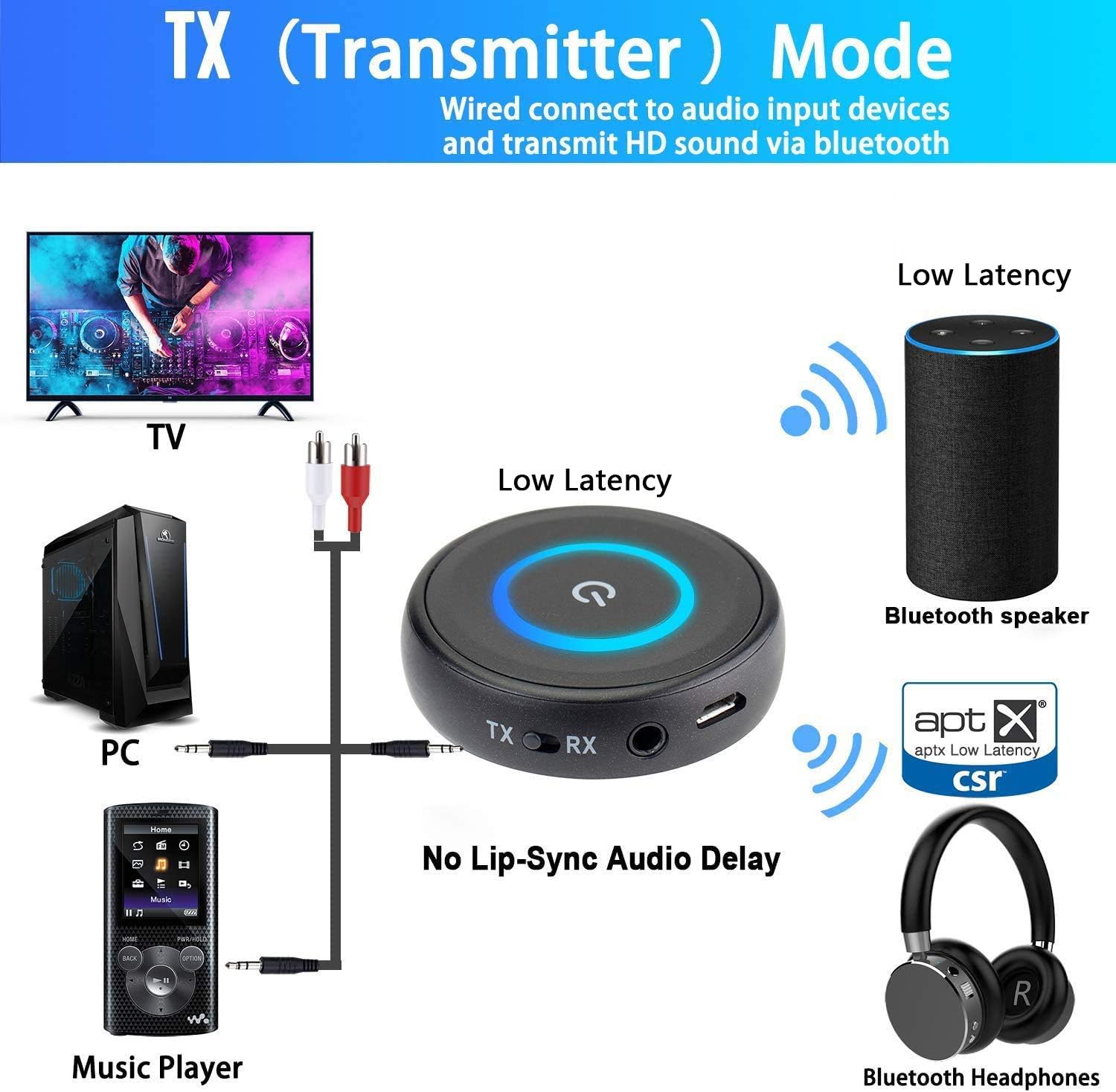
Image: The iDIGMALL BTI-018 device, 3.5mm audio cable, and RCA audio cable.
Lastnosti izdelka
- Tehnologija Bluetooth 5.0: Ensures stable connection and wide compatibility.
- Funkcionalnost 2 v 1: Easily switch between Transmitter (TX) and Receiver (RX) modes.
- aptX nizka latenca: Reduces audio delay to approximately 40ms, providing a synchronized audio-visual experience.
- Dual Stream Support: In TX mode, connect two Bluetooth headphones or speakers simultaneously.
- Samodejna ponovna povezava: Automatically pairs with the last connected device upon power-on.
- Dolga življenjska doba baterije: Up to 16 hours of operating time on a single charge.
- Kompaktna zasnova: Small, lightweight, and portable.
Naprava je končanaview
Familiarize yourself with the buttons and ports on your iDIGMALL BTI-018:
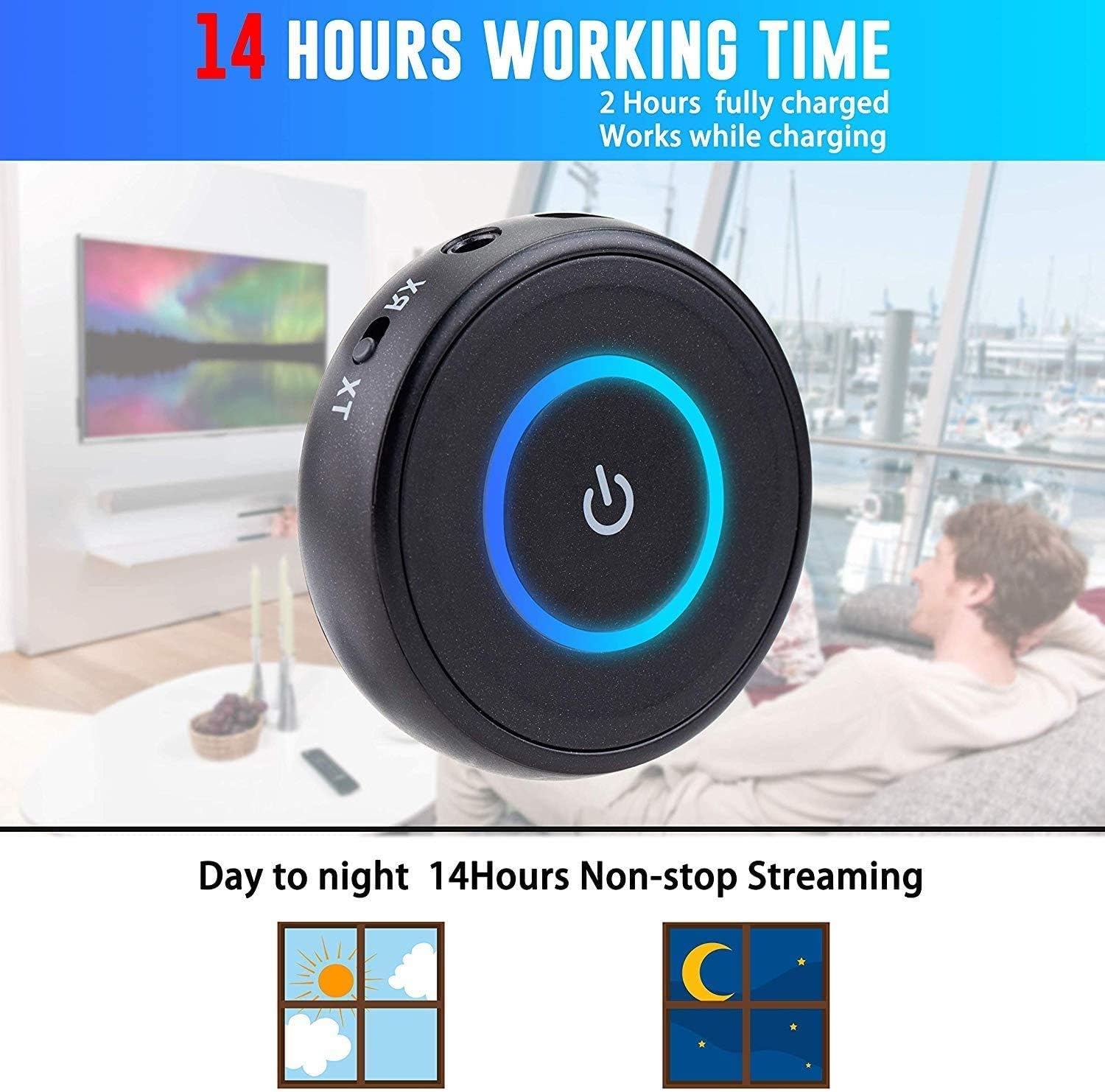
Image: The iDIGMALL BTI-018 showing the Multi-Function & Power Button, LED Light Indicator, Micro USB Charging Port, and 3.5mm Aux In / Out. The TX/RX mode switch is also visible.
- Multi-Function & Power Button: Used for power on/off, play/pause, and pairing.
- LED lučka: Prikazuje stanje naprave (seznanjanje, povezava, polnjenje).
- Vrata za polnjenje mikro USB: Za polnjenje notranje baterije.
- 3.5mm Aux In / Out: Vhodno/izhodna vrata za zvok.
- Stikalo TX/RX: Slides to select Transmitter or Receiver mode.
Nastavitev in delovanje
1. Polnjenje naprave
- Connect the Micro USB charging cable to the device's Micro USB port.
- Connect the other end of the USB cable to a USB power adapter (DC 5V) or a computer's USB port.
- The LED indicator will show red during charging and turn off when fully charged. A full charge typically takes about 2 hours.
- Napravo lahko uporabljate med polnjenjem.

Image: The iDIGMALL BTI-018 offers up to 14 hours of working time and can be used while charging.
2. Način oddajnika (TX)
In TX mode, the BTI-018 transmits audio from a non-Bluetooth device (e.g., TV, PC, MP3 player) to Bluetooth headphones or speakers.

Image: Diagram illustrating the iDIGMALL BTI-018 in TX (Transmitter) Mode, connecting to TV, PC, or Music Player and transmitting to Bluetooth speakers or headphones.
- Preklopi v način oddajanja: Potisnite stikalo TX/RX v položaj "TX".
- Priključite avdio vir: Use the 3.5mm audio cable or RCA cable to connect the BTI-018's 3.5mm Aux port to the audio output port of your non-Bluetooth device (e.g., TV headphone jack, PC audio out).
- Vklop: Press and hold the Multi-Function button for 3 seconds to power on the device. The LED will flash blue rapidly, indicating it's in pairing mode.
- Seznani z napravo Bluetooth: Put your Bluetooth headphones or speaker into pairing mode. Place them close to the BTI-018.
- Povezava: The BTI-018 will automatically search and connect to your Bluetooth device. Once connected, the LED will turn solid blue.
- Dual Headphone Pairing (Optional): To connect a second pair of Bluetooth headphones, put the second headphones into pairing mode. Then, double-press the Multi-Function button on the BTI-018. The LED will flash blue rapidly again, and it will connect to the second device. Both devices will then receive audio simultaneously.

Image: The iDIGMALL BTI-018 in TX Mode, demonstrating the ability to pair with two headphones simultaneously for shared listening.
3. Način sprejemnika (RX)
In RX mode, the BTI-018 receives Bluetooth audio from your smartphone or tablet and outputs it to wired speakers, car stereos, or wired headphones.

Image: Diagram illustrating the iDIGMALL BTI-018 in RX (Receiver) Mode, receiving audio from smartphones, laptops, or tablets and connecting to home stereo, car stereo, or wired headphones.
- Preklopi v način RX: Potisnite stikalo TX/RX v položaj "RX".
- Povežite avdio izhod: Use the 3.5mm audio cable or RCA cable to connect the BTI-018's 3.5mm Aux port to the audio input port of your wired audio device (e.g., home stereo AUX-in, car stereo AUX-in, wired headphones).
- Vklop: Press and hold the Multi-Function button for 3 seconds to power on the device. The LED will flash blue rapidly, indicating it's in pairing mode.
- Združevanje s pametnim telefonom/tablico: On your smartphone or tablet, enable Bluetooth and search for new devices. Select "BTI-018" from the list of available devices.
- Povezava: Once connected, the LED will turn solid blue. You can now play audio from your smartphone/tablet through the connected wired audio device.
Vzdrževanje
- Čiščenje: Napravo obrišite z mehko, suho krpo. Ne uporabljajte tekočih čistil ali topil.
- Shranjevanje: Napravo shranjujte na hladnem in suhem mestu, stran od neposredne sončne svetlobe in ekstremnih temperatur.
- Vzdrževanje baterije: To prolong battery life, charge the device fully before first use and at least once every three months if not used regularly. Avoid fully discharging the battery frequently.
- Izogibajte se vodi: Ta naprava ni vodoodporna. Hranite jo stran od vode in vlage.
Odpravljanje težav
- No Sound / Poor Sound Quality:
- Prepričajte se, da so vsi avdio kabli varno priključeni.
- Check the volume levels on both the BTI-018 and the connected audio devices.
- Verify that the BTI-018 is in the correct mode (TX for transmitting, RX for receiving).
- Ensure the connected Bluetooth device (headphones/speaker) is powered on and paired correctly.
- Move the BTI-018 closer to the connected Bluetooth device to reduce interference.
- Seznanjanje z napravo Bluetooth ni mogoče:
- Ensure the BTI-018 is in pairing mode (rapidly flashing blue LED).
- Make sure your Bluetooth device is also in pairing mode.
- Turn off and restart both the BTI-018 and your Bluetooth device.
- Clear previous pairing records on your Bluetooth device and try pairing again.
- Prepričajte se, da nobena druga naprava Bluetooth ne moti postopka seznanjanja.
- Audio Delay (Lip-Sync Issue):
- Ensure both the BTI-018 and your connected Bluetooth headphones/speaker support aptX Low Latency. If only one device supports it, the low latency feature will not be active.
- Some devices may have slight delays even with aptX LL. Try restarting both devices.
- Short Bluetooth Range:
- Bluetooth range can be affected by obstacles (walls, furniture) and interference from other wireless devices.
- Ensure there are no major obstructions between the BTI-018 and the connected Bluetooth device.
- Avoid placing the device near Wi-Fi routers, microwaves, or other strong signal sources.
Specifikacije
| Model št. | ZTI-018 |
| Različica Bluetooth | V5.0 |
| Podprti Profile | A2DP, AVRCP |
| Podpora za avdio kodek | aptX-LL, aptX, SBC |
| Območje delovanja | Razred 2, do 33 ft / 10 m |
| Čas delovanja | Do 16 ur predvajanja |
| Čas polnjenja | Pribl. 2 ur |
| Tehnologija povezljivosti | Pomožni, Bluetooth, RCA, USB |
| Teža predmeta | 0.05 funta (približno 21 g) |
| Dimenzije (premer x višina) | 4.9cm x 1.3cm |

Image: The iDIGMALL BTI-018 showing its compact size with a diameter of 4.9cm, height of 1.3cm, and net weight of 21g.
Garancija in podpora
iDIGMALL products are designed for reliability and performance. For specific warranty information, please refer to the warranty card included with your purchase or contact iDIGMALL customer support.
If you encounter any issues or have questions regarding your iDIGMALL BTI-018, please visit the official iDIGMALL website or contact their customer service for assistance. Always provide your product model number (BTI-018) when seeking support.