
1. Uvod
The Feiyu Vimble 2 is a 3-axis handheld gimbal stabilizer designed for smartphones, offering enhanced stability and creative control for video recording and photography. It features an extendable handle, intelligent tracking, and versatile shooting modes to capture smooth, professional-looking footage.
2. Vsebina paketa
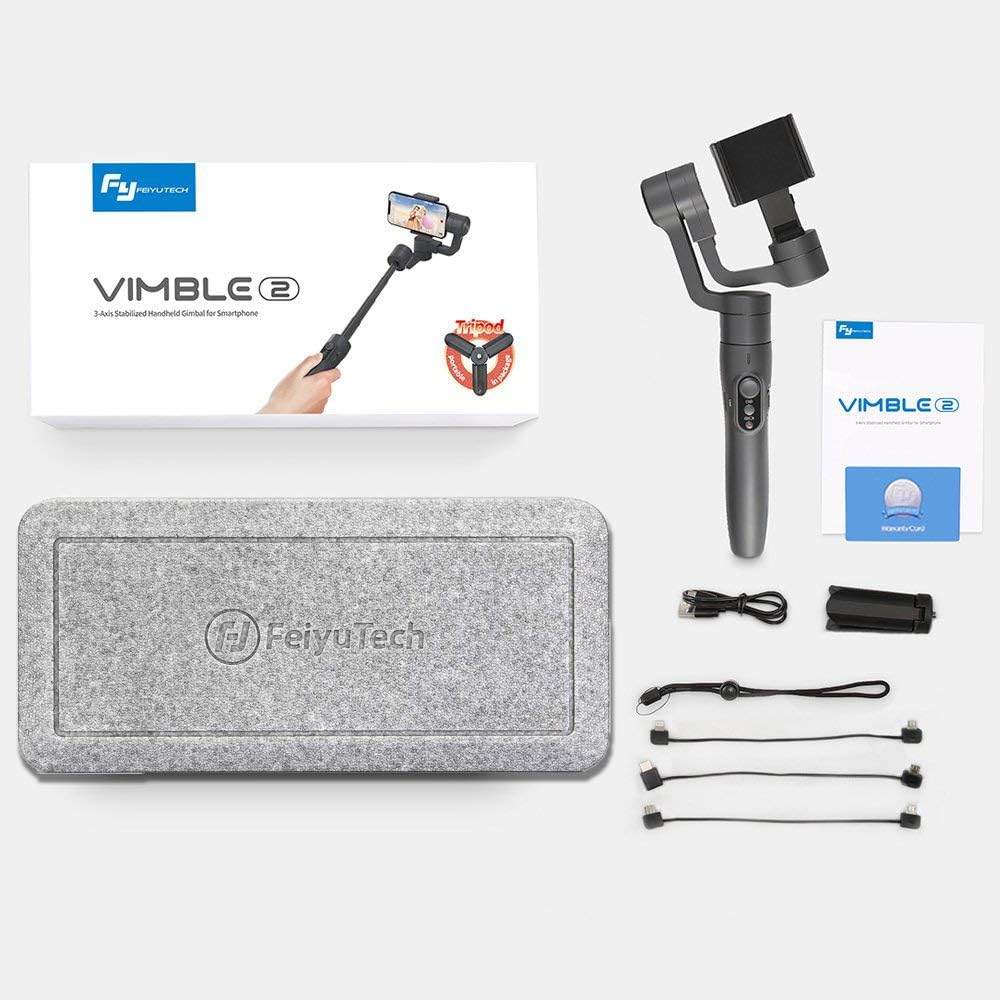
Prosimo, preverite paket, da se prepričate, da so prisotni vsi elementi:
- 1 x Feiyu Vimble 2 Gimbal Body
- 1 x mini stativ
- 1 x USB polnilni kabel
- 1 x Anti-loss Rope
3. Izdelek je končanview in funkcije
The Vimble 2 incorporates several features to enhance your mobile videography experience:
- Integrated Extension Bar: A newly added 18cm extendable bar allows for wider shots, perfect for selfies and group photos.
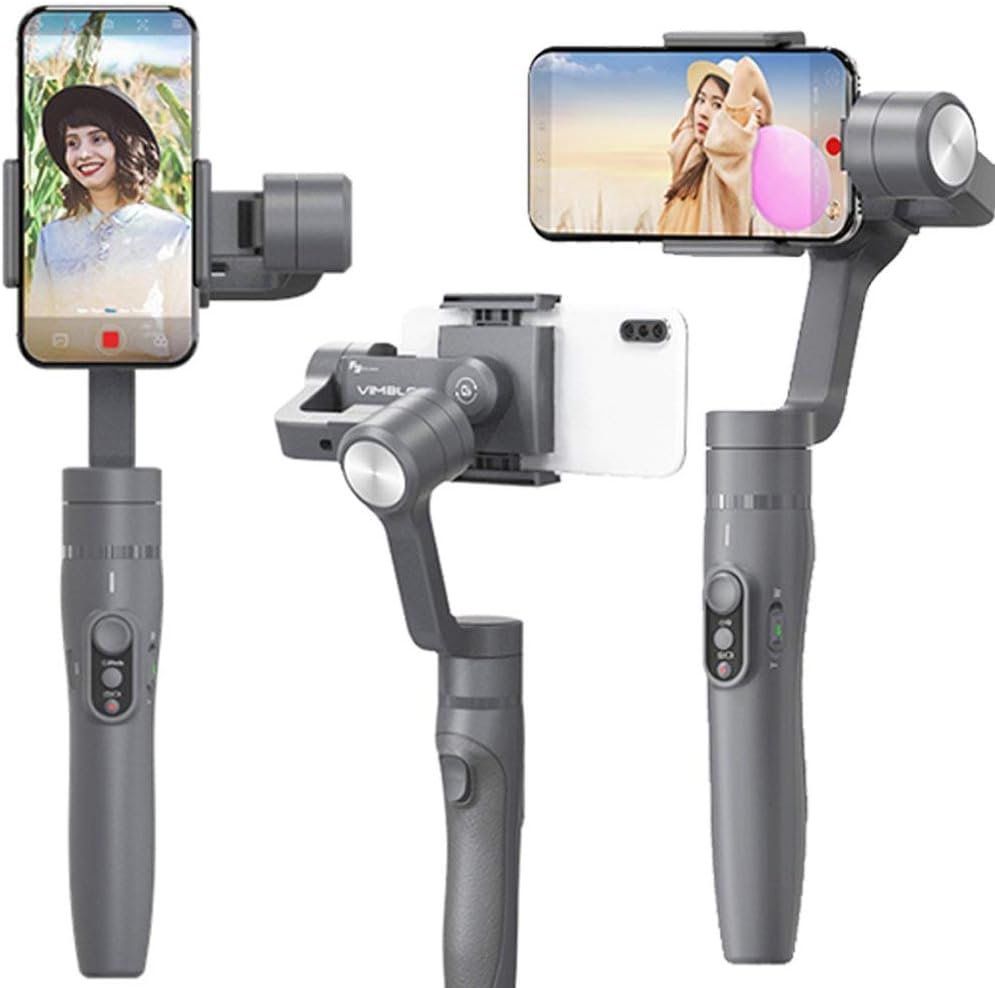
- Quick Shooting Direction Change: Easily switch between horizontal and vertical shooting orientations to adapt to various scenes.
- Bluetooth Shutter Button: Control your smartphone's camera directly from the gimbal handle via Bluetooth for convenient photo and video capture.
- Face and Object Tracking: Utilize intelligent tracking features to keep your subject in focus and within the frame.
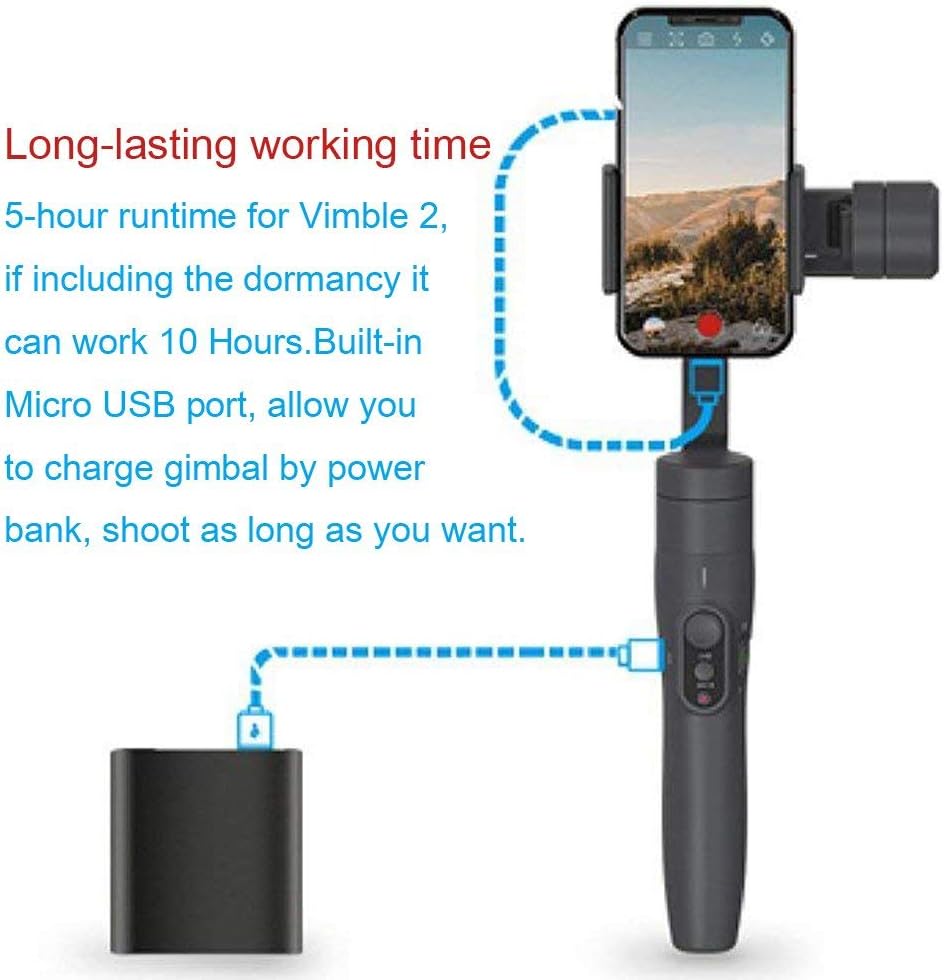
- Dolgotrajna baterija: Enjoy up to 5 hours of continuous operation, extending to 10 hours with dormancy. The built-in Micro USB port allows charging via a power bank.
- Samoprilagodljivo upravljanje: An advanced algorithm simplifies smartphone balancing and provides gradual power-off descent for phone protection.
- Ergonomska oblika: Constructed from durable, lightweight, and high-strength materials with an ergonomic shape for comfortable handling.


4. Nastavitev
4.1. Polnjenje Gimbala
Before first use, fully charge the gimbal. Connect the provided USB cable to the Micro USB port on the gimbal and to a 5V/2A power adapter (recommended). Charging typically takes 2 hours or more.
4.2. Namestitev pametnega telefona
- Razširite delovanje pametnega telefonaamp and carefully place your smartphone into it.
- Ensure the phone is securely held and centered within the clamp.
4.3. Uravnoteženje stabilizatorja
Proper balancing is crucial for optimal performance and battery life. The Vimble 2 features a self-adaptive control algorithm that reduces strict balancing requirements, but manual adjustment is still recommended:
- With the smartphone mounted, adjust the sliding arm until the phone remains level when the gimbal is powered off.
- The phone should stay relatively horizontal without external support.
4.4. Povezava prek Bluetooth
- Download and install the 'Vicool' app on your smartphone.
- Vklopite gimbal.
- Enable Bluetooth on your smartphone and open the Vicool app.
- Iskanje and connect to the 'Vimble 2' device within the app.
5. Navodila za uporabo
5.1. Vklop/izklop
- Vklop: Pritisnite in držite gumb za vklop, dokler se indikatorska lučka ne prižge.
- Ugasniti: Pritisnite in držite gumb za vklop, dokler se indikatorska lučka ne izklopi.
5.2. Preklop načina
The gimbal offers several operating modes, which can typically be cycled through using the mode button:
- Pan Mode (Default): Kamera se premika levo in desno po gibih vaše roke, osi nagiba in vrtenja pa sta zaklenjeni.
- Sledite načinu: The camera follows both pan and tilt movements of your hand, keeping the roll axis locked.
- Način zaklepanja: Vse tri osi (panoramno vrtenje, nagib, vrtenje) so zaklenjene, kar ohranja kamero usmerjeno v fiksni smeri.
- Ponastaviti: Returns the gimbal to its initial position and Pan Mode.
- Motion Control Mode: Allows for programmed movements, often used for time-lapse photography.

5.3. Shutter Button and Zoom Control
- Sprožilec: Press once to take a photo or start/stop video recording (requires Bluetooth connection to the Vicool app).
- Drsnik za povečavo: Use the slider on the handle to zoom in or out within the Vicool app.

5.4. Quick Shift to Selfie Mode
With the gimbal connected to the Vicool app, quickly switch your smartphone's camera between front and rear lenses by clicking the function button three times consecutively.
5.5. Quickly Change Shooting Direction
The innovative smartphone mount allows for rapid switching between horizontal (landscape) and vertical (portrait) shooting orientations. Simply adjust the phone holder as needed.

5.6. Face and Object Tracking
Within the Vicool app, tap on the screen to select a face or object. The gimbal will then intelligently track the selected subject, keeping it centered in the frame.
6. Vzdrževanje
- Gimbal naj bo čist in brez prahu ter umazanije. Za čiščenje uporabljajte mehko, suho krpo.
- Izogibajte se izpostavljanju stabilizatorja ekstremnim temperaturam ali vlagi.
- Store the gimbal in its protective case when not in use.
- Ne poskušajte razstaviti stabilizatorja, saj boste s tem razveljavili garancijo.
7. Odpravljanje težav
- Gimbal se ne vklopi: Prepričajte se, da je baterija popolnoma napolnjena.
- Nestabilna hranatage: Verify that the smartphone is properly balanced on the gimbal. Recalibrate the gimbal if necessary (refer to the Vicool app for calibration options).
- Težave s povezavo Bluetooth: Ensure Bluetooth is enabled on your phone and the gimbal is powered on. Restart both devices and try reconnecting via the Vicool app.
- Motors behaving erratically: This can occur if the gimbal is not properly balanced or if there is an obstruction. Ensure the phone is balanced and there are no physical impediments to the motors' movement.
- Aplikacija se ne odziva: Close and reopen the Vicool app. Ensure your smartphone's operating system is up to date.
8. Specifikacije
| Nagibni kot | 320° |
| Kotalni kot | 320° |
| Kot premikanja | 320° |
| Runtime | 5 hours (up to 10 hours including dormancy) |
| Baterija | Built-in, 7.4V / 9.62Wh |
| Čas polnjenja | ≥ 2 hours (with 5V/2A adapter) |
| Maximum Payload (Landscape) | 210 g |
| Maximum Payload (Portrait) | 200 g |
| Teža izdelka | 0.43 kg |
| Združljive naprave | Smartphones, Cameras (within payload limits) |
9. Garancija in podpora
Za informacije o garanciji in tehnično podporo se obrnite na uradno spletno stran FeiyuTech. webspletno mesto ali se obrnite na lokalnega distributerja. Račun shranite kot dokazilo o nakupu za uveljavljanje garancije.
Official FeiyuTech Webspletno mesto: www.feiyu-tech.com