
Sharp PN-B501
Sharp PNB501 50-Inch Monitor User Manual
Model: PN-B501
Uvod
Thank you for choosing the Sharp PNB501 50-inch monitor. This display is designed for high-quality visual performance, featuring a 1920x1080 resolution, a 5000:1 contrast ratio, and a built-in System-on-Chip (SoC) for enhanced functionality. This manual provides essential information for the proper installation, operation, and maintenance of your monitor. Please read it thoroughly before use and keep it for future reference.

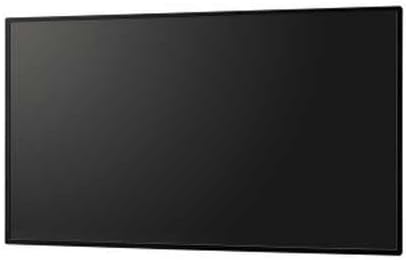
Slika 1: Spredaj view of the Sharp PNB501 50-inch monitor, showcasing njegovo elegantno obliko.
Nastavitev
Follow these steps to set up your Sharp PNB501 monitor. Ensure all components are present and undamaged before proceeding.
1. Razpakiranje in namestitev
- Carefully remove the monitor from its packaging. Retain all packaging materials for future transport or storage.
- Place the monitor on a stable, flat surface or mount it securely using a compatible VESA mount (sold separately). Ensure adequate ventilation around the display.
2. Priključni kabli
The PNB501 features various input ports for versatile connectivity.
Slika 2: Zadaj view of the monitor, highlighting the various input and output ports.
- Napajalni priključek: Connect the power cord to the monitor's AC inlet and then to a grounded electrical outlet.
- Video vhod: Connect your video source (e.g., PC, media player) to the monitor using a DisplayPort cable (Display Port x 1 Mini) or other available video inputs.
- Zvočna povezava: If your video source does not transmit audio via the video cable, connect an audio cable from your source to the monitor's audio input.
- Omrežna povezava: For network features or SoC functionality, connect an Ethernet cable to the LAN port.
3. Začetni vklop
- Pritisnite gumb za vklop na monitorju ali daljinskem upravljalniku.
- The monitor will display the Sharp logo and then search for an active input signal.
- If no signal is detected, ensure your source device is powered on and the correct input is selected on the monitor.
Navodila za uporabo
This section covers the basic operation of your Sharp PNB501 monitor.
1. Vklop/izklop
- Če želite vklopiti monitor, pritisnite Moč button on the monitor's control panel or the remote control.
- To turn off the monitor, press the Moč button again. The monitor will enter standby mode.
2. Izbira vhoda
Za preklapljanje med različnimi video viri:
- Pritisnite Vnos or Vir button on the remote control or monitor.
- Use the navigation buttons to select the desired input (e.g., DisplayPort, HDMI).
- Pritisnite Vnesite or OK da potrdite svojo izbiro.
3. Navigacija po meniju
Access and adjust monitor settings using the On-Screen Display (OSD) menu:
- Pritisnite meni gumb za odpiranje zaslonskega menija (OSD).
- Uporabite Gor/Dol or Levo/desno navigation buttons to browse through menu options (e.g., Picture, Audio, System).
- Pritisnite Vnesite or OK to select a sub-menu or adjust a setting.
- Use the navigation buttons to change values or select options.
- Pritisnite meni spet oz Izhod to close the OSD.
Vzdrževanje
Proper maintenance ensures the longevity and optimal performance of your Sharp PNB501 monitor.
1. Čiščenje zaslona
- Always turn off and unplug the monitor before cleaning.
- Uporabite mehko krpo, ki ne pušča vlaken, dampz vodo ali specializirano raztopino za čiščenje zaslonov.
- Nežno obrišite površino zaslona. Izogibajte se prekomernemu pritisku.
- Do not use abrasive cleaners, alcohol, benzene, or thinners, as these can damage the screen surface.
2. Čiščenje ohišja
- Ohišje monitorja obrišite z mehko, suho krpo.
- Za trdovratno umazanijo uporabite krpo, ki jo nežnoampened with a mild, non-abrasive detergent solution, then wipe dry.
3. Shranjevanje
- If storing the monitor for an extended period, place it in its original packaging to protect it from dust and physical damage.
- Hraniti na hladnem in suhem mestu, stran od neposredne sončne svetlobe in ekstremnih temperatur.
Odpravljanje težav
This section provides solutions to common issues you might encounter with your Sharp PNB501 monitor. If the problem persists, please contact customer support.
Brez moči
- Ensure the power cord is securely connected to both the monitor and a working electrical outlet.
- Preverite, ali je vtičnica aktivna, tako da vanjo priključite drugo napravo.
- Press the power button firmly on the monitor or remote control.
Ni signala / Prazen zaslon
- Verify that the video cable (e.g., DisplayPort) is securely connected to both the monitor and the source device.
- Prepričajte se, da je izvorna naprava (npr. računalnik) vklopljena in oddaja signal.
- Use the monitor's input selection feature to ensure the correct input source is chosen.
- Try connecting a different video source or cable to rule out a faulty component.
Slaba kakovost slike
- Check the resolution settings on your source device. Ensure it is set to the monitor's native resolution (1920x1080).
- Adjust picture settings (brightness, contrast, sharpness) via the OSD menu.
- Ensure the video cable is not damaged or excessively long.
Brez zvoka
- Increase the volume on the monitor and the source device.
- Check if the audio cable is properly connected (if not using audio over DisplayPort).
- Ensure the audio output on your source device is not muted or set to an incorrect output.
Specifikacije
Detailed technical specifications for the Sharp PNB501 monitor:
| Funkcija | Specifikacija |
|---|---|
| Znamka | Ostra |
| Številka modela | PN-B501 |
| Velikost zaslona | 49.5 palcev |
| Ločljivost zaslona | 1920 x 1080 (FHD 1080p) |
| Razmerje stranic | 16:9 |
| Opis površine zaslona | Sijajni |
| Teža predmeta | 49 funtov |
| Dimenzije izdelka (DxŠxV) | 44.21 x 2.76 x 25.47 palcev |
| Število procesorjev | 4 (Built-in SoC) |
| Proizvajalec | SHARP ELECTRONICS CORPORATION |
| Prvič na voljo | 2. marec 2018 |
Garancija in podpora
Sharp stands behind the quality of its products. For specific warranty terms and conditions, please refer to the warranty card included with your product or visit the official Sharp website. General support information is provided below.
Podpora uporabnikom
If you require technical assistance, have questions about your product, or need to arrange for service, please contact Sharp customer support. You can often find contact information on the official Sharp webspletnem mestu ali prek prodajalca, kjer ste izdelek kupili.
For additional resources and product information, you may visit the official Sharp store page:
Obiščite trgovino Sharp na Amazonu
Please note that return policies, such as the 30-day easy returns, are typically handled by the retailer.
Sorodni dokumentiPN-B501


Ask a question about this manual
Ask about setup, troubleshooting, compatibility, parts, safety, or missing instructions. Manuals+ will review the question and use this page’s manual context to help answer it.