
1. Uvod
The ecobee Switch+ is a smart light switch designed to integrate seamlessly into your smart home ecosystem, offering advanced lighting control and built-in Amazon Alexa functionality. This manual provides detailed instructions for installation, operation, and troubleshooting to ensure optimal performance of your device.

Slika: spredaj view of the ecobee Switch+ Smart Light Switch.
The ecobee Switch+ combines smart lighting features with the convenience of Amazon Alexa, allowing you to control your lights with voice commands, motion detection, ambient light sensors, and through the ecobee mobile app. It also supports Apple HomeKit and Google Assistant for broader smart home integration.
Konec izdelkaview Video
Video: Uradnik nadview of the ecobee Switch+ Smart Light Switch, highlighting its key features and benefits.
2. Varnostne informacije
WARNING: Installation involves handling high voltage wiring. If you are uncomfortable or unfamiliar with electrical work, consult a qualified electrician. Always turn off power at the circuit breaker before beginning installation.
The ecobee Switch+ requires a neutral wire and a ground wire for proper operation. It is compatible with single-pole switches only and is not designed for use with 3-way or 4-way switches. Ensure your electrical setup meets these requirements before proceeding.
3. Kaj je v škatli
- ecobee Switch+ pametno stikalo za luči
- Okrasna okrasna plošča
- Navodila za namestitev
- Žične matice

Image: The ecobee Switch+ box contents, showing the switch, wall plate, wire nuts, and setup instructions on a smartphone screen.
4. Nastavitev in namestitev
Installation of the ecobee Switch+ typically takes about 45 minutes and can be completed by following the step-by-step instructions provided in the ecobee mobile app. Ensure you have the necessary tools: a Philips head screwdriver, a flathead screwdriver, and pliers (optional).
Koraki namestitve:
- Izklopite napajanje: Locate your circuit breaker and turn off the power to the switch you are replacing. Confirm power is off by flipping the switch a few times.
- Odstranite staro stikalo: Carefully remove the existing wall plate and unscrew the old light switch from the wall box.
- Prepoznajte žice: Identify the line, load, neutral, and ground wires. The ecobee Switch+ requires a neutral wire (typically white) and a ground wire (typically copper or green).
- Connect ecobee Switch+: Use the provided wire nuts to connect the ecobee Switch+ wires to your home's wiring according to the in-app instructions.
- Namestitev stikala: Secure the ecobee Switch+ into the wall box using the mounting screws.
- Namestite stensko ploščo: Attach the decorative trim plate.
- Obnovi moč: Ponovno vklopite napajanje na odklopniku.
- Nastavitev aplikacije: Download the ecobee app from the App Store or Google Play. Follow the in-app prompts to connect your Switch+ to your Wi-Fi network and complete the setup, including linking with Amazon Alexa, Apple HomeKit, or Google Home.
Detailed Installation and Setup Video
Video: A comprehensive guide demonstrating the unboxing, installation process, and initial setup of the ecobee Switch+ using the mobile app.
5. Navodila za uporabo
Physical Control:
The ecobee Switch+ features a rocker-style switch. Press the bottom portion to toggle the connected lights on or off.
Voice Control with Amazon Alexa:
With built-in Amazon Alexa, you can control your lights and access Alexa's features directly from the switch. Simply say "Alexa" followed by your command.
- "Alexa, prižgi luči."
- "Alexa, ugasni luči."
- "Alexa, nastavi časovnik na 5 minut."
- "Alexa, kakšno je vreme?"
- To mute Alexa, press the top portion of the switch until the light ring turns red. Press again to unmute.

Image: A family using voice commands to interact with the ecobee Switch+ in a living room setting.
Nadzor mobilne aplikacije:
Use the ecobee mobile app (available on Android and iOS) to control your lights remotely, adjust settings, and manage smart features.
- Toggle lights on/off.
- Configure Smart On/Off settings.
- Set Night Light preferences.
- Integrate with Apple HomeKit and Google Home for centralized control.

Image: The ecobee Switch+ on a wall, with a smartphone showing the ecobee app interface for remote light control.
6. Pametne funkcije
The ecobee Switch+ offers several intelligent features to automate your lighting:
- Smart On: Automatically turns on lights when motion is detected in the room. You can configure daylight detection and 'Do Not Disturb' times to prevent activation during specific periods.
- Pametni izklop: Automatically turns off lights when no one is detected in the room after a set period (e.g., 1 minute). This helps conserve energy.
- Nočna luč: Provides a subtle glow in the dark, useful for hallways or children's rooms. This feature can be enabled or disabled via the app.
- Senzor okoljske svetlobe: Detects the amount of natural light in a room to optimize lighting behavior.
- Senzor gibanja: Detects occupancy to trigger Smart On/Off features.
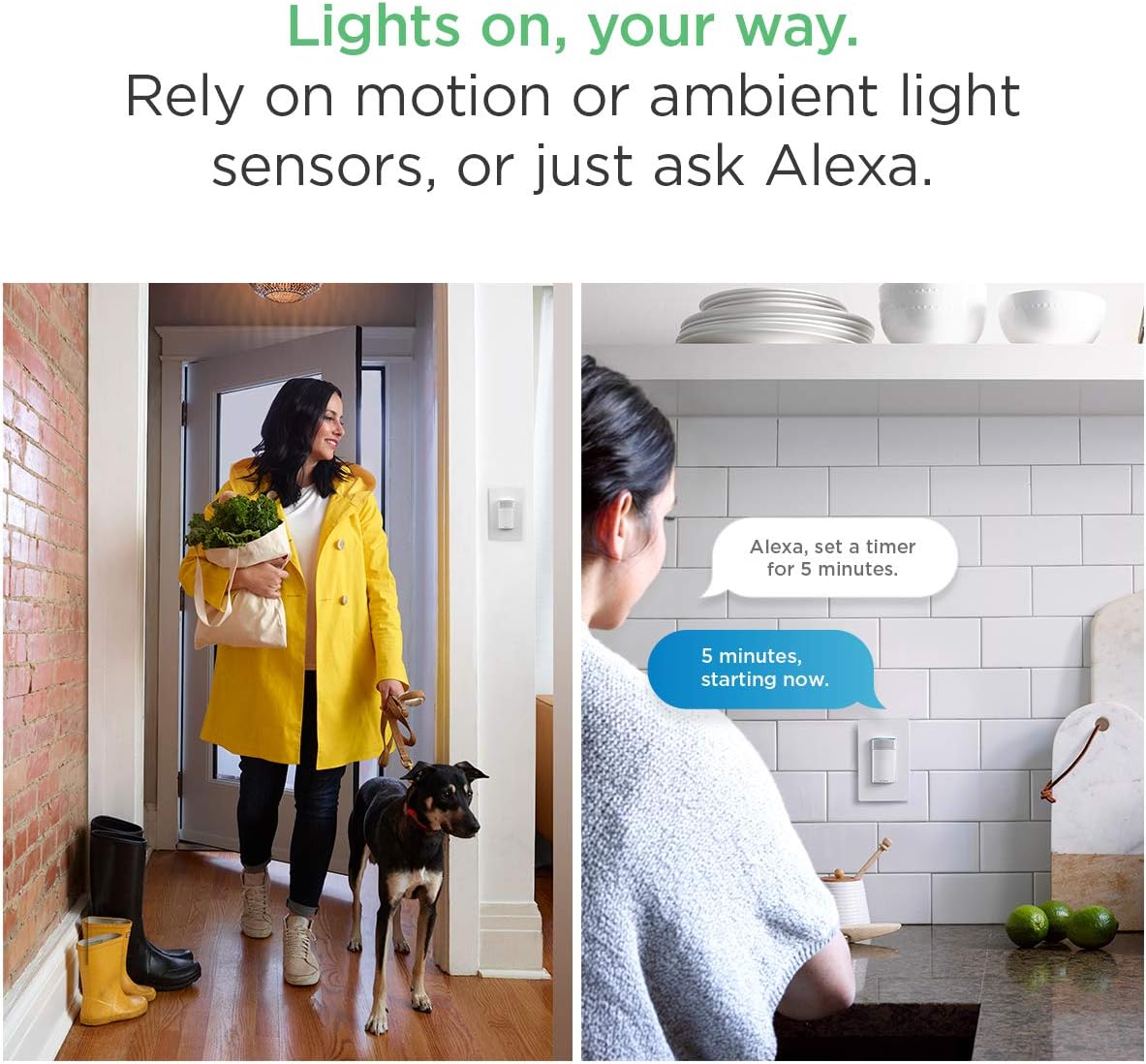
Image: Demonstrates motion-activated lighting and voice control for setting timers.
7. Vzdrževanje
- Čiščenje: Gently wipe the surface of the switch and wall plate with a soft, dry cloth. Avoid using abrasive cleaners or solvents.
- Posodobitve programske opreme: Ensure your ecobee Switch+ firmware is up to date through the ecobee mobile app to access the latest features and improvements.
8. Odpravljanje težav
- Luči se ne odzivajo: Check if the circuit breaker is on. Ensure the switch is properly installed and wired. Verify Wi-Fi connectivity.
- Alexa se ne odziva: Ensure Alexa is not muted (red light ring). Check Wi-Fi connection. Re-link your Amazon account in the ecobee app if necessary.
- Težave z Wi-Fi povezljivostjo: Ensure your Wi-Fi network is 2.4 GHz. If using a mesh Wi-Fi system, ensure the switch is connecting to a stable signal. Try restarting your router.
- Smart features not working: Verify settings in the ecobee app for Smart On, Smart Off, and Night Light. Check for any 'Do Not Disturb' schedules that might be interfering.
9. Specifikacije
| Specifikacija | Vrednost |
|---|---|
| Številka modela | EB-SMSWV-02 |
| Dimensions (Switch+) | Height: 106 mm (4.17 inch), Width: 45 mm (1.8 inch), Depth: 50 mm (2 inch) |
| Dimensions (Wall Plate) | Height: 119 mm (4.7 inch), Width: 45 mm (2.95 inch), Depth: 7 mm (0.3 inch) |
| Električne zahteve | 120V AC 60Hz, 600W incandescent, 150W LED and CFL |
| Ožičenje | Neutral and ground wire required, Automatic line and load wire switching |
| Združljivost | Single/double/multi-switch (not 3-way compatible), Rocker style plates |
| Povezljivost | Wi-Fi, IEEE 802.11 b/g/n 2.4 GHz, WPA/WPA2, WEP, DHCP, TLS, 915 MHz |
| Nadzorna metoda | Voice (Amazon Alexa), Mobile App (Android, iOS), HomeKit, Google Assistant |
| Način delovanja | Samodejno, izklop, pametni izklop |
| Material | Copper (contact material) |
| Certifikati | RoHS compliant, UL Listed |
10. Garancija in podpora
Garancija:
The ecobee Switch+ comes with a 1-Year Limited Warranty. Please refer to the warranty documentation included with your product for full details and terms.
Podpora strankam:
For further assistance, technical support, or warranty claims, please contact ecobee customer support through their official website or the ecobee mobile app.