
Konec izdelkaview
The Amazon Basics Full Size Ergonomic Wireless Mouse is designed for comfort and seamless functionality, ideal for right-hand use. This black wireless mouse provides reliable performance for both laptops and PCs, enhancing your computing experience with its advanced features.
Key features include fast-scrolling capabilities, a clickable scroll wheel, and convenient forward/back thumb buttons for streamlined navigation. It connects via a compact USB receiver, allowing for a tidy workspace without occupying additional ports. The optical sensor offers a 1600 DPI resolution for smooth and accurate tracking on most surfaces. An integrated on/off switch helps extend battery life, making it a dependable choice for continuous use. The mouse operates on a stable 2.4 GHz non-Bluetooth wireless connection and comes with 2 AA batteries and a battery LED light for user convenience.
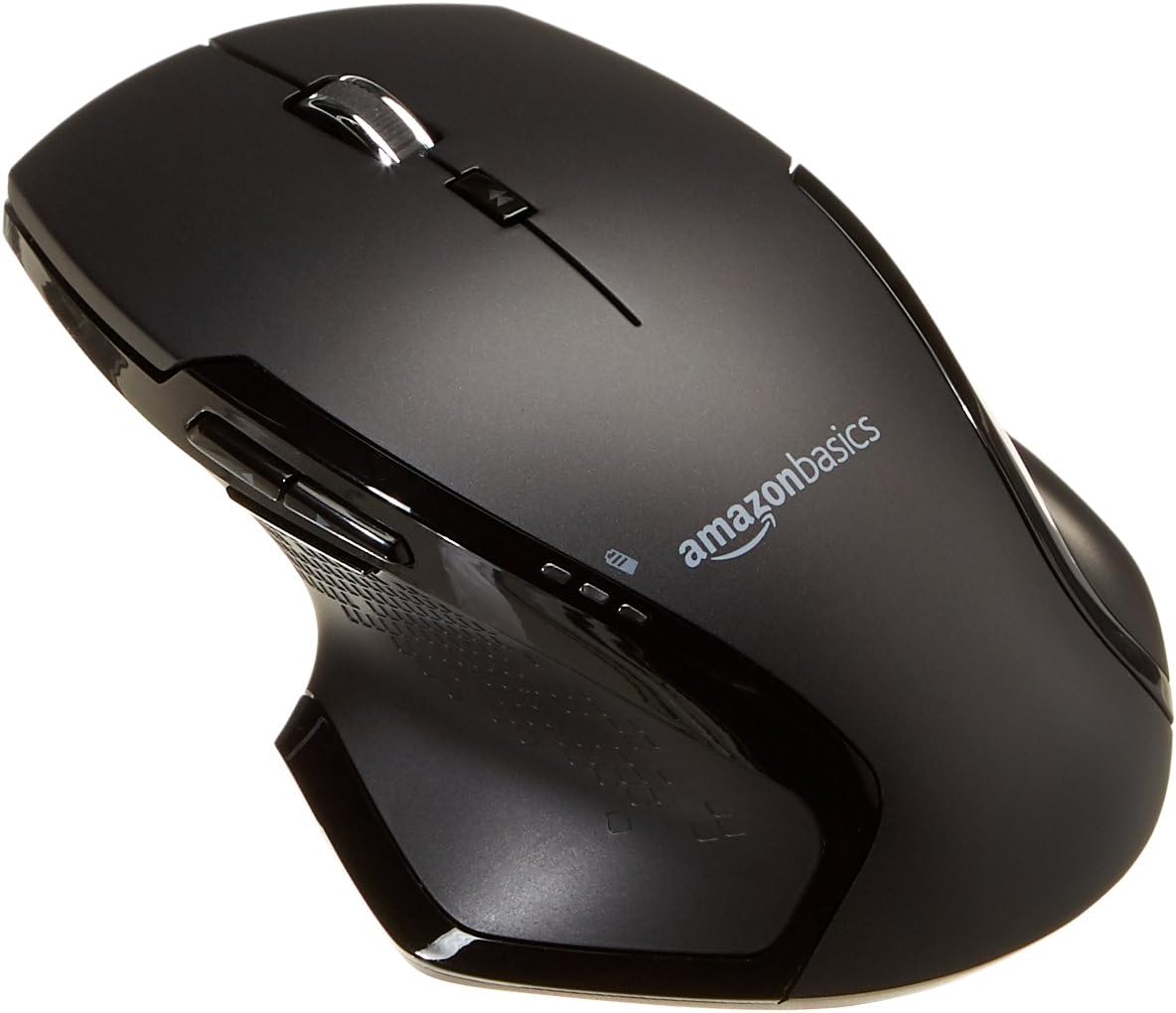
Slika: Zgoraj view of the Amazon Basics Full Size Ergonomic Wireless Mouse, showcasing its black finish and ergonomic design.
Vsebina paketa
Preden nadaljujete z namestitvijo, se prepričajte, da so prisotni vsi elementi:
- Brezžična miška
- 2 x AA baterije
- USB sprejemnik
Nastavitev
1. Namestitev baterij
- Turn the mouse upside down.
- Poiščite pokrov predalčka za baterije na spodnji strani miške.
- Odprite pokrov.
- Vstavite dve (2) bateriji AA in pri tem pazite na pravilno polarnost (+/-), kot je označeno v notranjosti predala.
- Trdno zaprite pokrov prostora za baterije.

Image: Underside of the mouse with the battery compartment open, showing the slots for two AA batteries and the stored USB receiver.
2. Priključitev USB-sprejemnika
- Odstranite USB-sprejemnik iz reže za shranjevanje v predalu za baterije miške.
- Priključite USB-sprejemnik v prosta USB-vrata na vašem računalniku (PC ali Mac).
- Obrnite miško ON using the on/off switch located on the underside of the mouse.
- Vaš računalnik bi moral samodejno zaznati in namestiti potrebne gonilnike. To lahko traja nekaj trenutkov.

Image: The Amazon Basics wireless mouse positioned next to a laptop, illustrating a typical setup.
The mouse is plug-and-play and does not require additional software installation. For pointer speed adjustments, refer to your operating system's system settings.
Navodila za uporabo
Osnovne funkcije
- Levi klik: Glavni gumb za izbiranje elementov, odpiranje filein interakcijo s programsko opremo.
- Desni klik: Drugi gumb za dostop do kontekstnih menijev in dodatnih možnosti.
- Kolesce za pomikanje: Pomikajte se navzgor ali navzdol po dokumentih in web pages. The wheel is also clickable for middle-click functions.

Slika: Stran view of the Amazon Basics wireless mouse, highlighting its ergonomic contours and side buttons.
Advanced Functions (Thumb Buttons)
- Gumb za naprej: Navigacija naprej v web brskalniki oz file raziskovalci.
- Gumb za nazaj: Navigacija nazaj v web brskalniki oz file raziskovalci.

Image: A hand demonstrating the ergonomic grip on the Amazon Basics wireless mouse, showing natural placement of fingers and thumb on the buttons.
Vzdrževanje
- Čiščenje: Za čiščenje miške uporabite mehko, suho krpo. Za trdovratno umazanijo rahloamp krpo lahko uporabite, vendar pazite, da v notranje komponente ne pride vlaga.
- Zamenjava baterije: When the battery LED light indicates low power, replace both AA batteries promptly to ensure optimal performance.
- Shranjevanje: When not in use for extended periods, turn off the mouse using the on/off switch to conserve battery life. The USB receiver can be stored inside the battery compartment for safekeeping.
Odpravljanje težav
| Težava | Možen vzrok | rešitev |
|---|---|---|
| Miška se ne odziva. |
|
|
| Premikanje kurzorja je neenakomerno ali poskakujoče. |
|
|
| Forward/Back buttons not working on Mac. |
|
|
Specifikacije
| Funkcija | Podrobnost |
|---|---|
| Znamka | Osnove Amazona |
| Številka modela | GP8-BK |
| Tehnologija povezljivosti | 2.4 GHz brezžično (USB sprejemnik) |
| Tehnologija zaznavanja gibanja | Optični |
| Ločljivost DPI | 1600 DPI |
| Vir napajanja | 2 x AA baterije (priložene) |
| barva | Črna |
| Teža predmeta | 8 unč (približno 227 gramov) |
| Dimenzije izdelka (DxŠxV) | 4.96 x 1.77 x 3.24 palca (približno 12.6 x 4.5 x 8.2 cm) |
| Združljivi operacijski sistemi | PC (Windows 7 and above), Mac, Laptop, Chromebook |
Garancija in podpora
For warranty information and customer support, please refer to the official Amazon Basics website or the documentation included with your product. You can also find additional resources and contact information via the following links:
- Garancija (PDF)
- Uporabniški priročnik (PDF)
- Uporabniški priročnik (PDF)
- Obiščite trgovino Amazon Basics
For further assistance, please contact Amazon Basics customer service.