
1. Sistem je končanview
This manual provides instructions for the SANNCE 16-channel 8MP NVR Wireless WiFi Security Camera System. This system is designed for comprehensive surveillance, offering high-resolution video recording and remote monitoring capabilities.
Ključne značilnosti:
- 16-Channel 8MP NVR: Supports up to 16 cameras with 8-megapixel resolution for clear video.
- Brezžična povezljivost WiFi: Utilizes 2.4/5.8GHz dual-band WiFi for stable and long-distance connections up to 985ft in open environments.
- H.264+ Video Coding: Advanced compression technology to optimize storage space while maintaining video quality.
- IP66 Outdoor Cameras: Weatherproof cameras suitable for various environmental conditions (-20℃ to 60℃).
- Nočni vid: Features up to 98ft IR night vision and 33ft full-color night vision for 24/7 monitoring.
- Human Motion Detection & Two-Way Talk: Enhanced security with intelligent detection and audio communication.
- Razširljiv prostor za shranjevanje: Supports up to 8TB local HDD storage and cloud storage options.
- Pametna integracija: Compatible with Alexa for voice control.
2. Nastavitev sistema
The SANNCE security system is designed for quick and easy plug-and-play installation. Follow these steps for initial setup.
2.1 Razpakiranje in prva priključitev
- Carefully unpack all components: NVR, cameras, power adapters, and accessories.
- Priključite NVR na monitor s kablom HDMI ali VGA.
- Priključite NVR na vir napajanja s priloženim napajalnikom.
- Connect the cameras to their respective power sources. The cameras will automatically pair with the NVR.
- Connect the NVR to your router via an Ethernet cable for network access and remote viewing.

Slika 2.1: Konecview of system installation, WiFi connection, and remote access via mobile application.
2.2 Konfiguracija omrežja
Once the NVR is connected to your router, access the NVR's interface on the connected monitor to configure network settings. Ensure DHCP is enabled on your router or assign a static IP address to the NVR if required by your network setup.
2.3 Nastavitev mobilne aplikacije
- Download the SANNCE mobile application from your device's app store.
- Registrirajte račun in se prijavite.
- Add your NVR to the app by scanning the QR code displayed on the NVR's interface or by manually entering its ID.
- Ko ga dodate, lahko view prenose v živo, predvajanje posnetkov in prejemanje opozoril na daljavo.

Slika 2.2: Daljinski upravljalnik viewing of camera feeds on various devices.
3. Delovanje sistema
This section details the various operational modes and features of your SANNCE security system.
3.1 Načini snemanja
The system offers flexible recording options:
- Nenehno snemanje: Snemanje 24 ur na dan, 7 dni v tednu brez prekinitev.
- Snemanje zaznavanja gibanja: Snema samo, ko je zaznano gibanje.
- Zaznavanje človeškega gibanja: Advanced detection specifically for human shapes, reducing false alarms.
- Predvideno snemanje: Določite določene čase za snemanje.
- Snemanje, sproženo z alarmom: Records when an alarm event (e.g., motion, human detection) is triggered.

Figure 3.1: Intelligent human detection feature and various recording options.
3.2 Nočni vid
The cameras are equipped with advanced night vision technology to ensure clear surveillance in low-light conditions.
- IR Night Vision: Provides black and white video up to 98 feet in complete darkness.
- Nočni vid v polni barvi: Offers color video up to 33 feet in low-light conditions, enhancing detail and identification.

Figure 3.2: Demonstration of full-color night vision capability.
3.3 Dvosmerni zvok
Utilize the built-in microphone and speaker on the cameras for two-way communication. This feature allows you to speak to individuals near the camera and hear their responses through the mobile app or NVR interface.

Figure 3.3: System features including two-way audio.

Slika 3.4: Nprample of two-way audio communication.
3.4 Oddaljeno spremljanje in opozorila
Stay informed with real-time notifications and remote access:
- Mobile App Notifications: Receive instant alerts on your smartphone when motion or human detection is triggered.
- E-poštna opozorila: Configure the system to send email notifications with snapshots of events.
- Integracija Alexa: Use voice commands with Alexa-enabled devices to view viri kamer.

Figure 3.5: Notifications for intelligent people detection.

Figure 3.6: Seamless integration with Alexa for voice control.
4. Vzdrževanje
Redno vzdrževanje zagotavlja optimalno delovanje in dolgo življenjsko dobo vašega varnostnega sistema.
4.1 Čiščenje kamere
- Leče fotoaparata občasno čistite z mehko krpoamp krpo, da odstranite prah, umazanijo ali vodne madeže, ki bi lahko ovirali view.
- Avoid using harsh chemicals or abrasive materials that could damage the lens coating.
4.2 NVR and Storage Management
- Zagotovite, da je NVR nameščen v dobro prezračevanem prostoru, da preprečite pregrevanje.
- Regularly check the hard drive status through the NVR interface to ensure it is functioning correctly.
- Manage storage space by configuring recording settings or backing up important footage to external storage or cloud services.
4.3 Posodobitve vdelane programske opreme
Check the SANNCE official website or the mobile application periodically for firmware updates. Keeping your system's firmware updated ensures access to the latest features, security patches, and performance improvements.
5. Odpravljanje težav
Ta razdelek obravnava pogoste težave, na katere lahko naletite, in ponuja rešitve.
5.1 Brez video prikaza
- Preverite moč: Ensure the NVR and all cameras are properly connected to power outlets and are turned on.
- Povezava monitorja: Verify the HDMI/VGA cable connection between the NVR and your monitor.
- Seznanjanje fotoaparata: Confirm that cameras are successfully paired with the NVR. Refer to the setup section for pairing instructions if needed.
5.2 Poor Wireless Connection
- Moč signala: Check the wireless signal strength of the cameras in the NVR interface.
- Ovire: Reduce obstacles (thick walls, metal structures) between cameras and the NVR.
- Razdalja: Ensure cameras are within the effective wireless range (up to 985ft in open environments).
- Motnje: Minimize interference from other wireless devices. The system supports dual-band WiFi (2.4/5.8GHz) which can help.
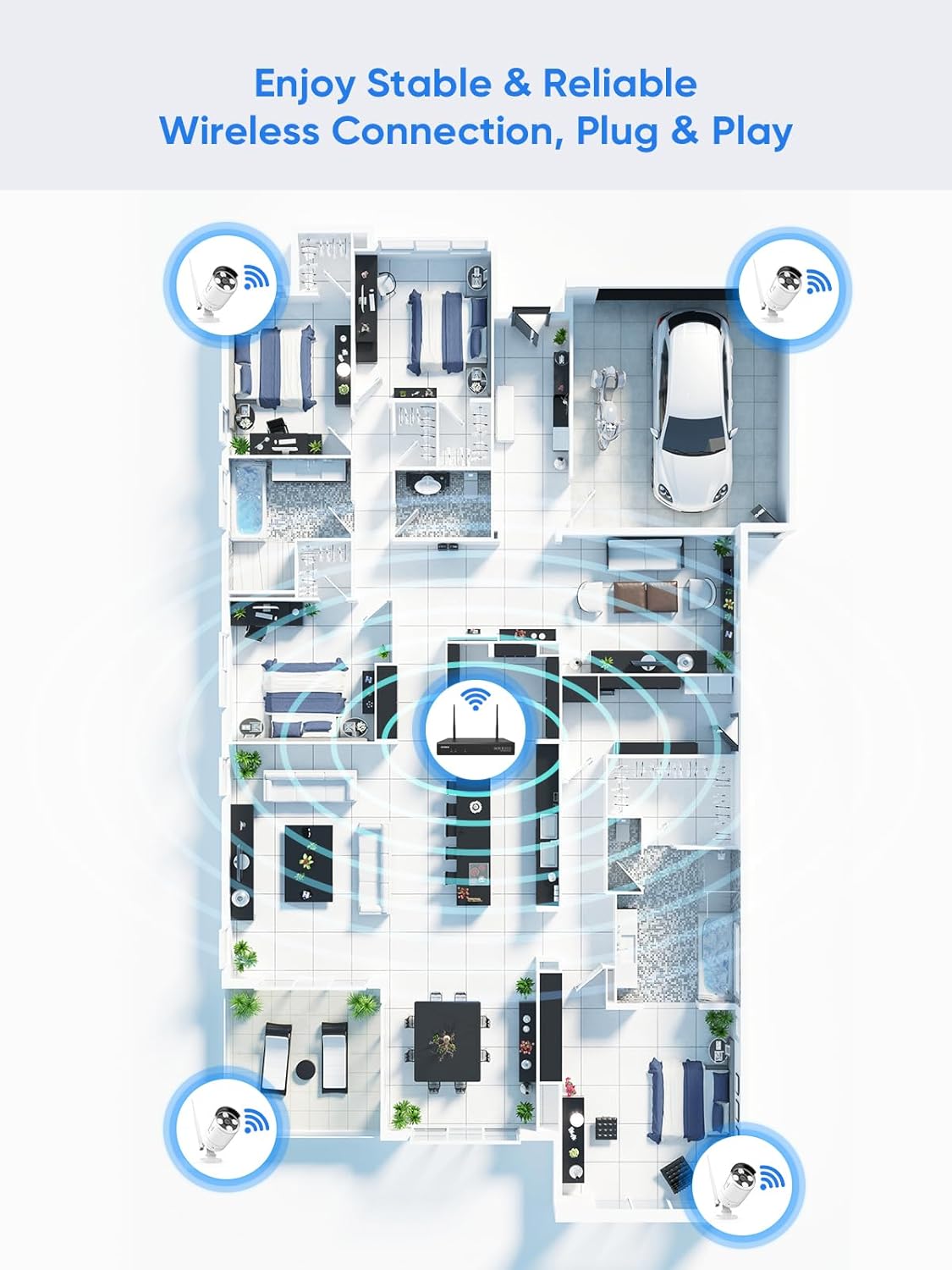
Figure 5.1: Wireless coverage and connection stability.
5.3 Težave s snemanjem
- trdi disk: Verify the hard drive is installed correctly and is not full. Format the HDD if necessary (this will erase all data).
- Urnik snemanja: Check your recording schedule and motion detection settings to ensure they are configured as desired.
- Občutljivost na gibanje: Adjust motion detection sensitivity if recordings are too frequent or not frequent enough.
5.4 Remote Access Problems
- Internetna povezava: Ensure both your NVR and mobile device have a stable internet connection.
- NVR Network Settings: Confirm the NVR's network settings are correct and it has access to the internet.
- Prijava v aplikacijo: Verify you are logged into the SANNCE app with the correct account.
6. Specifikacije
| Funkcija | Podrobnost |
|---|---|
| Številka modela | 4335041969 |
| Znamka | SANNCE |
| Tehnologija povezljivosti | HDMI, USB, VGA, Wireless WiFi (2.4/5.8GHz) |
| Združljive naprave | Kamere |
| Zmogljivost pomnilnika | Up to 8 TB (HDD) |
| Velikost trdega diska | 8 TB (Maximum Supported) |
| Ocena IP | IP66 (Outdoor Cameras) |
| Delovna temperatura | -20 ℃ do 60 ℃ |
| Dimenzije paketa | 13.78 x 11.42 x 3.19 palcev |
| Teža predmeta | 3.14 funtov |
| Prvič na voljo | 11. december 2017 |
7. Garancija in podpora
7.1 Politika vračila
This product is subject to a 30-day return policy from the date of purchase. Please refer to your retailer's specific return guidelines for detailed information.
7.2 Garancija proizvajalca
SANNCE provides a limited warranty for this product against defects in materials and workmanship. For specific warranty terms, duration, and conditions, please refer to the warranty card included with your product or visit the official SANNCE webmesto.
7.3 Podpora strankam
If you encounter any issues or have questions regarding the installation, operation, or maintenance of your SANNCE security system, please contact SANNCE customer support for assistance. You can typically find contact information on the SANNCE official webspletnem mestu ali v embalaži izdelka.
Za več informacij obiščite SANNCE Store.