
InFocus IN112XV
Uporabniški priročnik za predstavitveni projektor InFocus IN112XV
Model: IN112XV | Brand: InFocus
1. Uvod
This manual provides essential information for the safe and efficient operation of your InFocus IN112XV Presentation Projector. The IN112XV is designed for business presentations and educational use, offering a long lamp life, high brightness, and clear image quality.
- Podaljšan Lamp življenje: Enjoy over 15,000 hours of viewing.
- Visoka Svetlost: 3800 lumens for clear images in various lighting conditions.
- Kontrastno razmerje: 26000:1 for distinct whites and blacks.
- Prilagodljiv Viewing: Projects images from 28 inches to 300 inches diagonally.
- Povezljivost: Features HDMI input and SVGA (800 x 600) resolution.
2. Vsebina paketa
Preverite, ali so v vašem paketu priloženi vsi spodaj navedeni elementi:
- InFocus IN112XV Projector
- Napajalni kabel
- Daljinski upravljalnik
- VGA kabel
- Dokumentacija (ta priročnik in drugi vodniki)
3. Izdelek je končanview
Familiarize yourself with the components and controls of your InFocus IN112XV projector.
3.1 Spredaj View
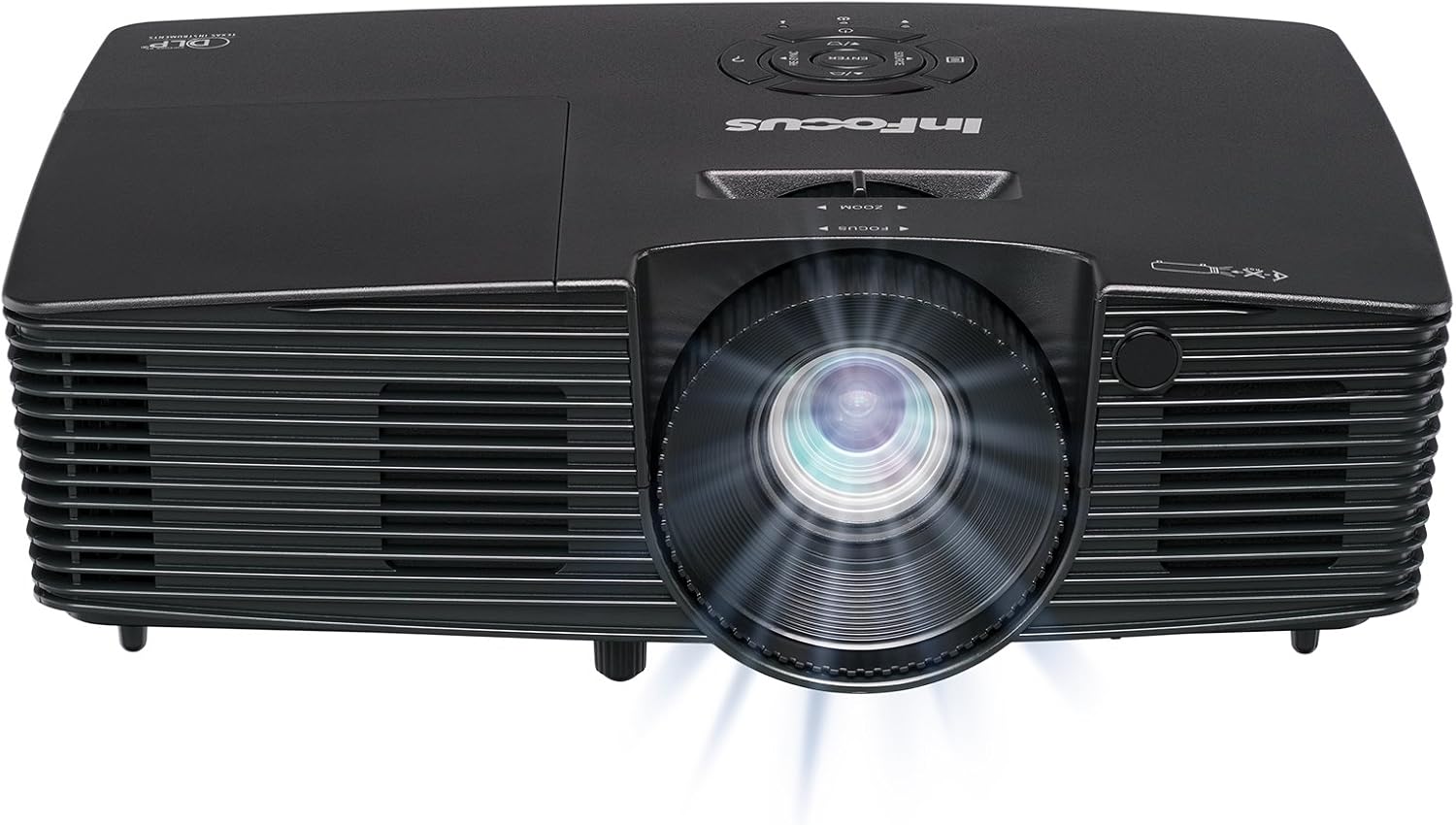
Slika 3.1: Spredaj view of the InFocus IN112XV projector. This image highlights the main projection lens and the front ventilation grilles.
3.2 vrh View in nadzorna plošča

Slika 3.2: Vrh view of the InFocus IN112XV projector. The control panel is visible on the right, featuring buttons for power, source selection, menu navigation, keystone adjustment, and volume. The focus and zoom adjustment rings are located around the lens.
The control panel on the top of the projector allows for basic operation without the remote. Key buttons include:
- moč: Vklopi ali izklopi projektor.
- Vir: Preklaplja med razpoložljivimi vhodnimi viri.
- meni: Dostopi do zaslonskega menija (OSD).
- Vnesite: Potrdi izbire v zaslonskem meniju.
- Smerne tipke: Navigate menu options and adjust settings.
- Re-Sync: Synchronizes the image.
3.3 zadaj View and Connection Ports

Slika 3.3: Zadaj view of the InFocus IN112XV projector. This image displays the available connection ports, including Video In, S-Video In, Computer In (VGA), HDMI, and the power input.
Zadnja plošča ima različna priključka za priključitev zunanjih naprav:
- Video vhod: For composite video sources.
- S-Video In: For S-Video sources.
- Computer In (VGA): For connecting to computers via VGA cable.
- HDMI: Za digitalne video in avdio vire.
- storitev: For service and maintenance purposes.
- Vhodna moč: Connects the power cord to an electrical outlet.
3.4 Daljinski upravljalnik

Slika 3.4: Remote control for the InFocus IN112XV projector. The remote provides full control over the projector's functions, including power, source selection, menu navigation, keystone correction, and volume.
The remote control offers convenient access to all projector functions. Ensure batteries are correctly installed.
4. Nastavitev
4.1 Namestitev
Position the projector on a stable, flat surface or mount it securely. Ensure there is adequate space around the projector for ventilation.
4.2 Napajalni priključek
- Priključite napajalni kabel na vhod za napajanje projektorja.
- Drugi konec napajalnega kabla priključite v ozemljeno električno vtičnico.
4.3 Priključitev vhodnih virov
The projector supports various input sources. Choose the appropriate cable for your device:
- HDMI: Connect an HDMI cable from your source device (e.g., laptop, media player) to the projector's HDMI port.
- VGA (računalniški vhod): Connect a VGA cable from your computer to the projector's Computer In port. This is a plug-and-play connection.
- Video In / S-Video In: Use composite video or S-Video cables for older video sources.
- Mobilne naprave: To connect an iPad or smartphone, a LightCast Key (sold separately) is required.
5. Navodila za uporabo
5.1 Vklop/izklop
- Za vklop: Pritisnite Moč button on the projector's control panel or the remote control. The power indicator light will change.
- Za izklop: Pritisnite Moč button again. A confirmation message may appear. Press again to confirm shutdown. Allow the projector to cool down before unplugging.
5.2 Izbira vhodnega vira
After connecting your source device, select the correct input:
- Pritisnite Vir button on the projector's control panel or the remote control to cycle through available inputs (HDMI, VGA, Video, S-Video).
- Alternatively, use the dedicated input buttons (HDMI, VGA, Video) on the remote control.
5.3 Prilagajanje ostrenja in povečave
For a clear and appropriately sized image, adjust the lens rings:

Slika 5.1: Manual Focus Adjustment. This image illustrates the effect of adjusting the focus ring, transforming a blurry projection into a clear and sharp image.
- Fokus: Zavrtite Fokus ring on the projector lens until the image appears sharp and clear.
- Zoom: Zavrtite Zoom ring on the projector lens to adjust the size of the projected image.
5.4 Trapezni popravek
If the projected image appears trapezoidal (wider at the top or bottom), use keystone correction to square it:
- Pritisnite Keystone+ or Keystone- buttons on the remote control to adjust the image geometry.
5.5 Navigacija po meniju
Access the On-Screen Display (OSD) menu for advanced settings:
- Pritisnite meni button on the remote or control panel.
- Use the arrow keys to navigate through menu options.
- Pritisnite Vnesite za izbiro možnosti ali potrditev nastavitve.
- Pritisnite meni znova za izhod iz zaslonskega menija.
6. Vzdrževanje
6.1 Lamp življenje
Projektor lamp has an estimated life of over 15,000 hours. When the lamp reaches the end of its life, the projector may display a warning message or the image brightness may significantly decrease. Refer to the full service manual for lamp replacement procedures if necessary.
6.2 Čiščenje
- Projektor Casing: Za brisanje zunanjosti projektorja uporabite mehko, suho krpo. Ne uporabljajte abrazivnih čistil ali topil.
- Objektiv: Gently clean the lens with a lens cleaning cloth and specialized lens cleaning solution. Avoid touching the lens surface with your fingers.
- Prezračevalne odprtine: Periodically check and clean the ventilation openings to ensure proper airflow and prevent overheating. Use a soft brush or compressed air to remove dust.
7. Odpravljanje težav
Ta razdelek obravnava pogoste težave, na katere lahko naletite pri uporabi projektorja.
| Težava | Možen vzrok | rešitev |
|---|---|---|
| Nobena slika ni prikazana |
|
|
| Slika je zamegljena |
|
|
| Slika je trapezoidna |
|
|
| Projector runs hot or smells of burning plastic |
|
|
| Brez zvoka |
|
|
Pomembna opomba: This projector is not recommended for high-definition movie viewing. While it can accept a 1080p input signal, it projects at its native SVGA (800 x 600) resolution.
8. Specifikacije
| Funkcija | Podrobnost |
|---|---|
| Številka modela | IN112XV |
| Tehnologija zaslona | DLP |
| Izvorna ločljivost | SVGA (800 x 600) |
| Svetlost | 3800 lumnov |
| Kontrastno razmerje | 26000:1 |
| Lamp življenje | Do 15,000 ur |
| Povezljivost | HDMI, VGA (Computer In), Video In, S-Video In |
| Posebna funkcija | 3D-pripravljen |
| Priporočene uporabe | Poslovanje, izobraževanje |
| Dimenzije izdelka | 8.8 x 12.4 x 4 palcev |
| Teža predmeta | 5.5 funtov |
9. Garancija in podpora
9.1 Informacije o garanciji
The InFocus IN112XV projector is backed by a 2-letna garancijaTa garancija krije napake v materialu in izdelavi pri normalni uporabi. Za uveljavljanje garancije shranite dokazilo o nakupu.
9.2 Podpora strankam
For technical assistance, troubleshooting beyond this manual, or warranty service, please contact InFocus customer support. Contact information can typically be found on the official InFocus webspletnem mestu ali v dokumentaciji, ki je priložena vašemu izdelku.
Ask a question about this manual
Ask about setup, troubleshooting, compatibility, parts, safety, or missing instructions. Manuals+ will review the question and use this page’s manual context to help answer it.